
The ARRI SkyPanel’s Firmware 3.0 update will streamline the setup and workflow of your next shoot.
It’s no secret that ARRI’s SkyPanel is one of the most versatile LED lights to hit the market in a while. That being said, with NAB in full blast, ARRI introduces the world to its stellar firmware update appropriately titled “Lighting Effects” — and 9 other great updates. Anybody using the SkyPanel can install this free firmware update. Let’s take a look at the updates.
12 Lighting Effects
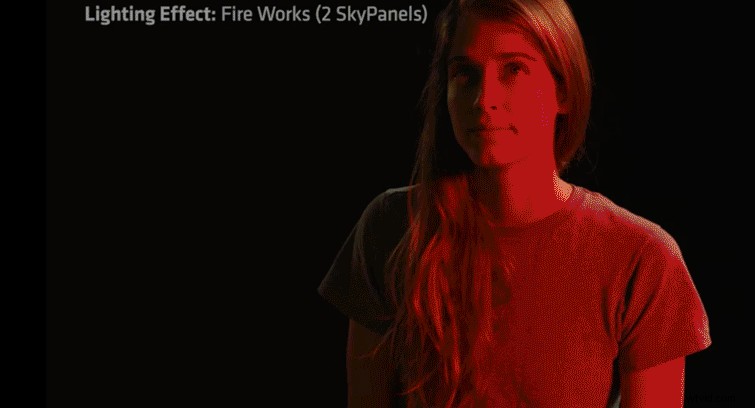
My personal favorite of the updates is the 12 Lighting Effects that are now available for the SkyPanel. Some of these include candles, clouds passing, club lights, color chase, cop car, fire, fireworks, light strobe, lightning, paparazzi, pulsing, and television glow.
High Speed Mode
A solution to flicker and roll bar due to changes in shutter speed, the new “High Speed Mode” has been tested up to 25,000 fps and as low as a two-degree shutter angle. This long-awaited update should help anybody shooting in super slo-motion.
Source Matching
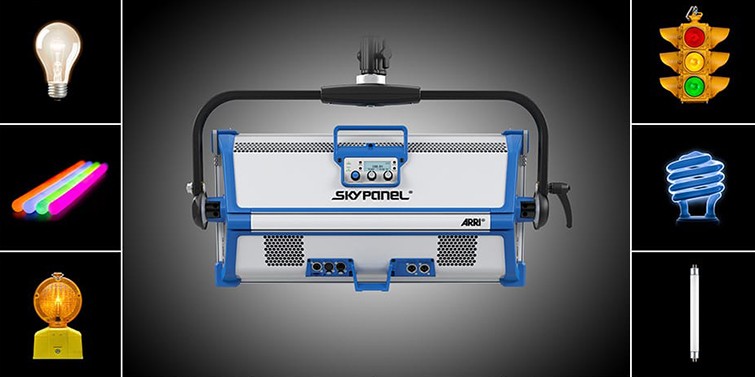
This calibrated light engine essentially reproduces any color, simulating the desired setting or look. This allows users to match exact lighting from previous locations during a reshoot — or save time if you’re in a hurry at a particular location. This update is perfect for anybody looking to shoot any type of real-time effect or scene.
SkyPanel Web Server
By simply connecting the SkyPanel to a network via etherCON connecter, you can use any browser to access the SkyPanel web server generated by each setup. Now, you can even adjust settings through your phone or iPad, saving you from touching the panel or moving around on set.
sACN Implementation
Onboard RGBW Mode
SkyPanel users will now be able to switch to RGBW mode and adjust the LED color channels directly from the panel. If that wasn’t good enough, you can now store and save these presets for a later shoot — or if you’re in the habit of making videos in the same location.
Frequency Selection
You can now fine-tune the frequency of the light output to correct slight roll bars or unwanted flickering from shooting at crazy frame rates or shutter speeds. You’ll be able to pick from ten different frequencies that could help with (or eliminate completely) these unwanted lighting “glitches.”
More Presets and Preset DMX Channel
RGBW Calibrated Color Space
The RGBW mode allows you to adjust the values of each of the four LED channels. The update features a calibrated RGBW mode that still allows users to tinker with the red, blue, green, or white levels to keep the levels consistent across the panel.
Enabled Menu
Given all these features, one of the best inclusions is the Enabled Menu, helping you keep track of all the settings you have currently set up for the SkyPanel. Everything that you just read is now even more accessible with the “Enabled Menu.” You can now review and change any of the settings, all from one easy-to-use menu.
Stay tuned for more PremiumBeat coverage on NAB announcements and reveals.