
Ensure your video and film projects have the highest quality sound by mastering audio equalization in post‑production. Here’s everything you need to know.
Achieving pristine audio is essential for a compelling final product. Recording location sound and room tone at optimal levels lays the groundwork for flawless post‑production. When sound is captured poorly, the margin for improvement shrinks dramatically, making editing a daunting task.
Leveraging equalization—commonly called EQ—in your workflow can dramatically improve editing precision and guarantee superior sound quality from the outset.
What Is Audio Equalization?
Equalization is the art of fine‑tuning the frequency balance within an audio signal. Its goal is to correct spectral irregularities and shape the desired tonal character.
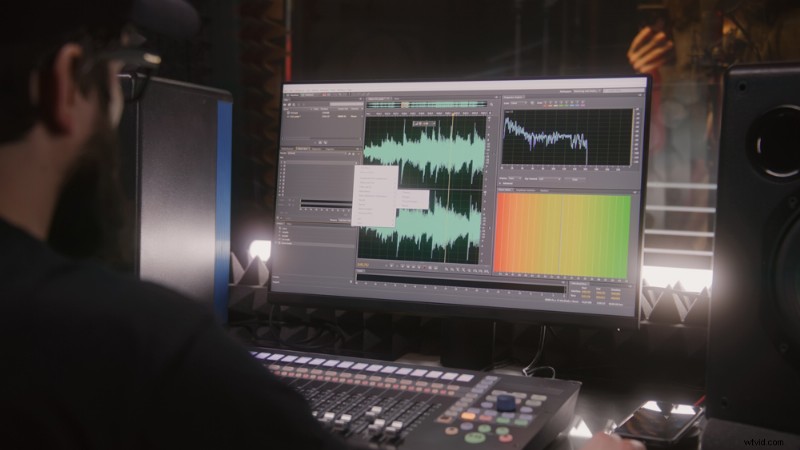 License this image via Frame Stock Footage.
Using a DAW’s EQ module, you can adjust specific frequency bands with surgical precision, tailoring the sonic palette to fit any context.
Understanding Equalizers
In your DAW, the EQ tool typically appears as a graph: the x‑axis represents frequency in Hertz (Hz), while the y‑axis shows decibel levels (dB). Frequency zones are marked with EQ points—numeric values that let you boost or cut individual bands. Lower numbers correspond to lower frequencies.
Parametric EQs offer the greatest flexibility, allowing you to modify frequency, bandwidth, and gain for each band.
Using EQ for Noise Reduction
Unwanted noise—whether high‑frequency hiss or low‑frequency rumble—can ruin a recording. For example, foley artists must eliminate background hiss from footsteps or engine rumble from a car scene.
Every EQ includes high‑pass and low‑pass filters. A high‑pass filter removes frequencies below a set threshold, eliminating rumble, while a low‑pass filter suppresses high frequencies, tackling hiss. Shelves and notch filters further refine the process by targeting specific frequency ranges.
Using EQ for Sound Sculpting
Beyond noise control, EQ lets you sculpt the sonic character of any source. Notch filters can either boost or attenuate precise frequencies, while shelving boosts or cuts entire ranges. By focusing on the mid‑range, you can emphasize a vocal’s warmth or reduce muddiness in a mix.
Using Equalization in Dialogue Recording
When recording dialogue—whether for podcasts, voice‑overs, or ADR—EQ is indispensable for achieving crystal‑clear clarity. Room resonances can color the sound, amplifying certain frequencies and muddying the speech.
Resources such as the In The Mix tutorial break down each EQ zone and show how to adjust bands for optimal dialogue quality.
Mastering the Art of Equalization
Equalization is both a science and an art. Experienced engineers develop an acute ear for how small frequency tweaks impact the entire mix. Whether adding a high‑shelf boost for vocal brilliance or notch‑cutting a resonant frequency, EQ shapes the final sonic experience.
For aspiring audio enthusiasts, mastering EQ is a journey of exploration—learning how frequency interactions create balance—and the key to elevating production skills.
License this cover image via Gorodenkoff.