
In this article
Part 1. AVS Audio Editor Product Details
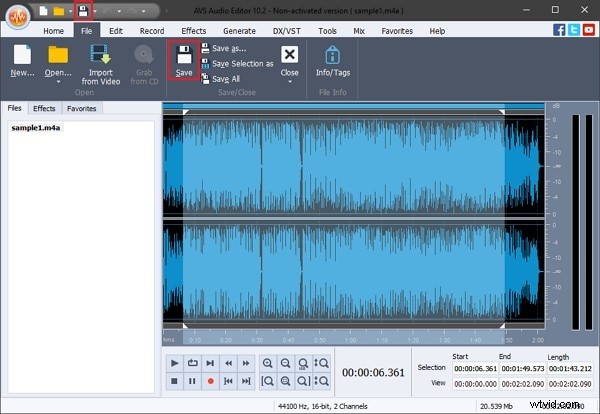
AVS Audio Editor is a versatile audio editing suite that caters to both hobbyists and professionals. Its intuitive interface, comprehensive toolset, and streamlined workflow make it a compelling choice for any audio project.
Whether you’re polishing podcast audio, creating custom ringtones, or extracting music from video files, AVS Audio Editor provides reliable performance across a wide range of formats, including WMA, MP2, and more.
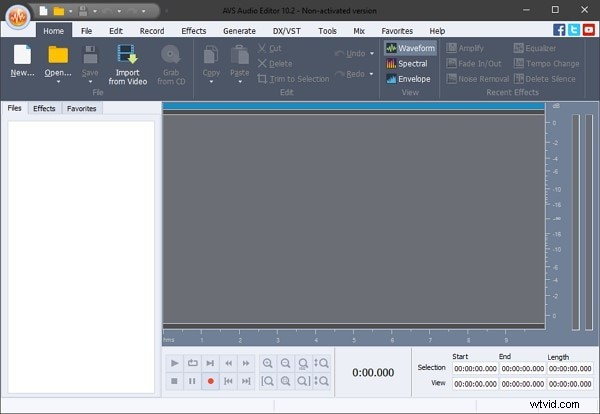
The portable version features a built‑in equalizer for volume adjustments and noise reduction, and it supports around 20 effects and filters to enhance your audio.
Recommend System Requirements
Operating System |
Windows 7/10/11, Windows 8.x |
| Processor | Dual‑Core (Intel i3 or AMD equivalent) |
| RAM | 2GB or higher |
| Video | Compatible video card for Windows 7/10/11, Windows 8.x |
| Sound | Compatible sound card for Windows 7/10/11, Windows 8.x |
| File Size | 47.32 MB |
Part 2. Key Features of AVS Audio Editor
AVS Audio Editor portable excels at editing and transforming audio files thanks to its robust feature set. Below are the core capabilities that set it apart.
Editing Options
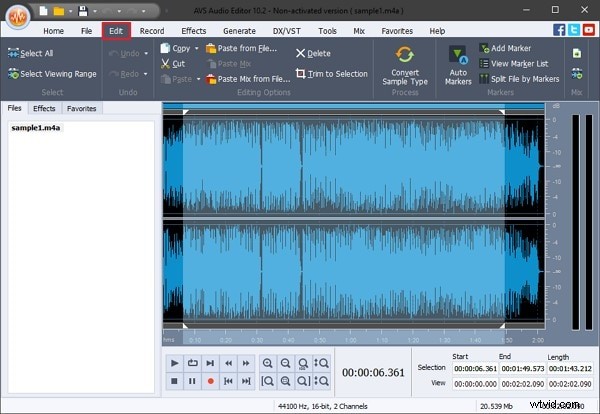
Trim, cut, join, delete, split, and mix multiple audio tracks with ease. The interface supports drag‑and‑drop editing and precise waveform navigation.
Effects
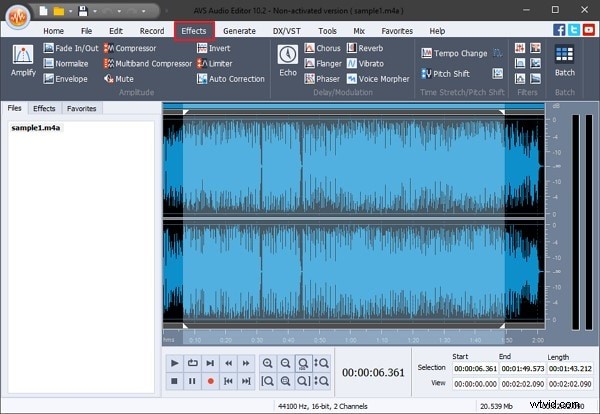
Apply a wide range of audio effects such as Echo, Chorus, Reverb, Noise Removal, Bitrate Adjustment, and Equalizer settings. The editor also offers Auto‑Correct, Normalize, Compress, and Silence Removal tools.
View Options
Switch between three visual representations—Waveform, Spectral View, and Envelope View—to analyze and edit audio accurately.
Part 3. Pros and Cons of AVS Audio Editor
Benefits
- Highly intuitive interface combined with responsive customer support.
- Custom ringtone creation is straightforward, making it ideal for mobile users.
- Excellent for enhancing audio quality, even from legacy formats like cassette recordings.
- Integrated Text‑to‑Speech feature delivers natural‑sounding voices for any written content.
Drawback
- Availability is limited to Windows; macOS and Linux users must seek alternatives.
Part 4. How to Use AVS Audio Editor?
Getting started is simple. Follow these steps to transform raw audio into polished files.
Step 1 – Install and Import
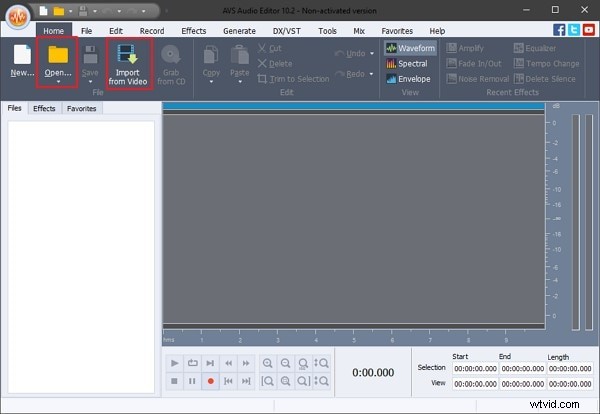
Launch the application, click Open to import files from your device or use Import from Video to extract audio.
Step 2 – Edit
Navigate to the Edit tab for cutting, mixing, and sample conversion options.
Step 3 – Apply Effects
Access the Effects tab to use Amplify, AutoCorrect, Noise Removal, Delete Silence, Normalize, Compress, and more.
Step 4 – Save
Click Save or use File > Save to export your edited audio.
Part 5. Alternatives for AVS Audio Editor
If AVS Audio Editor doesn’t meet your needs, consider these reputable alternatives.
MixPad Multitrack Recording Software
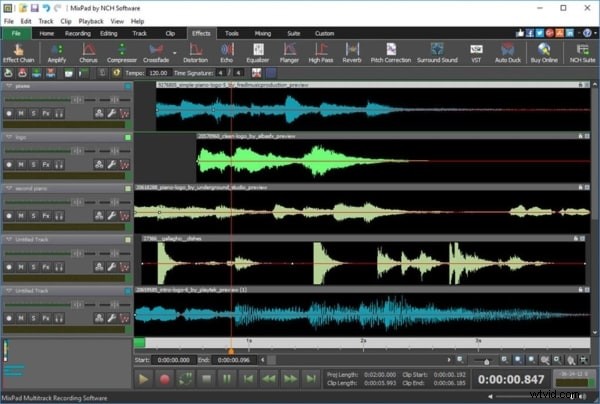
MixPad offers an intuitive interface on Windows and macOS. It supports unlimited track mixing, built‑in sound effects, and direct uploads to social media.
Adobe Audition
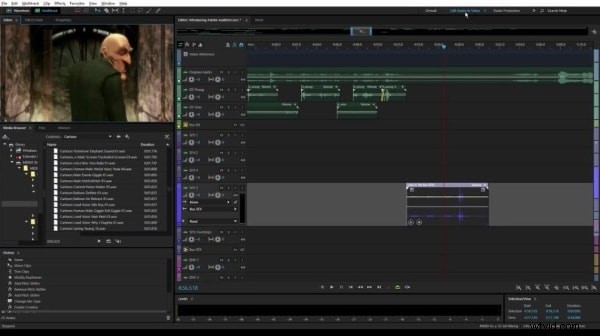
Adobe Audition is a professional‑grade editor that supports recording, multi‑track mixing, restoration, and advanced effects. It’s ideal for users seeking a comprehensive solution.
Final Thoughts
AVS Audio Editor delivers a solid set of features for both casual and serious users. If you’re looking for additional capabilities, Wondershare Filmora Audio Editor offers advanced tools such as Audio Ducking, Denoise, and Equalizer. Its simple trimming and splitting tools also make it a valuable addition to any audio workflow.