
Voice‑generation tools, often paired with Optical Character Recognition (OCR), scan printed material and turn it into digital text. This technology is a powerful ally for educators, content creators, and anyone who needs to convert written words into spoken audio.
Text‑to‑speech offers several key advantages:
- Improved accessibility for people with learning disabilities or visual impairments.
- Enhanced reach for publishers by providing audio versions of written content.
- Greater engagement in marketing campaigns through spoken storytelling.
Below we evaluate the best free voice generators available online and on desktop, based on the following criteria:
- Voice quality and naturalness
- Range of accents and styles
- Customization options (pitch, speed, volume)
- Language and dialect support
- Ease of use and editing features
- Commercial licensing and privacy safeguards
- User reviews and overall satisfaction
The Best Desktop Program for Voice Generation
Wondershare Filmora is a comprehensive video and audio editor that also excels at converting text to speech. With its intuitive interface, users can generate realistic voices in multiple languages, customize tone and tempo, and export audio in MP3 or WAV formats.
- High‑fidelity audio output using advanced algorithms.
- Support for approximately 20 languages.
- Realistic, natural‑sounding voices.
- Drag‑and‑drop editing for quick production.
- Adjustable pitch, speed, and volume.
- Fast conversion even for large text blocks.
- Export to common audio formats.
To generate voice from text in Filmora:
- Download the free trial via the links below.
- Open Filmora and select the Text‑to‑Speech panel.
- Enter your text, choose language and voice style, and click Generate.
- Fine‑tune the output using the built‑in audio editor.
- Export your final audio.
Filmora is available for Windows (Win 7 or later, 64‑bit) and macOS. For more information, visit the official website.
9 Free Online Voice Generators
These tools provide quick, browser‑based text‑to‑speech conversion without the need for installation.
1. Clipchamp
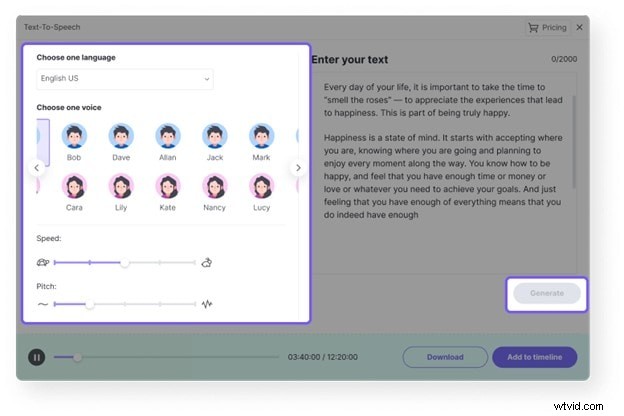
Clipchamp supports 170 languages and offers over 400 voice options. Conversion is instant, making it ideal for quick projects.
2. Online Tone Generator
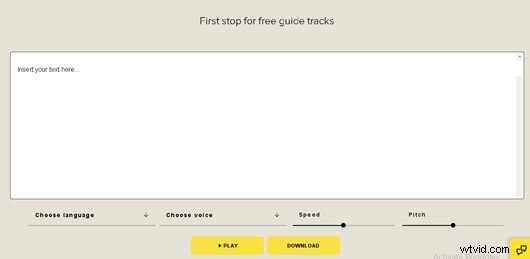
This tool lets users craft custom tones and noise patterns before generating speech. It works best in the latest Chrome and Safari browsers.
3. VoiceBooking
VoiceBooking offers free, fast voice‑over creation in multiple languages and genders. Users can save and download audio after registration.
4. Natural Readers Online
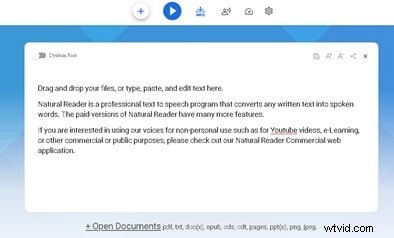
Natural Readers converts text or uploaded files into speech. It supports many languages and can share content via a link. Premium users gain access to additional voices and MP3 export.
5. Voice Maker
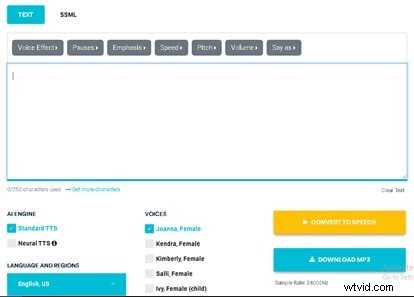
Voice Maker allows users to craft speech from plain text or SSML, offering control over speed, pitch, volume, and a library of male, female, and child voices. Premium features include advanced voice effects.
6. Play.ht
Play.ht delivers realistic voices in multiple languages and moods. It supports custom pronunciations and provides MP3/WAV downloads. Audio can be embedded in web pages or distributed via automated RSS feeds.
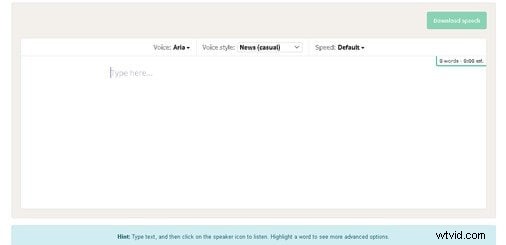
7. Woord
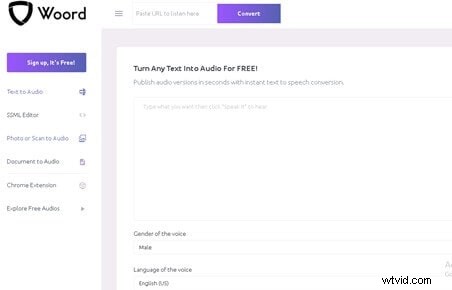
Woord offers 60 voices across 10 languages, including Canadian, Brazilian, and French. It supports MP3 downloads and HTML embed players. Premium plans unlock API access and license rights.
8. Wideo
Wideo lets users convert text to speech quickly, then seamlessly integrate the audio into its video editor. Various voice options and speed settings are available.

9. Voice Generator.io
Voice Generator.io is a free, login‑free web app that utilizes your browser’s TTS engine. It offers adjustable pitch and voice templates, and can work offline once voices are downloaded.

Customizing Voice After Conversion
With Filmora’s audio editor, you can modify pitch, speed, and volume to match your project’s tone. Recording your own voiceover is also an option if you prefer a personal touch.
Conclusion
Text‑to‑speech tools are indispensable for expanding accessibility and enriching content. Whether you choose a desktop solution like Filmora or an online generator, you can quickly convert any text into high‑quality audio tailored to your audience.
Ready to elevate your projects with engaging voiceovers? Try Filmora’s AI voice generator or any of the top free tools listed above.