
High‑fidelity audio is essential for engaging listeners, whether you’re producing music, podcasts, or any other sound‑based content. Poor audio can quickly disengage audiences and limit your reach. Fortunately, modern AI voice enhancers make it easier than ever to polish MP3 files. Wondershare Filmora’s AI Voice Enhancer lets you boost clarity, eliminate background noise, and elevate your recordings with just a few clicks.
This guide walks you through using AI voice enhancers to achieve studio‑grade MP3 quality, and explains why Filmora is a trusted choice for creators.

In this article
- Why Choose Wondershare Filmora for MP3 Sound Enhancement?
- Applications:
- Podcasts
- Music Production
- Audiobooks
- Webinars & Online Courses
- Interviews & Voice Acting
- Live Event Recordings
- Filmora’s Pricing Plans
- How to Use the AI Voice Enhancer
- Preventing Poor MP3 Quality
- Conclusion
Part 1. Why Improve MP3 Sound Quality?
Enhancing MP3 sound quality is vital for anyone who wants to deliver a memorable listening experience. Below are key reasons to prioritize audio improvement:
- Low engagement: Listeners tend to skip or abandon tracks that sound muddy or noisy.
- Common issues: Background hiss, low volume, and muffled frequencies can distract and reduce clarity.
- Professional edge: Clear audio strengthens presentations, YouTube videos, social media clips, and music releases.
By elevating MP3 quality, you provide polished, enjoyable audio that keeps audiences coming back.
Part 2. How to Improve MP3 Sound Quality With an AI Tool
Wondershare Filmora combines intuitive editing with AI‑driven audio enhancement, making it a powerful solution for creators. Here’s how it stands out:
Why Choose Wondershare Filmora for MP3 Sound Enhancement?
- AI Speech Enhancer: Instantly boosts clarity and removes background noise with one click.
- AI Voice Cloning: Create a virtual replica of a voice and translate it into 16 languages, ideal for global outreach.
- Creative Voice Filters: Tailor your audio for specific social platforms or artistic projects.
- Auto Synchronization: Align audio with video in seconds, eliminating manual adjustments.
- Silence Detection: Automatically identifies and removes unwanted pauses for a smoother flow.
- Audio Ducking: Lowers background music while amplifying dialogue, ensuring voices dominate.
Try Filmora today and discover how its AI‑enhanced features can transform MP3 sound quality in minutes.
Follow this step‑by‑step guide to elevate your MP3 files:
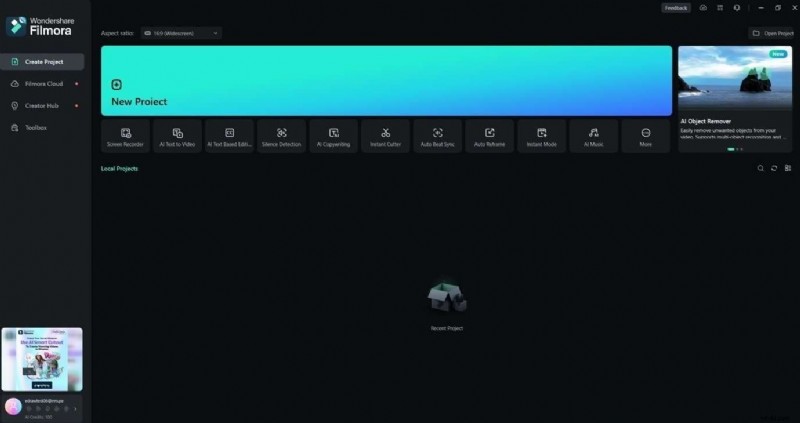
Step 1: Download and install Filmora. Launch the app, sign in or register, create a new project, and drag your MP3 file onto the timeline.
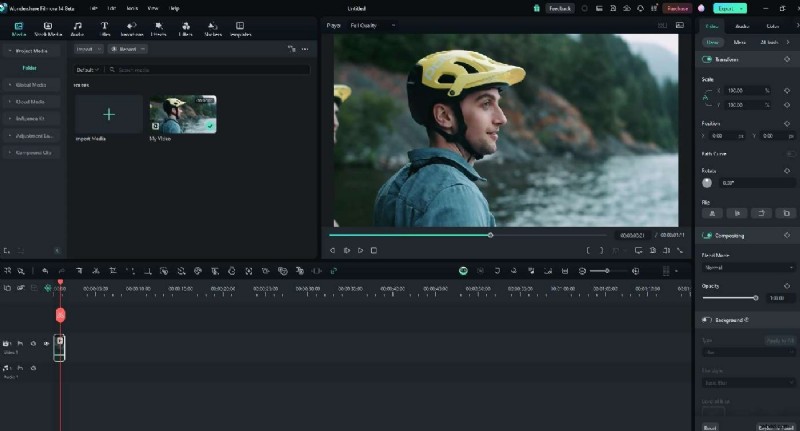
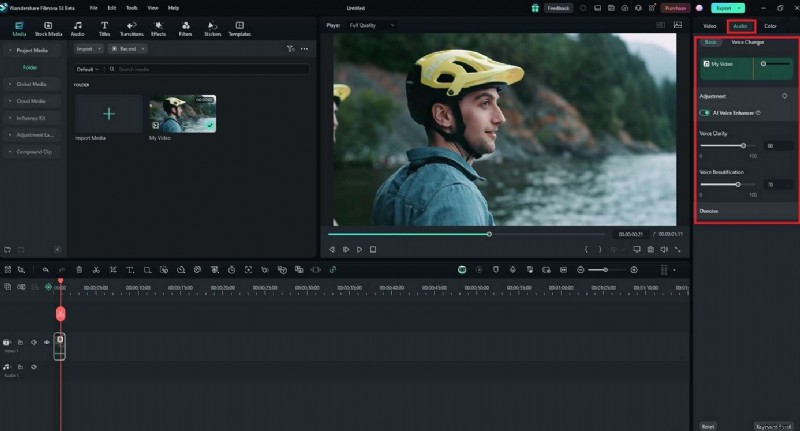
Step 2: Select the clip on the timeline, then navigate to Audio > AI Voice Enhancer. Adjust the Voice Beautification sliders to refine clarity.
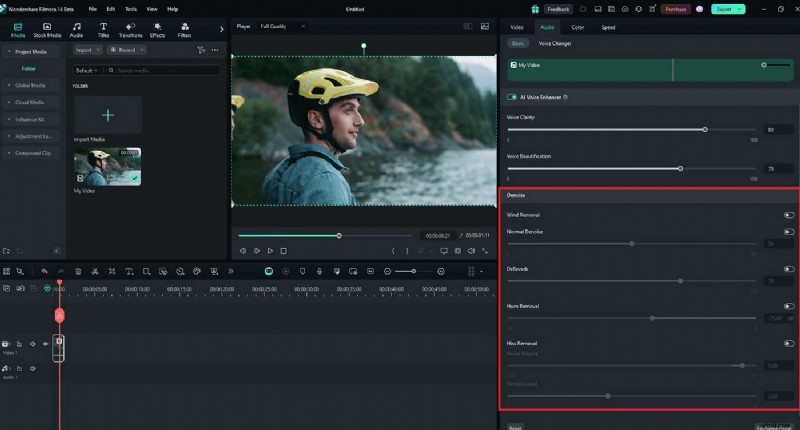
Step 3: Fine‑tune with additional Denoise sliders to further clean your audio.
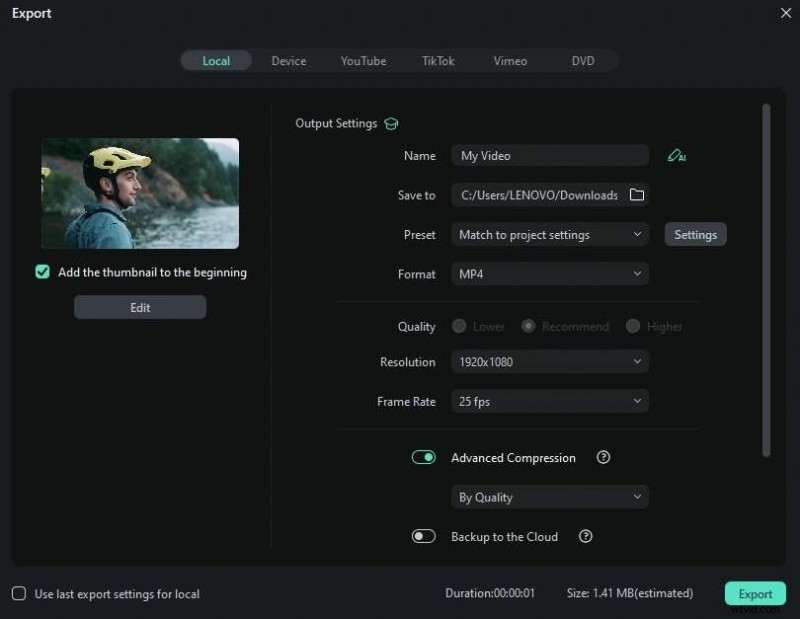
Step 4: Preview the result, then click Export. Choose MP3 format, save, and share across platforms.
Part 3. Deep Dive With Filmora’s AI Voice Enhancer
Filmora isn’t just a video editor; it’s a comprehensive audio solution. Its AI Voice Enhancer is tailored for a wide array of projects:
Podcasts
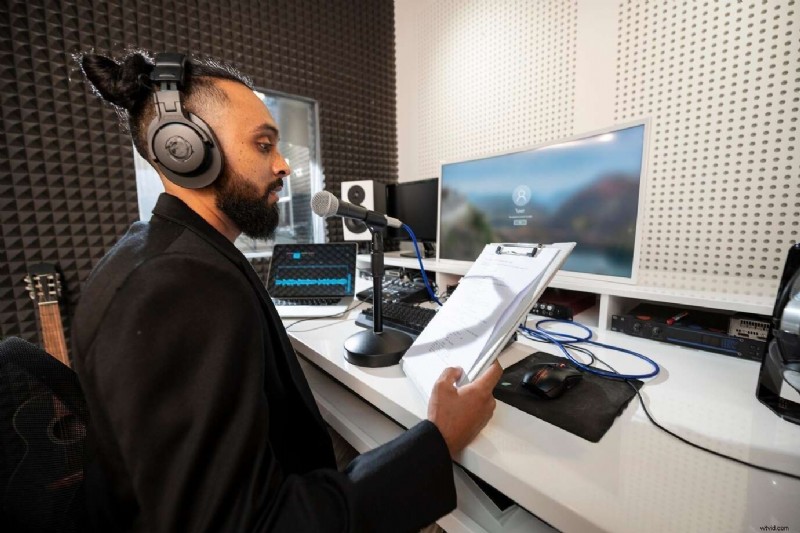
Maintain listener engagement by removing hiss, boosting speech, and balancing voices with audio ducking.
Music Production
Fine‑tune frequencies, reduce distortion, and add vocal clarity with equalization and beautification tools.
Audiobooks
Keep narration consistent and noise‑free throughout lengthy recordings, ensuring a smooth listening experience.
Webinars & Online Courses
Clear audio makes educational content more accessible, reducing learner fatigue and enhancing retention.
Interviews & Voice Acting
Deliver clean, distraction‑free voices that resonate with audiences and clients alike.
Live Event Recordings
Post‑process raw live audio to eliminate ambient noise and present a polished final product.
With Filmora’s AI features, creators can quickly elevate MP3 quality across any scenario.
Part 4. Tips To Prevent Poor MP3 Audio Quality
Proactive measures reduce the need for extensive post‑production. Consider the following:
- Record in a quiet environment to minimize ambient noise.
- Use high‑quality microphones, audio interfaces, and sound‑proofing materials for cleaner capture.
- Regularly clean and maintain equipment to prevent performance degradation.
- Monitor audio levels during recording to avoid clipping or distortion.
- Conduct quick test recordings to verify settings before launching full sessions.
- Employ acoustic panels or isolation booths to reduce echo and hiss.
- Keep a dedicated post‑production tool like Filmora handy for final polish.
Implementing these practices ensures that your audio remains clear from the start, cutting down on later edits.
Conclusion
Improving MP3 sound quality is essential for delivering professional, engaging content. Whether you’re producing music, podcasting, or creating social media clips, high‑fidelity audio sets you apart. Ready to elevate your audio? Download Filmora, apply its AI Voice Enhancer, and transform your MP3s in just a few clicks.