
Mastering audio—trimming, fading, denoising, and applying effects—transforms raw recordings into polished soundscapes. Whether you’re a video editor, music producer, or content creator, the right tools can elevate your audio quality and captivate listeners. This guide reviews the most reliable and feature‑rich Mac‑compatible audio editors for 2026 and offers a step‑by‑step tutorial for Wondershare Filmora, the industry’s most versatile solution.
Choosing a high‑performance editor is crucial. A powerful music editor for Mac streamlines workflow, boosts creativity, and enhances overall skill. Below, we outline key selection criteria and spotlight the best options.
In this article
- How to Choose the Best Sound Editing Software for Mac
- Top 7 Music Editors for Mac
- How to Edit Audio in Filmora – Quick Guide
1. How to Choose the Best Sound Editing Software for Mac
With dozens of options online, the selection can feel overwhelming. Focus on these core features:
- Noise Reduction & Audio Restoration – Essential for non‑silent recording spaces. Look for built‑in AI denoisers or plugin support.
- Equalization Tools – Enable precise frequency balancing. Prefer editors with multi‑band EQ or parametric options.
- Third‑Party Plugin Compatibility – Expand your workflow with VST/AU plugins. Verify plugin support before buying.
- Ease of Use – Intuitive layouts let you focus on editing, not hunting for tools.
- Export & Rendering Options – Support for MP3, WAV, AIFF, AAC, etc., ensures flexibility across platforms.
Also consider your skill level, available tutorials, support forums, pricing, and OS compatibility. The best editor matches your needs and grows with you.
2. Top 7 Music Editors for Mac
Here are the most reliable and feature‑rich editors available for macOS and iOS in 2026.
2.1 Wondershare Filmora (Recommended)
Although primarily a video editor, Filmora’s audio suite—Auto Audio Ducking, AI Music Generator, and a robust noise‑remover—delivers studio‑grade sound. Seamless integration with video timelines saves time.
- All‑in‑one audio & video editing
- AI‑powered noise reduction and beat sync
- Free credits for first‑time users
Pricing:
- Annual: $49.99
- Quarterly: $29.99
- Perpetual: $79.99 (one‑time)
- Teams: $155.88
- Students: $19.99/month, $40.99/year, $49.99 one‑time
2.2 Ableton Live
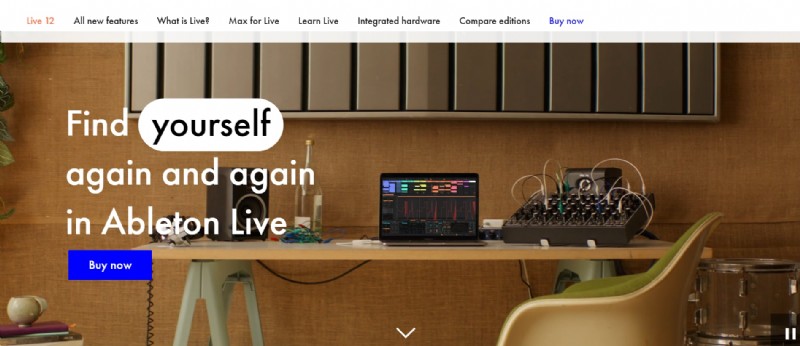
A professional DAW for live performance and studio work. It’s subscription‑free and supports Windows and macOS.
- Subscription‑free licensing
- Robust MIDI & audio FX
- No ARA2 integration
- High upfront cost: $99 (Intro), $439 (Standard), $749 (Suite)
2.3 Audacity
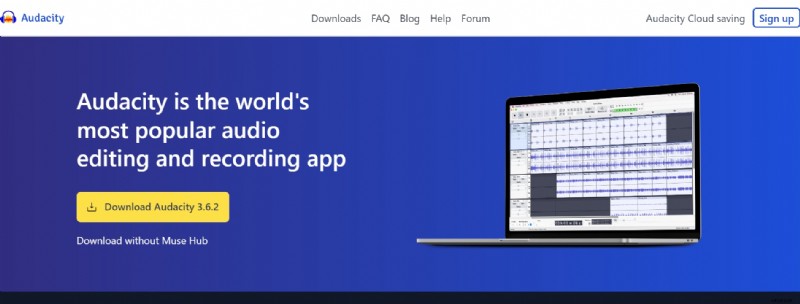
Open‑source, cross‑platform editor ideal for podcasts and audiobooks. Handles long files without crashing.
- Free, no license fees
- Supports 16/24/32‑bit audio
- Auto‑crash recovery
- Limited multitrack recording
2.4 Apple Logic Pro X
Apple’s flagship DAW with 7,000+ royalty‑free loops and spatial audio. One‑time purchase.
- Rich production tools & spatial audio
- High entry cost: $199.99
2.5 WavePad Audio Editor
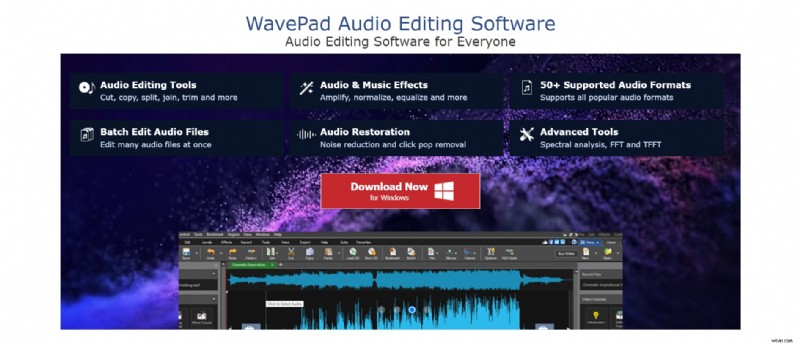
Cross‑platform editor with spectral analysis, speech synthesis, and batch editing. Great for beginners.
- Free version for non‑commercial use
- Supports 50+ formats
- Pricing: $3.88/month (Master’s Quarterly), $40 (Standard), $70 (Master’s)
2.6 GarageBand
Free, intuitive tool with a vast library of presets. Ideal for quick projects.
- Free with macOS/iOS
- Supports third‑party plugins
- Limited mixing console view
3. How to Edit Audio in Filmora – Quick Guide
Filmora’s audio workflow is straightforward. Follow these steps to maximize efficiency.
- Import Media: Drag audio or video files onto the timeline.
- Detach Audio (if needed): Right‑click video → Detach Audio.
- Adjust Audio: Double‑click clip → Adjust Audio panel. Set fade, pitch, ducking, denoising, and EQ presets or customize manually.
- Trim/Trim Start/End: Place playhead, right‑click → Trim options.
- Split/Cut: Right‑click → Split or use scissors icon. Delete unwanted sections.
- Beat Detection: Right‑click → Beat Detection; drag onto timeline for markers.
- Audio Meter & Mixer: Enable meter icon; use Audio Mixer to balance levels and panning.
Filmora also supports advanced AI features like Auto Beat Sync and AI Music Generator, further enhancing creative possibilities.
Conclusion
Each editor offers unique strengths, from free, beginner‑friendly tools like Audacity and GarageBand to professional suites like Ableton Live and Logic Pro X. If you need an all‑in‑one solution that handles audio and video seamlessly, Wondershare Filmora remains the top recommendation for 2026. Explore the options that best match your workflow and elevate your audio projects.