You’d need to resize a video for Instagram if you want it to appear properly on the platform.
If you don’t, Instagram will automatically crop a part of your video which might make it look awkward. This will negatively impact your brand and the engagement of your video.
There are various size requirements depending on the kind of Instagram video post. Read on to learn the different Instagram video size requirements and how to perfectly resize a video for Instagram Story, Feed, and TV.
How to Resize Video to Fit Instagram Story, Feed, and IGTV
Posting a video on Instagram’s feed requires your video to be either square (1:1) or vertical (4:5) in size while posting it as a Story or on TV requires it to be portrait (9:16) in size. Below, we’ve listed 3 simple tools that would let you quickly resize videos for Instagram.
Use Animaker to Resize Your Video for Instagram in 3 Easy Steps
Animaker is a free online tool that lets you quickly edit videos for social media. On top of allowing you to easily resize videos for various social platforms, the tool allows you to quickly trim, rotate, flip, merge, filter, adjust, mute, and change the speed of your videos.
Here’s how to resize Instagram video using Animaker in 3 easy steps:
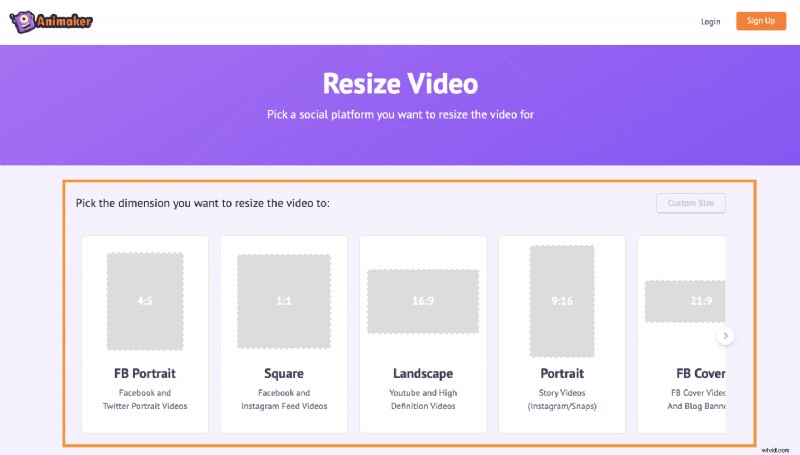
1. First, open Animaker’s video resizer. Once you’re on the page, pick the dimensions you’d want to resize your video to; in our case, square (1:1) or vertical (4:5) or portrait (9:16).
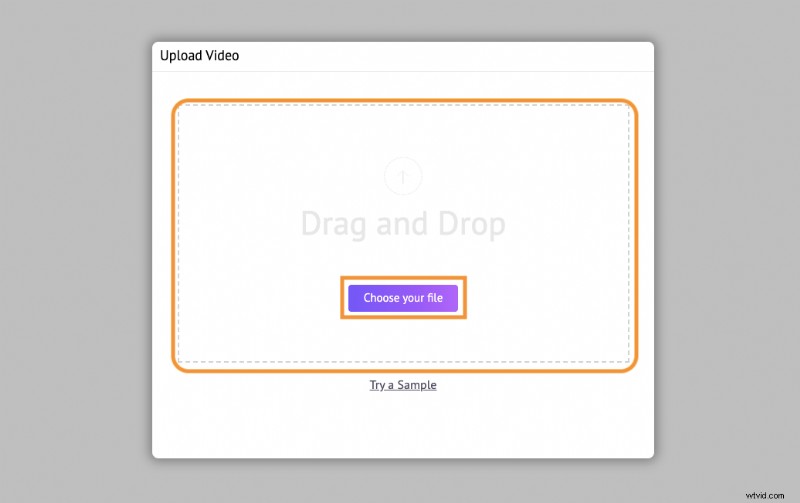
2. Now upload the video you want to resize.
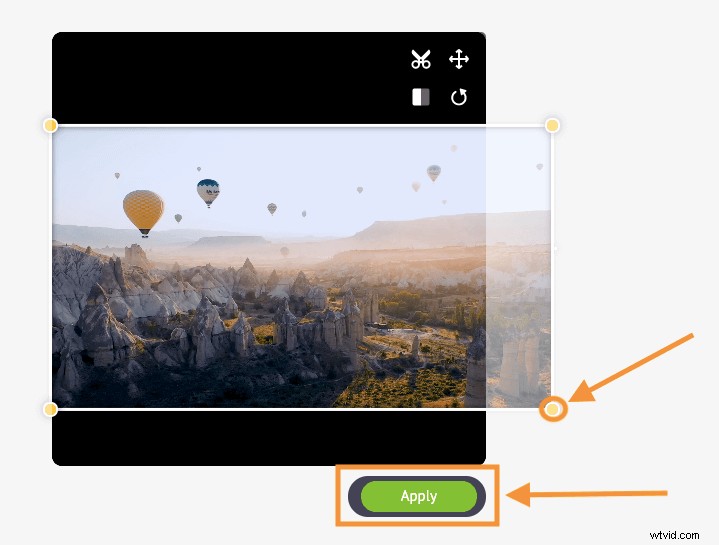
Optionally, you could scale and reposition the video to fit the dimensions perfectly. Simply click on the “Resize” icon in the top right corner of the video. Now hold and drag the edges of the video to scale it and reposition it by simply holding and dragging it. Once done, click on the green button that says “Apply” to save the changes made.
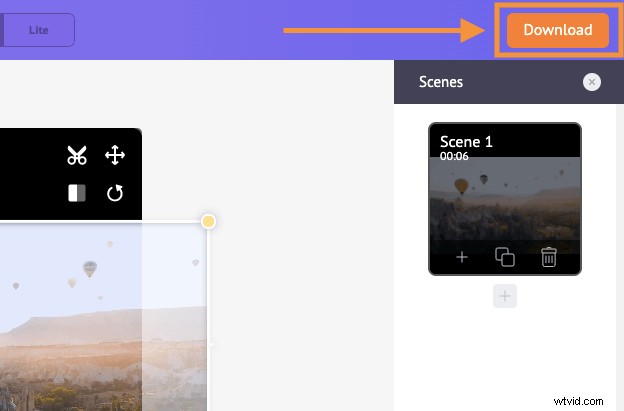
3. Click on the orange button in the top right corner that says “Download” to download the video.
Use Kapwing
Kapwing is an online video editor that lets you easily resize videos.
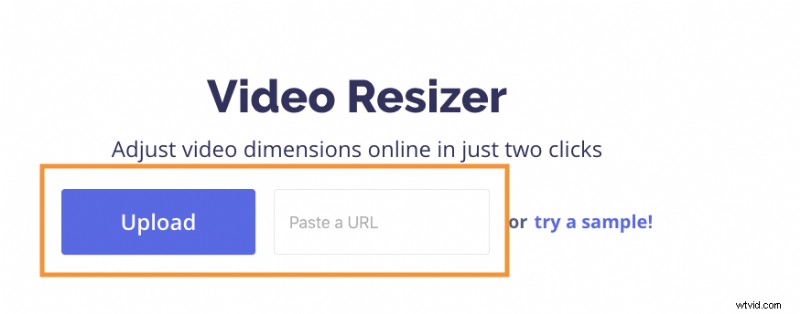
1. Visit the site and navigate to its “Video Resizer” page. Once you’re on the page, you can upload your video from your local computer or from a URL.
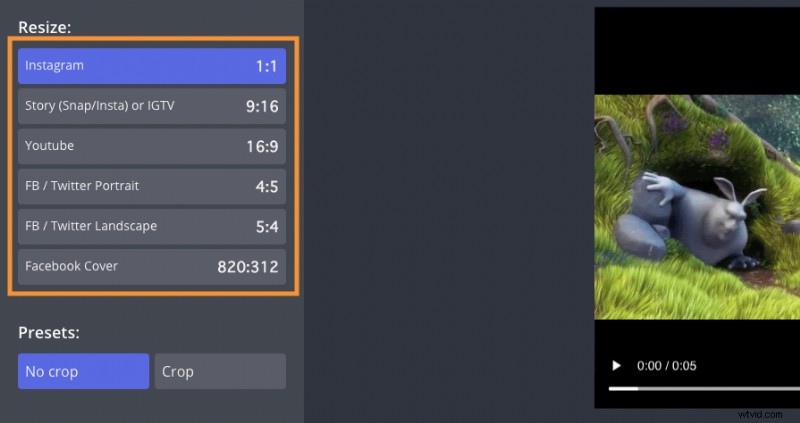
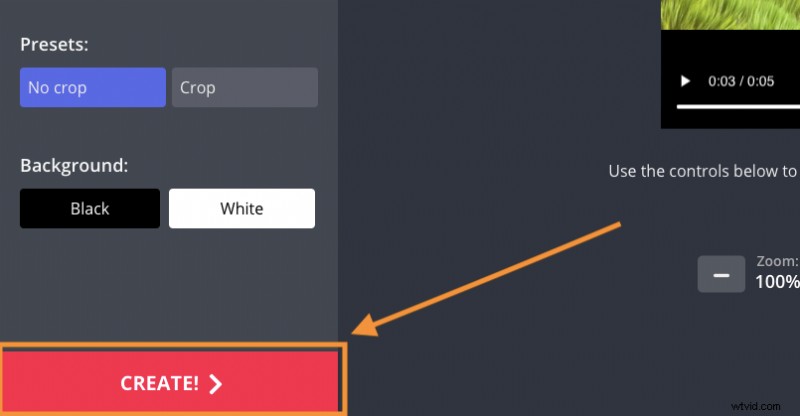
2. Pick the dimensions you want to resize based on the type of Instagram video post.
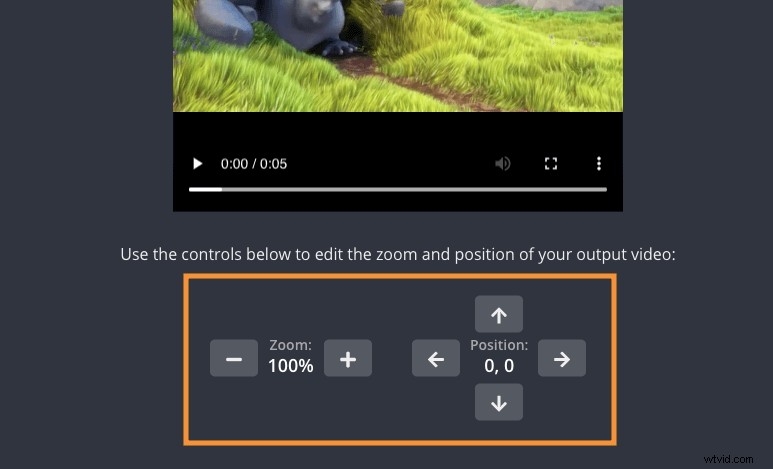
Optionally, you can scale your video and adjust its position.
3. Click on the big red button that says “CREATE!” to download the video.
Use EZGIF
EZGIF lets you resize a video to the custom dimensions of your choice.
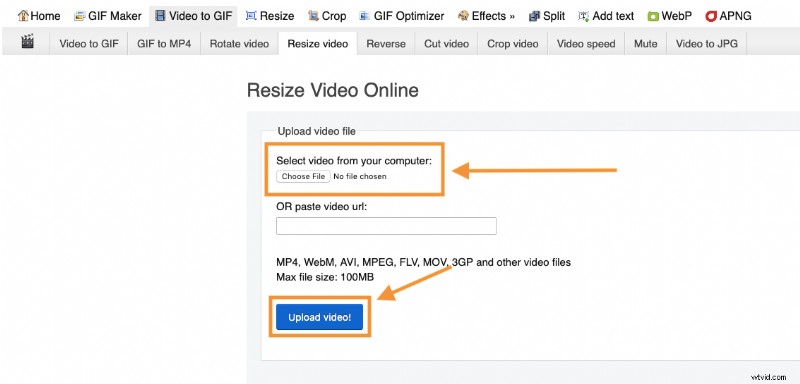
1. Visit the site and navigate to the “Resize” page. Once you’re on the page, click on the “Choose File” button to select the video from your computer. Once you’ve selected the video, click on the “Upload!” button to upload the video.
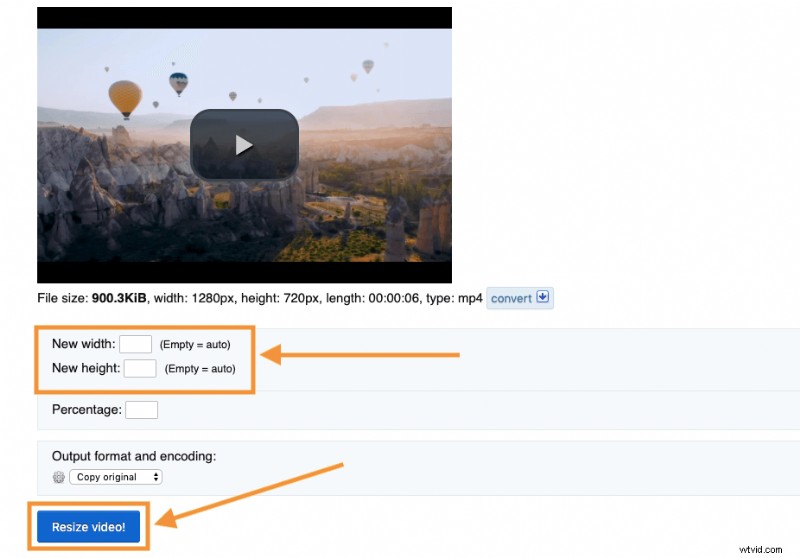
2. Now, enter the width and height you want to resize your video to, and click on the “Resize video!” button.
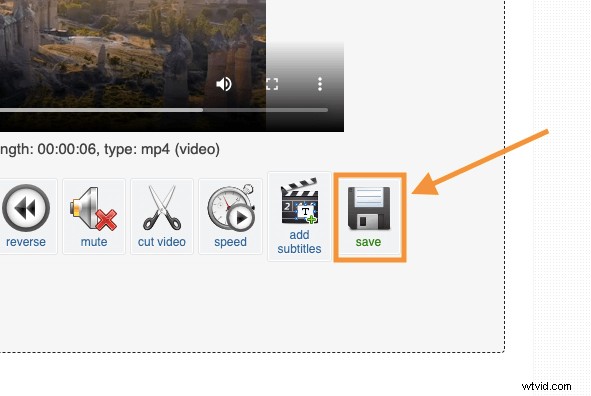
3. Finally, click on the “save” button to download the resized video to your computer.