
Key takeaways:
- Best reel editor for turning one video into many reels: Riverside.
- Top mobile editing apps: CapCut, InShot, and Splice.
- For beginners ready to elevate their skills: LumaFusion or Filmmaker Pro.
Want to produce Instagram Reels that truly captivate your audience? You’ve come to the right place. With over 10 years of experience in social media strategy, I’ve vetted these tools to help newcomers create content that stands out.
Table of contents:
- 10 Best editing apps for Instagram Reels
- Riverside
- CapCut
- InShot
- Adobe Premiere Rush
- Splice
- VivaVideo
- GoPro Quik
- Clipchamp
- LumaFusion
- Filmmaker Pro
- How to choose the right Reels editing app
- Final thoughts
- FAQs on Instagram Reels Editing Apps
10 Best editing apps for Instagram Reels
Riverside
Price: $19 per month (free plan available with limited features)
Compatibility: iOS, Android, Windows, macOS
Best for: Creators who need to repurpose a single video into multiple reels quickly.
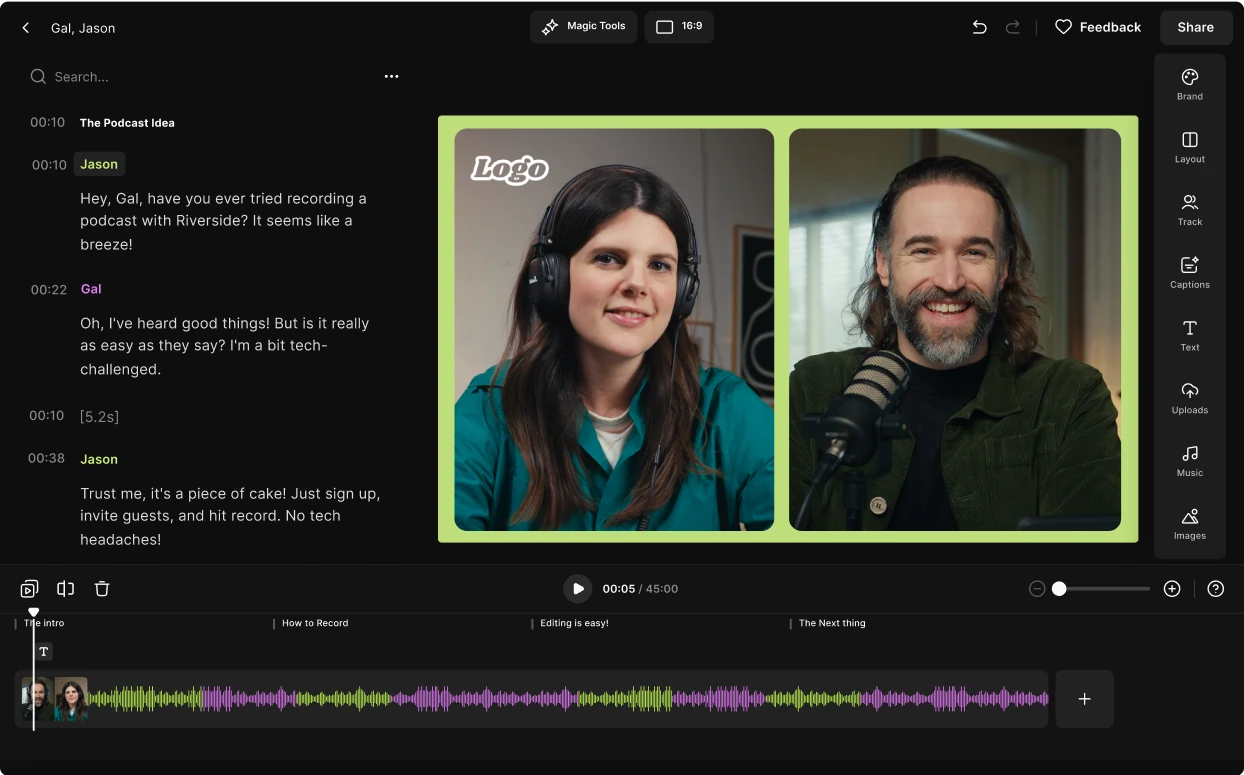
Riverside delivers a cost‑effective, all‑in‑one recording and editing experience across desktop and mobile. Record in up to 4K, then trim, add dynamic captions, and polish audio with a few clicks. The mobile app turns your device into a professional studio, while the desktop version offers advanced editing tools.
Magic Clips automatically extracts the highlights of a long video, turning them into bite‑size clips ideal for Instagram.
Key features:
- Mobile‑first studio experience
- Magic Clips for instant highlight reels
- Text‑based editing – cut by transcript
- AI‑powered dynamic captions
- Text and image overlays
CapCut
Price: Free (optional $10.99/month for full feature set)
Compatibility: iOS, Android, macOS, Windows
Best for: Beginners seeking an intuitive, feature‑rich editor.
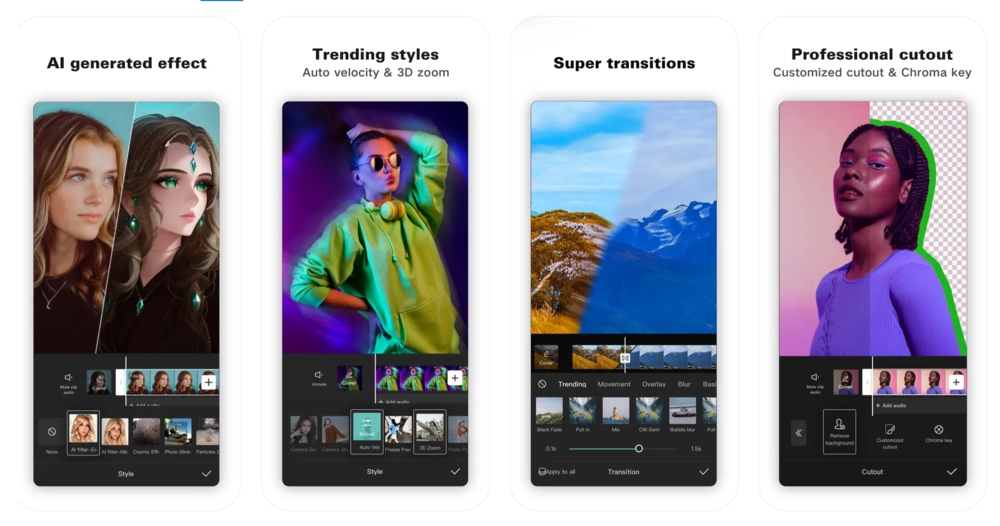
CapCut blends touch‑friendly mobile editing with a robust desktop experience, including multi‑track editing and AI‑generated effects. Its extensive template library and auto‑captioning streamline the workflow, letting you share finished reels with a single tap.
Key features:
- Built‑in templates for quick video creation
- Speed curve tool for smooth transitions
- Real‑time team collaboration
InShot
Price: Free (premium plans: $4/mo, $15/yr, or $40 one‑off)
Compatibility: iOS, Android, Windows, macOS
Best for: Advanced video and photo editing on the go.
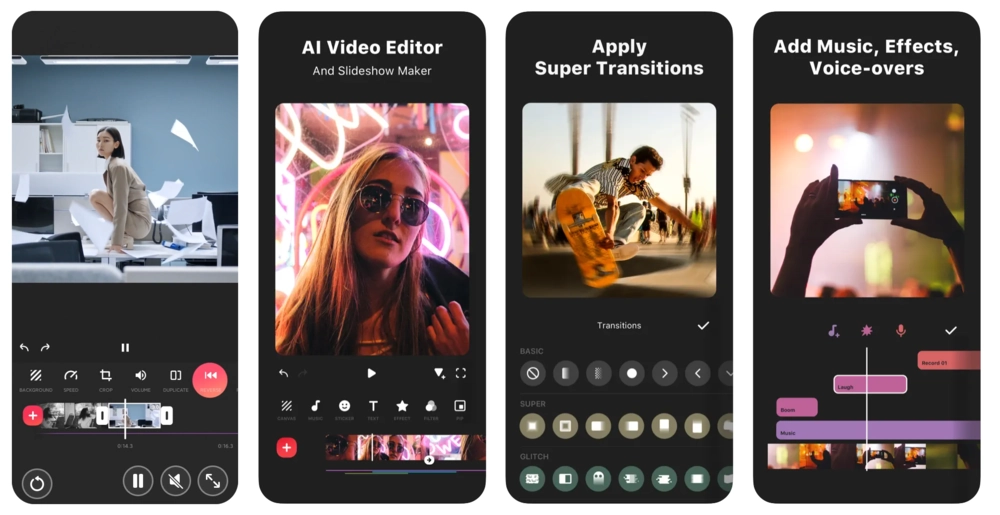
InShot offers advanced tools like sky replacement, giant subject effect, and 3D editing, plus an extensive music library and AI‑powered stickers. Its auto‑captioning and voiceover tools make storytelling effortless.
Key features:
- Extensive music library
- Voiceover recording tool
- Pre‑made canvases and backgrounds
Adobe Premiere Rush
Price: Free (premium $9.98/month)
Compatibility: iOS, Android, macOS, Windows
Best for: Adobe users who want a streamlined version of Premiere Pro.
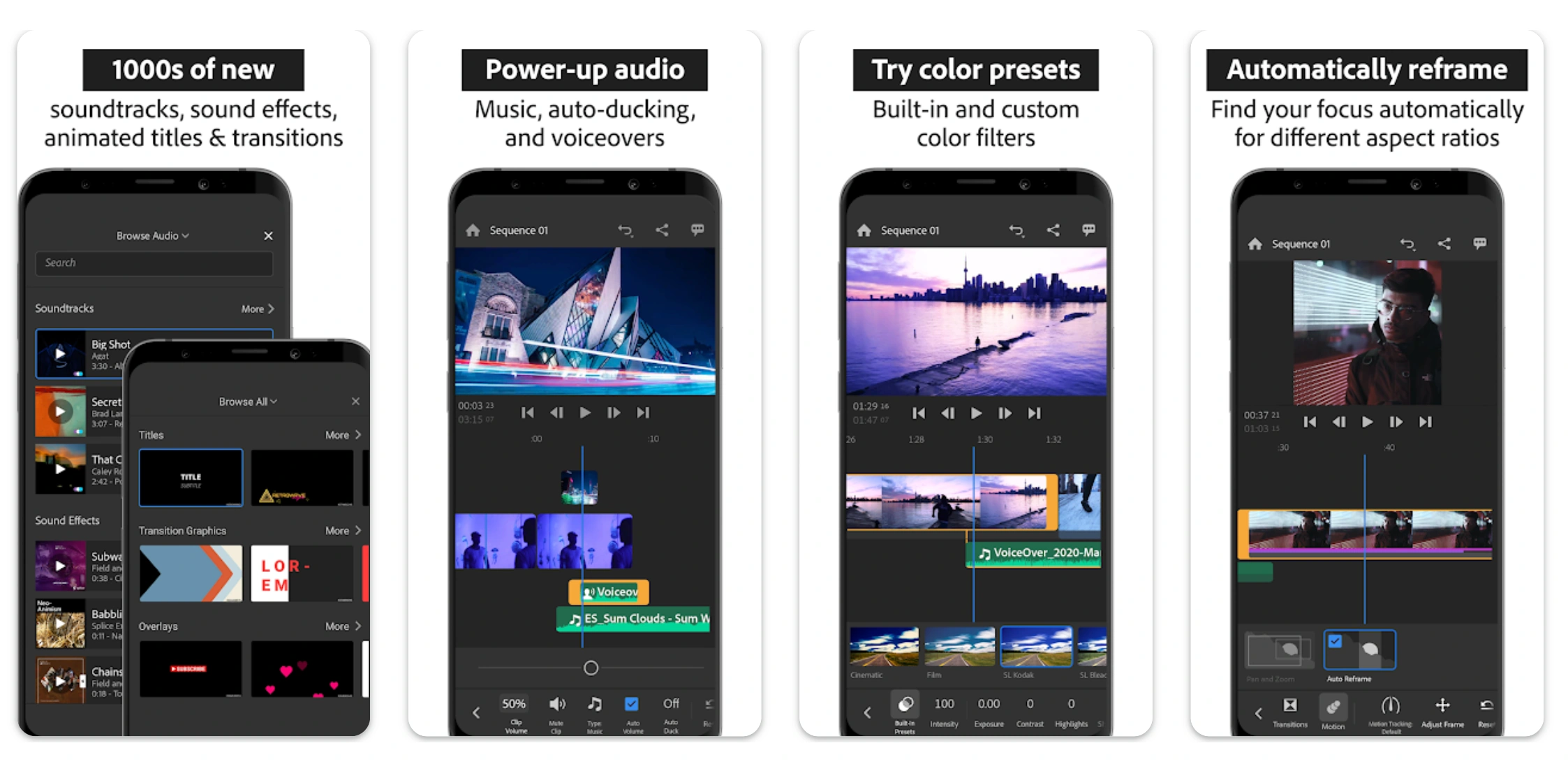
Rush offers essential editing tools—transitions, titles, color correction, speed adjustments—while syncing projects across devices. The app’s social feed showcases creative inspiration via #MadeWithRush.
Key features:
- Seamless multi‑device project sync
- Aspect‑ratio control for all platforms
- Intuitive transition library
Splice
Price: $12.99 (free trial available)
Compatibility: iOS, Android, macOS, Windows
Best for: Creators who want a desktop‑grade editor on their phone.
Splice delivers powerful editing tools, a growing sound library, and community support. It’s ideal for beginners and advanced users alike, offering features like keyframing and multi‑track editing.
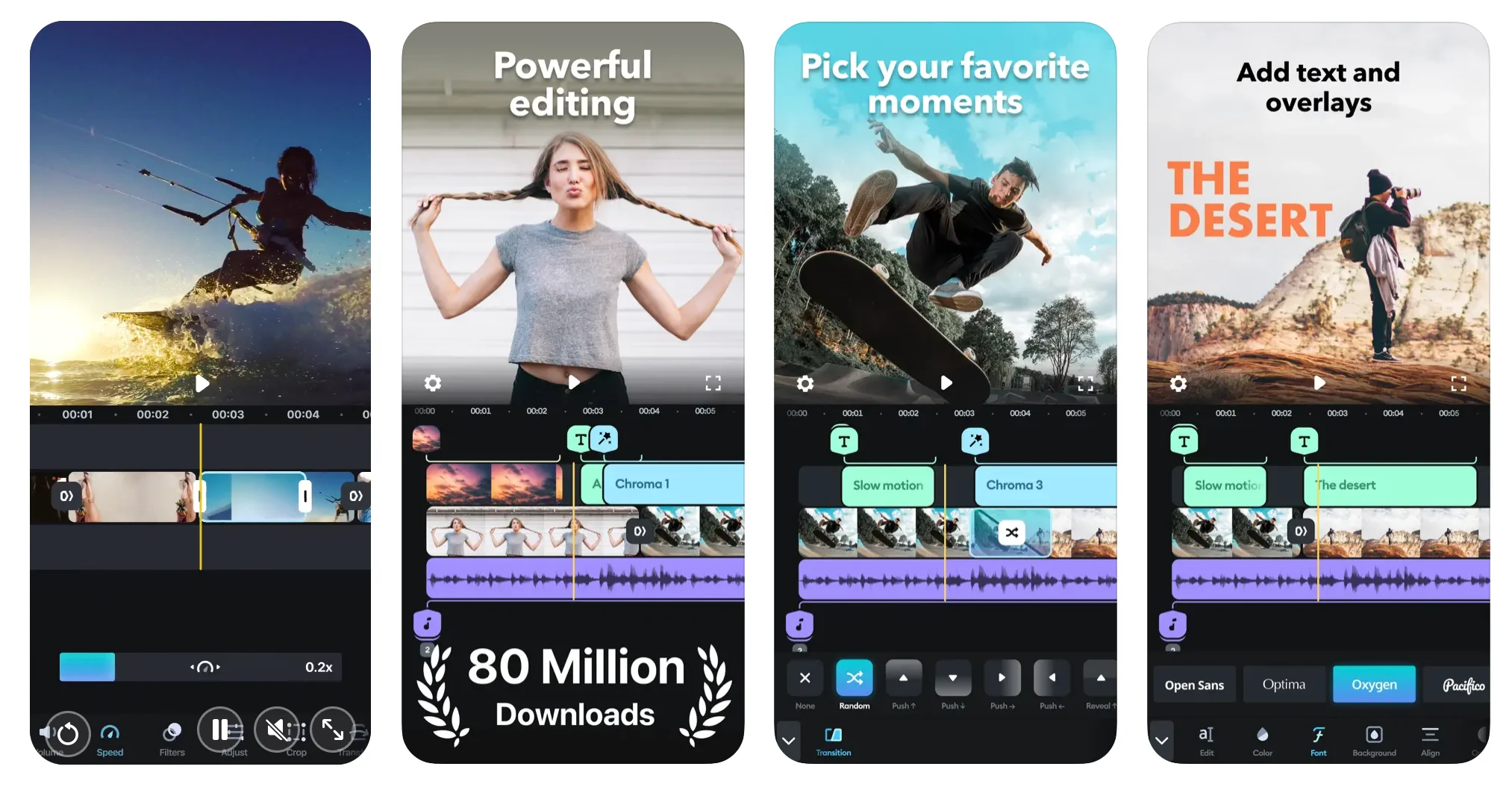
Key features:
- Extensive sound library
- Community forums & tutorials
- One‑click social sharing
VivaVideo
Price: Free
Compatibility: iOS, Android
Best for: Creators seeking a free editor with rich templates and stickers.
VivaVideo offers stylish themes, templates, and visual effects for quick reels. Advanced users can access keyframing and picture‑in‑picture editing.
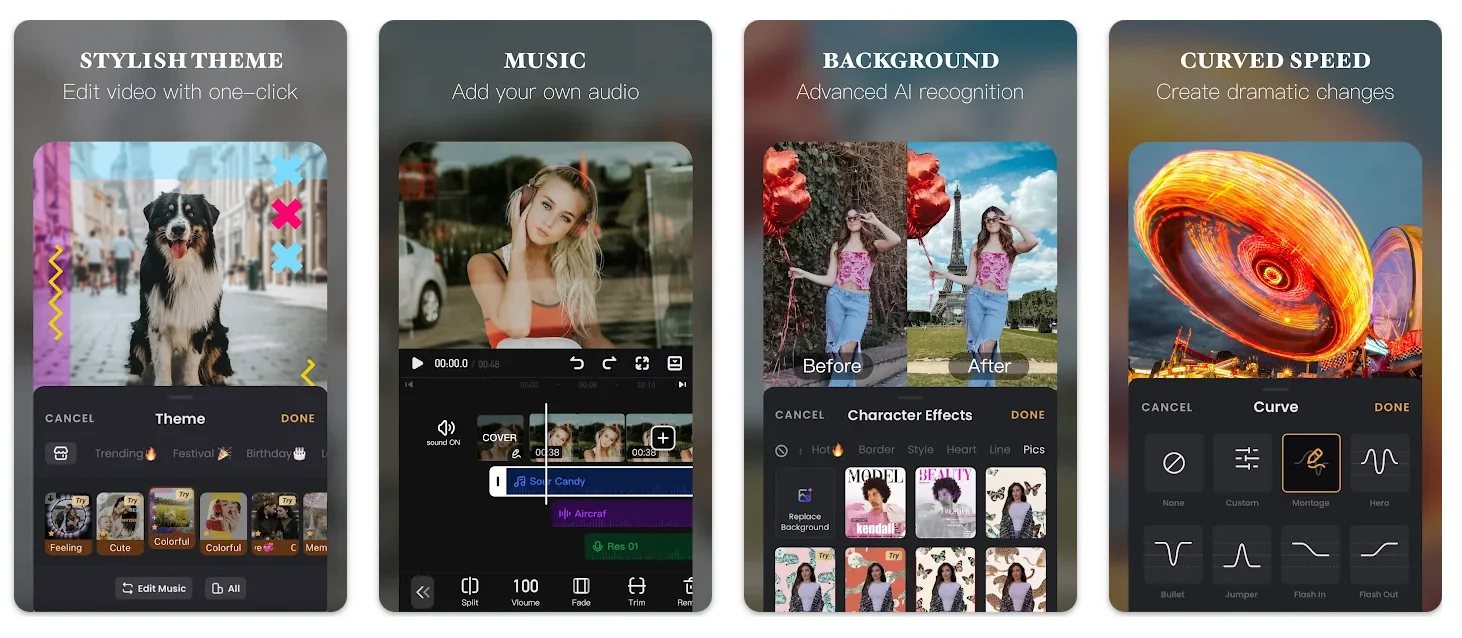
Key features:
- Glitch effect for eye‑catching reels
- Slide‑show templates for events
- In‑app tutorials
GoPro Quik
Price: $2/month or $10/year
Compatibility: iOS, Android, macOS
Best for: GoPro users who want instant highlight reels.
Quik automatically creates highlight videos from GoPro footage. Sync across devices, apply filters, adjust speed, and sync music—all with a few taps.
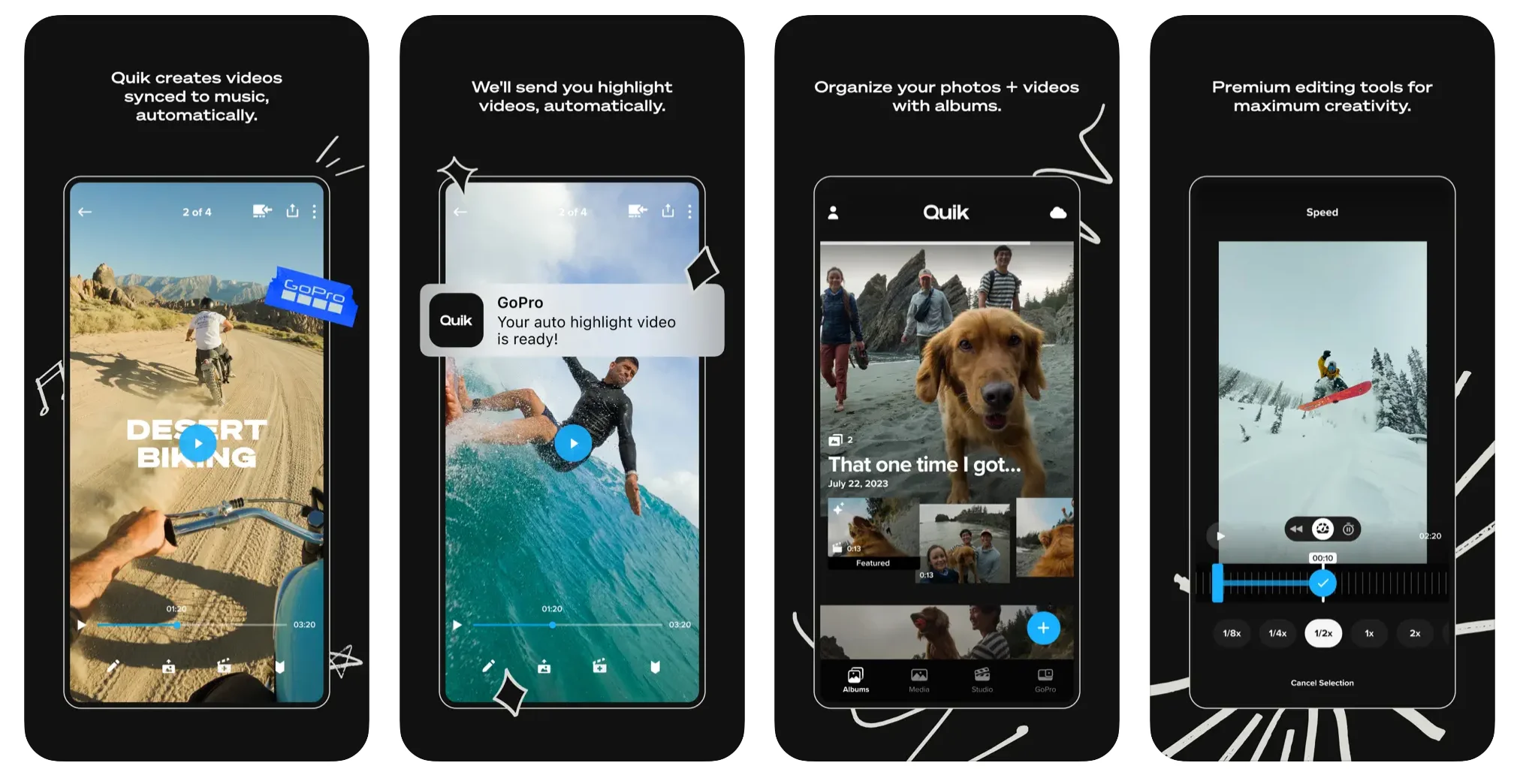
Key features:
- Automatic highlight extraction
- Theme‑based editing with cinematic transitions
- Adventure‑focused filters
- Supports 4K and 5K export
Clipchamp
Price: Free (premium $9.99/month)
Compatibility: iOS, Windows, macOS
Best for: Beginners needing quick, basic edits.
Clipchamp offers templates, stock footage, and AI‑powered movie creation. Its speaker coach provides real‑time feedback on pacing and filler words.
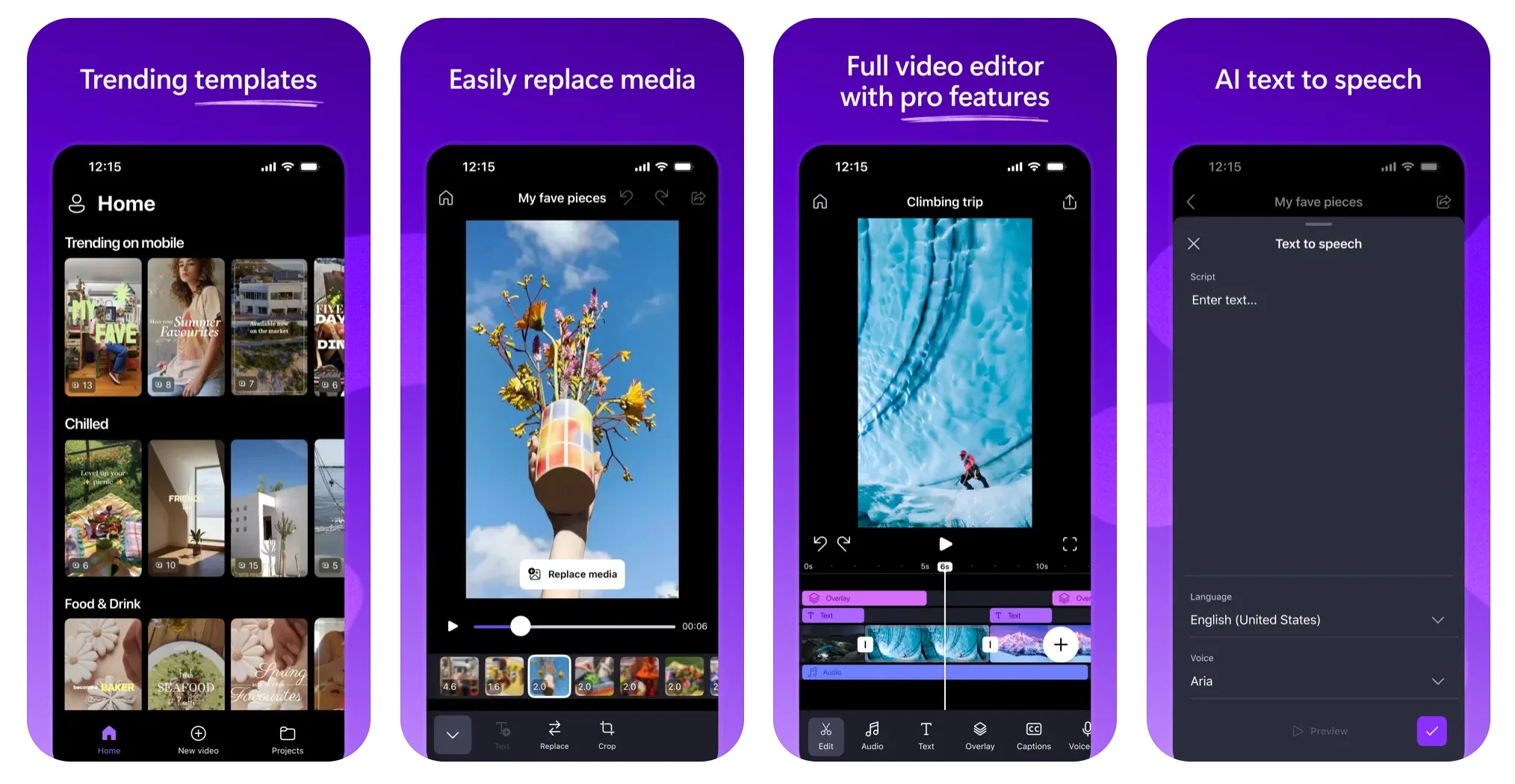
Key features:
- AI‑powered movie tool
- Instagram‑specific templates
- Speaker coach for polished delivery
LumaFusion
Price: $29.99 (one‑time purchase)
Compatibility: iOS, Android
Best for: Advanced mobile editors seeking desktop‑level precision.
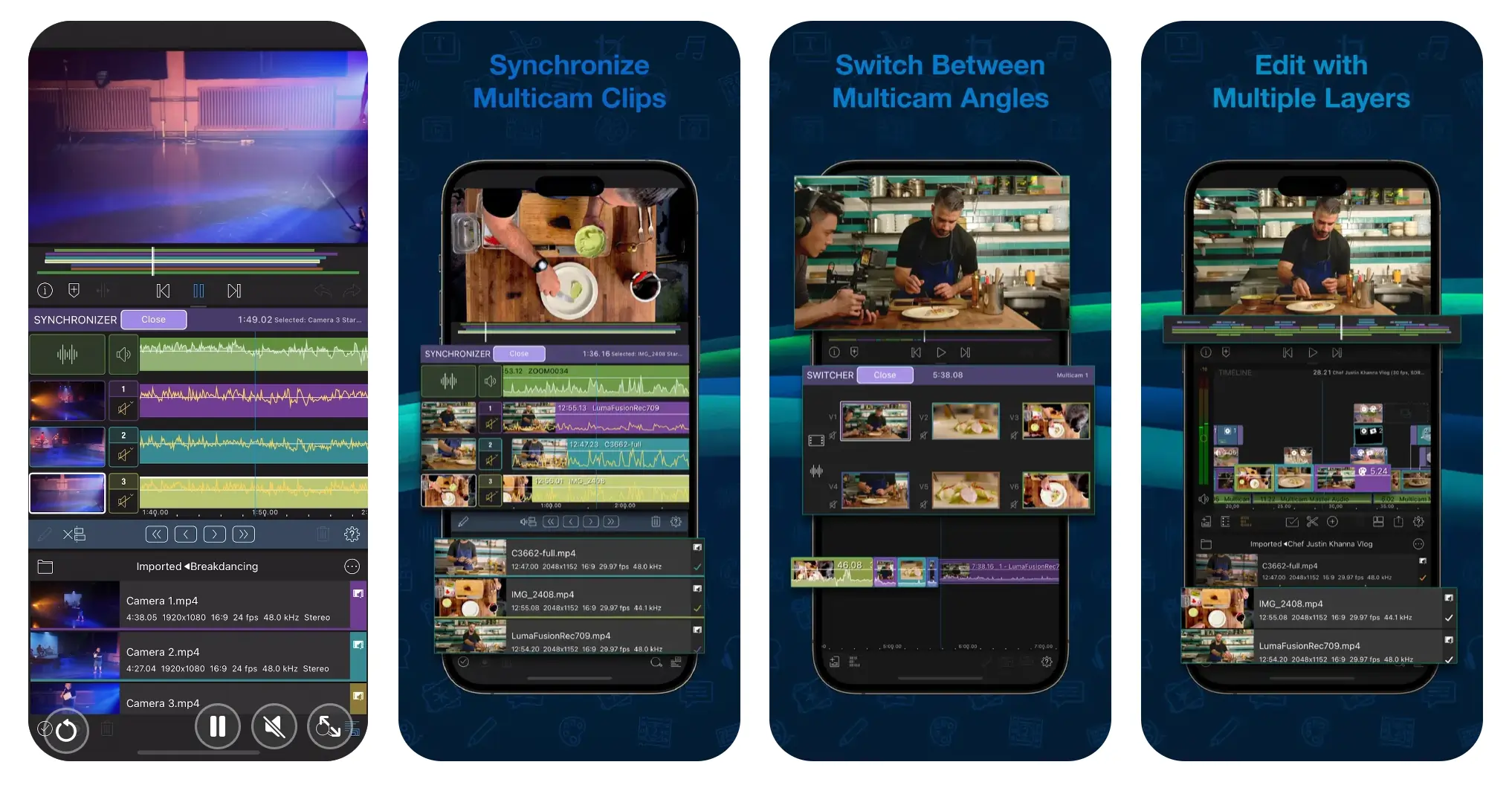
Apple’s “App of the Year” in 2021, LumaFusion offers multi‑track editing, robust audio tools (EQ, ducking, voice isolation), and a comprehensive project manager. Its touch‑optimized UI adapts to portrait and landscape.
Key features:
- Touch‑screen‑optimized workflow
- Exceptional in‑app support
- Project manager with tags and color‑coding
Filmmaker Pro
Price: Free (premium $5.99)
Compatibility: iOS, Android
Best for: Creators aiming for Hollywood‑standard reels.
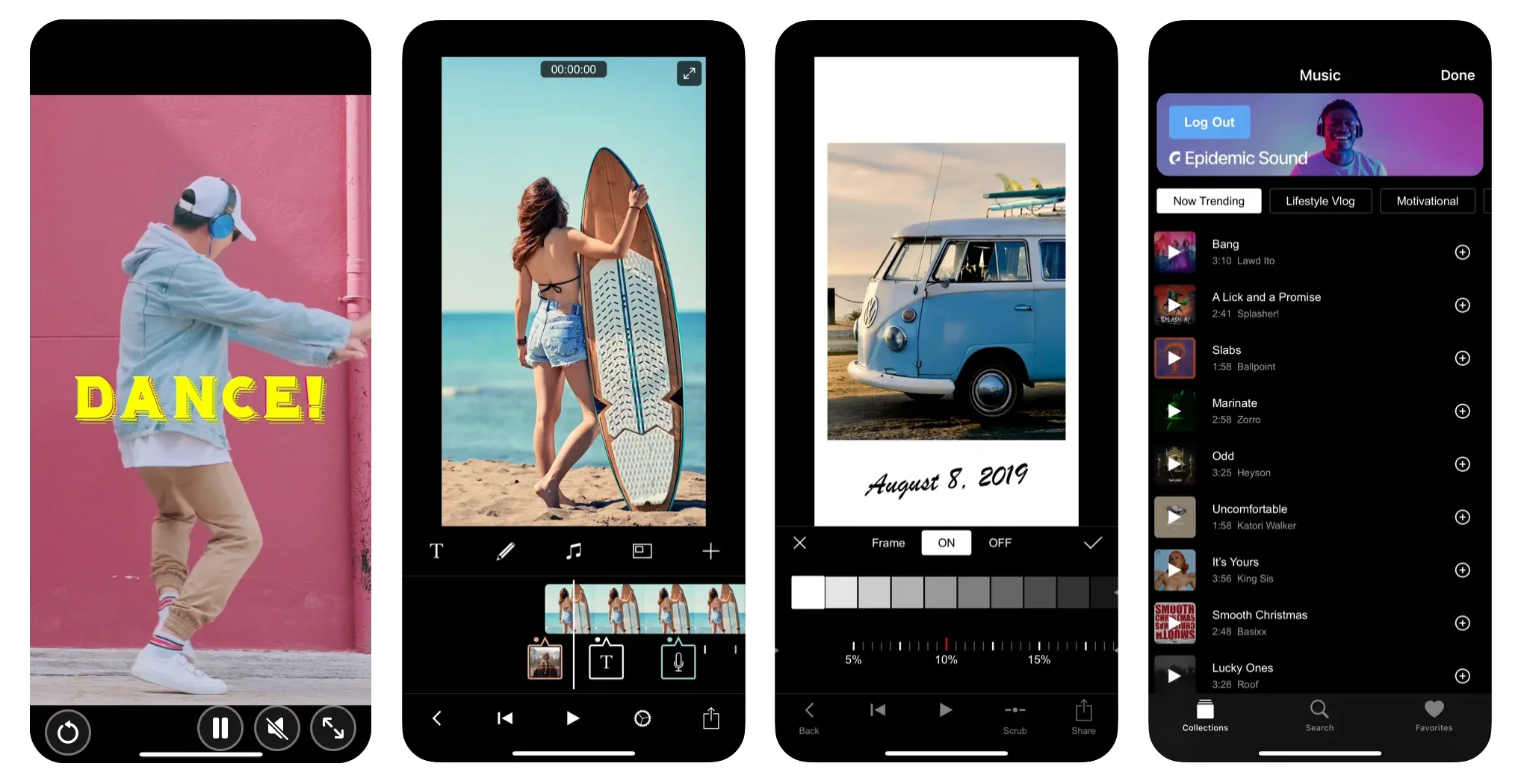
Filmmaker Pro provides grading effects, chroma keying, and unlimited projects. Even beginners can use trimming, overlays, and templates, while advanced users can exploit keyframe animations and multi‑track editing.
Key features:
- 30+ professional filters and transitions
- Chroma key technology for background removal
- Extensive intro template library
How to choose the right Reels editing app
Selecting the perfect app involves more than just a shiny interface. Consider these factors:
Review user ratings and feedback
Read current reviews to gauge real‑world performance. Pay attention to how developers respond to concerns.
Check device compatibility
Ensure the app runs on your smartphone, tablet, or desktop before committing.
Compare pricing models
Free plans often limit features. Compare subscription tiers to align with your needs and budget.
Match features to your workflow
Identify which tools—templates, AI effects, multi‑track editing—are essential for your content style.
Assess usability
Even the most powerful app can feel clunky. Test the interface; if it feels unwieldy, look elsewhere.
Evaluate support options
Fast, accessible help—whether through community forums, in‑app tutorials, or customer service—can make a huge difference.
Final thoughts
With the right app, anyone can produce reels that rival professional production. Take advantage of free trials to test features, device compatibility, and support. Remember, Instagram sees 95 million photos and videos daily—your reel needs to stand out.
Happy creating!
FAQs on Instagram Reels Editing Apps
How do I upload a Reel to Instagram?
From your home screen, tap the “+” icon, select “Reel,” then record or upload a video. Most editing apps also offer direct sharing to Instagram.
Do Reels editing apps support 4K video?
Yes—most modern apps offer 4K editing, though it may be restricted to paid plans.