

Nov 18, 2025 • Proven solutions
Windows 10’s Photos app is more than a simple viewer; with its integrated drawing toolbar, it allows you to annotate photos and videos directly on your desktop. The latest update adds intuitive tools for uploading, cropping, rotating, and applying filters, and now lets you add free‑hand sketches, text, and shapes with a variety of pens, markers, and erasers. These annotations can be shared on social media or compiled into animated clips that replay your drawing process for viewers.
- Part 1: How to Draw on Photos App in Windows 10
- Part 2: How to Draw on Photos Online
Part 1: How to Draw on Photos App in Windows 10
Adding personal touches to images or videos enhances storytelling and engagement. Follow these steps to start drawing:
- Open a photo or video from your library.
- Click Edit & Create and select Draw from the toolbar.
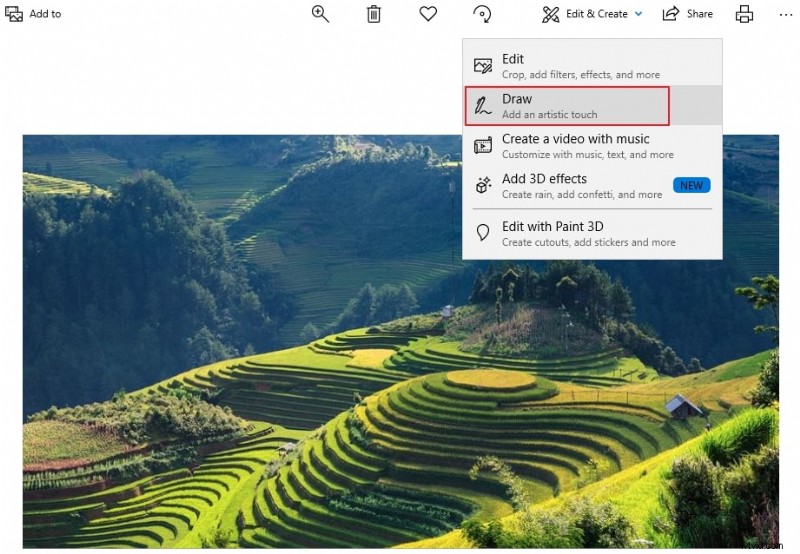
- Choose your preferred pen from the Windows Ink Toolbar. You can pick a marker, pencil, or brush.
- Adjust size and color using the palette. A wide range of hues and thicknesses is available.
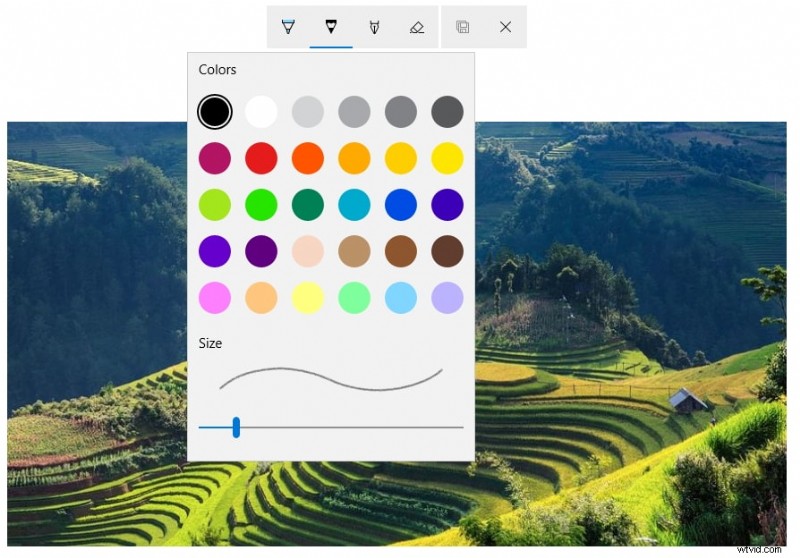
- Draw directly on the media. The toolbar also offers an eraser of varying sizes to correct mistakes.
- For video, you can anchor ink to a specific object or person. The annotation will follow the subject as the camera moves.

Enhance Your Creative Workflow
While the Photos app covers most basic annotation needs, creators seeking advanced video editing and drawing can consider additional tools. For instance, Wondershare Filmora offers extensive drawing and text options, multi‑track editing, and a vast library of effects.
Part 2: How to Draw on Photos Online
If you prefer an online solution, LunaPic is a free web‑based editor that supports drawing, filters, and animations. Here’s how to use its drawing features:
- Navigate to LunaPic and upload the image you wish to annotate.
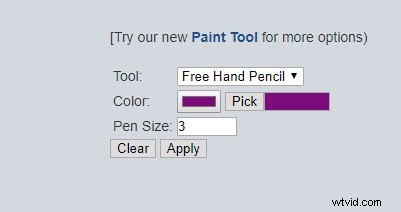
- Select Draw from the top menu, then choose the free‑hand pencil tool.
- Pick a color and pen size from the toolbar. Click Apply to commit each drawing action.
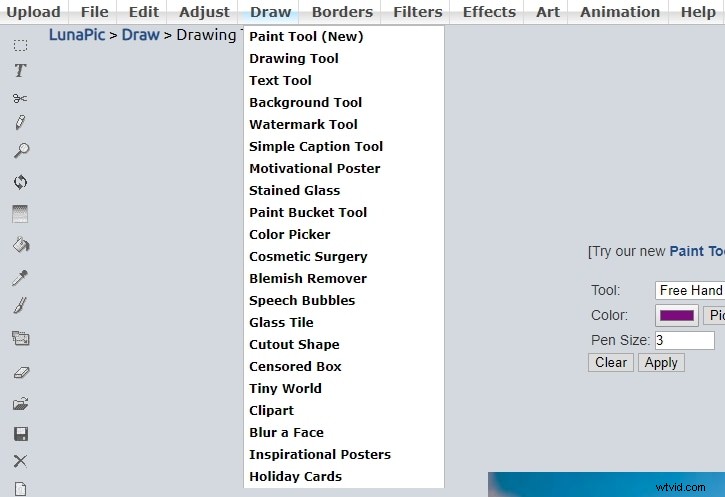
After finishing, hit Apply to save the changes. You can download the edited image or share it directly from the platform.
Conclusion
The revamped Photos app in Windows 10 offers a polished interface, dark‑theme support, and robust drawing tools that make annotating photos and videos straightforward. For users needing more sophisticated video editing, third‑party applications like Wondershare Filmora provide expanded drawing capabilities and creative effects.
Try it for free on Windows 7 or newer (64‑bit):  Secure Download


Shanoon Cox
Shanoon Cox is a writer and a lover of all things video.
Follow @Shanoon Cox