
After recording, you’ll often need to stitch multiple clips into a single, polished video. Whether you’re working with different formats, frame rates, or aspect ratios, several tools make merging seamless and efficient.
This guide walks you through four reliable approaches to combine two or three videos into one finished product, each with clear, step‑by‑step instructions.
1. Merge with Filmora Video Editor
Filmora is a user‑friendly yet powerful editor that lets you combine clips, add transitions, overlays, and filters—all without compromising quality.
Step 1: Import Your Clips
After launching Filmora, click Import or drag files directly into the media library. Your clips will appear as thumbnails in the left pane.
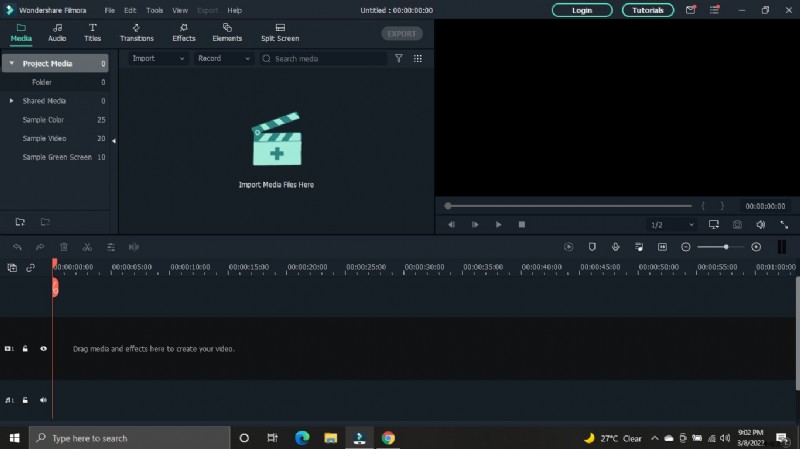
Step 2: Arrange on the Timeline
Drag the desired clips from the media library to the timeline. The preview window will update in real time. Feel free to rearrange by dragging the clips along the timeline.
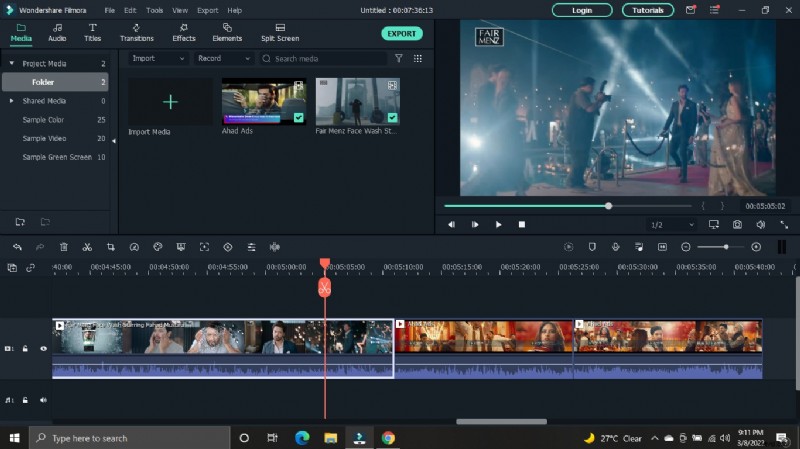
Step 3: Trim and Add Transitions (Optional)
Click a clip on the timeline, move the playhead to the desired split point, and click the Split icon. To insert a transition, choose one from the top menu and drag it between two clips. Right‑click to apply to favorites.
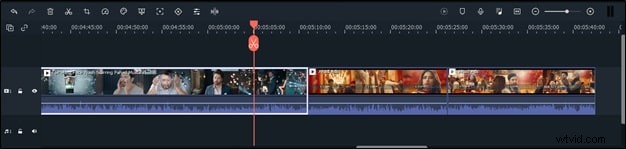
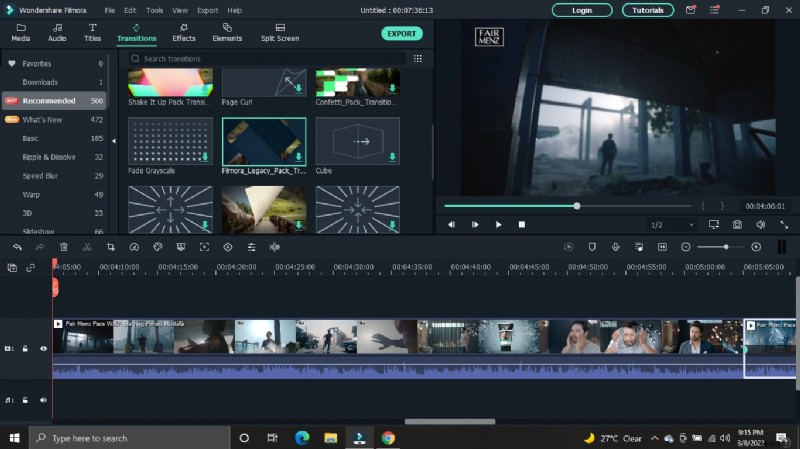
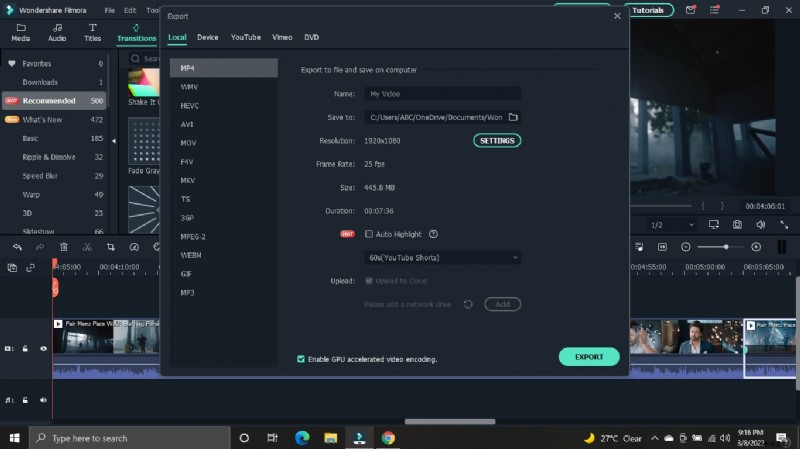
Step 4: Export Your Final Video
Click the Export tab. Select your preferred format (MP4, MOV, etc.) and output settings. Filmora supports exporting to a wide range of devices—iPhone, iPad, Android, and more—without quality loss.
2. Combine with the Windows 10 Photos App
The Photos app offers a straightforward, no‑cost method to merge videos on Windows 10. It’s ideal for beginners who need basic editing features.
Step 1: Open Photos
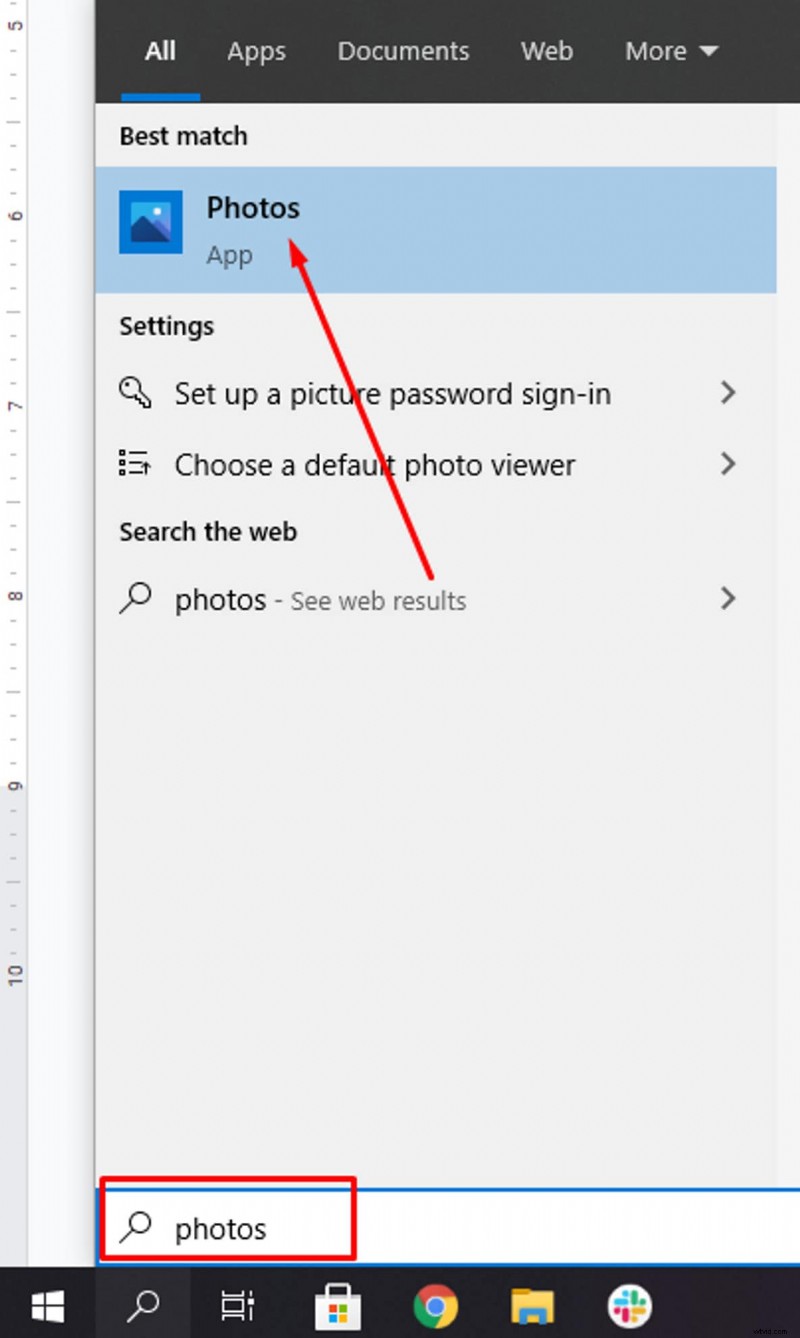
Type “Photos” in the Windows search bar and launch the app. Keep all video files you want to merge in a single folder to streamline the process.
Step 2: Start a New Video Project
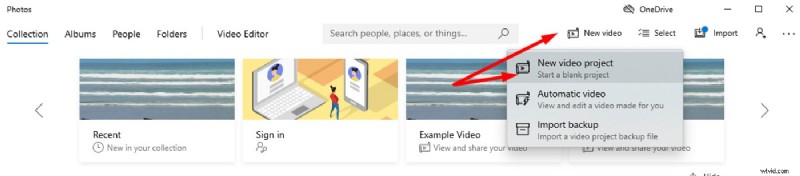
Click New Video Project in the top right corner. Give your project a title; this is required before adding media.
Alternatively, open a photo in the app, select Edit & Create, then choose Create a movie with text.
Step 3: Import Media
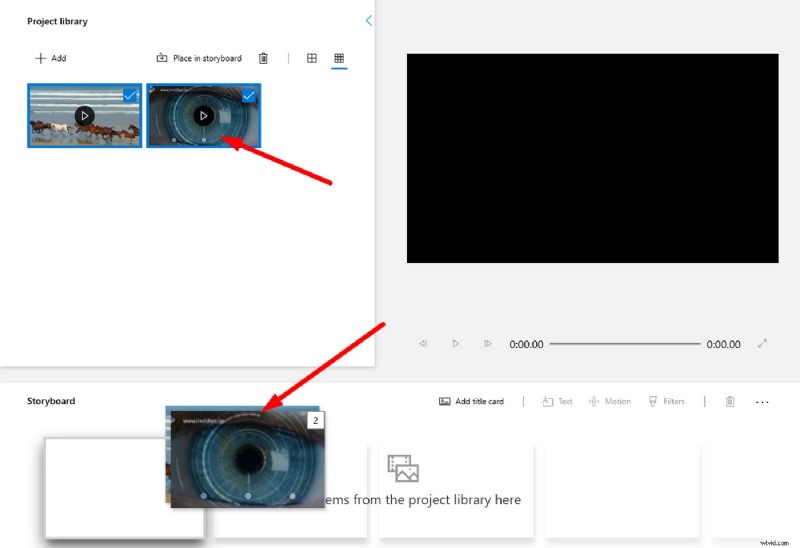
In the Project Library, click the + icon and choose This PC to add multiple files from your folder. Drag the imported clips to the Storyboard area.
Step 4: Trim Clips
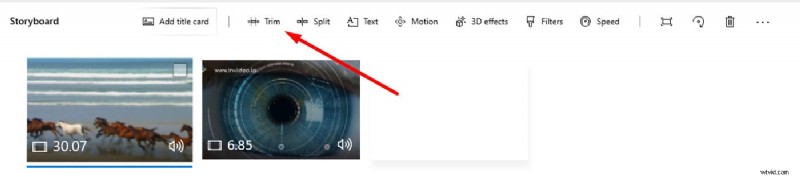
On the Storyboard, click Trim for each clip. Adjust the handles to set start and end points, then click Done.
Step 5: Add Music or Audio
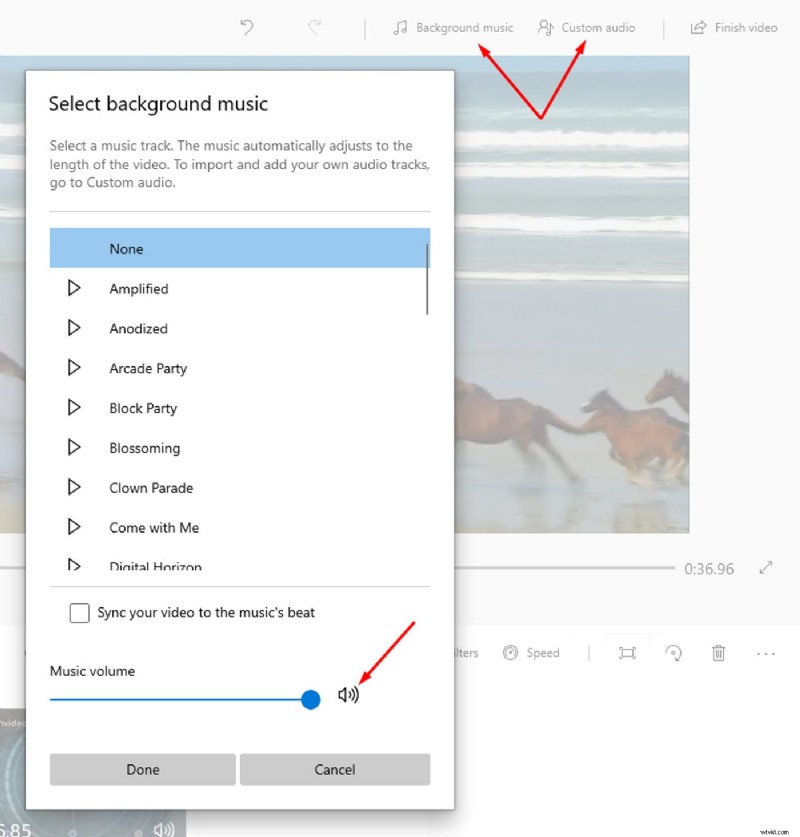
Select Background Music for free tracks or Add an audio file for custom audio. Adjust volume as needed.
Step 6: Insert Text (Optional)
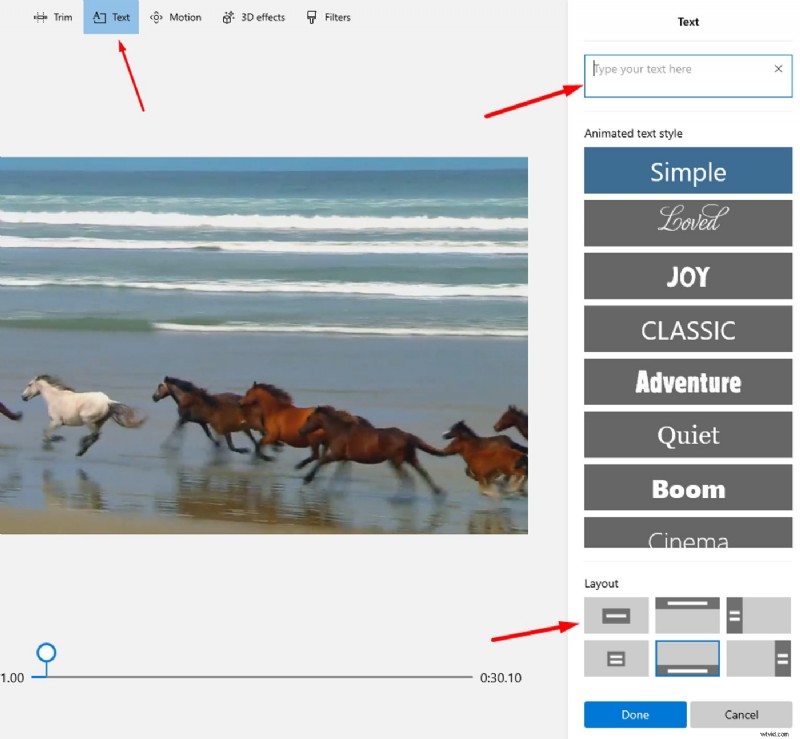
Choose Text, click the text icon on a clip, type your message, pick a font, and position it on the screen.
Step 7: Export Your Video
Click Export in the top right, select resolution, then save the finished video to your computer.
3. Merge with VLC Media Player
VLC is a free, cross‑platform media player that includes a simple file‑combining feature. It’s ideal for quick, no‑frills merges.
Step 1: Add Multiple Files
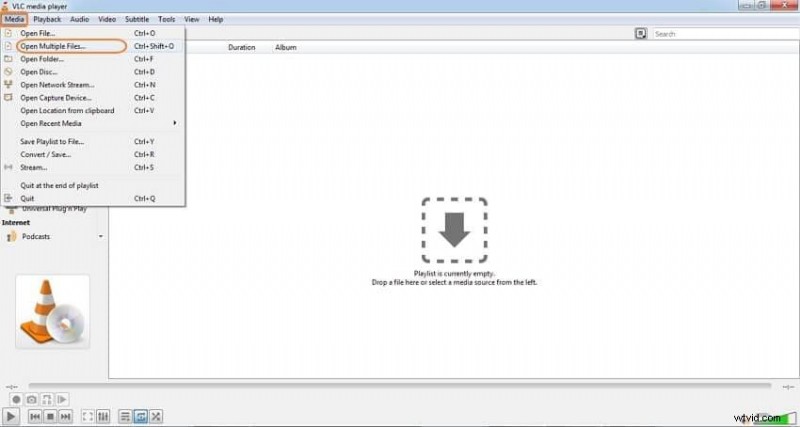
Open VLC, go to Media > Open Multiple Files. Click Add to load all clips you wish to merge.
Step 2: Convert & Merge
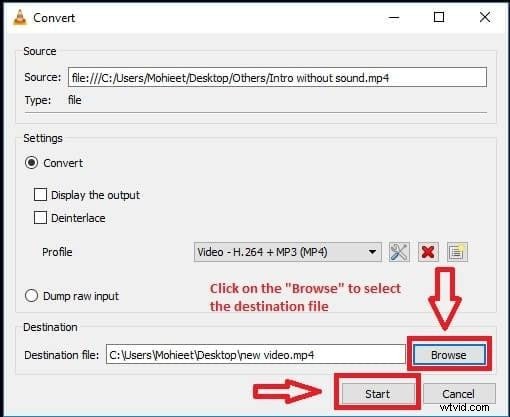
After adding files, click Convert / Save in the same menu. Choose a destination file name and format.
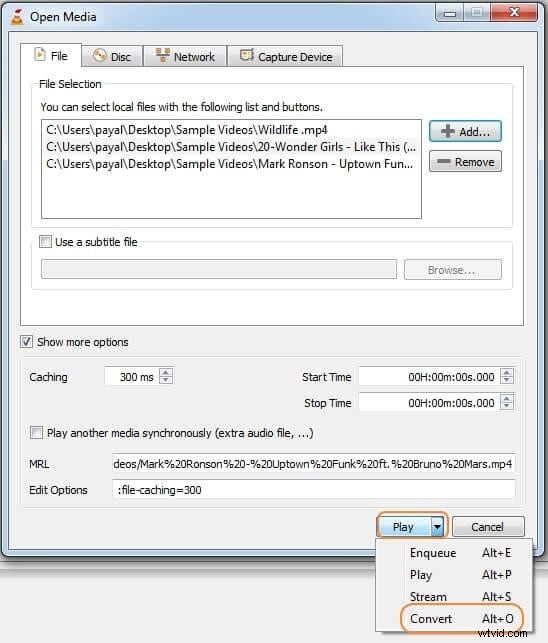
Step 3: Start the Merge
Click Play to begin merging. Once the process completes, your combined video will be saved to the chosen location.
FAQs
Q1. How can I merge two MP4 files into one?
In Filmora, place both MP4 clips side by side on the same track, then export the project as MP4. No quality loss occurs if you keep export settings at the highest resolution.
Q2. Which app is best for combining videos?
For rapid, reliable results, Filmora and Adobe Premiere Pro are top choices. Both support Windows and macOS and handle various formats without hassle.
Q3. How do I merge videos without compromising quality?
Premiere Pro is preferred by professionals for its meticulous export controls. Filmora offers user‑friendly presets that also preserve quality when used correctly.
Bottom Line
Choosing the right tool depends on your comfort level and output needs. Each method described here is accessible to beginners and free of charge, allowing you to create polished videos without a premium subscription.