
Want to give your videos a polished look with white borders?
Adding a clean white frame can enhance your content without cropping or cutting footage, making it perfect for Instagram, YouTube, Facebook, LinkedIn, and more.
White borders not only create a striking visual effect but also solve common cropping problems, giving your videos a professional touch.
Below we outline four reliable methods—desktop, Android, iOS, and online—that are free to use and easy to follow.

Four Proven Ways to Add White Borders to Your Video
Choose the method that best fits your device and workflow:
- Desktop: Filmora Video Editor
- Online: Kapwing Collage Maker
- Android: BeeCut
- iOS: PicsArt
Add a White Border on Desktop Using Filmora
Filmora Video Editor is a top‑rated desktop application that offers a full suite of editing tools—cutting, trimming, cropping, adding watermarks, adjusting speed, and voice recording—alongside an intuitive border‑application feature.
Download the free Wonder Share Filmora 11 to get started.
- Open the Media panel and import your video.
- Drag the clip to the Timeline.

- Click on the video clip to select it.
- Navigate to the Effects panel.
- Type borders into the search bar to filter border styles.
- Choose the White Border option.
- Drag and drop the border onto your clip.
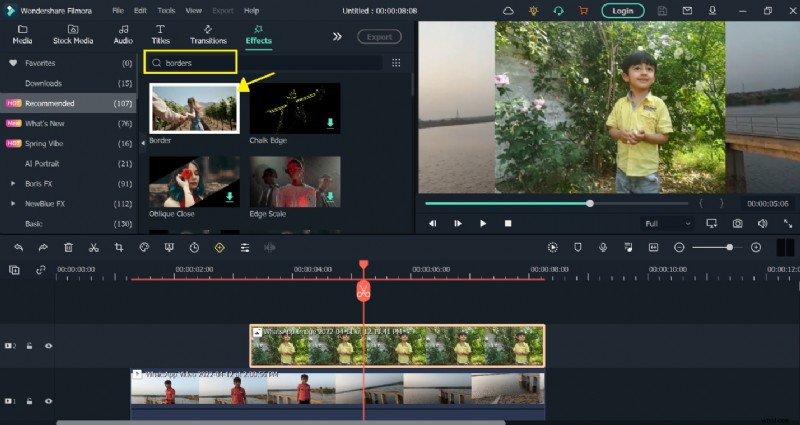
- You’ll see the white frame appear around your video.
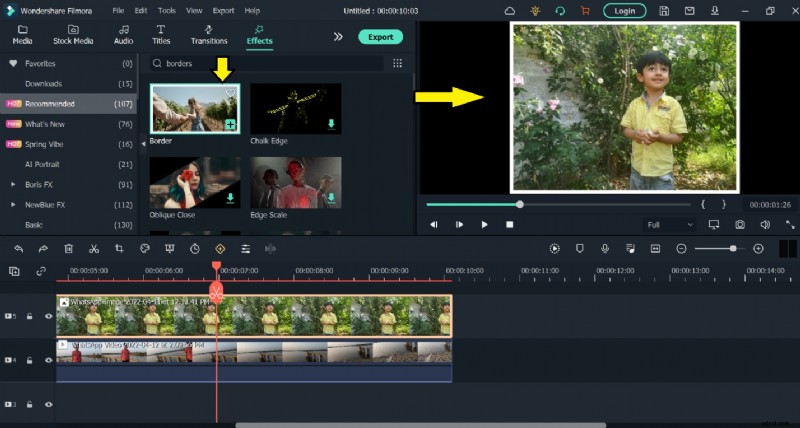
- To customize the border, double‑click the clip and open the Effect tab.
- Under Borders, adjust the color, thickness, and style as desired.
- Click OK to apply changes.

Add a White Border Online with Kapwing
Kapwing is a free, browser‑based editor that handles videos up to 250 MB or 7 minutes in length. No signup or watermark is added to your finished product.
Follow these steps to add a border:
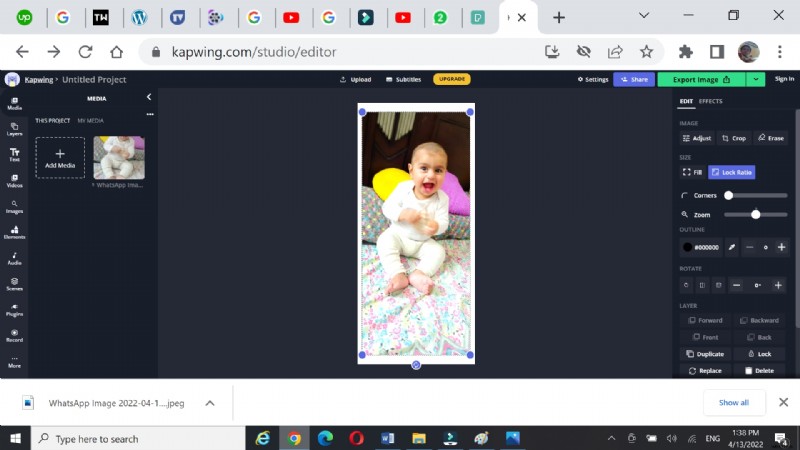
- Navigate to Kapwing Collage Maker and click Start Collage Maker.
- Click Add Media to upload your video or image.
- Drag the clip onto the timeline.
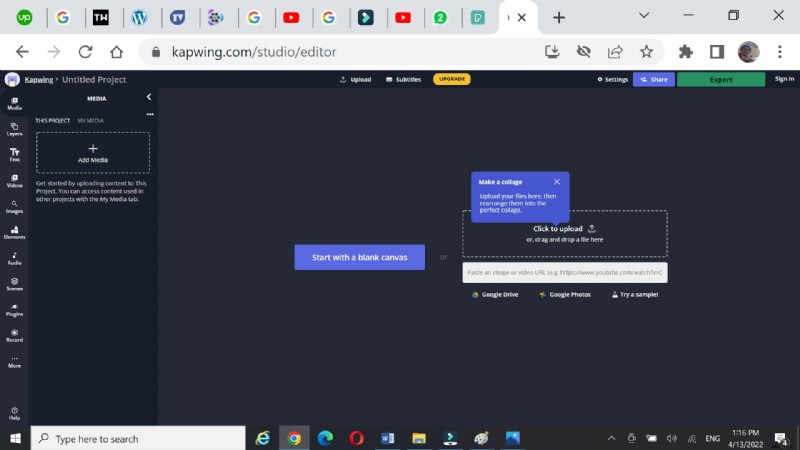
- Resize the clip by dragging its corners.
- Use the white background as your border, then lock the aspect ratio.
- Double‑click the border area to change its background color.
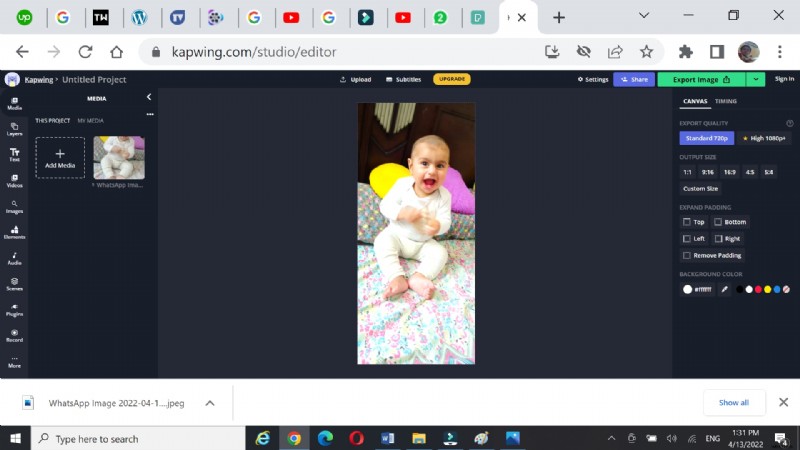
- Preview the final look and export the video in your preferred resolution.
Add a White Border on Android with BeeCut
BeeCut is a lightweight Android editor that offers a library of frames and overlays. It also supports text, filters, and transitions.
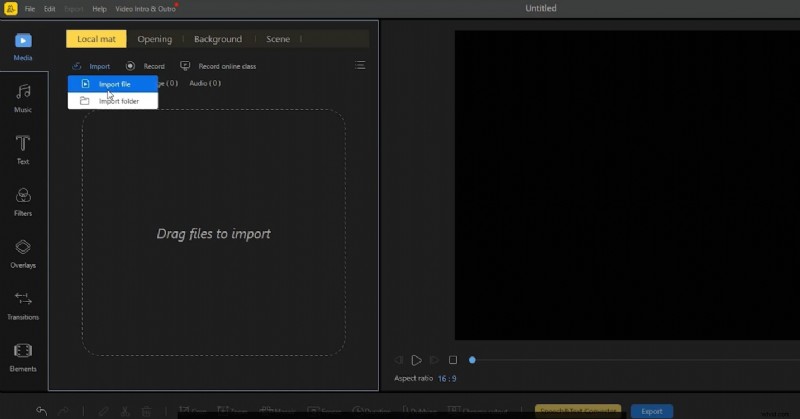
- Open BeeCut and tap Media.
- Select Import file to bring in your video.
- Drag the clip onto the timeline.
- Tap Overlays and choose a border style.
- Drag the overlay onto the timeline and adjust its color or effects.
- Export the finished video at your desired quality.

Add a White Border on iOS with PicsArt
PicsArt is a popular iOS and Android editor that converts your rectangular video into a square format (1:1 ratio), ideal for Instagram.
- Download PicsArt from the App Store.
- Open the app and select your video.
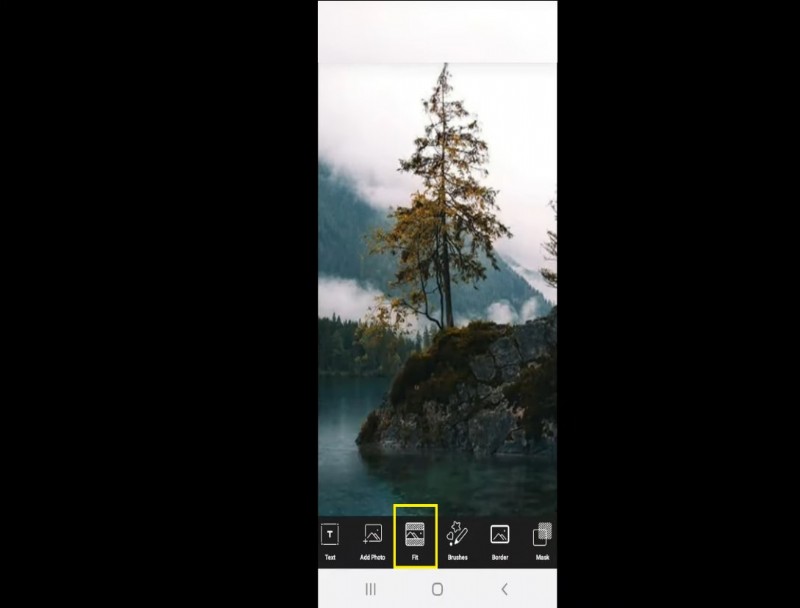
- Tap the Fit tab at the bottom.
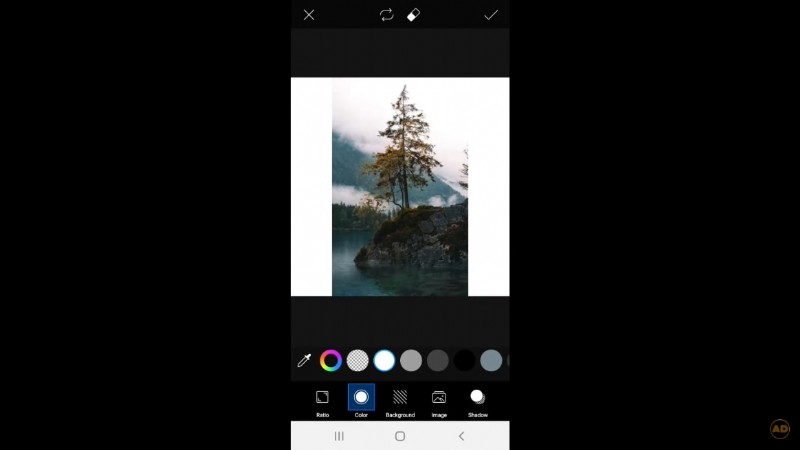
- Choose the Color tool and pick white for the border.
- Save the video to your gallery or share directly to Instagram.
Conclusion
These four approaches—Filmora on desktop, Kapwing online, BeeCut on Android, and PicsArt on iOS—allow you to add clean white borders without cropping or losing quality. All options are free, ensuring you can elevate your videos quickly and cost‑effectively.
For the most comprehensive editing experience, consider Wonder Share Filmora 11. Its advanced tools, combined with simple border application, help you produce polished, share‑worthy content for any platform.