
Ever record a stunning video only to notice the colors feel flat or off‑balance? A robust color‑grading app can instantly elevate your footage, turning raw clips into polished, cinematic pieces with just a few taps. Color grading is a cornerstone of video production—it shapes mood, enhances storytelling, and sharpens visual impact.
Professional‑grade software is no longer the sole pathway to vivid colors. With the right mobile app, you can adjust exposure, hue, saturation, and more directly from your phone. In this guide, we review the five best video color‑grading apps available for both iPhone and Android users.
In this article
- Detailed Comparison – Choosing the Best Video Color‑Grading App
- Top Video Color‑Grading Apps for Android & iPhone
Part 1. Detailed Comparison – Choosing the Best Video Color‑Grading App
Selecting the right color‑grading tool can transform your editing workflow. It can dramatically improve the mood, tone, and storytelling of each frame. With dozens of options on the market, here’s a clear side‑by‑side comparison to help you make an informed choice.
Comparison Table: Best Video Color‑Grading Apps
| App Name | Best For | Price | Compatibility | Rating |
| Filmora | Beginners & Advanced Editors | Free with in‑app purchases | iOS, Android | App Store: 4.7/5 Play Store: 4.7/5 |
| Adobe Premiere Rush | Professional color grading with Adobe integration | Free to use, subscription plans available | iOS, Android | App Store: 4.6/5 Play Store: 3.9/5 |
| KineMaster | Mobile filmmaking & editing | Free to use, subscription plans available | iOS, Android | App Store: 4.7/5 Play Store: 4.5/5 |
| LumaFusion | Advanced video editing | Paid | iOS, Android | App Store: 4.8/5 Play Store: 4.6/5 |
| VSCO | Photo & video editing in one app | Free to use, subscription plans available | iOS, Android | App Store: 4.7/5 Play Store: 3.7/5 |
Part 2: Top Video Color‑Grading Apps for Android & iPhone
Choosing the right tool can turn ordinary footage into a cinematic masterpiece. Below we dive deeper into each app’s strengths, key features, and practical use cases to help you decide which one aligns with your creative goals.
1. Filmora: AI Video Editor, Maker
Filmora Mobile, developed by Wondershare, stands out for its intuitive interface and powerful color tools. It caters to both novices and seasoned editors, offering everything from quick filters to detailed HSL adjustments.
Compatibility: iOS & Android
Key Features
- One‑Tap Filters: Apply cinematic presets with a single click.
- Manual Color Adjustments: Fine‑tune brightness, contrast, saturation, exposure, highlights, and shadows using precise sliders.
- HSL (Hue, Saturation, Luminance): Target individual colors for nuanced grading.
- Vibrance & Temperature: Balance warm and cool tones to achieve natural or stylized looks.
Pros
- User‑friendly workflow with instant preview.
- Robust slider controls for quick, effective color correction.
- Seamless integration with mobile editing workflows.
Cons
- Free version includes a watermark—upgrade required for clean exports.
- Missing advanced tools such as color wheels, scopes, and secondary correction typical of desktop software.
How to Color Grade Videos with Filmora
- Open Filmora and Start a New Project – Tap New Project from the startup screen.
- Import Your Clips – Select videos from your gallery and hit Import.
- Access Color Tools – Swipe to the Adjust tab at the bottom of the screen.
- Adjust Basic Settings – Modify brightness, contrast, exposure, and saturation; tweak shadows, highlights, and temperature.
- Use HSL for Precision – Choose a color hue, then fine‑tune hue, saturation, and luminance sliders.
- Preview & Export – Play the clip to review changes, then export with desired resolution and frame rate.
2. Adobe Premiere Rush
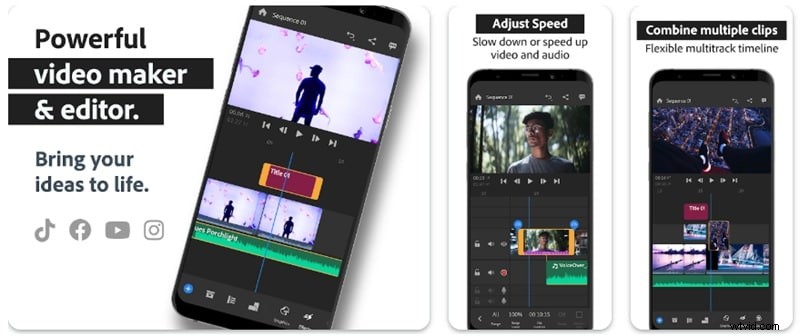
Adobe’s mobile solution delivers professional‑grade color tools within a lightweight app. It’s ideal for creators who need to polish footage quickly and sync seamlessly with desktop workflows.
Compatibility: iOS & Android
Key Features
- Color Presets: Apply built‑in looks instantly.
- Manual Adjustments: Fine‑tune exposure, contrast, shadows, highlights, temperature, tint, vibrance, and saturation.
- Custom Presets: Save and reuse personalized color styles across projects.
Pros
- Backed by Adobe’s industry reputation for quality.
- Cloud sync with Premiere Pro ensures continuity across devices.
Cons
- Full feature set requires a subscription.
- Preset creation is less flexible compared to desktop editors.
3. KineMaster
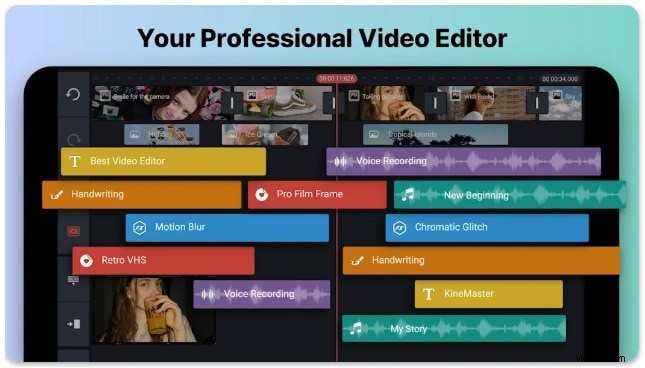
KineMaster blends robust editing tools with a mobile‑friendly interface. Its color grading suite is popular among vloggers, content creators, and mobile filmmakers seeking precision without a desktop.
Compatibility: iOS & Android
Key Features
- Color Adjustment Tools: Simple sliders for brightness, contrast, saturation, exposure, etc.
- Filters & Presets: Quickly achieve cinematic looks.
- Blending Modes: Mix layers for dynamic visual effects.
- HSL Control: Target specific hues for refined grading.
- LUT Support: Apply limited look‑up tables to stylize footage.
Pros
- Efficient color adjustments with intuitive sliders.
- Layered color effects for creative freedom.
- Selective grading for targeted color tweaks.
Cons
- Watermark on exports in the free tier.
- Third‑party LUT import is restricted.
4. LumaFusion
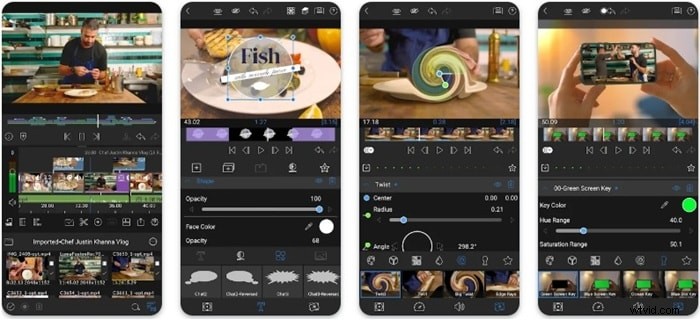
LumaFusion is the go‑to mobile app for professional‑grade editing. It offers multi‑track timelines, advanced color wheels, LUTs, and keyframing—tools that rival desktop software.
Compatibility: iOS & Android
Key Features
- Multi‑Track Editing: Layer video, audio, and effects for complex projects.
- Advanced Color Correction: Fine‑tune balance, exposure, and saturation.
- Color Wheels & LUTs: Manipulate shadows, mid‑tones, and highlights; import custom LUTs.
- Keyframing: Animate color changes over time for dynamic transitions.
Pros
- Comprehensive color workflow with wheels, LUTs, and keyframes.
- No watermark on exported videos.
- Ideal for complex, multi‑clip projects.
Cons
- Paid app—cost may deter casual users.
- Feature richness can overwhelm beginners.
5. VSCO
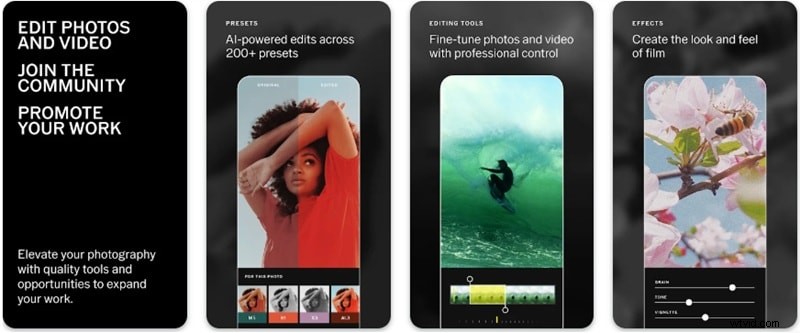
VSCO blends a celebrated photo‑filter heritage with video editing. It offers a user‑friendly interface, a wide array of presets, and essential manual controls, making it a solid choice for quick, stylish edits.
Compatibility: iOS & Android
Key Features
- Presets & Filters: Access a library of professionally crafted looks.
- Manual Adjustments: Control contrast, saturation, brightness, exposure, temperature, and highlights.
- HSL Control: Fine‑tune individual color channels.
- Film‑Inspired Looks: Emulate analog film for a vintage cinematic feel.
Pros
- Effortless color grading for beginners.
- Rich film‑style filters for creative flair.
- Intuitive UI that speeds up editing.
Cons
- Lacks advanced tools like color wheels and scopes.
- Full filter library requires a subscription.
Conclusion
Choosing the right color‑grading app is essential for elevating your mobile videos. Each of the five apps highlighted offers unique strengths—whether you’re looking for ease of use, advanced control, or a balance of both. With these tools at your fingertips, you can effortlessly craft cinematic visuals that captivate your audience.
Try one of the top‑rated apps today and transform your footage into a polished, professional‑grade experience.