
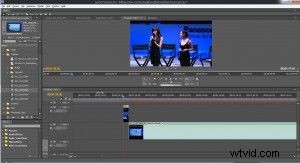
It's easy to spot amateur video. These videos are usually unpolished, resulting in a slew of flash frames. To the untrained eye, flash frames can be hard to spot. After all, they are generally only one frame. Despite being difficult to spot, the viewer's brain will usually register that it saw something strange. There are a couple of reasons this happens. It's possible that when you put the two clips together on your timeline, a single frame of black remained between the two, thus creating a blip in the action. Or possibly the edit on your clip occurred one frame too late or too soon, resulting in an additional frame at either end.
Despite the reason, there is an easy solution to avoiding flash frames in your final video: zoom into your timeline. By zooming in, you'll be able to see the error in your cut. If you're still having problems spotting it, try moving frame by frame through the cut in question. Get down to the smallest scale and you'll see the one frame that's giving you trouble. Keeping flash frames out of your transitions help keep your videos looking professional. As you learn more about video production, you will discover many more mistakes amateurs make that the experts avoid. The best way to learn how to edit like a pro is to be taught by a pro.
At Videomaker workshops you get the chance to learn directly from our experts. In our small classroom setting, you learn advanced editing theory and practice, color correction, image manipulation using keyframes, green screen keying, multi-camera editing, as well as advanced audio editing techniques and sound effects. Should you come across a problem, our instructors will be there to help you every step of the way. Check out our current list of events and availability of classes by visiting the Workshops section of our website.