
If you have ever struggled to color grade your videos to look more like your favorite Hollywood blockbuster movies. Then you will definitely want to check out this color grading tutorial in DaVinci Resolve 17. The best part is you can download DaVinci Resolve for free, so let’s get started.
If are familiar with Adobe Premiere Pro or Apple’s Final Cut Pro you may be thinking to yourself, why should you bother to learn how to color grade in a different video editor like DaVinci Resolve 17?
You may be thinking that there is a steep learning curve and it might not be worth your time to switch to a different video editing platform. And if that is what you are thinking, I know exactly how you feel. I put off learning Davinci Resolve for years but now I am definitely glad I switched and I would not be surprised if you find it to be a much smoother and richer editing experience as well.
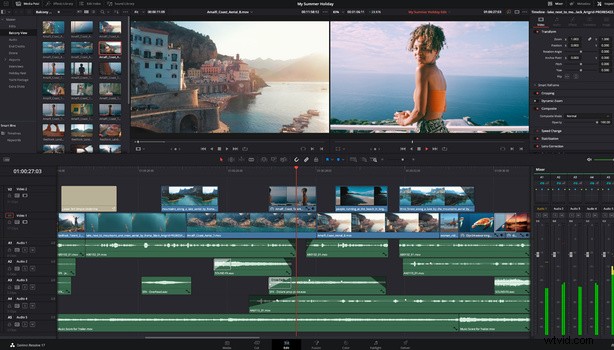
One of the main reasons for using Davinci Resolve 17 is the ability to do native raw image editing, especially if you are already a Blackmagic cinema camera user and you have the option of shooting in Blackmagic’s raw format.
All of BlackMagic’s affordable pocket cinema camera range can shoot in Blackmagic RAW. You can learn more about their latest camera release the BlackMagic Pocket Cinema Camera 6K Pro here.
Another good reason for color grading in DaVinci Resolve 17 is that it has some of the most advanced color grading features that some other NLEs don’t have and is also widely used on some major big-budget blockbuster films.
In conclusion, if you are looking for a quick way to color match your videos to look more like a professionally graded blockbuster film. Then you owe it to yourself to check out the DaVinci Resolve 17 color grading video above.
If you'd like to learn how to make your own videos and don't know where to start, check out our filming and editing tutorial, Introduction to Video. If you purchase it now, you can save a 15% by using "ARTICLE" at checkout. Save even more with the purchase of any other tutorial in our store.