
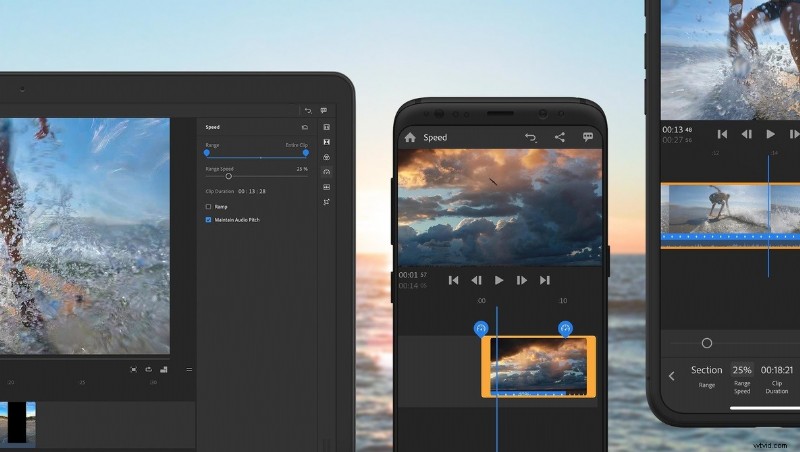
Adobe’s Premiere Rush app, a piece of software focused on editing shorter length, social media focused videos, has just received a major update to version 1.2. This update brings a major feature, requested by many users.
The app is cross platform compatible, available for iOS, Android, and desktop. It features simple but powerful tools for creating online content without the need for a complicated workflow. The included motion graphics templates make it easy to tailor the content to your brand, adding a professional polish with ease.
One of my favorite things about the app is the ability to shoot, edit, export, and share all from one app. Using a mobile device means the workflow has to be simple, since multitasking on mobile isn’t a good experience. The Premiere Rush app keeps all the necessary tools at your fingertips.
One thing that has been missing, however, is the ability to retime clips. Making speed adjustments, like ramping up or slowing down footage for dramatic effect, has become very popular, particularly within Premiere Rush’s target market. Until now, Rush hasn’t natively supported the ability to speed up or slow down clips.
With version 1.2, that has all changed. Adobe has launched full support for speed adjustments. With the ability to slow down or speed up footage, audio can become a challenge — but Premiere Rush also provides support for maintaining proper audio pitch. Lastly, the ramping is adjustable, allowing you to tailor the look of your footage.
Lastly, Premiere Rush’s new speed adjustments, like every other feature, syncs perfectly with Premiere Pro. This makes it easy to work with your projects on a bigger scale, when you’re back on your computer.
The app is available for download now at: iOS, Android, and desktop.