
Let me get to the point: Adobe Spark could be the company’s biggest release yet. For veteran Adobe users, it might not seem as exciting as a new Creative Cloud update; but the combination of its ease of use, ingenious functionality, and truly professional results give it the potential to aid far more people than Photoshop ever will — no, really. This is helped immensely by the fact that Spark’s launch is amongst the most impressive I’ve ever seen, as Adobe Spark launches today with the maturity of a decade-old product. And it’s completely free.
Introduction
The software industry has long been split into two classes for its customers. There’s the professional software with a pro-level learning curve, but that offers excellent tools for pro-level creation in exchange. And then there’s software for everyone else that compromises on functionality and final result for ease of use. As software engineers have long been tasked with giving its users as many tools as possible, but have always had to leave the artistry behind, how those tools are used are up to the end user. But what if the person laying out a flyer in InDesign has zero experience in design?
The automation of the creative or design aspects in layout and editing software has been a huge focus in recent years. Tools like Content-Aware Autofill, for example, save time, but still don’t help non-editors make an ordinary photograph into a fantastic billboard-worthy advertisement. While Adobe Spark’s impact may not be seen directly on billboards, it will certainly have larger-than-life implications for a truly mass market of educators, students, small businesses, self-branded individuals, and more.
What Is It?
Adobe Spark is a new web and mobile platform for creating and actually doing things with your content in a meaningful and well-designed way that maximizes consumption and engagement with your brand. Simply put, Adobe Spark makes it a breeze to create “social graphics, web stories, and animated videos” that look fantastic. Spark comes in both a cross-platform web app that lets you create all three, and also in three separate mobile apps, one for each medium: Adobe Spark Post for social graphics, Adobe Spark Page for web stories, and Adobe Spark Video for animated videos.
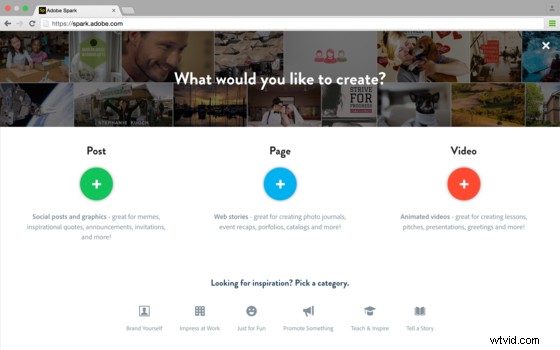
The focus, here, is on automated, professional design options that let you create memes and graphics, interactive microsites, and completely animated and customizable videos to help your brand stand out. While most tools to create these kinds of media have historically required significant design and computer knowledge and experience, Adobe Spark simplifies content creation to a level that anyone can master on the first day.
Adobe Spark’s web application offers just about everything each of the individual mobile apps do, so let’s break it down by app.
Adobe Spark Post
Spark Post allows you to use text and images to create memes and flyers for virtually any use. You can print them out, post them to social media platforms, and even turn them into Facebook ads with one-click document sizing options that are all based on standard page sizes, or even by social media platform (for everything from Twitter featured image sizes and Facebook banners). Built-in support for Apple’s Live Photos as background images in your memes or digital flyers is one of the first “OMG — Awesome” moments you’ll have if you can see it in action. You have to try it out to see for yourself. If you thought Live Photos were useless before, this will change that sentiment overnight.
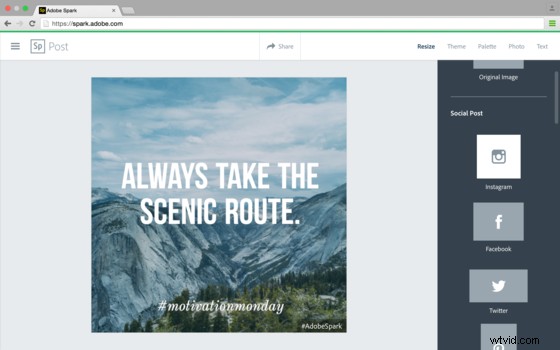
As throughout all of the Spark-branded experience, Adobe guides you through the process. Start with inspiration and “remix” existing content curated by Adobe, or start from scratch. Post first asks what you want to say, prompting the input of text for your flyer/meme. The app then automatically adds a style to your text with line breaks that look great. If you don’t like the default, you can open and choose from a library of text style and formatting options. Like an overall design, but want to change the font alone? You can do that, too.
Styles don’t stop at text either, though. They include also-editable filter-like effects to images that match each typeface, text box style, etc. And for those with issues telling which colors go well together, Post’s included color palettes let you select from a variety of mixes that look great together. Color effects apply across the entire composition to each element individually. Don’t like the combination you have? Not only can you change your palette, but continuously tapping on the same palette cycles through different combinations that apply different colors to different text, image, and design elements in the entire composition. Click until you find one you like, and you’re done.
Watching this video gives a great example of how easy it can be to create something with Post. It’s so fast that it might be easy to miss the fact that you could almost do each of the things in this video in real time. The upbeat tempo of the music might fool you into thinking there is elapsed time or that some steps were skipped. But in fact, each frame of the video comes directly from an interaction in the frame before it. The only thing that limits your efficiency is how quickly you can click.
Adobe Spark Page
Spark Page gives users the ability to mix long-form and short-form text, videos, images, animations, and effects into an engaging microsite-style blog post for your business or brand. Building on similar features and concepts from Post, Page makes it incredibly easy to combine various forms of media into a blog post with the same kinds of automated design effects.
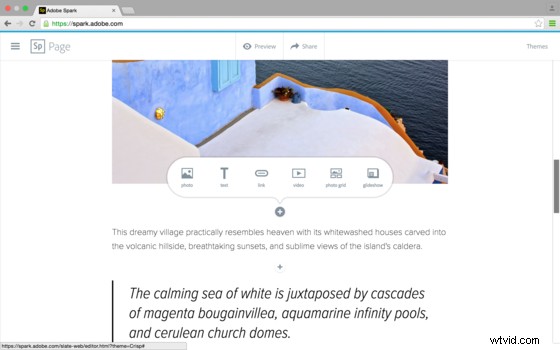
Posts are completely responsive. Users can customize the focal point of an image very similarly to the way Squarespace handles this for various screen formats (for those that have used Squarespace). But Adobe takes this focal point setting one step further by giving a live preview of a portrait-oriented copy of the image in the upper right hand corner, so you can get immediate feedback on how the image will display on a mobile device. No refreshing or reloading or diving in-and-then-out-of-settings involved. Seeing this in action produces another “OMG — Awesome” moment. This is all the simple, but basic stuff that you know will take most companies three generations to implement. You don’t know why it takes so long. But you know it does. Not this time — finally.
https://www.youtube.com/watch?v=gzspE-6DYsE
Adobe Spark Video
Spark Video lets you create and mix text, images, videos, animations, effects, and even audio into the perfect promotional piece for your organization. Start with the type of video you want to make, whether it’s sharing something that happened or promoting an idea, etc., to get you started with a video style/template. From there, a number of customizations are available to create a great video or animation.
The audio features for Spark Video are rather incredible, too. Simply press on a red microphone icon to record a statement to add as a voiceover to your video. Spark Video automatically plays it back, but has simultaneously added a cute, upbeat soundtrack to the background on its own (yes, another “OMG — Awesome” moment). Don’t love the music or find that it sets the wrong tone for your piece? No problem. Again, you can change that, too, with a simple selection from a number of available background audio clips.
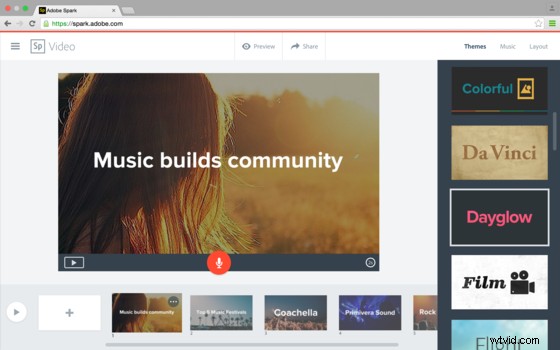
Need one of those awesome little icons that represent what you’re talking about, but don’t have the ability or time to hire a designer to make one for you? Search a keyword and insert your own alongside text, images, and/or graphics in your own layout with the aid of Spark Video, and use the finished piece to cut to with automatic transitions between the final graphic and other content you’ve already added to your video. You’ll spend way more time playing with the app than actually efficiently creating your piece, which would otherwise only take a single minute. But that’s okay. That’s how it should be. Adobe has created quite the playground between its Spark platform.
https://www.youtube.com/watch?v=uSXNXYWXdRY
Web Platform and Unifying Features
Adobe created an Adobe Spark web platform so anyone and everyone can have access to creating, viewing, editing, and consuming content. Since everything is saved and supported by “the cloud,” you have access to all of your projects at all times across any platform or app. Adobe Spark on the web lets you create, share, and monitor “all things Spark” from within your browser. You even get feedback on view-counts and “appreciates” on published pages.
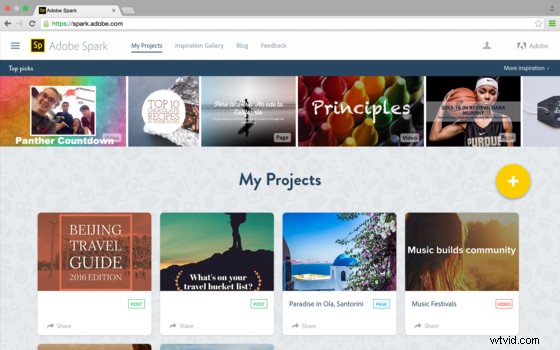
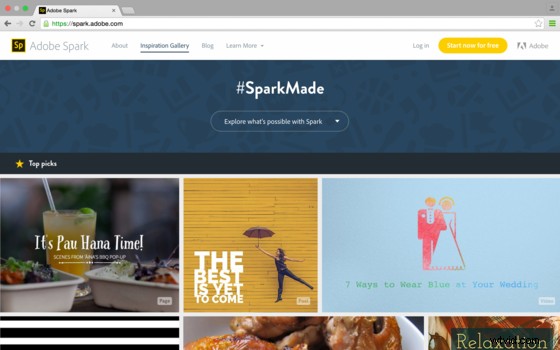
Inspiration is “littered” throughout the entire Spark experience. From wherever you are, you can sift through a curated library of content created by Adobe or even by other Spark users off of which which you can base your designs. Everything you see can be “remixed” into your own creation. Swap out text, images, etc., for your own content while keeping the color scheme of a layout. Change the background image of a Post to a selfie in front of your store on its grand opening, but tweak the text with your own business name and a vintage style that suits you better.
You don’t have to do your sifting randomly, either. Adobe also curated content in categories such as Causes, Photography, Small Business, etc., so you can start looking at what others in similar circles of business are creating and build directly from the inspiration they give you.
Quick History, Future, iOS, and “The Catch”
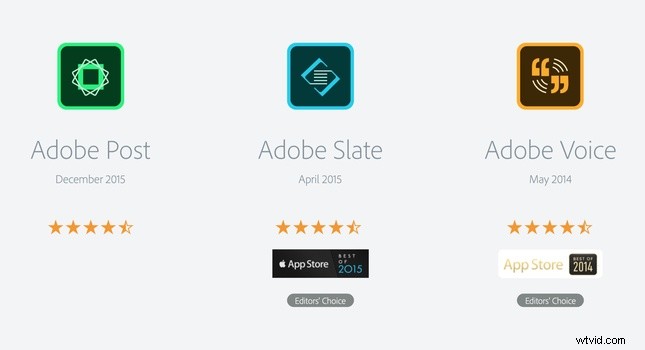
If Spark’s functionality and apps look familiar to you, it’s because they are. Adobe’s new Spark apps are derived directly from the Adobe Post, Adobe Slate, and Adobe Voice apps, but reshuffled, consolidated, and updated in a more coherent package that makes visually appealing content creation for the average person a possibility. Adobe’s name change and shuffling of the cross-platform offerings that have now become Spark signals that they want us to reconsider its entire lineup of these tools. Their execution with Adobe Spark has more than earned them the right to that reconsideration.
If this announcement seems a bit iOS-oriented, that’s also because it is — for now. Adobe promises Android support, but for now, only iOS users will get access to the mobile apps. Meanwhile, others still have access to all the same tools online via Adobe Spark’s web-based desktop experience — no app or download necessary.
Everything that’s free has a catch. That is, unless it’s Adobe Spark. Sure, Spark has a few oddities to it that I’ll cover right below in the critiques. But overall, there is no catch. All of this functionality will be free to use, with Adobe looking to paid features released in the future as a way to monetize the platform once it has gained better market share.
Critiques
Branding/Logos
This might be considered just about the only “catch,” but it only makes sense that Adobe and Adobe Spark branding will be present on videos and animations created with the platform. Adobe Post content will have Spark branding attached to it, but that will be removable in this case. I would expect to see a paid update or feature unlock the removal of any and all Adobe branding from content created with Spark. But time will tell if that becomes a reality.
Using and Embedding Spark Pages
The only thing that’s slightly odd about Spark Pages is that the content is always, 100 percent hosted by Adobe and is always visited through its unique Adobe Spark link. You can embed a Spark page, but it’s not a true embedding of all of the content. Instead, an image and sometimes some text is embedded as a post preview might be on Facebook, where a click on the embedded content would take you to the actual and full Spark Page web experience. Storehouse, which offered a similar method of quickly and easily laying out content to tell a story in a microsite-type blog post fashion, does a similar thing with their embeds and custom; company-hosted links in order to guarantee functionality of each post across platforms.
I’m not sure of the technologies required to potentially let someone embed a “Page” such as those created within Spark Page as a full-blown blog post on one’s own personal site, but I would hope that this feature would one day be a possibility in order to increase the usefulness of such a design tool.
Final Impressions
Adobe Spark is an incredible platform. It may take time for the moms and pops of various small businesses to learn about and/or to take up Adobe Spark into their digital promotional lives. But the platform is well matured considering how recently it really began. The shift from Adobe's somewhat fragmented content creation apps into what is now Spark is a great move that could benefit anyone that uses it. It's great that it's free and doesn't require a subscription (just log in with a Facebook account, Google account, or a free Adobe ID), even if it means your moving content will be tagged with their brand in the bottom corners. Regardless, there's no way to look at this announcement without seeing a larger fire will take hold with this small, but powerful spark.
You can sign up and start using Adobe Spark today and/or check out the full press release, which was created using Spark Page.
As a final illustration of how easy it is to use Spark (at least online), I typed in one short statement and magically got to this, instantly:
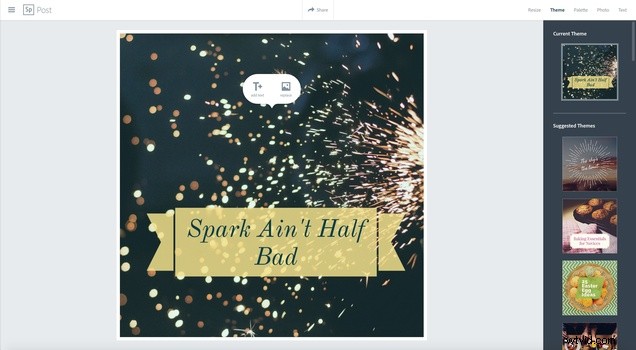
Just a couple tweaks later, and I got this final result:
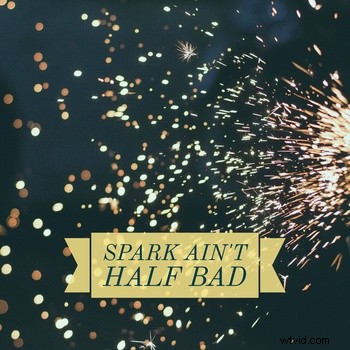
Seeing as how a sparkler shot was chosen in the context of the word "Spark" being in my text, I was immediately impressed, but wondered if Adobe really analyzed the text to match an image to it perfectly. Amazingly, but unfortunately, a little testing (as you can immediately see below on a second try) proved my first result was dumb luck.
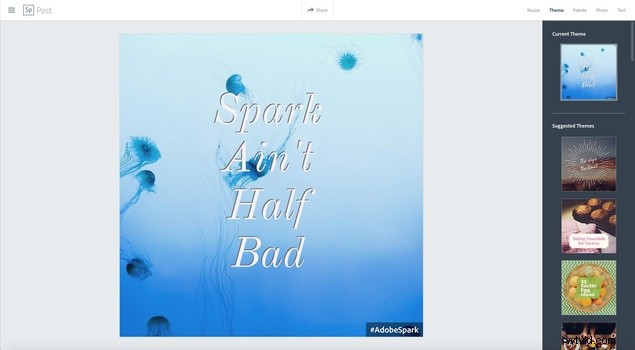
Try your own Spark creations and share them below!