
To edit a simple and trendy video, it requires several key elements, such as original videos, intro/credits, transitions, texts, effects….etc. And there is one more element, which is used to capture the mood of your video. Guess what? It is the background music! But it seems to be a problem finding a sweet and suitable one to match with the theme of your video. It was like fishing for a needle in the ocean. You have to go searching downloading to see if it matches with your video first. More ironically, you do not even have to use all of them after realizing you have paid a large amount of money for them. What a waste of time and money.
Now, it is not a problem at all. You can enjoy 76 royalty-free music tracks for different themes, such as Young and Bright, Tender and Sentimental, Rock, Folk, Electronic Rock and Hipster Folk, for selection.
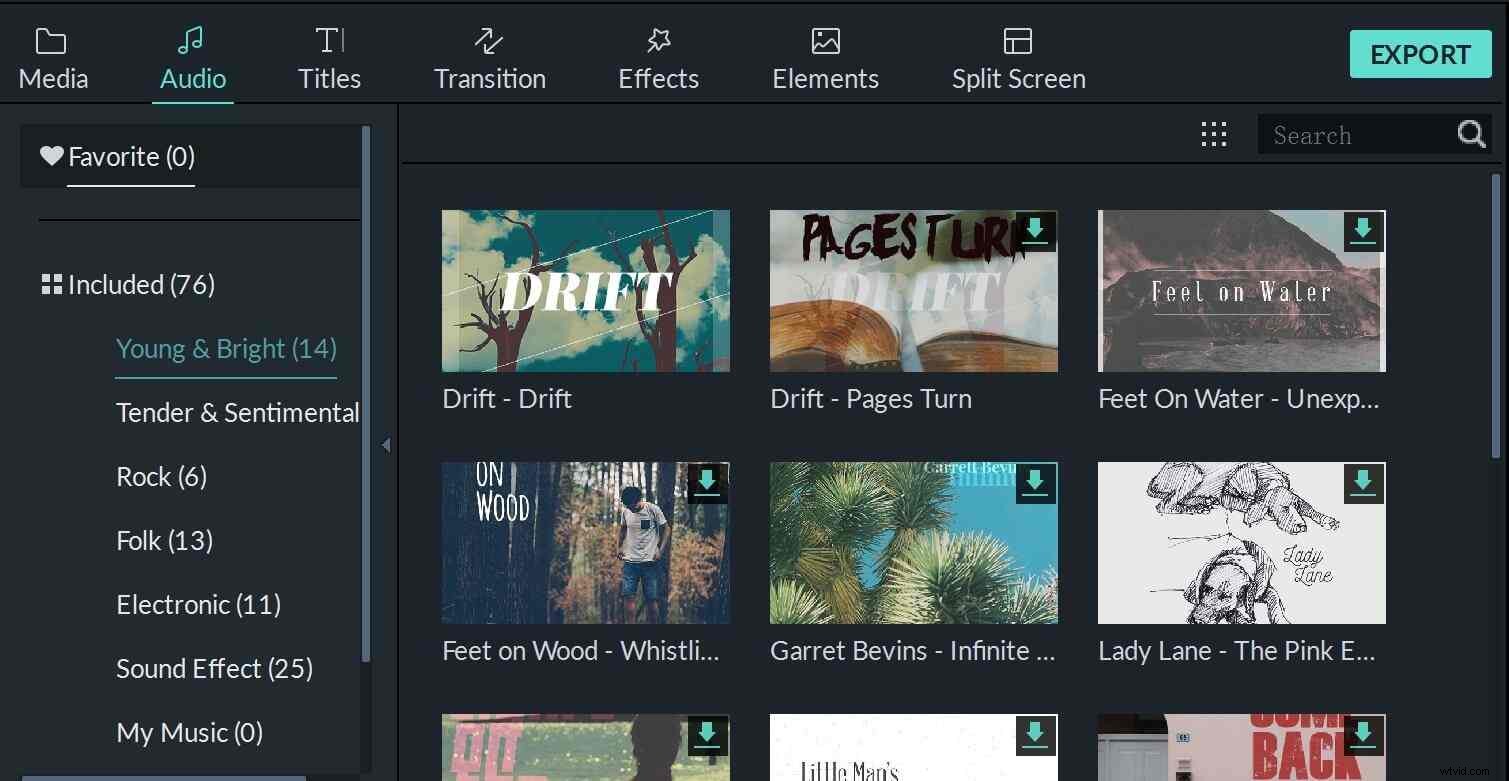
Furthermore you just need one program, which called Wondershare Filmora to take advantage of them for free. You do not have to search the background music files like a needle in a haystack. The program has sorted out the music themes into 6 different folders. You are not only be able to apply it for your video, but also be able to make advanced editing, such as split, trim, adjust the playback speed, pitch, volume…etc. You can follow below steps to enjoy these 25 royalty-free music tracks for video editing. Hope you would enjoy it.
1. Import Media Files to Filmora
Firstly press the Import button to load the source video to the media library, meanwhile drag and drop the video to timeline
2. Detach Audio from Video (Optional)
Secondly if you want to replace the audio of the video with the background music, please right click the video and select Audio Detach . Then the audio and video will be separated.
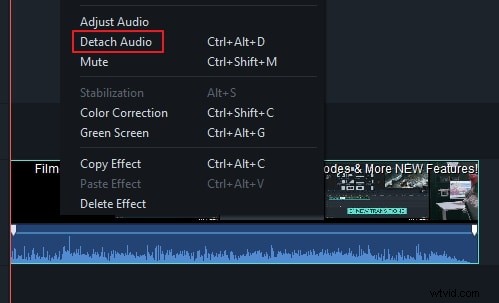
3. Add Royalty Free Music and Sound Effect
You can right click the separated audio file and remove it. Then go to Audio tab , find the theme that fits you, and drag the royalty-free music tracks from the library to timeline. Or you can right click and select Apply to drop it to timeline.
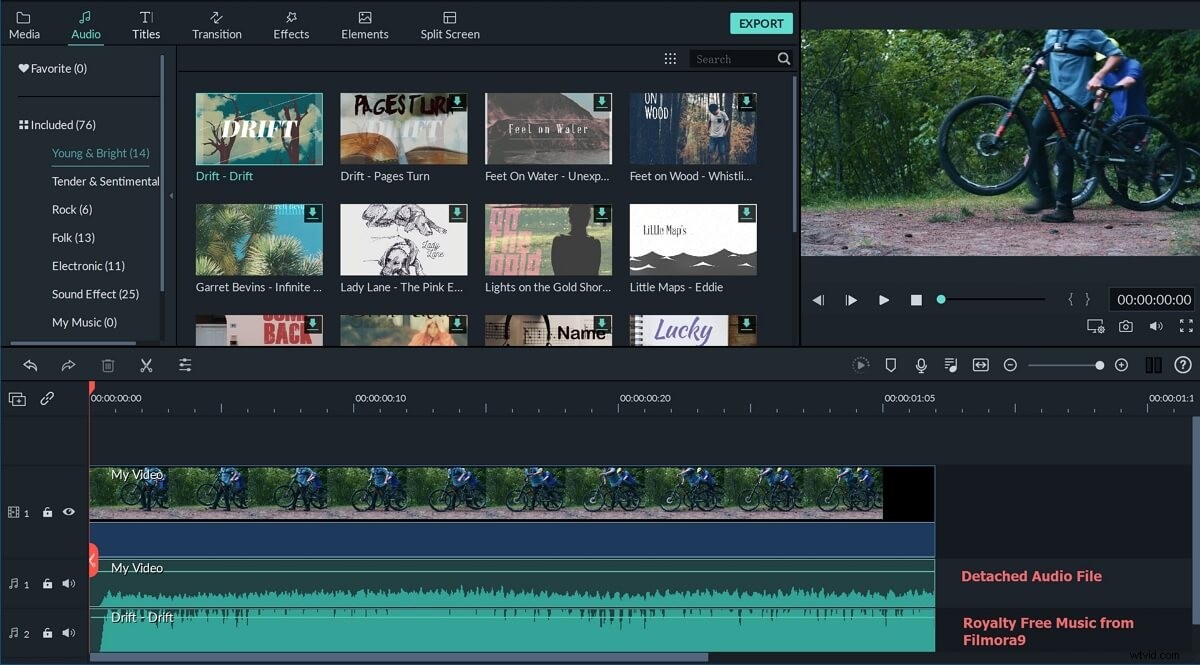
4. Change Music Track Speed, Volume and More (Optional)
Lastly, you can drag it to the position where you need to match with your video. It is also supported to use part of the music only. If you have the concerned about overriding the original audio by the background music, please double click the music file and it will allow you to adjust the playback speed, volume, pitch…etc.
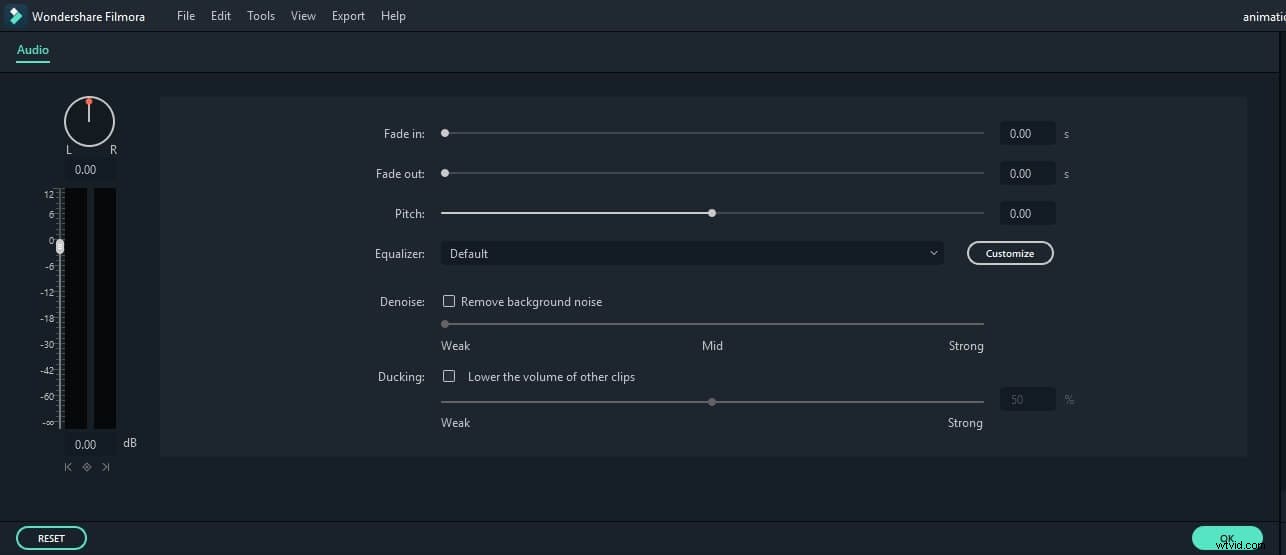
5. Export the Music Video
After previewing the editing results, you can now export the video to any popular formats, or upload to YouTube and Vimeo directly, or burn it to DVD.
Conclusion
Besides the originally included music tracks and sound effects in Filmora, you can also find more audio file from Filmora effects store Filmstock, and even get some free music and sound as well.