
How often has it happened—you have a great digital camera , have taken some wonderful pictures at a birthday party, and are looking forward to showing them to friends and family- only to find that almost all the guys and gals look like vampires with their red eyes? Don't worry—red eyes in photos are a common problem that can be rectified by anyone with proper tools and tip.
You can easily remove red eye if you are an iPhone user by reading this guide: How to remove red eye from photos on iPhone.
What causes red eyes in a photo
Red-eye effect usually appears in a dark environment when a flash is used at night or in dim lighting at the moment of capturing light reflecting from the retina at the back of the eye. Watch the video below to get more information about why eyes look red in photos and how to prevent and fix the red-eye effect.
How to get rid of red eyes in photos?
These days, getting rid of red eyes in photos is a breeze. In case you're using a digital camera, you can upload those photos onto your computer and then edit those red eyes using the 'red eye removal tool' that's present in your picture editing program. Most image-editing apps in Android, iOS and Windows phones have a tool to fix red eye problems. Below is a list of useful tools, including desktop software, online tools and mobile apps to remove red eye in your photos:
1. GIMP
2. Photoshop
3. LunaPic

4. Pixenate

It has a very effective too for red eye fix and also has the option to directly upload to your Flickr account, in case you need to.
5. FixRedEyes.com
It has an automatic feature that looks for red eyes in the photos and using the drag tool, red eyes are gone in a jiffy.
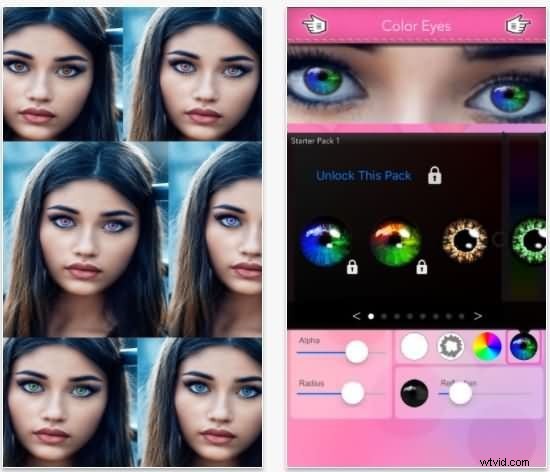
6. Eye Colorizer (Free on iOS)
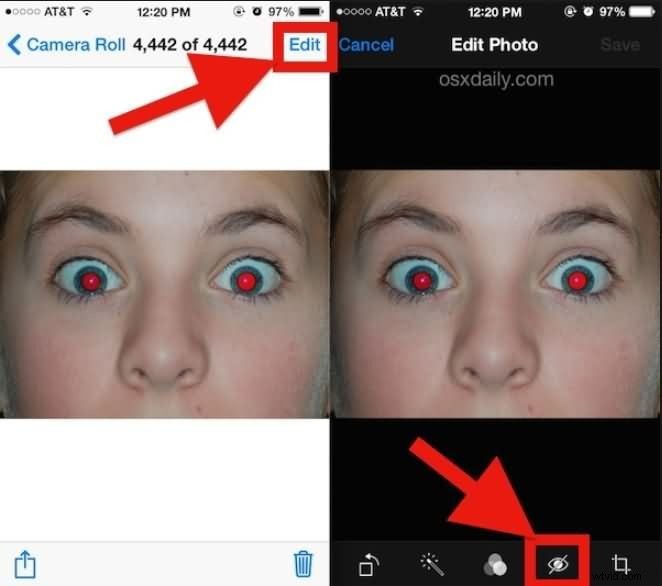
7. Apple's iPhoto
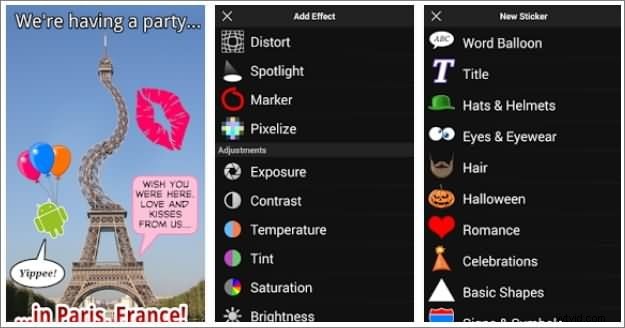
8. PicSay (Free on Android)
Part3: Camera tips to prevent red eye
Instead of fixing those red eyes, there are a few pointers, if heeded that will help prevent or reduce red eyes.
- Use cameras that have eye reduction setting or features—these usually produce a couple of flashes—one to constrict the pupil and the second while the photo is taken.
- Try lowering or raising shooting positions to prevent being level with the person's eyes and when you want to take a photo, have lots of lights switched on so that it helps the pupil to constrict.
- Crazy as it may seem, ensure that the subjects are not drunk as pupil reaction is slower and if you can afford it do invest in a really high-end camera. That will put an end to all your 'red eye problems.
Some of today's digital cameras have self-adjusting mechanisms that set right the red eye automatically, but if you're not one of those lucky ones, then there are still ways to reduce the red eye effect. Sometimes just shining a bright light at the subject a couple of minutes before you actually start clicking helps constrict the pupil, leaving only a small hole for the light to pass through. With less light going through, there's hardly any reflected light—this usually solves the problem of red eyes.
After removing red-eye effects, you can make a photo slideshow with some video editing software. Here, we recommend you to use Wondershare Filmora . With it, you make memorable photo slideshow with warm music.