
Sometimes it just gets too annoying especially when you can’t focus on the video because all you see is that giant stamp on the screen. Not only this, but the watermark also becomes pesky even if we initially pasted the watermark and now all we want is to restore the video to the original state. You get me, right?
Removing watermark from video in most of the watermark remover software is painstakingly hard. You can end up spending a couple of hours and the result can very well disappoint. To save much of your time and effort, this article will introduce 6 watermark removers for both desktop and mobile remove watermark from video.
- Part 1: Best Watermark Removers to Remove Watermark from Video[on Desktop]
- Part 2: Best Watermark Removers to Remove Watermark from Video[on Mobile]
Part 1: Best Watermark Removers to Remove Watermark from Video[on Desktop]
Here are the best five bets you have got to remove watermark from video on Desktop(At a Glance)
- 1. Wondershare Filmora
- 2. Apowersoft Online Video Watermark Remover
- 3. VSDC Video Editor
- 4. Video Watermark Removal Online
1. Wondershare Filmora
Wondershare filmora has been one of the most popular video editing software. For some of you, who are just getting started, Wondershare Filmora can remove watermark from video and you do not have to be a pro at it. This platform has got a couple of ways to remove that watermark for you. Here are the best and easiest ones:
Method 1: Blur the watermark
This method is a convenient one. The mosaic feature in the filmora can get you through this in a matter of a few minutes.
- Launch Filmora, then go to File-Import Media to import your source video that needs watermark removal treatment. Then add it to the timeline.
- Now click on the Effects in the top menu and choose Utility from the left of the side menu. Click on Mosaic to preview the effect. Now drag the mosaic thumbnail over to the video inactivity bar.
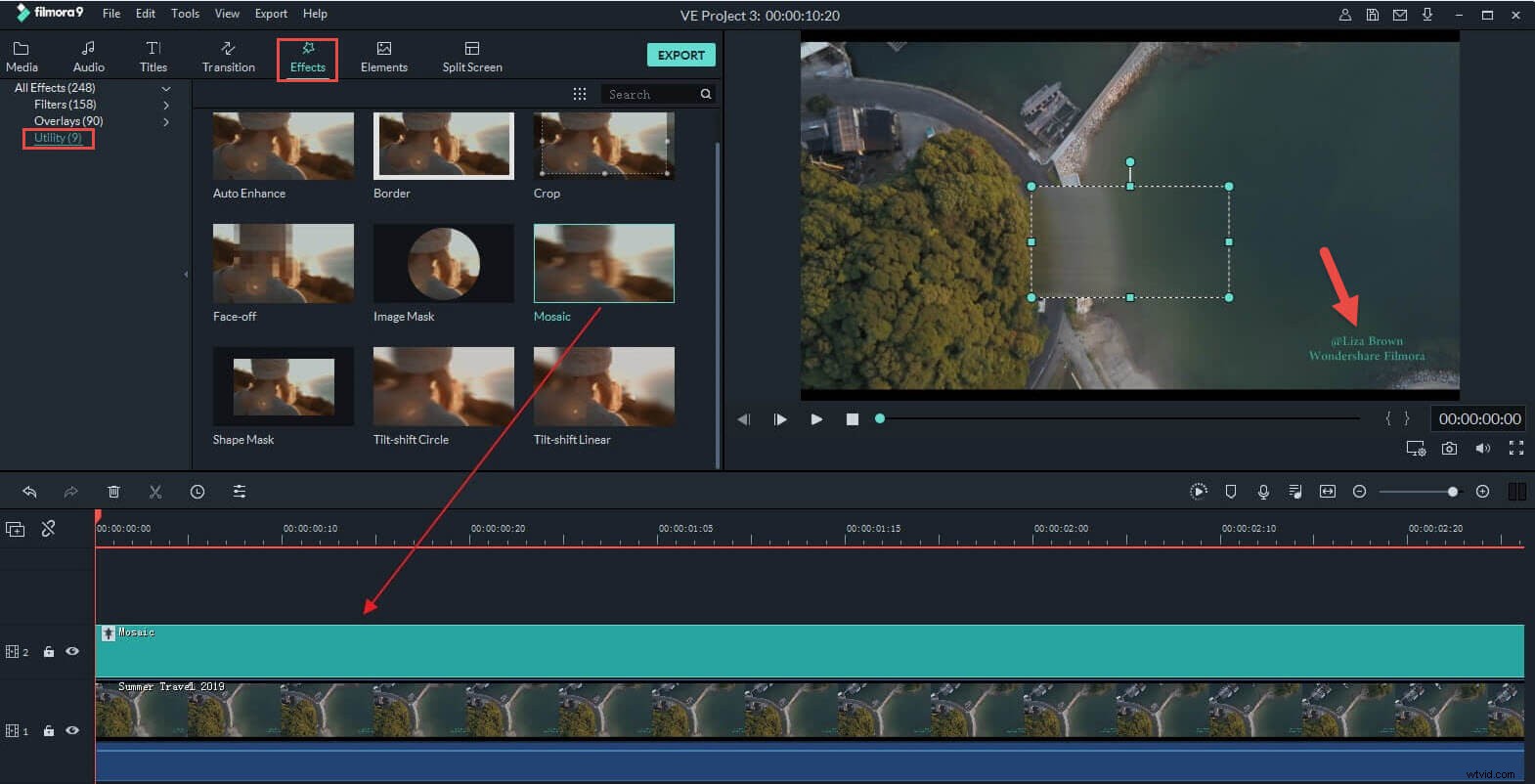
- A mosaic square will appear on the video in the dashboard preview. Adjust the size of this and relocate to where the watermark is. You can add another mosaic square by just repeating the process, in case you have multiple watermarks to blur.
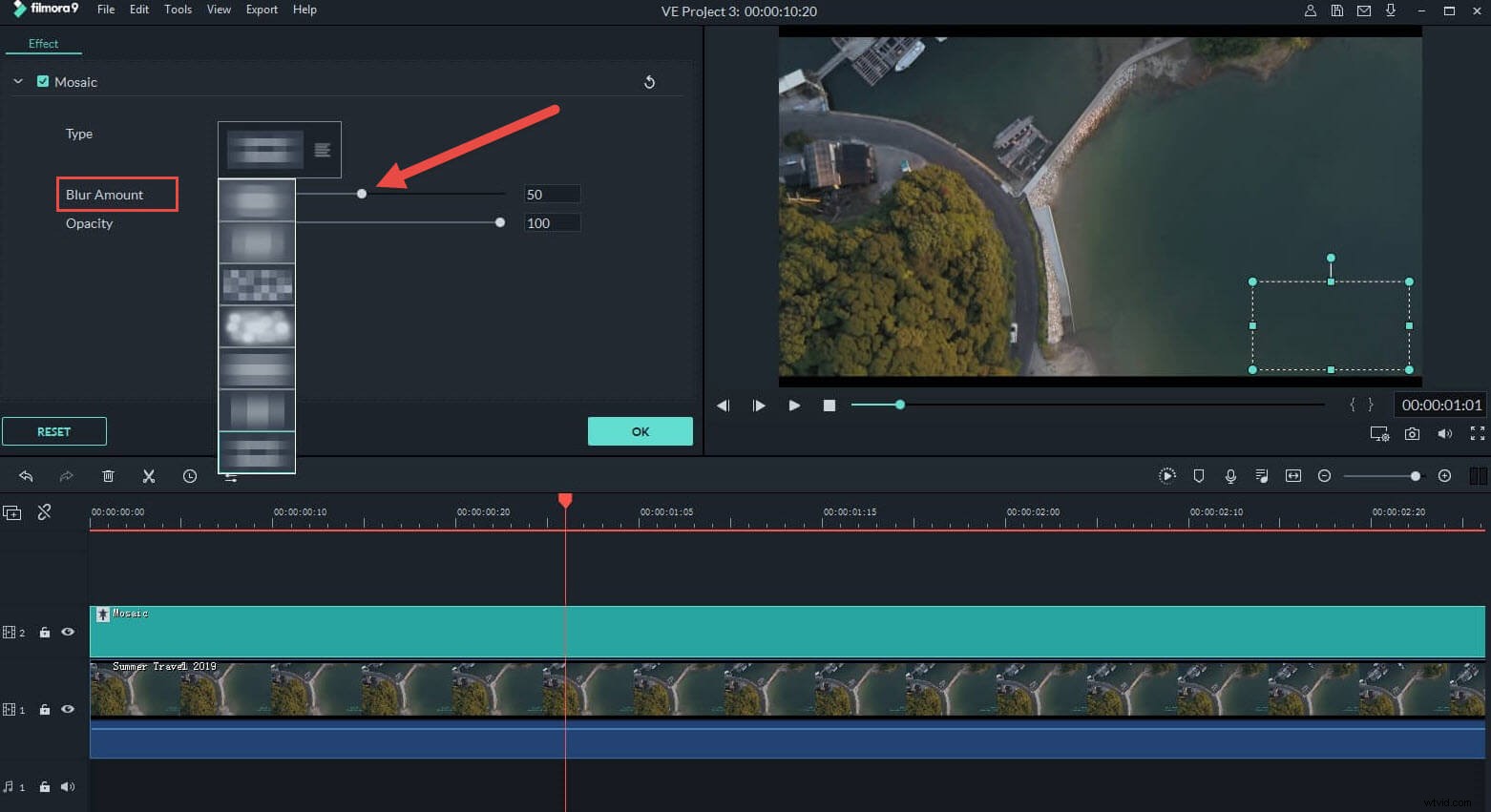
- Now double click the mosaic effects in the timeline, choose blur amount, adjust shape and size, click Ok. Finally you can play the video and check if the watermark or stamp was covered.
Method 2: Remove the watermark by cropping
You can remove the watermark completely with this option. Here are a thumbs up- Cropping means a video minus some of the cropped content.
- Start Filmora and import the source video as mentioned in Method 1 and add it to the timeline.
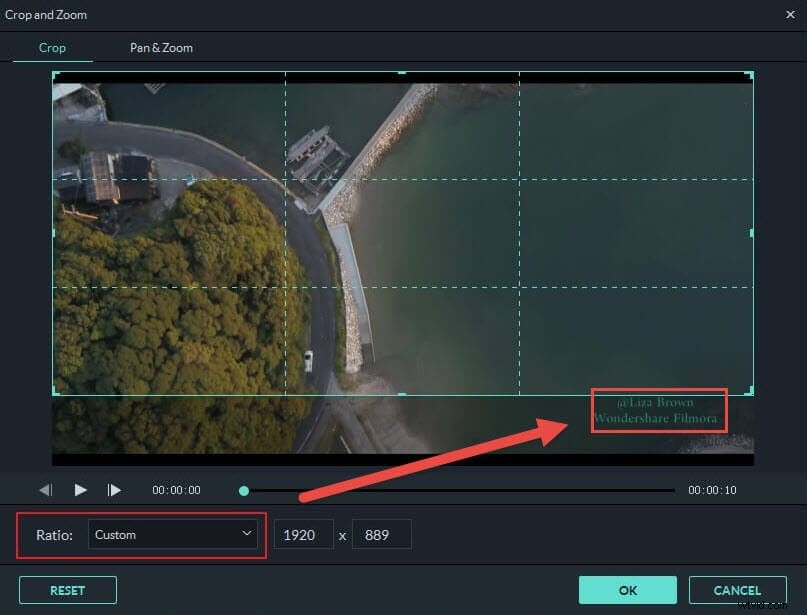
- Right click the video on the timeline and select Crop. Choose your ratios enough to exclude the watermark. Click Ok, and play the video on the timeline and check the result.
2. Apowersoft Watermark Remover
Apowersoft Watermark Remover can process watermark with a few simple clicks. Let’s see how the watermark can be removed using this remover:
- Click Remove Watermark from Video to upload your video from your local computer or device. This watermark remover supports various video and image formats.
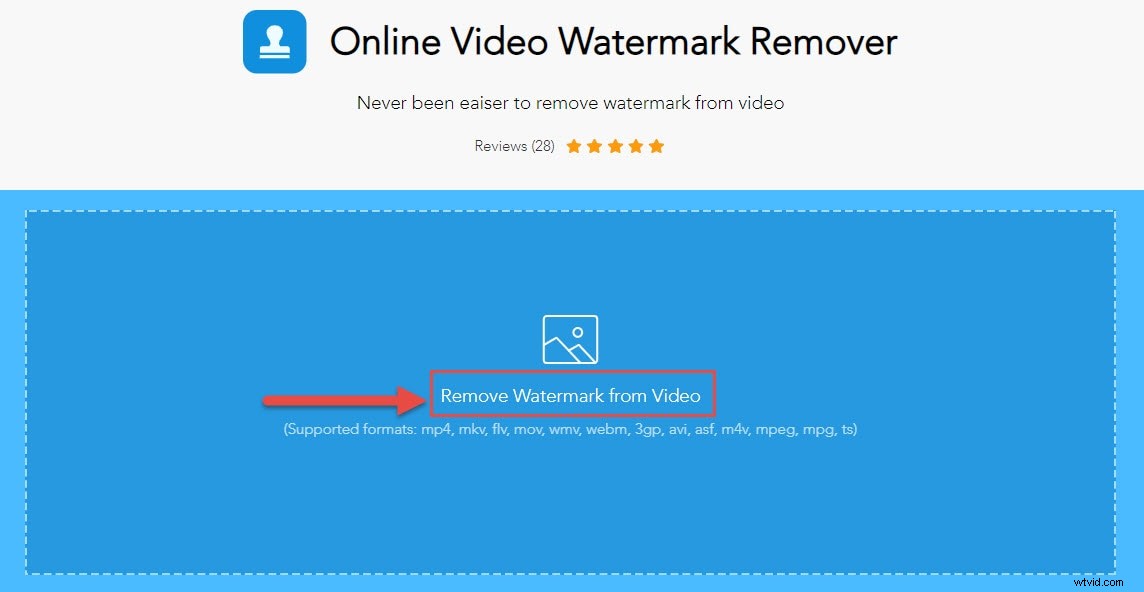
- Once done, you can view the video in the preview window, then click Add Box(es) to put the box to cover the watermark on the video.
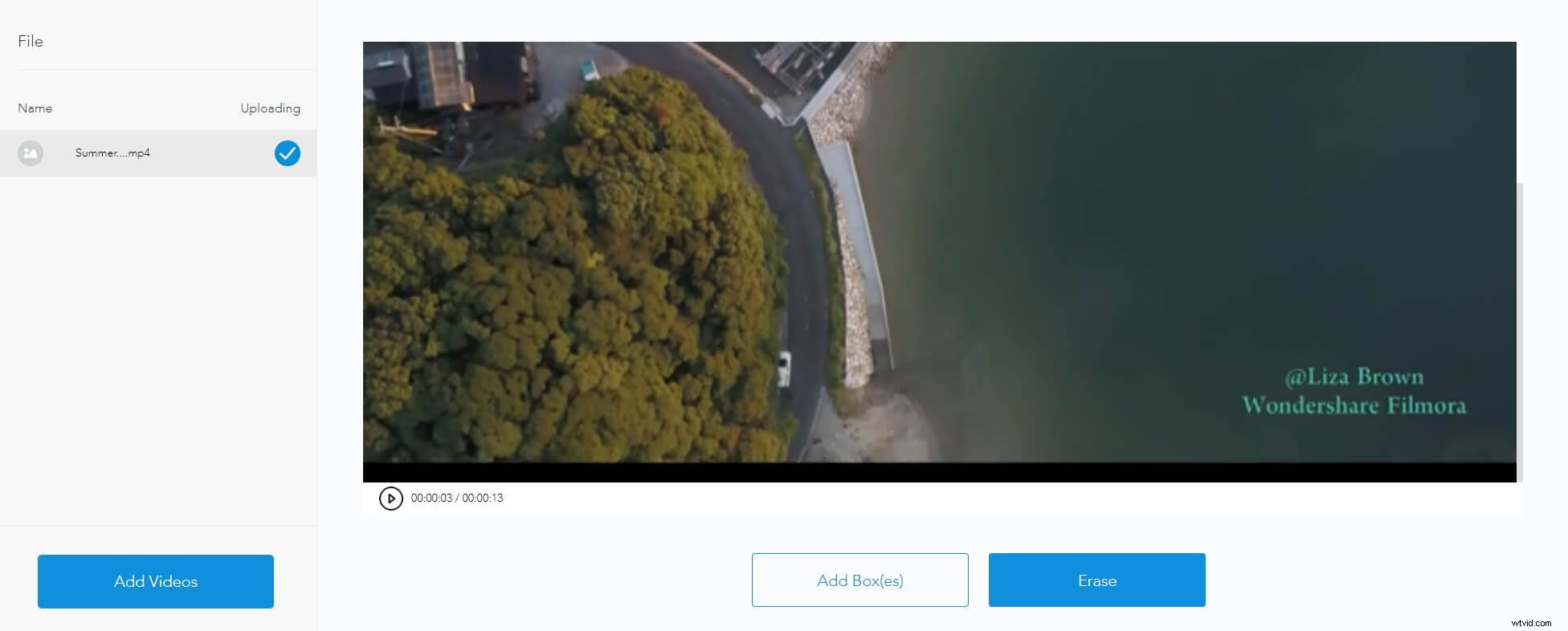
- Then click the Erase icon to start removing the watermark.
3. VSDC Video Editor
This is another platform to get done with the watermark removal. It is less time consuming and the process is easy. Let’s see how:
- Import the file from its source to the dashboard. Click on the Video effects tab on the top and choose filters from the dropdown menu. Now click on DeLogo
- A rectangle-shaped pixelated area will appear on the screen. The timeline will also display a tab with DeLogo filter
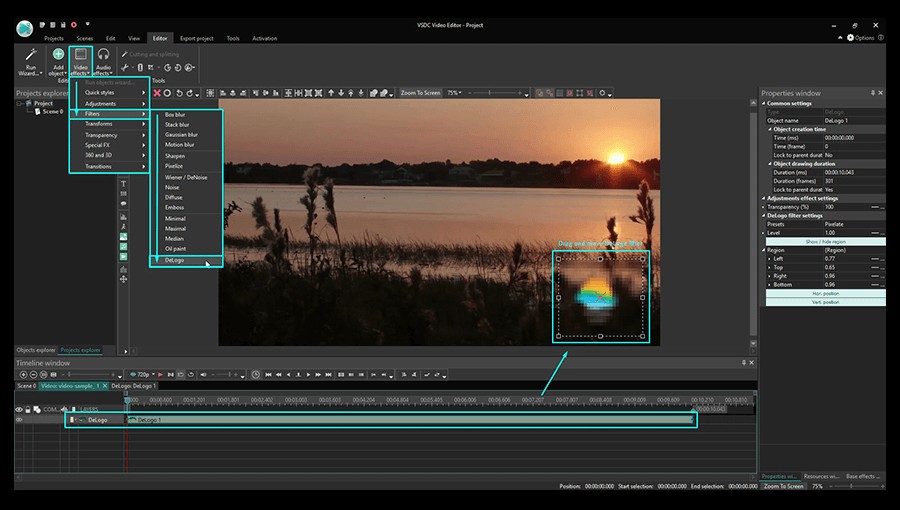
Image resource: VSDC Official Site
- Click on the filter object to resize it and place it wherever the watermark is. It’s advised to adjust the intensity or shape of the blur by switching from pixels to blur or mosaic. You can do this by clicking on the properties, then finding the DeLogo filter settings and choosing from 5 presets box blur, les blur, gaussian blur, pixelate. Finally, adjust the level of intensiveness and click on the Export tab. You can now save the processed video.
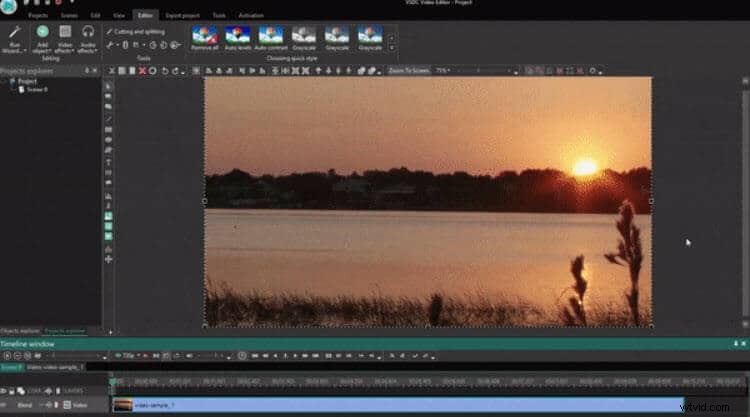
Image resource: VSDC Official Site
Tips: The process gets a little complicated without inbuilt pre-sets. If this is your first time using a watermark removal, it is going to be a little tough with this.4. Remove Watermark from Video Online
1. Media.io Video Watermark Remover
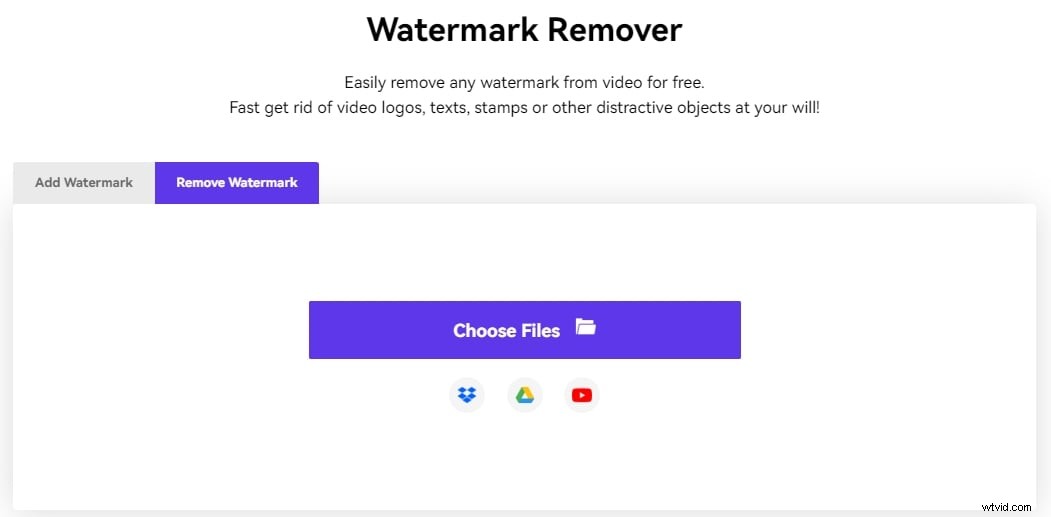
The watermark remover from Media.io allows you to remove the logos, texts or stamps in the video easily, whether you’re using a Windows, Mac, Linux, Chromebook, iPhone or Android device, you can follow the steps below to get rid of the watermark in any position in the video.
1. On your favorite browser, visit the Media.io watermark remover page: https://www.media.io/app/removeWatermark, click the Choose Files button to upload the source video from your local folder. Alternatively, you can also click the Dropbox or Google Drive icon to obtain the file from there, or click the YouTube icon to paste its URL if the clip is published online
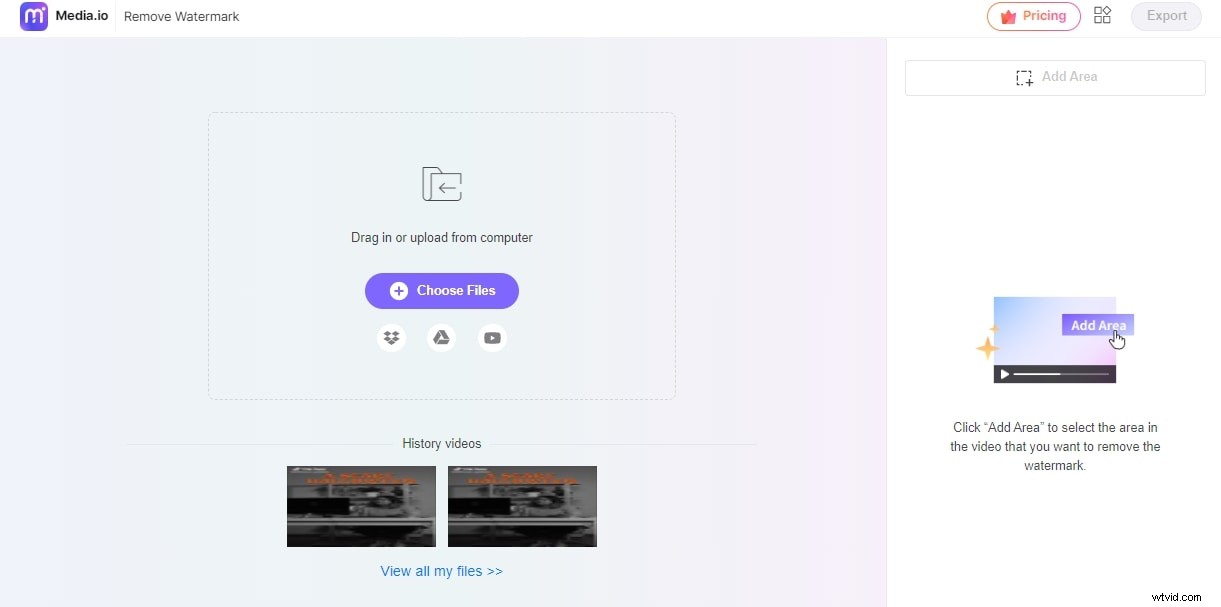
2. After the video is uploaded, click Add Area from the right pane, and reposition and resize the removal box in the Preview window to cover the entire watermark that you want to erase
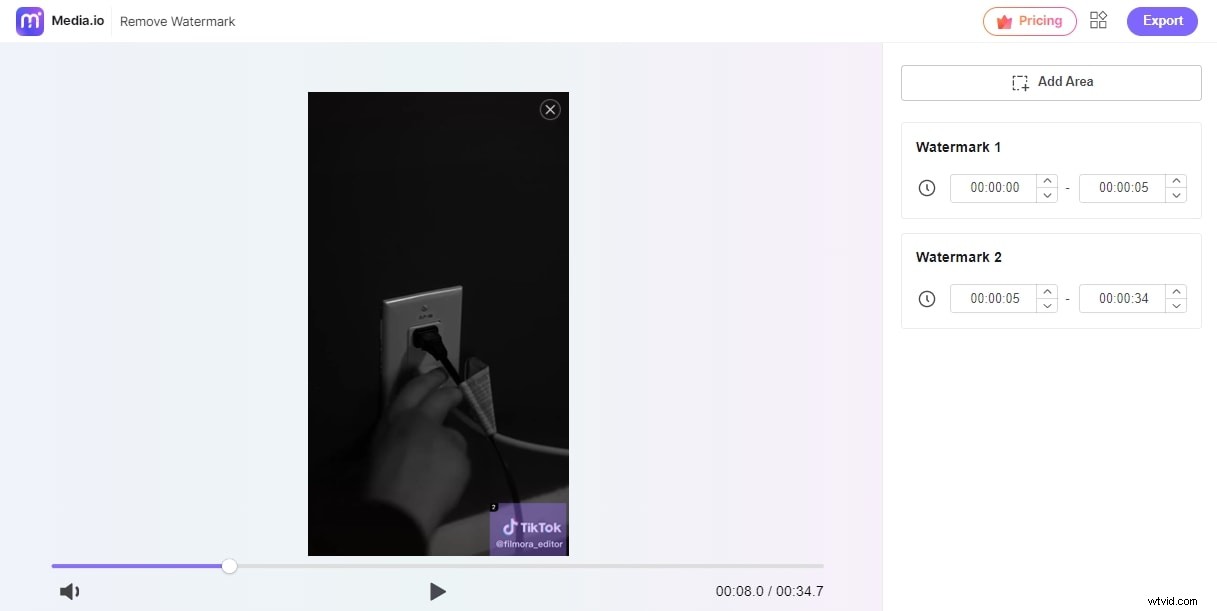
3. Click the Play button from the bottom of the Preview window to see if the expected output is acceptable, and click Export from the top-right corner to export the modified video and then download it to your device.
Tips: For best results, make sure that you cover the watermark as accurately and closely as possible without taking any additional area on the screen.
2. Video watermark removal
Video watermark removal online is a fully automated watermark remover tool. This process is completely online. There are no options to choose from and no settings to alter. All you need is an internet connection and that will be all. Here are the steps:
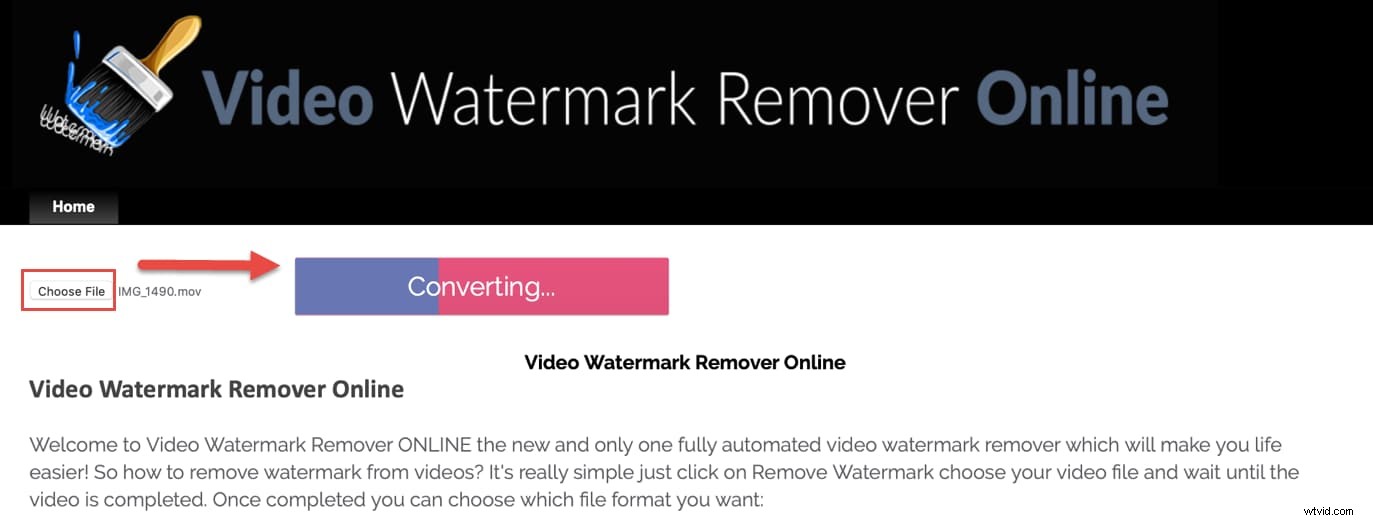
- You can Click Here to visit Video Watermark Removal Online site, and click Choose File to upload your video to it
- Click on Remove Watermark option, and you can see the converting bar progressing right there. Just when the watermark Is removed automatically, the download button will activate. Click on it and get your processed video.
2. Remove Watermark from Video on Android—Using Remove Logo From Video
This is a free video removal app and it’s very easy to use on Android. Android 4.3 or later is required to download and install this app. Here are the steps to remove watermark from video:
- Download and install it on your Android phone(You can download from Here to download the Remove Logo app
- Once done, please open this app, then click the Start button to load the source video
- You will see a rectangle icon on the screen. You can drag it to the watermark area to cover it
- Click Remove Logo option and the watermark is being removed
- After that, you can play the video and see if the watermark has been removed.

To sum up
With all these watermark remover tools, you need just a few minutes to remove watermark from video on both desktop and mobile phone. Most of these tools are good enough for beginners too. You do not need to be a prove to process your videos. These tools make it more than easy to do so.