
The Face Refinement Tool allows for a quicker coloring process, while putting those tools into the hands of non-colorists.
DaVinci Resolve is probably the most widely used grading program on any platform, in part because it’s free. Resolve Studio is a paid upgrade and includes some special features not available in the free version.
One of the most helpful and powerful of these is the Face Refinement OpenFX plugin. It’s a tool that tracks a face in the shot, allowing you to grade that face separately from the other elements in the scene — making it stand out.
To use Face Refinement, add it to a new node after the scene is equalized but before a LUT is applied. This’ll give you the most control over your image.
Once the tool has found a face, it’ll run both forward and backward through the clip, tracking the face throughout the shot. Sometimes, it can get lost if you don’t start on an image where the face is clearly visible.
Once the clip has been tracked, which will depend on your hardware speed, the tool lets you adjust — with a great degree of control — over just how it appears. You can adjust the entire face in regards to exposure, contrast, saturation, and tint. You can also adjust specific parts, like the brightness of the eyes, or even blur bags under the eyes, making them less visible.
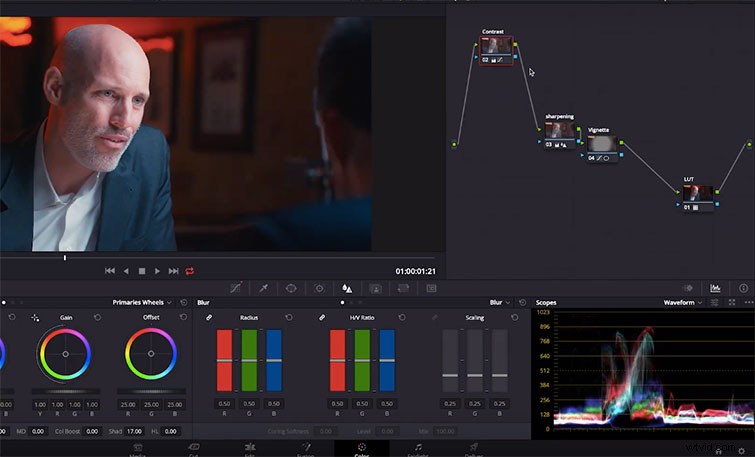
The tool even lets you change the color and saturation of the lips, cheeks, and chin — either removing makeup or adding bright colors — where they didn’t previously exist. This is much more effective and believable on closeups than it is on distant shots, but it can come in handy.
The Face Refinement Tool doesn’t do anything that experienced colorists can’t already do with the tools that exists in Resolve; however, it makes the process a lot faster, without requiring hours for every shot.
Interested in the tracks we used to make this video?
- “Highway Hunters” By Denis
- “Craving for Adventures” By Vincent Tone
- “My Old Piano” By Magnetize Music
- “I Found You” By Magnetize Music
- “Novation” By Cali