
Have you ever thought about the best ways to communicate with your team?
Many businesses will put their heart and soul into crafting the best ways to get their message across to customers. But when it comes to internal communications, it’s often overlooked.
In this episode of The Visual Lounge, Austin Norton (Project Manager) and David Patton (Partnership Marketing Specialist) from TechSmith join host Matt Pierce to discuss the importance of great communication in your team.
Austin and David talk about how using simple screenshots or videos can get messages across much faster and clearer. They take us through their different approaches to creating internal videos and explain how the era of remote work has affected our willingness to be on camera.
Screenshots vs. written communication
Most businesses in the remote era rely on things like email or Slack, with the occasional Zoom call thrown in. But Austin prefers a more visual approach. He says that by using screenshots, he can get his message across much more clearly than writing a simple sentence.
David agrees and likens it to taking pictures. A good photographer and a picture taker differ because a great photographer simply knows when to pull out their camera. He says that once you get into the habit of screenshotting and screen capturing, it becomes second nature.
Using the power of video in internal communication
Going one step further from the humble screenshot, the guys at TechSmith also love to use video to communicate internally. A video is a bit more flexible than a screenshot and allows you to explain instructions in detail.
With the era of remote work, using video has become a natural solution for many organizations. By now, we’re all so used to seeing each other on-screen, but we don’t have to just rely on Zoom. We can make video resources that people can watch at their own pace as well.
David suggests a simple setup for video. It doesn’t have to be fancy. With a camera and a microphone set up, David turns his attention to the content itself. What will he say on camera?
His approach to creating a video is to just sit in front of the camera and converse with it. He talks for about 30 or 40 minutes and takes really long pauses in between thoughts where he thinks about what to say next.

That’s David’s way of doing it, but what about Austin?
Austin takes an entirely different approach. He prefers to create short and sweet videos without too much prep work and editing.
Austin prefers this way of working because he knows he could spend twice the time writing a big description about a new project and checking for typos. Instead, he makes a two or three-minute video and sends it to the team.
Playing to your strengths
What if being on camera just isn’t for you? Not everyone likes to talk to a camera, but does this mean your team communication has to suffer?
David says no. While he loves using video to get his message across, he thinks the most important thing to remember is to play to your strengths. Making a video is what he feels comfortable with, but it’s not for everyone.
Some people may be great PowerPoint presentation speakers. Others may need a video they can record and edit out mistakes. Other people prefer to just record their screens and talk over it if they don’t like being on camera.
Getting people to watch your content
Once you’ve put the time and effort into your content, how can you get people to watch it?
Austin says that’s a risk, and you can’t be certain. But he says that trying to find ways to let people interact and ask questions is a great start. The good thing about video is that you can let people watch it at their own pace.
If you really want to dig into the stats, you can use something like TechSmith’s Knowmia. Knowmia helps people engage with video and also measures content effectiveness and performance.
David adds that one thing you need to learn to do is disassociate the views and feedback from the quality of the work you did. He recognizes that we’re all bombarded with emails and links and videos to watch, so it’s important not to take it personally if not many people watch your video.
He does have a few suggestions to encourage views, though:
- Don’t post your video on Friday. Everyone’s getting ready for the weekend
- Post it where people can see it. If no one really uses email, post it in Slack where people are looking
- Always put the length of your video in the title, so people know what to expect
How video has changed the average weekly meeting
A lot of companies have a Monday morning meeting. At TechSmith, it was a case of passing a microphone around and recording the meeting so people can watch it later. There would typically be a PowerPoint presentation and/or a video.
David says that the meetings rely more on video now.
Interestingly, this has changed the feeling of the Monday meetings because everyone’s at home just talking into their camera.
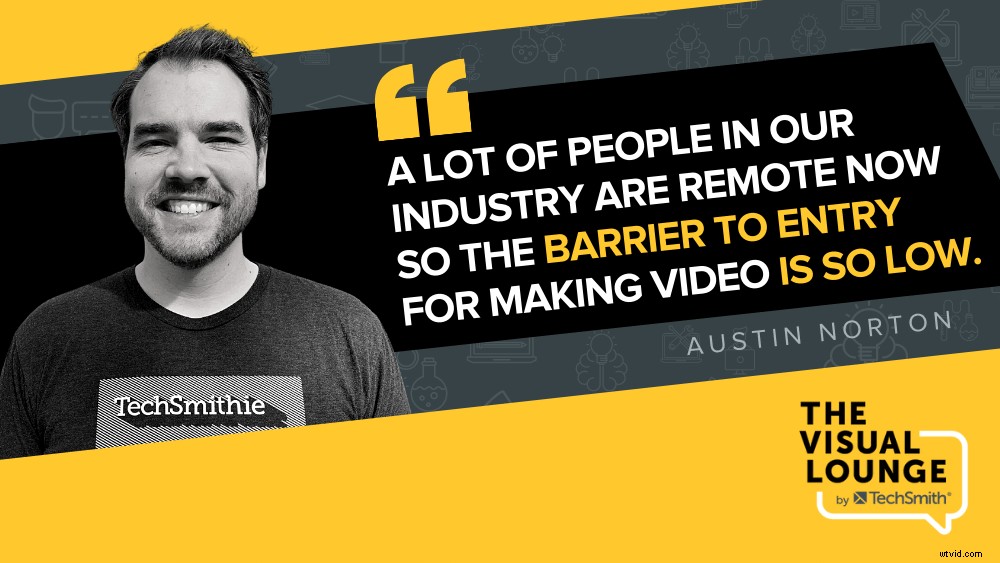
Austin adds that the barrier to entry now feels lower. It doesn’t matter if you’re talking to three people or giving a huge presentation. It feels the same because all you’re doing is looking into a camera.
By creating videos like this rather than live presentations, you can save time, feel more at ease, and also give your team the ability to watch them at their own pace.
If you’re ready to start experimenting with video or screen recording in your team, check out TechSmith’s tools – Camtasia, Snagit, and Knowmia or head over to the TechSmith Academy for tons of free resources.
For more expert advice and tips visit TechSmith Academy on YouTube or listen to the Podcast.