
As a real estate agent, grabbing attention online is more crucial than ever. The secret to standing out, attracting potential buyers, and showcasing your properties effectively lies in dynamic video content. Enter real estate Instagram Reels – the powerhouse tool for modern property marketing. From captivating property tours to insightful market tips, learning how to make reels for real estate that truly resonate is essential.
This comprehensive guide dives deep into the best real estate Reel ideas, provides a simple step-by-step tutorial using Filmora's intuitive mobile app, and shares proven strategies to get your content trending. Get ready to transform your listings and boost your brand's engagement in 2025!
In this article
- Real Estate Reel Ideas
- Make Reels on Your Phone
- Get Your Reels Trending
Before you dig deep into making real estate Instagram Reels, it'd be wise to explore the different types of videos you can create from them. The thing is, with so many agents using Reels to showcase properties, creativity is key to making yours stand out.
After all, Instagram Reels last only 30 to 60 seconds, so you should make one that is not only effective but also grabs attention, engages potential buyers, and leaves a lasting impression.
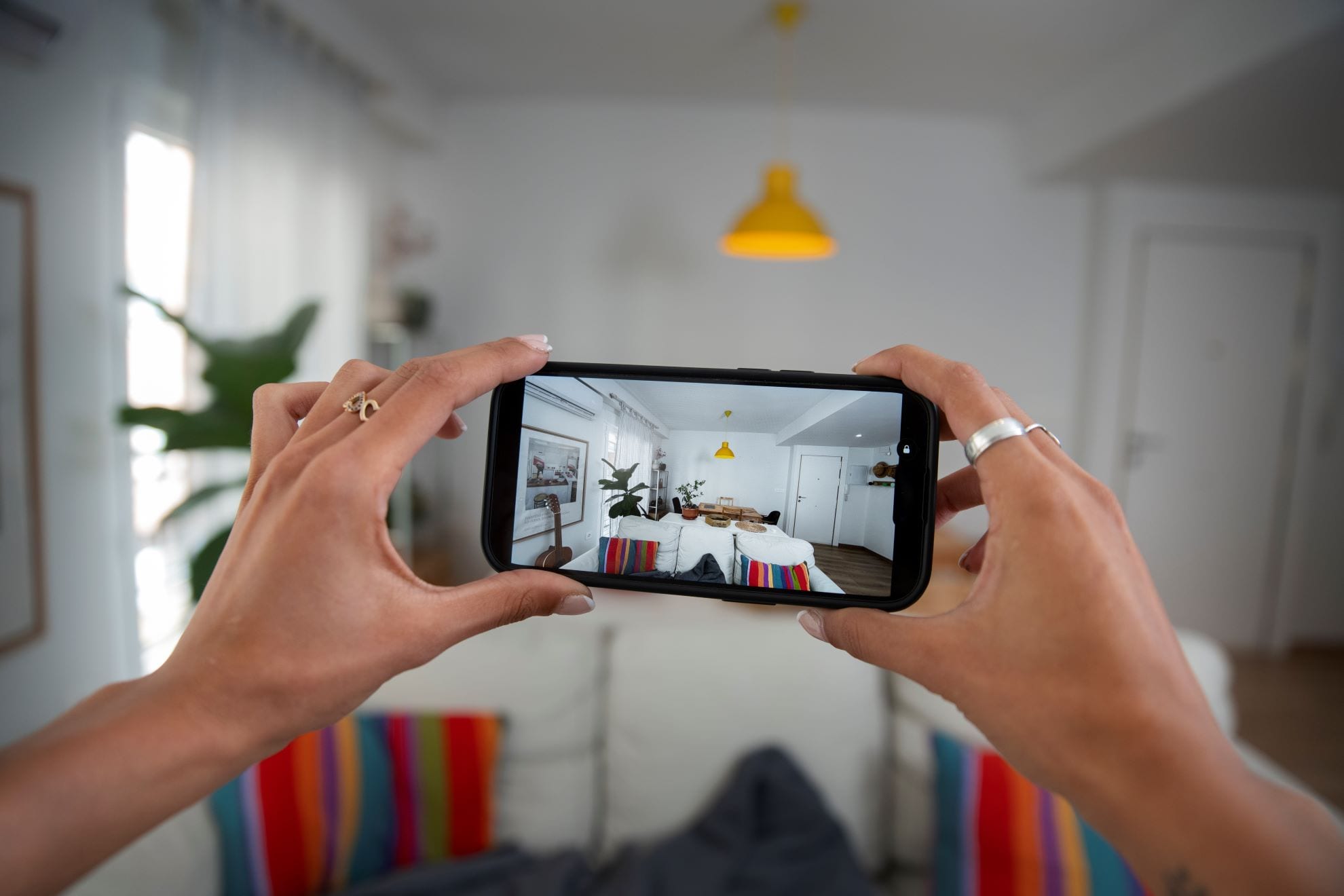
So, let's check out some creative real estate Reel ideas that will help you showcase properties uniquely and eye-catching!
360° Property Walkthroughs: Virtual Tours in Seconds
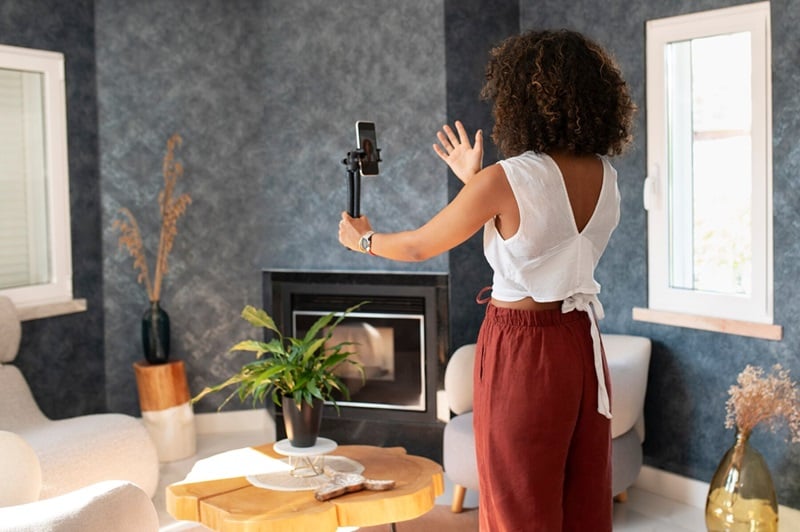
One key aspect of real estate Reels is showcasing the property itself. So, give buyers a virtual tour in under 30 seconds! A quick, smooth walkthrough lets them experience the space without stepping inside, making it perfect for busy house hunters.
Neighborhood Spotlight: Sell the Lifestyle, Not Just the Home
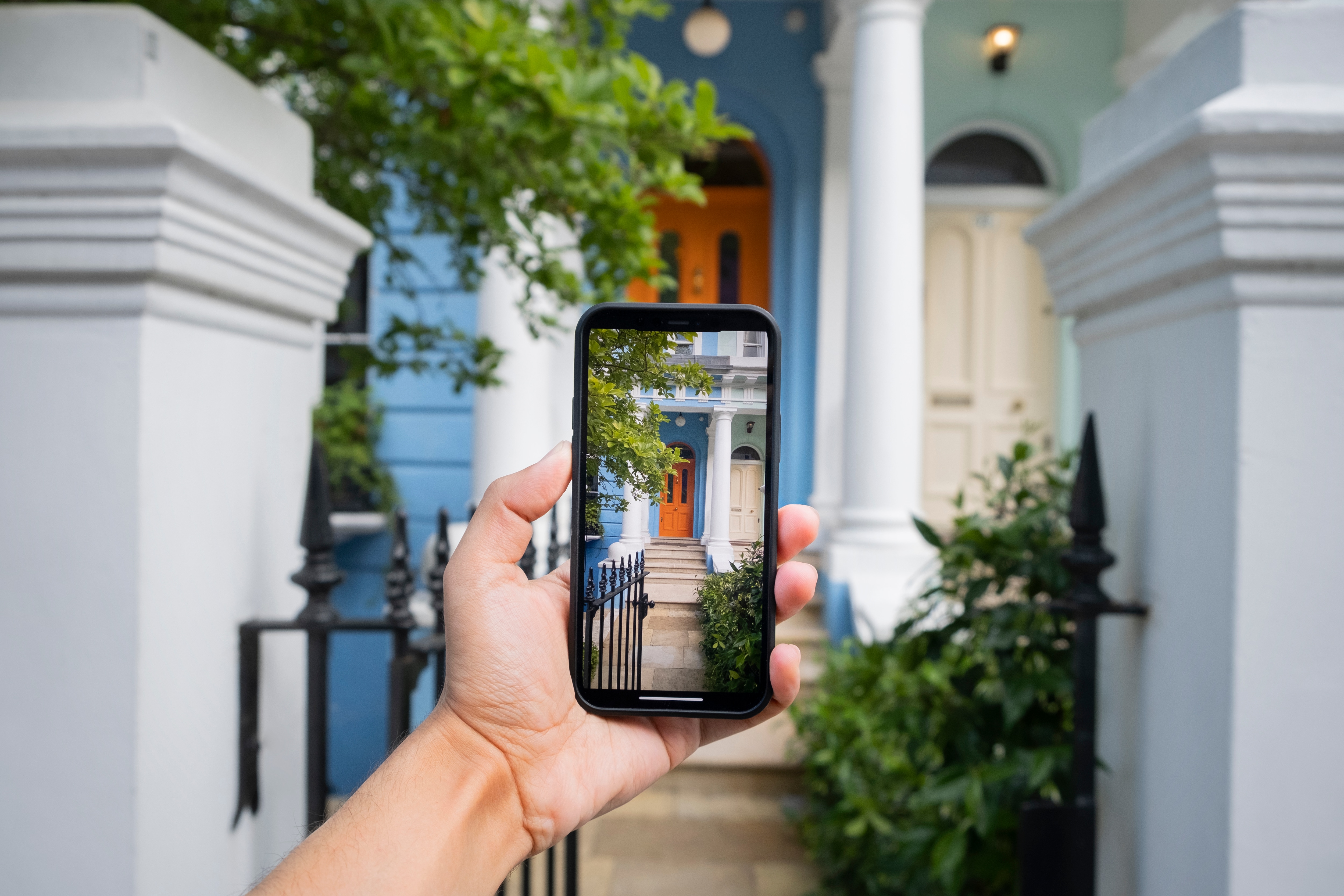
Selling a home isn't just about the property; it's also about the lifestyle, especially if you're using Instagram as the platform to share! So, when making real estate Reels on Instagram, show off the best local spots, like parks, cafes, and shopping areas, to give buyers a feel for the neighborhood.
Before & After Transformations: Visualize Potential
If you have a freshly renovated or staged home, you can show the magic of home transformations with a side-by-side or time-lapse Reel. This helps buyers visualize the full potential of a property!

Client Testimonials: Build Trust & Credibility
Nothing builds trust like happy buyers! So, in your real estate Reels, include short clips of past clients talking about their home-buying experience to create credibility and attract new leads.

Myth-Busting Reels: Educate & Engage Your Audience
There are plenty of real estate misconceptions out there. So, it's your chance to use real estate Reels to clear them up! Try something like, "You need 20% down to buy a home? Not true! Here's why…" to educate and engage potential buyers.

How to Make Real Estate Reels on Your Phone with Filmora (Step-by-Step)
Once you've filmed your real estate Reel, editing is key to making it stand out and keep viewers engaged. Since Reels are short, fast editing is essential—and that's where Wondershare Filmora for mobile comes in. Available on Android and iOS, Filmora offers easy, professional tools with flexible pricing and a free version to start. It's everything you need to create polished Reels without the hassle.
 Secure Download
- Creative Real Estate video Templates: Filmora offers ready-made real estate Reel templates—just add your clips and go.
- AI Captions: Generate animated subtitles instantly with one click for better accessibility and engagement.
- AI Highlight Tool: Automatically detects key moments and highlights them, suggesting matching visuals and assets.
- All-in-One Video Editor: Filmora includes everything from trimming to effects so you can polish your real estate Reels like a pro.
- Direct Share to Instagram: Export and post your Reel directly to Instagram without leaving the app.
Now, let's walk through the steps to make your real estate Reel with Filmora.
1
Open Filmora and Choose a Template
Download Filmora Mobile, tap Explore > Template, then search for Real Estate. Tap Make Video on your preferred template.

2
Upload Files & Auto-Generate Reel
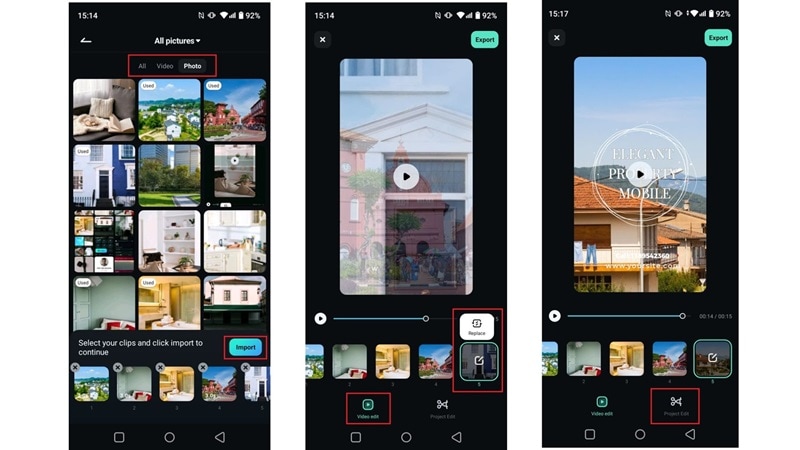
Import your photos and clips. Filmora will auto-generate your video. Tap Video Edit to adjust clips or Project Edit for more control.
3
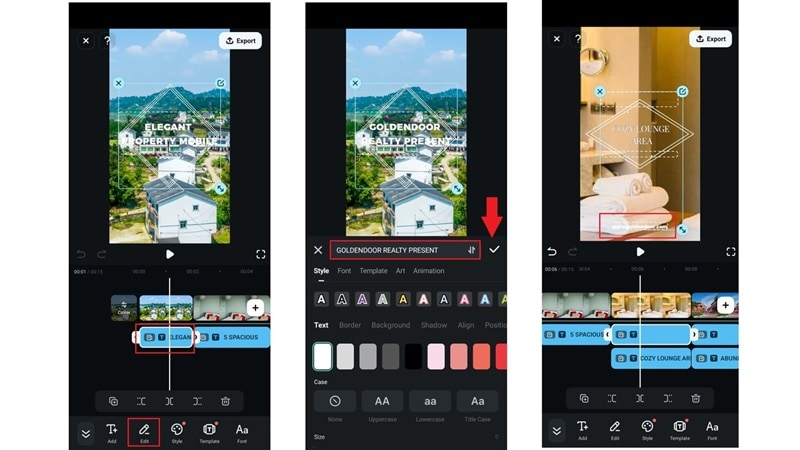
Customize Text
Tap on the text to update it with your product info. Adjust position, style, and save your changes.
4
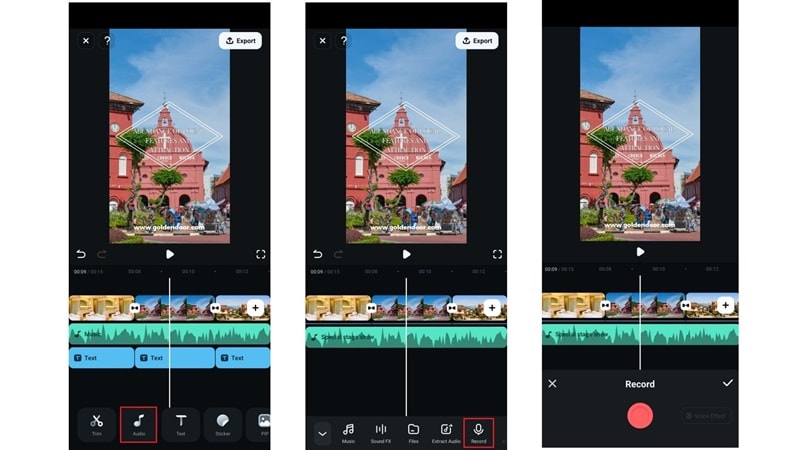
Add Voiceover
Go to Audio, tap Record, and hit the red narration button. Then, save the recording to your timeline.
5
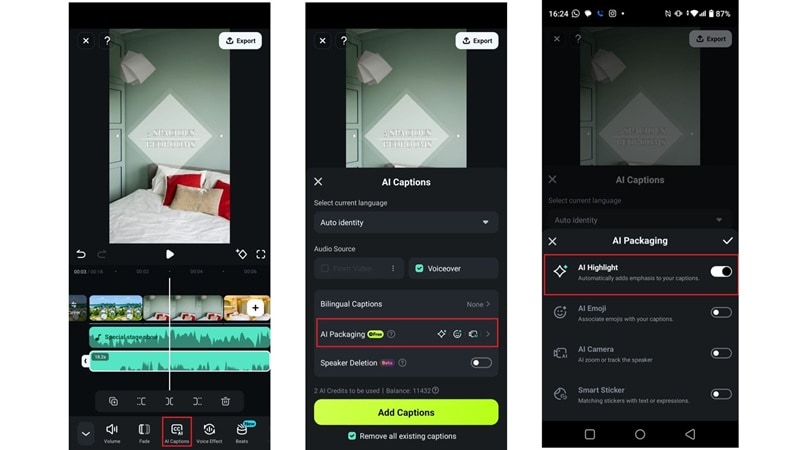
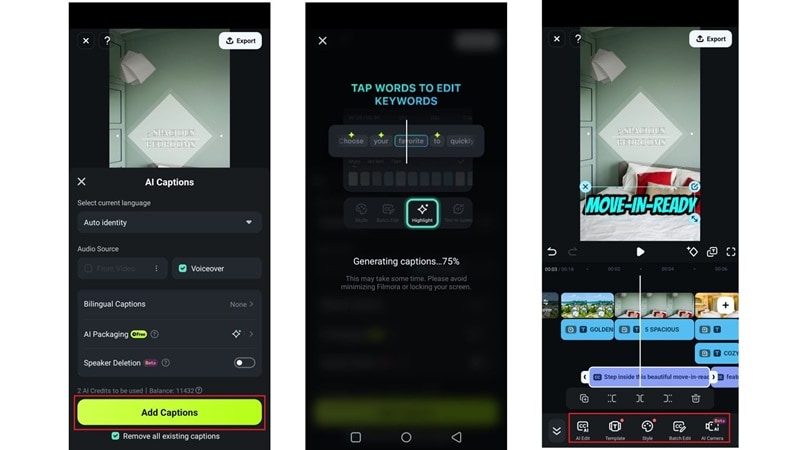
Use AI to Add Captions
Tap your voiceover > AI Captions > AI Packaging. Enable AI Highlight, then generate and customize subtitles.
6
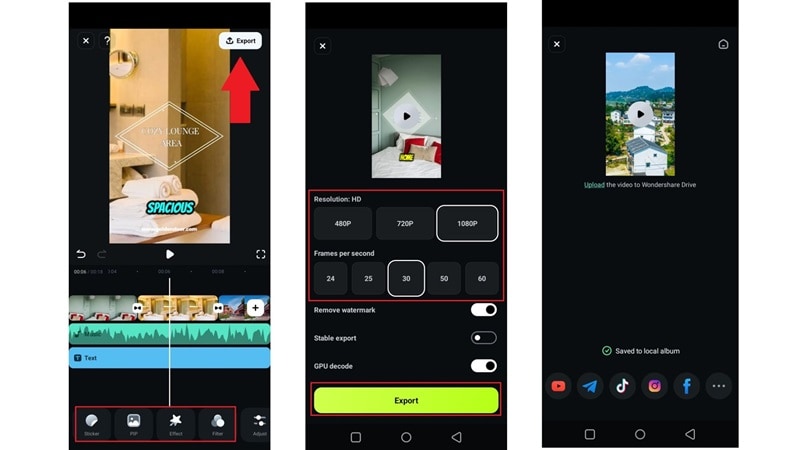
Final Touches & Share
Add effects, filters, or stickers. When ready, tap Export, select quality, and share directly to Instagram.
Strategies to Get Your Real Estate Instagram Reels Trending & Boost Sales
Creating real estate Reels with Filmora mobile is simple and enjoyable! With creative ideas and editing skills, you're almost there. The final step is making sure your Reels get seen. Even great videos don't always go viral, so it's crucial to maximize your reach and attract potential buyers to help sell properties.
So, how do you create trending real estate Reels that get noticed on Instagram? Here are some easy yet effective strategies to increase your views and engagement:
- Create a Reel Series: Turn your real estate Reels into a series like "Luxury Homes Under $500K – Part 1" to keep viewers coming back.
- Engage with Comments Quickly: Reply to comments within the first hour to boost visibility and encourage more interaction.
- Boosting Your Reels with Paid Promotions: Promote your top Reels to reach the right audience—ideal for connecting with potential buyers or sellers.
- Use Trending Audio & Effects: Use viral sounds and filters to increase reach. Filmora makes this easy with built-in trending options.
- What to Do If a Reel Flops: Review analytics, tweak your hashtags or timing, and try fresh real estate Reel ideas to improve results.
Conclusion
Real estate Instagram Reels are a powerful way to showcase properties, attract buyers, and grow your brand. This guide covers creative ideas, expert tips, and a step-by-step process to create professional Reels.
For hassle-free creation, Filmora Mobile offers ready-made templates and AI tools like AI Caption for animated subtitles and AI Highlights to spotlight key moments. These tools help your Reels stand out and get more views!
Secure Download