
With a large number of laptop screen recording solutions available, you might feel confused while taking the end call. Don't worry as this post introduces the best 8 laptop screen recorder on Windows. The tools listed below come with professional-grade features such as recording the screen with sound so that you can attain better results. So, let's get on with the discussion on the top 8 laptop screen recording software on PC.
Top 8 Laptop Screen Recorder on Windows/Mac:
- 1. EaseUS RecExperts ★★★
- 2. FlashBack Express
- 3. TinyTake
- 4. OBS Studio
- 5. Loom
- 6. VSDC Free Screen Recorder Software
- 7. XSplit Broadcaster
- 8. iSpring Free Cam
Top 8 Laptop Screen Recorder on Windows/Mac
Below are top 8 laptop screen recording software for Windows and Mac users.
Top 1. EaseUS RecExperts ★★★
Compatibility: Windows 11/10/8/7 & Mac
EaseUS RecExperts, an easy-to-use and efficient laptop screen recording software which help record any portion of your Windows laptop, bringing out your inner creativity. This utility is perfect for recording games, video tutorials, Skype calls, live streams, webinars, etc. While recording, you can freely choose to record computer screen with or without system sound, microphone, and even webcam.
Moreover, to improve the recording experience, it allows schedule recording, which is efficient.
EaseUS RecExperts
- Record part of screen or capture full screen of your laptop
- Choose to capture the system or external audio
- Record streaming video and audio easily
- Make a webcam video showing your face
- Capture the video with no time limit
2. FlashBack Express
Compatibility: Windows 10/8.1/7
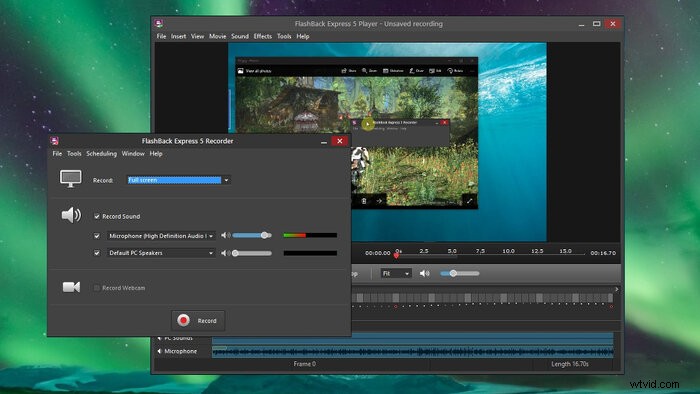
This screen recorder is ideal for recording the full screen or a selected portion. On completion of screen recording, the video is displayed in a straightforward editorial manager from where you can trim it according to your needs. You can even add webcam footage to the screen recordings for more professional results.
You can share the results easily over YouTube, FlashBack Connect, or download them on your laptop for later reference. The easy-to-use interface of this screen recorder is a match made in heaven for novice users.
Pros
- The footage captured can be shared easily
- Do not impose any time limits on the recordings
- Can export videos in various formats
Cons
- Certain features can only be availed in the paid version
- You need to register with a valid email address
3. TinyTake
Compatibility: Windows 10/8.1/8/7
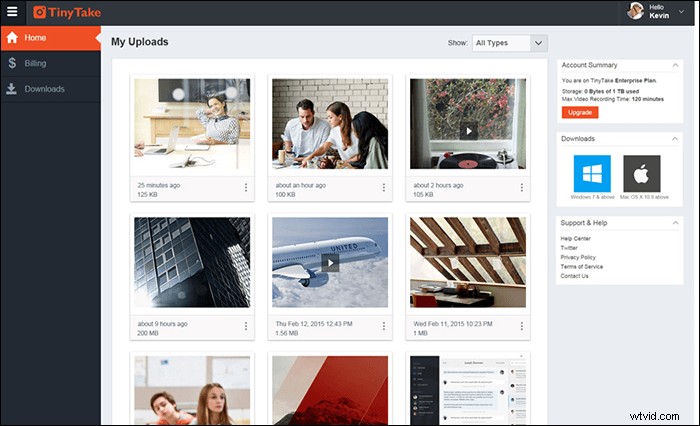
TinyTake is a feature-rich video and screen image capture tool. You can easily make educational videos with this user-friendly tool which allows adding arrows, text boxes, and even highlighting parts of the screen recording.
For capturing the entire screen, webcam, or a certain portion, you need to right-click your mouse and choose amongst the available options. This best laptop screen recorder has a user-friendly interface that allows completing the entire recording process without any hiccups.
Pros
- Upload recordings to YouTube
- Allow video capture over a time span of 60 minutes
- Drag and drop to share and annotate your recordings
Cons
- The free version cannot be used for commercial purposes
- Limited social platform sharing channels
- The basic version allows for only 2GB of cloud storage
4. OBS Studio
Compatibility: Windows 10/8.1/8 & Mac
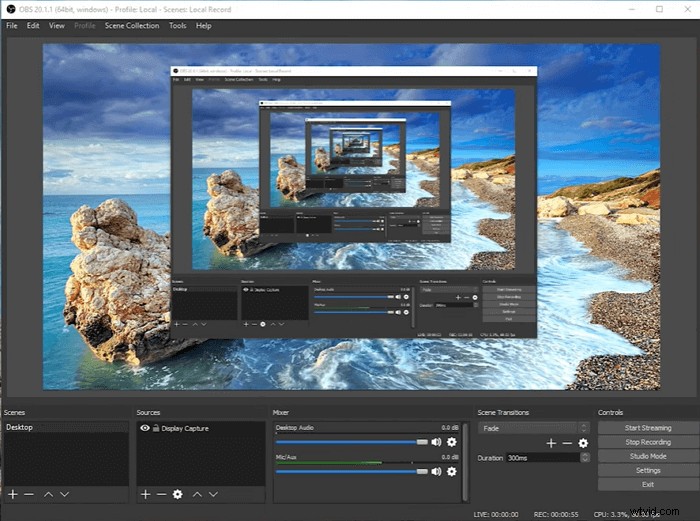
This open-source software allows you to record webcam, capture screen, and microphone on your laptop. Professional grade results can be attained by rearranging the layout as per preference.
OBS Studio records directly from the GPU, and it can capture games in full-screen mode. Users can take their pick amongst a variety of customizable transitions while switching between scenes. Both the scenes and sources can be previewed in the Studio Mode before live streaming.
Pros
- Specially optimized for recording gaming content
- Screen recording can be streamed to Facebook, YouTube, and Twitch
- Record Zoom meeting without permission and online discussions
- The resultant video does not come with any watermark
- Best free laptop screen recorder for Windows PC
Cons
- Setup takes some time for completion
- Not well suited for beginner users
5. Loom
Applies to: Online
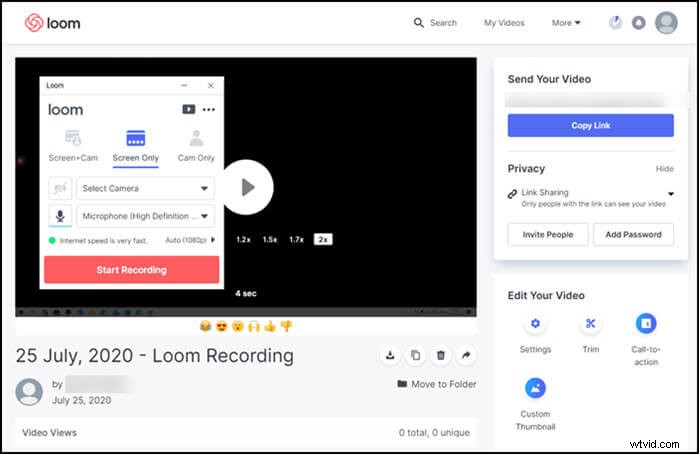
Record your computer screen with top-notch quality by banking on Loom Online Recorder. This highly powerful web-based utility can be used without installing any software. The recorded videos can be shared instantly over YouTube, Google Drive, or Dropbox. Below are its more features.
Pros
- Add webcam while recording the screen
- Choose audio resources like the microphone
- Send the video via a created link
- Record audio from YouTube
Cons
- Lack advanced settings for output format
6. VSDC Free Screen Recorder Software
Compatibility: Windows 10/8.1/7
This free program can help you capture desktop screenshots for creating video files in a variety of formats. You can either select the entire desktop or a specific portion for creating intuitive video tutorials. Voice or audio can either be recorded from different external sound devices like microphones. You can also switch to drawing mode during video capture for marking a specific area with a pencil tool. These features can prove to be extremely helpful in recording laptop screens with various audio and video effects.
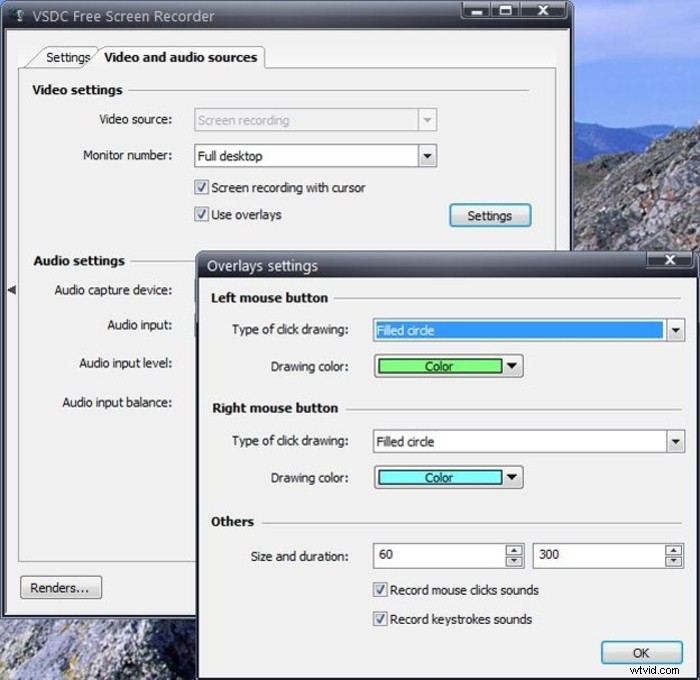
Pros
- Record screen with audio from the microphone
- The capturing area can be customized as per preference
- Simple settings of its easy-to-use interface make the software well suited for beginners
- Drawing tools like shapes and annotations delivers professional-grade results
Cons
- Cannot take screenshots with this tool
- Videos cannot be uploaded directly to various portals
- Lack necessary video editing tools
7. XSplit Broadcaster
Compatibility: Windows 10/8.1/8/7
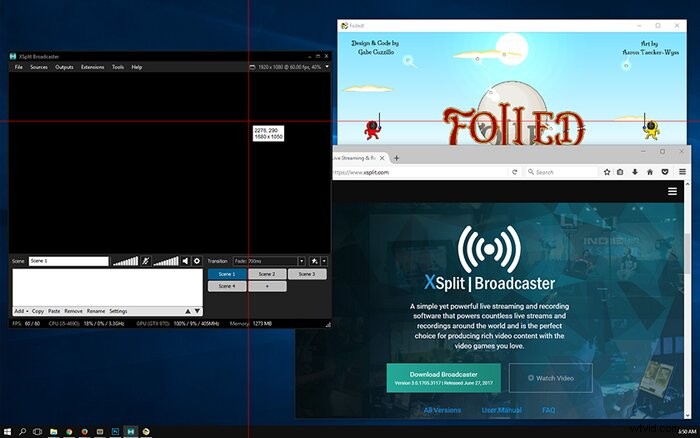
The free-of-cost XSplit Broadcaster can record your laptop screen, webcam, video card, and any media file. You can undertake live streaming, screencasting, and game casting. It has interactive navigation with a drag-and-drop tool. This makes it easy to access images from various folders and position them on the streaming screen.
While XSplit Broadcaster supports a variety of file formats, PNG format leads to the best results while screen recording. Users can even skip the broadcast selection and switch to local recording options as per requirement.
Pros
- Offer a large selection of plug-ins and customizations
- Stream layouts can be loaded automatically for recording the screen easily
- Allow the creation of macros and hotkeys for greater ease of use
- Record Prime Amazon video with ease
- Best laptop screen recorder on Windows
Cons
- Come with a steep learning curve, making it difficult for newcomers to understand and operate
- Certain features can only be used with watermarks on the result files
- The free version is plagued with advertisements that disrupt your normal workflow
- Face complications while working with multiple devices
8. iSpring Free Cam
Compatibility: Windows 10/8/7
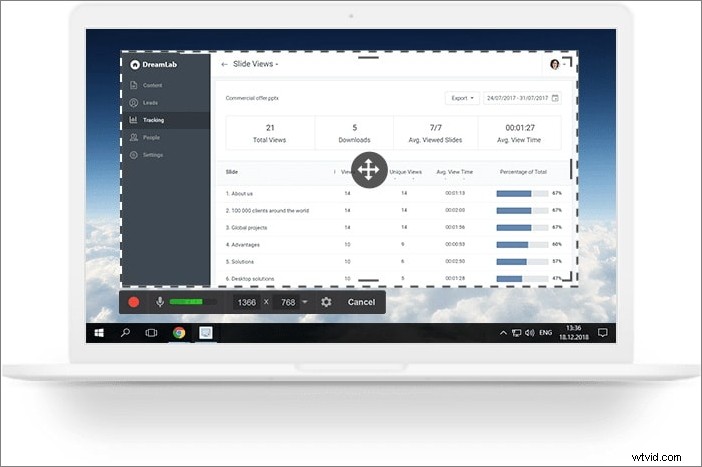
With this software, you can capture your laptop screen along with audio and even refine the recording by banking on its built-in editor. On completion, the recorded video can be saved in 720p resolution and in WMV format. iSpring Free Cam allows users to upload and share the screen recordings over social media platforms like YouTube with a single click.
Pros
- Capture a voice-over with your microphone
- Record full screen on Windows 10 or a selected area of the screen
- Capture sounds of different applications and programs
- Built-in audio and video editors
Cons
- Export videos in limited formats
- Relatively high CPU usage
Conclusion
In summary, we have discussed the 8 best laptop screen recorders. While all of these tools come with their own advantages and disadvantages, EaseUS RecExperts stands out from its peers with a simple and intuitive interface. In spite of being lightweight, this tool comes packed with features to deliver professional-grade results. With this program, you can save your recordings in multiple formats such as MP4, etc.