
The Scarlett 2i2 Is a Worthwhile Audio Upgrade
Focusrite’s Scarlett 2i2 delivers professional‑grade performance in a pocket‑sized chassis. While no device is perfect, its strengths far outweigh its few shortcomings.
Designed for musicians but versatile enough for podcasters, voice‑over artists, and home‑studio enthusiasts, the 2i2 proves that a full‑featured interface can fit on any desk without the bulk of a mixing board.
After experimenting with Razer’s XLR‑equipped audio mixer, I found the 2i2 to be more reliable and better priced. I’ve even repurposed it as a high‑quality DAC, freeing up valuable desk space previously occupied by a separate unit.
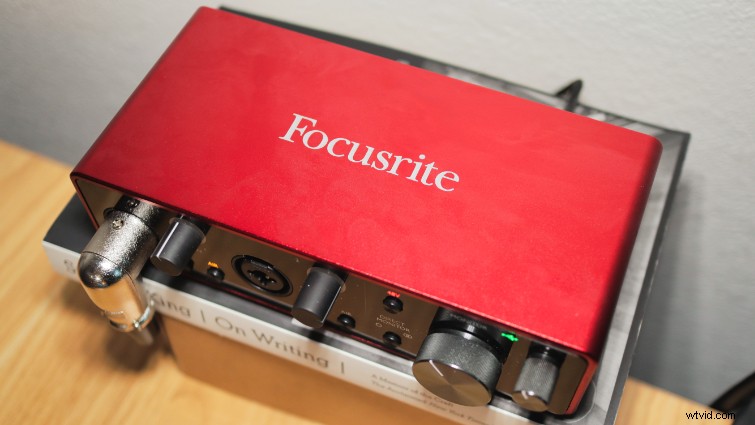 The 2i2 occupies minimal space for its capabilities. Image by Alejandro Medellin/Premiumbeat.
Although I spent extra time troubleshooting some specific issues, the overall value remains undeniable. My only regret is that I didn’t adopt it sooner—today’s USB mics no longer suffice for serious recording.
When It’s Time to Upgrade
If you started with a USB mic like the AT2020USB+ to learn the ropes, you’re not alone. USB mics are convenient and affordable, but they lack the flexibility of XLR setups as you grow.
USB microphones simplify recording with built‑in preamps, but they also lock you into a single sound signature and often introduce noise from the computer’s own electronics. In contrast, an XLR mic paired with an interface like the 2i2 lets you swap preamps, adjust gain independently, and achieve a cleaner, more versatile capture.
Monitoring Audio Made Easy
Among Focusrite’s Scarlett lineup, the 2i2 offers the best value for its price. The base model, the Scarlett Solo, provides one XLR input, which may be limiting for many users. The 2i2’s extra XLR port is a small change that dramatically expands your possibilities.
Whether you’re recording a two‑person interview, a solo performance, or a guitar and mic combo, the dual XLR inputs give you the flexibility to grow without needing a new interface.
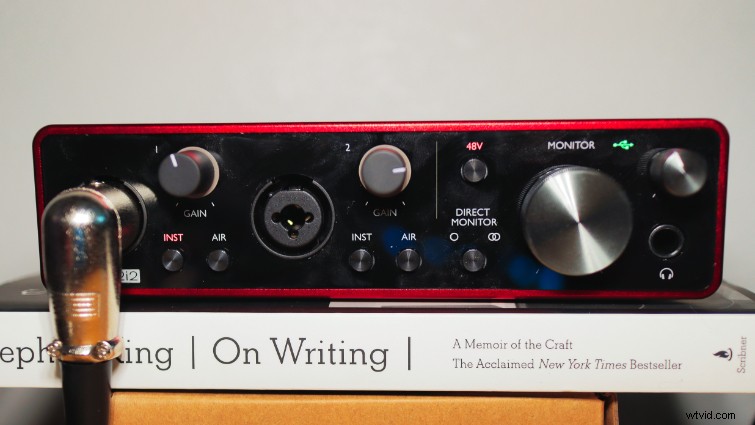 The large knob controls the main speaker output; the adjacent knob adjusts headphone volume. Image by Alejandro Medellin/Premiumbeat.
Each input has its own gain knob and visual LED indicator that turns green for safe levels, yellow for pre‑clip, and red for clipping—making it easy to monitor levels without constantly checking your DAW.
Beyond preamplification, the 2i2 serves as a USB‑powered DAC. If your motherboard’s audio chip underperforms, the 2i2’s 6.35mm output delivers studio‑grade sound with a low‑impedance 1Ω plug‑in that works with both high‑ and low‑impedance headphones and monitors.
Two Preamps, One Price
Each XLR input features an INST button that switches the input impedance to 1.5 MΩ for high‑impedance instruments, and an AIR button that emulates the warm, broadcast‑style sound of Focusrite’s Studio Console ISA 110 mic preamp. The AIR setting adds a subtle richness to vocals, making it a valuable feature for podcasters and vocalists.
In my tests, the AIR mode produced a noticeably fuller vocal tone compared to the standard preamp, a difference that would otherwise require additional EQ or processing.
Overall, the 2i2’s audio quality is excellent. For vocal work, the AIR button is a must‑have; for instrument recordings, the INST button offers the flexibility to capture a wide range of sources.
Trade‑Offs I Can Live With
With over a decade of use, the 2i2 has proven reliable, yet a few nuances require attention:
• The maximum gain of 56 dB can be insufficient for low‑sensitivity microphones. When pairing the 2i2 with a high‑sensitivity dynamic mic like the Rode PodMic (-57 dB), the interface alone cannot bring the signal to line level without significant noise.
• The solution is an inline preamp (e.g., Cloudlifter CL‑1 or Polsen), which adds +25 dB to +30 dB of gain before the interface. While this adds a small cost, it’s a practical fix for dynamic mics.
• The internal noise floor rises noticeably at high gain settings. I resolved this by using a noise gate in DaVinci Resolve, or by applying Nvidia Broadcast’s noise removal if an NVIDIA GPU is available.
• Random audio drop‑outs were traced to buffer size settings; lowering the buffer from 192 ms to 96 ms eliminated the issue.
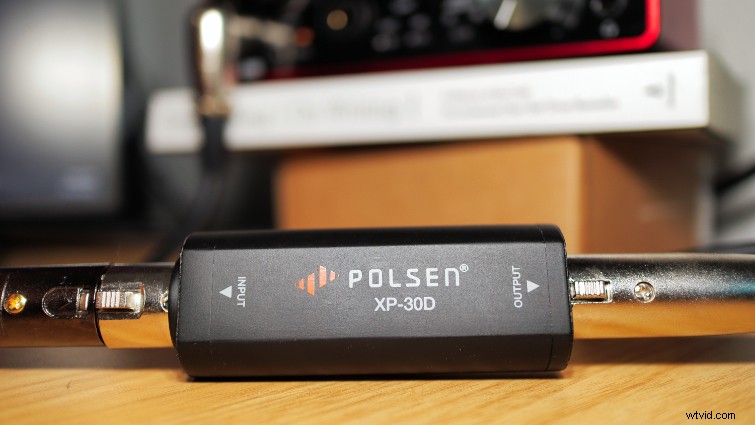 This inline preamp provides the necessary boost for low‑sensitivity mics. Image by Alejandro Medellin/Premiumbeat.
All of these challenges are fixable, and none compromise the overall quality and versatility that the 2i2 delivers.
Why It’s Popular
The 2i2’s third revision has refined its design and reinforced its reputation for affordability, durability, and performance. Its dual XLR inputs, AIR and INST buttons, and built‑in DAC make it a solid choice for musicians, podcasters, YouTubers, and anyone seeking a reliable audio upgrade.
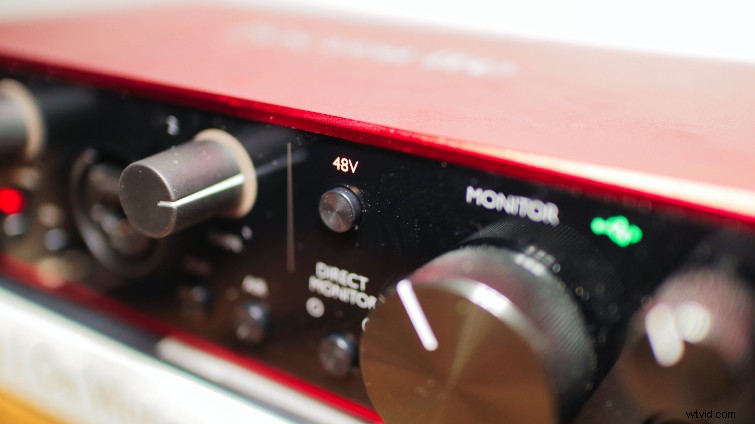 The 48 V toggle powers phantom‑capable microphones. Image by Alejandro Medellin/Premiumbeat.
While the gain range and noise floor are not perfect, the 2i2’s strengths far outweigh these minor drawbacks. For its price, you receive a versatile interface and a quality DAC—essentially two products for one cost.
Whether you’re moving from a USB mic or simply need a compact, expandable interface, the Focusrite Scarlett 2i2 is a compelling investment.
Explore more audio topics:
- What is Delay?
- What is Reverb?
- The Best Compact Studio Monitors In 2022
- 5 Ambisonic Microphone Options for your next Big Project
- What Makes Music Sound Happy?