

Ali Jennings
Camera Jabber Author
Published: 7th October 2023
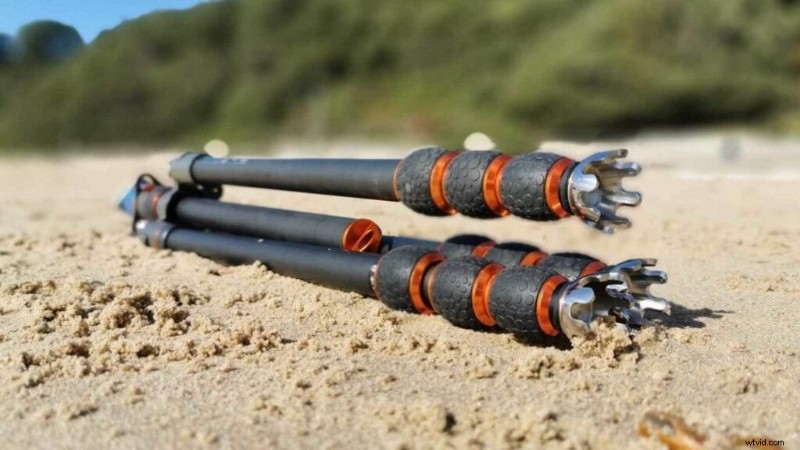
Owning a tripod often represents a significant investment, and this step-by-step guide on how to clean a tripod, we’ll show you the best method for keeping it free from dirt and wear.
When you regularly venture into various terrains with your reliable tripod, it’s inevitable that it will endure some wear and tear. Maintaining its cleanliness and functionality, however, rests entirely with you. For instance, photographing a mesmerising sunset at the beach can result in your tripod’s feet accumulating sand and saltwater, which are corrosive elements that will eventually degrade the tripod’s legs.
Moreover, if it’s a particularly windy day, sand can also infiltrate its way into the central column of the tripod, causing further damage.
To avoid these issues, make it a routine to clean your tripod each time you return from an outing that has left its feet, legs, and joints grimy. Don’t worry, you don’t need specialised cleaning solutions; household items from your kitchen should suffice.
- Check out our guide to the Best tripods you can buy today

How to clean your tripod
01 Position Your Tripod Outdoors
Since cleaning typically involves water and soap, it’s best to choose an outdoor area with ample space to avoid making a mess indoors. Fully extended, a tripod takes up more room than you might think, making an outdoor space more suitable for cleaning.
02 Use Mild Detergent
Prepare a solution of warm water mixed with a modest amount of gentle dish soap, such as Fairy Liquid. Unlatch the tripod legs and extend them fully. Dip a standard cleaning cloth into your prepared solution and proceed to wipe down each leg, taking care to be thorough.
03 Detail Cleaning
The latches that control the tripod’s extendable legs can trap dirt just as easily as the feet can. To address this, use an old toothbrush to scrub away any embedded particles, especially between the nuts and bolts, which are susceptible to corrosion, especially when exposed to saltwater.
04 Final Steps
After you’ve cleaned the tripod, rinse it with fresh tap water to remove any lingering soap residue. Then, use a clean kitchen towel to pat the legs, joints, and latches completely dry. Your tripod should now look and function like it’s brand new!
For a more thorough, deep clean of your tripod, check out our guide on how to look after your tripod to make it last.