
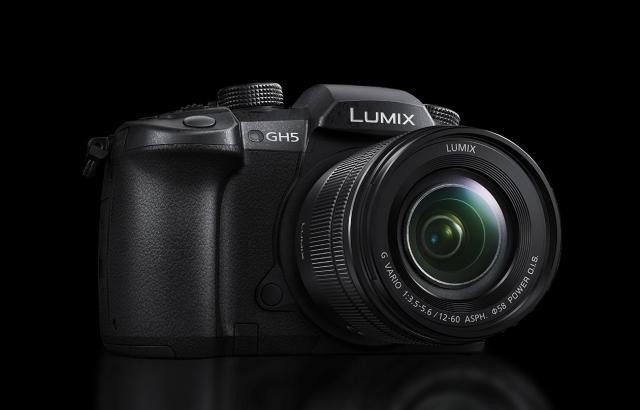
The latest firmware update for the GH5 is finally available. Here’s what you need to know about compression.
The highly anticipated V2.0 firmware for the Panasonic GH5 is finally became available. One of the newest features is the ability to record with an ALL-Intra compression, rather than using Long GOP. With all the excitement over this new addition to the GH5, many casual GH5 owners are flocking to the forums to find out what the fuss is about and if it is worth purchasing larger memory cards to film with the new compression format.
First, we have to understand a little bit about codecs (COmpression-DECompression). By nature, the very subject can be tedious to learn about, so we’re only going to focus on the areas surrounding the GH5.
Typically codecs fall into two categories: compressed and uncompressed.
Compressed codecs reduce the size of the media by disregarding information that is not essential for viewing. This is not to say that compressed video footage will look awful. I think there’s a misconception that compressed footage is bad. Perhaps 99-100 percent of what the general population views each day is compressed: YouTube videos, BluRays, the news, and so on.
However, on a technical aspect, it’s important to know that the data information in some of the frames is not complete. Every frame in a clip is not a full frame. If that’s the case, what are we seeing?
The DaVinci Resolve 12.5 Editing 101 guide has perhaps the clearest explanation of how GOP compression works.
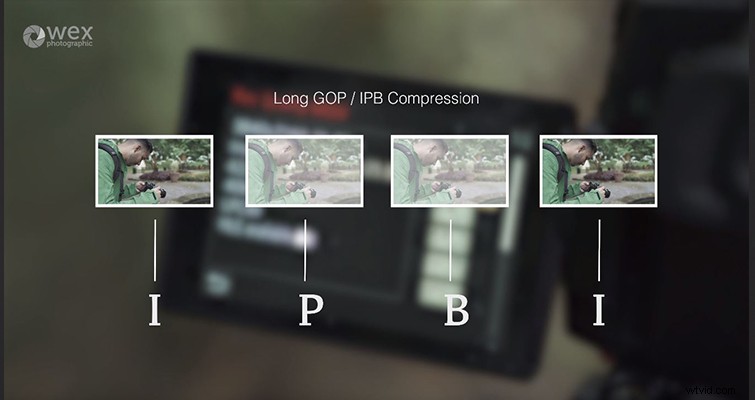
Above is a rendition of the Long GOP compression from Wex Photographic. The compression will often have a lot more P and B frames between the I-frame.
So, in layman’s terms, GOP compression only displays the changes between both I-frames. If pixel 3,465 is the same at I-Frame 1 as it is in I-frame 2, there will be no change throughout the bi-directional or predictive frames. While this appears fine for most, fundamentally it’s not the true frame information as found in the I-Frame (sometimes referred to as the keyframe). The further compressed a video file is, the further apart the I-frames, and the less “real” frames there are to interpret. This is when we start seeing video footage filled with artifacts and missing data. This is due to heavy compression.
In the video below, Kristian Hampton of Wex Photographic explains the difference between the two compression formats and offers some visual examples.
The newest addition to the GH5 is another form of compression called All-Intra, or sometimes referred to as All-I, which you might have guessed, solely contains I-frames. Therefore, every frame retains the full amount of information, resulting in a higher-quality media file (at the expense of data size), with each frame at a consistent quality. There’s no predictive pixel data being created; what you see is what you captured — much like film stock.
While All-I is going to be a valuable tool for those who work at the pixel level and for those who work with extremely tight frame-by-frame editing, ultimately, if you’re a casual user of the GH5, you don’t have to worry about spending extra cash on a larger and faster memory card. You’ve undoubtedly been amazed at the quality the GH5 produces, and this has been with the Long GOP compression.
Remember when I said compression was a tedious subject? Well, mispronounce or misspell intra to inter, and you’re talking about an entirely different compression.