
Artificial intelligence is all around us. Not only can it make everyday tasks easier and it can also be a handy tool for information and creativity. AI capabilities in your smartphone can help enhance your photography as it can sense objects and people in the frame. AI camera apps can do anything from blur backgrounds and smooth skin to lighten shadows and more, all on their own.
But finding the best mobile AI camera apps for your needs can be a challenge. This article looks at the 10 best AI camera apps to use this year.
The Top 10 AI Camera Apps in 2021
The AI in your mobile phone can be used in different ways and for different results. Let’s dive into the list and find the best artificial intelligence camera apps for your needs.
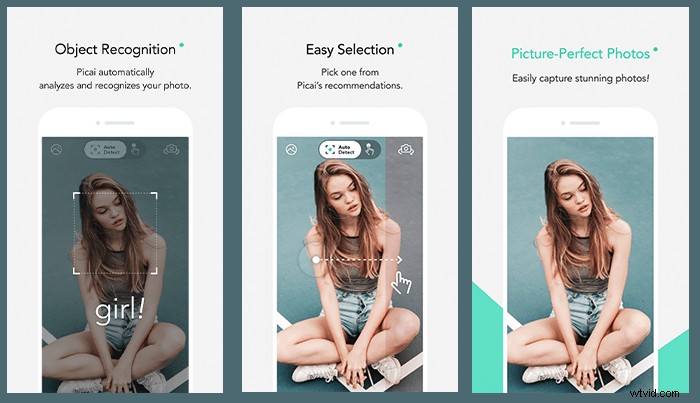
10. Picai
Picai uses artificial intelligence to analyse a scene and recognise people and objects. It then suggests the top two filters to improve it. You can quickly and easily swipe between filters to preview the effect and change filters to suit your desired look. Picai lets you save images to your camera roll or share straight from the app.
What to use it for—Applying quick looks to photos and video.
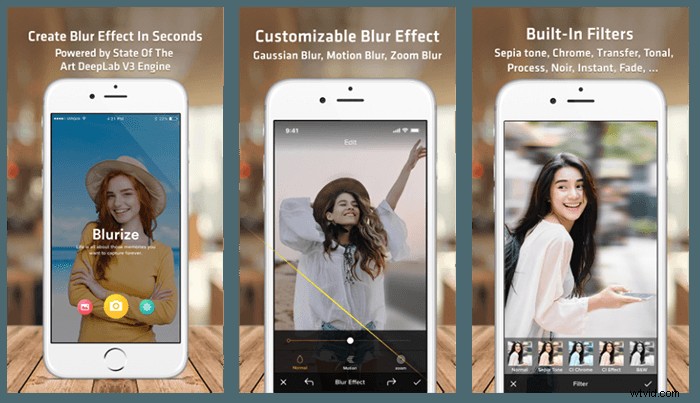
9. Blurize
Blurize is an iOS camera app for portrait photography. It uses AI to separate your subject from their background. You can then apply a blur to the scene to make your subject stand out. Choose between Gaussian, Motion and Zoom Blur. Then add filters to finish the look.
What to use it for—Making your portrait photos pop.
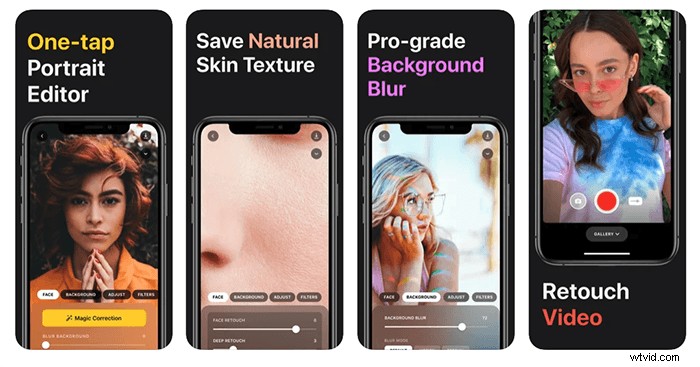
8. Lensa
Lensa from Prisma uses AI technology to enhance your portrait photographs. Facial retouching and background blur are controlled with easy to navigate sliders. You can edit the subject and background independently. You can whiten teeth and soften skin. There is a library of filters, textures, overlays, and borders to apply.
What to use it for—Beautifying and refining portraits.
7. AI Camera
From Transition Holdings, AI Camera is a free artificial intelligence app for Android devices. It uses AI to detect what features inside the frame. It then gives on-screen direction to improve your photo. Alongside controls like Aperture and White Balance, the AI camera also supports Burst Mode and HDR.
What to use it for—Android users who want fine control of their camera.
6. NeuralCam
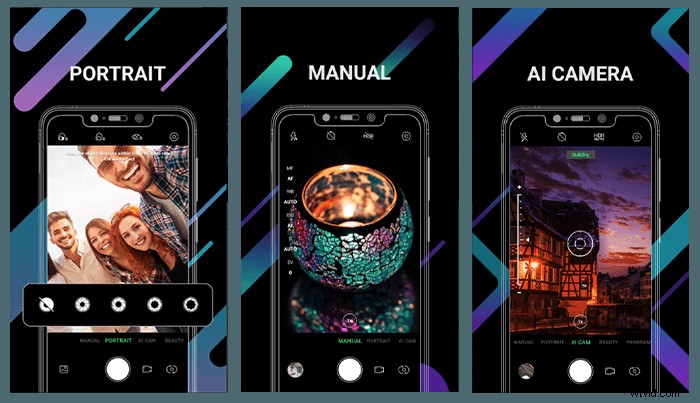
The Android app NeuralCam uses scene, object, line, and face detection in its AI features. With 100 filters and manual controls, it is an advanced artificial intelligence camera app. The intelligent stabilisation is perfect for capturing low light scenes and night skies. The RAW capability makes for high-quality images, but you may need a tripod for those Milky Way shots.
What to use it for—Android users into low light photography.
5. Camera 51
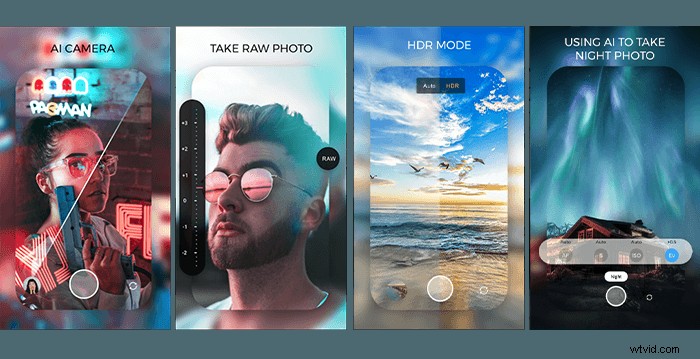
Camera 51 takes machine learning and applies it to your photo compositions. Unlike the other camera apps on this list, Camera 51 is dedicated to framing the perfect shot. It looks at the lines and shapes in your composition. Camera 51 then directs you on how to move your phone to capture the best shot.
What to use it for—Learning to frame well-composed photographs.
4. Spectre Camera
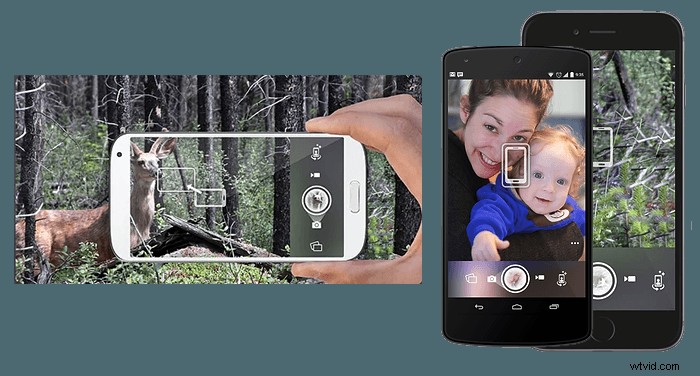
Spectre is a paid artificial intelligence camera app designed to take long-exposure photographs. By setting a medium or long shot duration, Spectre can remove people from your images. At night you can use it for light painting or creating light trails from traffic. The built-in image stabilisation allows you to shoot handheld, so you will not need a tripod to smooth out water and clouds like you would with a DSLR. Spectre saves live photos allowing you to choose the best frame or save your shot as a video clip.
What to use it for—Slow shutter photography.
3. Focos
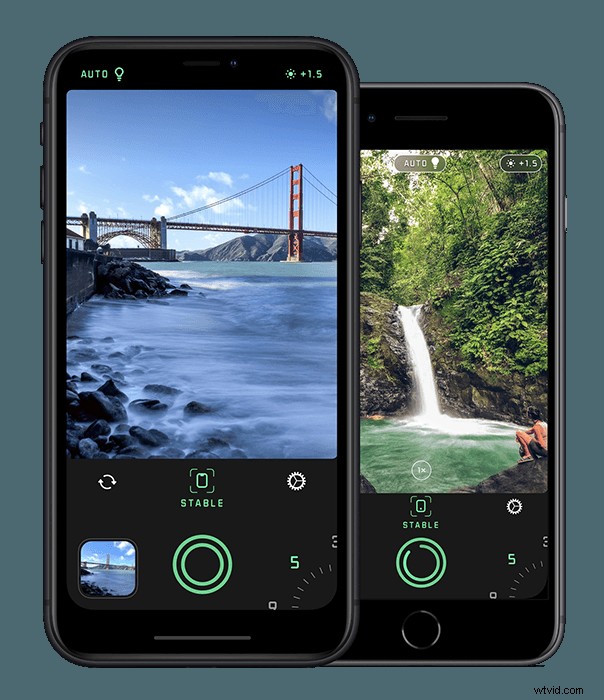
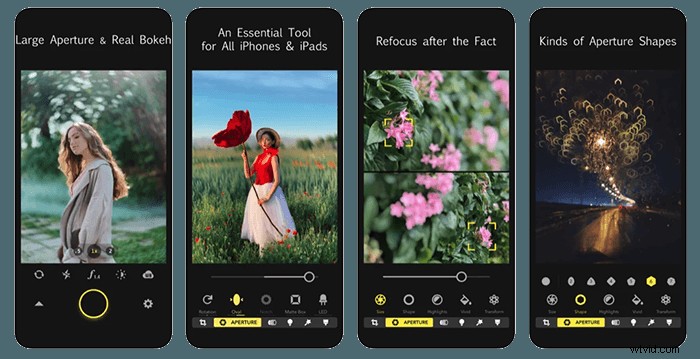
Focos is an AI camera app that gives you control over the depth mapping built into your iPhone. You can shoot with manual control over aperture size, shape, and bokeh. The photos are stored with Light Detection and Ranging (LiDAR) information. You can adjust the depth of field and focus of your images after they have been taken. The space mapping technology also allows you to add extra lighting within a 3D space.
What to use it for—Refocusing and re-lighting shots.
2. Halide
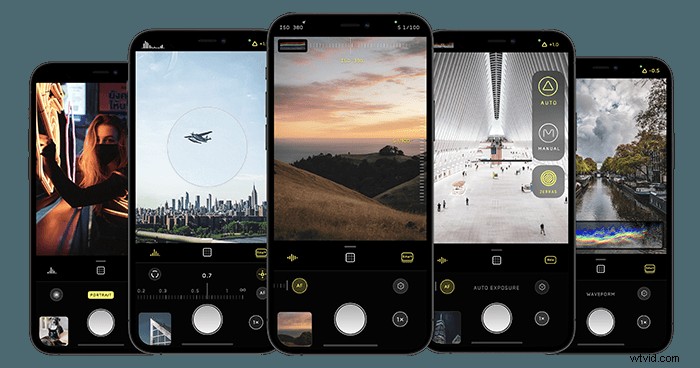
Halide is for photographers who want a professional manual mode on their devices. Advanced machine learning lets you capture RAW files with smart HDR and Deep Fusion. The swipe gesture control leaves the full-screen camera clear of obstruction. You can also control it from your Apple Watch or with Siri. This Pro level AI camera app can be bought on a subscription or as a one time purchase from the iOS App Store.
What to use it for—Professional-level control and image quality.
1. Photoshop Camera
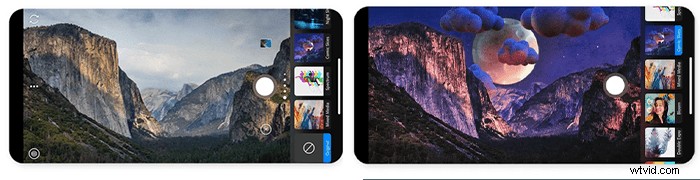
The Photoshop Camera app is designed to adjust and alter your photos as you take them. The built-in looks called ‘Lenses’ use AI to enhance colour and overlay effects. You can create paintings and double exposures. Or, you can replace backgrounds and skies at the touch of an icon. Adobe adds new lenses every week, so you will not get tired of using the same looks time and time again.
What to use it for—Photoshop on the go.
Conclusion
Artificial intelligence within mobile camera apps is evolving rapidly. These apps now have amazing features designed to re-light images, refocus your shots, or teach you how to frame a great composition. Camera apps like Halide take superb quality RAW images and give a professional level of control. Focos takes space mapping to the extreme, allowing you to add light sources in and around your photographed environment.
For its easy to use artistic and creative tools and cross-platform compatibility— Photoshop Camera takes the crown as our best AI camera app.
Learn how to build a large following of raving fans on Instagram, Facebook & more with our Social Success Strategies eBook!