
A recent Reddit thread reminded me of something I used quite a while ago: the world of online camera simulators. Truthfully, there are few tools better than these for beginners who are trying to understand the mechanics of how all the different decisions you make when you take a shot affect the final outcome. These photo simulators help make more “real” the way factors in photography are interdependent of each other.
So, courtesy of some of those fine folks at Reddit and my own research here’s a list of some useful photography simulators, and a few words about each of them. Almost all of them are entirely free, so enjoy them!
What is a Camera Simulator?
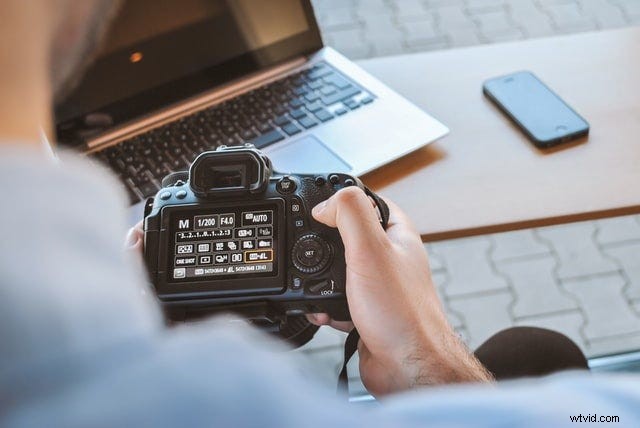
Many new photographers feel overwhelmed when learning how to use a camera. After using only a point-and-shoot or a cell-phone camera app, you may feel overwhelmed when learning photography concepts like aperture, shutter speed, ISO, depth-of-field, and other camera settings.
Camera simulators and lens simulators make the foundational concepts of photography a little easier to grasp before you take the step of investing in a DSLR or mirrorless camera. With a camera simulator, you can manually adjust a variety of camera settings to see how each one will adjust your resulting image.
As you tweak each camera setting, the app renders photo simulations so you can see in real time how you’re changing the visual qualities of your photograph.
Online camera simulators are great tools for understanding the basic principles of photography, developing photography skills, and beginning to familiarize yourself with how changing camera settings will shape your photograph.
Play by Canon
Canon’s very helpful site is intended for photographers moving up from a point-and-shoot. There is a sample scene, including motion (a spinning propeller), and you can change all the variables before you hit the “take a shot” button to see how your final shot would come out. Similar to a real camera, there’s an exposure meter on the screen, and Canon gives you tips in a sidebar and feedback as soon as you take the shot to help you understand the choices when you take a photo. And in a cool feature, Canon saves the last three shots next to each other, so you can compare how your choices impacted the final images.
If you plan to invest in a Canon camera, this is a great option because it will introduce you to the symbols and abbreviations you’ll find on all Canon camera bodies. Shoot in full Manual mode, Shutter Priority (TV), or Aperture Priority (AV) to start understanding the ideal uses for each mode.
Exposure Simulator by Andersen Images
A bit simpler than Canon’s site is this Exposure Simulator site. You can control the three exposure variables — aperture, shutter speed, and ISO — and see what different choices will do to your exposure level. Easy and straightforward, this site is perhaps the cleanest way to see the exposure triangle’s interdependence.
This camera simulator also uses a camera dial graphic modeled after Canon cameras. So if you plan to shoot with a Nikon or Sony camera, you’ll still need to memorize the symbols and abbreviations associated with the camera settings for those systems.
Exposure Simulator is a very responsive method for tracking how changing camera settings will adjust your image.
Photography Mapped
This is an interesting site — it’s very barebones, but shows you exactly what you need. You pick your settings and click “Take Photo” for the site to generate a (very obviously) fake photo with those settings. It’s interesting to me because the gentleman who made the site did it for some good reasons (see the “About” page) — he says that according to a 2012 study, two-thirds of non-professionals who own DSLRs never take it out of “Auto”! Help!
While it’s very dated and cartoonish in style (think Oregon-Trail-era graphics), this online camera simulator provides context information to bolster your understanding of exposure.
It tells you if your resulting image will be overexposed or underexposed, clarifies depth-of-field information, and tells you how much noise you can expect with the selected camera settings.
CameraSim
CameraSim is a flash-based web app that allows you, in a similar way to the other sites here, to change the variables that make up a photo and snap a “picture” to see if you’ve got the settings correct. But you’ll notice that it has a big brother, CameraSim Pro — an available upgrade that will be prompted every few shots. Hot tip: after fifteen shots you’ll have to refresh the page before you can continue using the tool. Otherwise, it’s fairly well made.
This online camera simulator is a level above other options thanks to an incorporated focal-length simulator, an adjustable distance to your subject, a tripod toggle, and a moving subject. The camera settings use Canon abbreviations, and the viewfinder simulation is also designed in a Canon style. After snapping a photo, the simulator app will advise you on how you can improve your image.
DOF Simulator
This site floored me. I remember when I was first learning photography how hard it was for me to wrap my mind around such concepts as depth of field and hyperfocal distance. This site nails it — it’s got everything you need to simulate everything you need to know about depth of field and understanding how focus works. It’s actually quite advanced — even professionals can benefit from this site — so if you see a term that you don’t understand, hit your google search to learn what everything means. You won’t be sorry.
It’s not as flashy as other online cameras in terms of design, but the number of settings you can change in this simulator is impressive. You can even select a specific camera’s sensor to see how adjustments would be reflected on the camera model you’re planning to buy. This is the best focal length simulator available.
Be the Camera
This site has an interesting twist — the author wanted to demonstrate the differences in noise and bokeh based on which camera and lens combination you’re using, starting from a cell phone and moving up to a DSLR. Using the two drop-down menus on top, select your camera configuration and scene, and then use the menu on the left to change the ISO, aperture, and shutter speed.
The strength of this online camera is the contextual information provided for each sample scene. The images you can choose from are simple and not the most exciting subject matter, but each image includes specifications like distance to background, distance to foreground, and the conditions under which the image was shot.
NIKKOR Lens Simulator by Nikon
Nikon wanted to give people an idea of the angle of view different lenses have on different bodies. So with this nifty site, they let you combine different lenses with different bodies, and to choose a focal length (when using a zoom lens) to simulate what your final image will look like.
If you plan to upgrade your lens kit or purchase a new camera body from Nikon, this lens simulator is a great option. It’ll show you how your images may be affected by your purchase. Review and explore each lens to see how the angle of view changes at various focal lengths.
Camera Simulator by Canon Labs
According to the description, this is a fully-featured virtual reality DSLR simulator. According to the reviews (at the same link), it has some work to do. Not having an Oculus Rift I couldn’t test it, but those of you who do might want to take this free VR app for a spin and report back to the rest of us.
If you’re an avid VR user and want to explore the various options offered by Canon, this app provides a unique approach to photography. The most useful aspect of this camera simulator is the ability to check out product specifications for a variety of cameras and lenses. That feature lets you compare photography gear before you shop.
Magic Hour with HTC Vive
I’m sorry to say that I don’t have an HTC Vive, either, so I haven’t been able to test this Magic Hour VR app. Offered up at Steam, it’s billed as a work still in progress, though the screen captures look nice. It also purports to replicate the photographic process in VR, and that you can change cameras, settings, and so on, and see how your photos change under different conditions.
The use of VR for camera simulators may seem strange, but Magic Hour takes the power of online cameras further with the ability to frame photos within moving environments. Rather than selecting from predetermined subjects, you’ll have the flexibility to shoot in any orientation and aim your camera anywhere.
Improve Your Photography Skills with a Camera Simulator
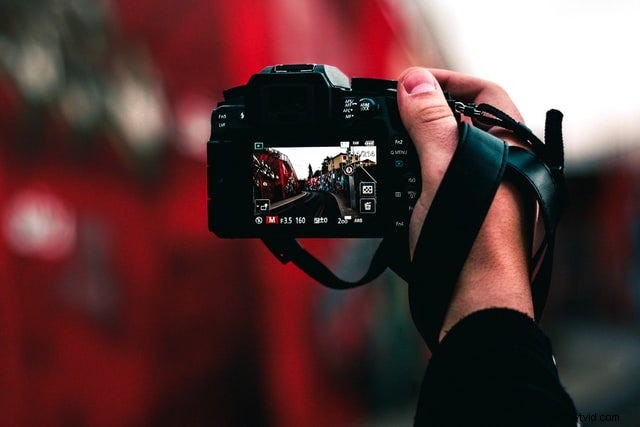
Experienced and professional photographers will tell you developing your photography skills is an ongoing process. It’s unlikely that you’ll spend time with any of these online cameras, then be able to jump into advanced shooting conditions without a bit of real-world practice.
That said, using an online camera, a focal-length simulator, a lens simulator, or any other type of tool for photo simulations makes solidifying the basic principles of photography quick and easy. When you’re trying to learn basic information like how a wider aperture will affect exposure, or how to adjust ISO to decrease grain, camera simulator apps are a big help.
Learning photography is a journey. If you want to get started but don’t have a camera to practice with, a camera simulator is a convenient way to develop basic skills. Once you have a camera in your hands, you’ll be familiar with the way certain camera settings interrelate — and how they will affect your photographs.
Feature photo by Jay Wennington on Unsplash