
This HTML5 powered website allows up to six lights of varying angles and powers to perfect your portrait lighting rig
By Tim Barribeau | Published Apr 16, 2012 6:52 PM EDT
We may earn revenue from the products available on this page and participate in affiliate programs. Learn more ›
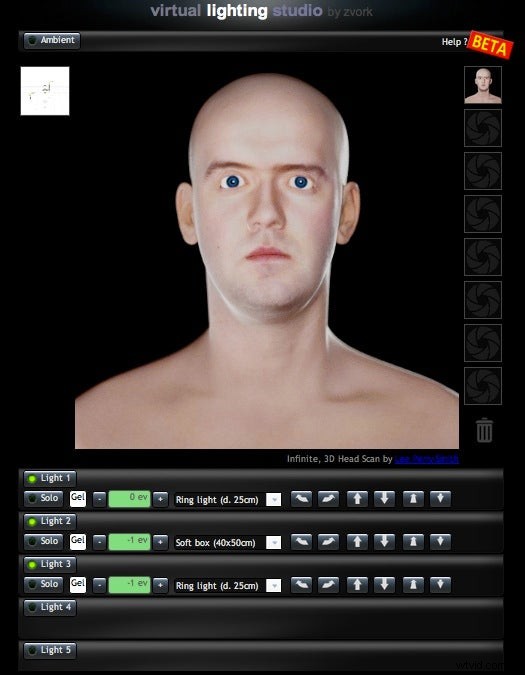
The virtual lighting studio by vork is an incredibly nifty little website that allows you to mock up a lighting rig for headshots. With it, you can set up to six lights pointed at a computer rendered face, be they bare strobes, ring lights, or soft boxes. Each of these lights can be positioned independently, have their power adjusted, and have a gel slapped on top. You can save up to eight different different lighting configurations, which can also be viewed as studio layouts.
This is a great tool for people who don’t have the time to spend hours in a studio figuring out just how they want to lay out their lighting for the perfect portrait — this way you can have a pretty good idea of how things need to be before you even leave your computer.
This virtual studio ties in to something we covered earlier this year, which was setting up a virtual studio in Blender. Both projects use the same scanned face for their model, but this website straddles a comfortable middleground between a lighting cheat sheet and needing knowledge of 3D rendering software.
[via Metafilter]