
 We live in interesting times. Gone are the days when moviemaking requires enormous amount of fundraising and massive equipment budgets. While it's true that these things certainly help, the basic tools – namely – cameras, have become inexpensive enough that most people have them in their pocket.
Before you roll your eyes, consider this – the camera in your smartphone very likely has a resolution higher than standard definition broadcast equipment. Mobile phones certainly have a great deal of limitations but in capable hands, they can produce remarkable work. Movies like The Blair Witch Project, Primer, Open Water, and Paranormal Activity have shown, over the last 15 years, that what you really need to make a successful and high-grossing movie, is a gripping story, and good actors.
Today we'll take a look at some ways to get the best video from your mobile phone with techniques, equipment, and apps.
We live in interesting times. Gone are the days when moviemaking requires enormous amount of fundraising and massive equipment budgets. While it's true that these things certainly help, the basic tools – namely – cameras, have become inexpensive enough that most people have them in their pocket.
Before you roll your eyes, consider this – the camera in your smartphone very likely has a resolution higher than standard definition broadcast equipment. Mobile phones certainly have a great deal of limitations but in capable hands, they can produce remarkable work. Movies like The Blair Witch Project, Primer, Open Water, and Paranormal Activity have shown, over the last 15 years, that what you really need to make a successful and high-grossing movie, is a gripping story, and good actors.
Today we'll take a look at some ways to get the best video from your mobile phone with techniques, equipment, and apps.
Not Even on the Cutting Edge
South Korean director Park Chan-wook, best known for his film Oldboy, grabbed headlines in 2011 when he announced he was shooting a 30-minute feature film entitled Night Fishing using an iPhone 4. This was the first serious blow in the democratization of filmmaking by incorporating mobile phones. However, Park used many of the techniques (and cast and crew) he'd used in his larger films, at times utilizing as many as 10 iPhones at once, as well as snap-on external lenses to capture the action in his tale of a fisherman who accidentally hooks a supernatural creature. More recently, director Malik Bendjelloul used an iPhone and the the $2 iPhone app “8mm” to shoot part of his Oscar winning 2013 documentary Searching for Sugar Man. “I started shooting the film with a Super 8 camera,” he told CNN, “with real film, which is pretty expensive stuff. And I completely ran out of money, I needed just a few shots … I needed them, one day I realized there was a one dollar app on my iPhone and tried it and it looked the same as the real film.” Bendjelloul wasn't the only person won over by the 8mm Vintage Camera, which adds grain and dust and shutter to your otherwise pristine video. In 2012, country and western singer songwriter Lindi Ortega shot a video for her song Cigarettes and Truckstops using an iPhone and the same app that Malik Bendjelloul used. When you get your masterpiece finished there are even some exclusive mobile phone film festivals like the iPhone Film Festival where you can showcase your work.Techniques
While there are some ways that your mobile phone is very different from even a DSLR, there are many ways in which it should be treated just the same, lots of techniques that you'd use in any video also apply when you're capturing footage with your phone’s camera.
Keep it Steady, Keep it Mounted
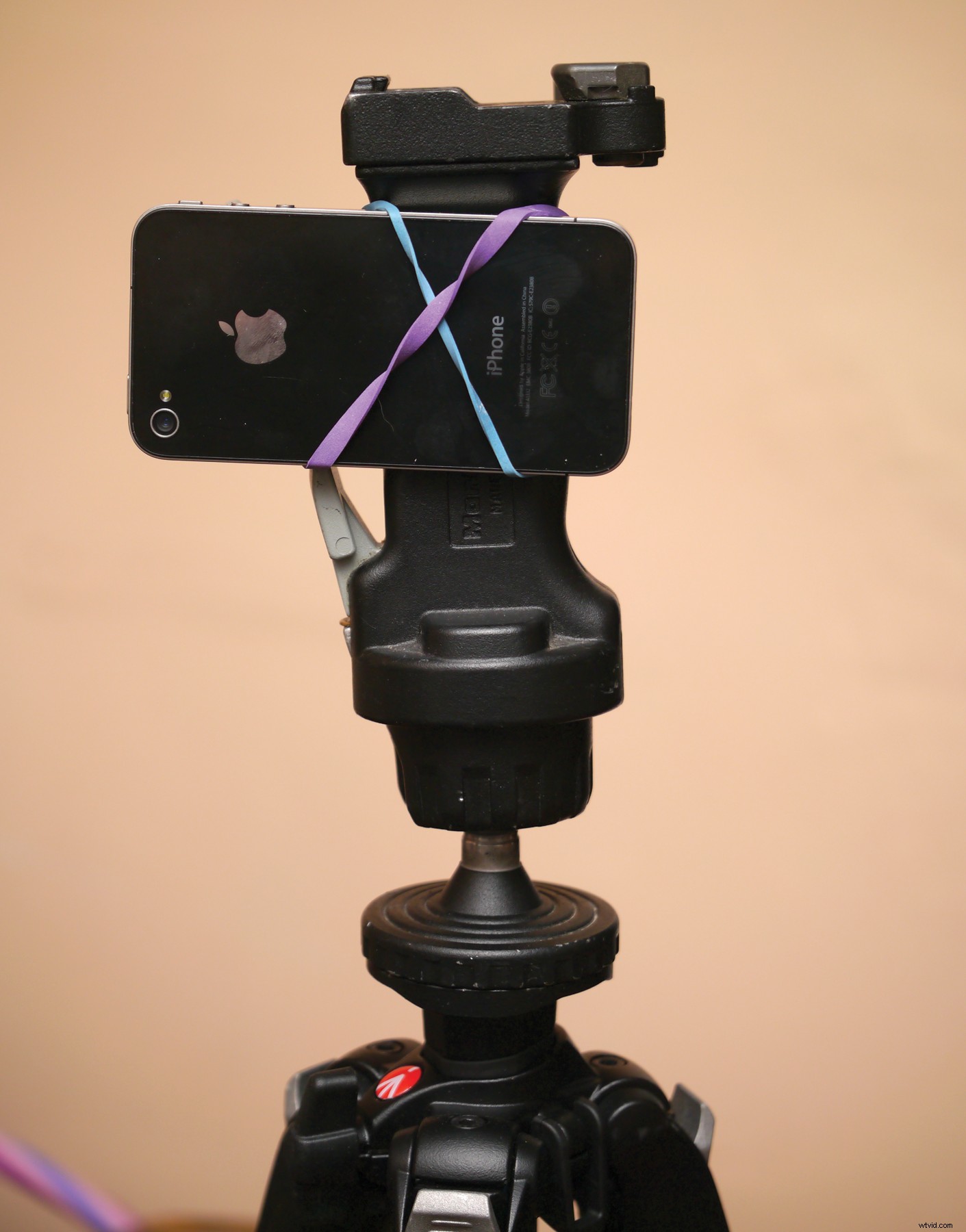 Most phone manufacturers haven't added a tripod mount to their mobile phones however, it's not terribly difficult to attach a four-ounce device to something steady.
How do you mount an ARRIFLEX 435 Xtreme camera to the side of a car? You rent a Matthews grip system for $100 a day from a film equipment house in Los Angeles and your director and a couple of grips bolt the camera to it. The question of how do you mount an Android phone to the bumper of a car? Is a little simpler — gaffer’s tape, rubber bands, clamps, suction cups – 10 minutes in a hardware store will give you a variety of ideas that are a lot less expensive and time consuming.
There are lots of actual tripod adapters for mobile phones, but you can easily mount one to a tripod with things you already have in your house if you're feeling clever.
If you find yourself tripod-less, the same rules apply as they would if you had an ordinary video camera – in a pinch you can brace your mobile phone against your body, but you can also try resting it on a piled up jacket, or a flat surface like a table. (Check out this Videomaker article on stabilization tools & techniques.)
Most phone manufacturers haven't added a tripod mount to their mobile phones however, it's not terribly difficult to attach a four-ounce device to something steady.
How do you mount an ARRIFLEX 435 Xtreme camera to the side of a car? You rent a Matthews grip system for $100 a day from a film equipment house in Los Angeles and your director and a couple of grips bolt the camera to it. The question of how do you mount an Android phone to the bumper of a car? Is a little simpler — gaffer’s tape, rubber bands, clamps, suction cups – 10 minutes in a hardware store will give you a variety of ideas that are a lot less expensive and time consuming.
There are lots of actual tripod adapters for mobile phones, but you can easily mount one to a tripod with things you already have in your house if you're feeling clever.
If you find yourself tripod-less, the same rules apply as they would if you had an ordinary video camera – in a pinch you can brace your mobile phone against your body, but you can also try resting it on a piled up jacket, or a flat surface like a table. (Check out this Videomaker article on stabilization tools & techniques.)
Keep Video and Audio Clear
 It's really easy to put your finger in front of the lens of a mobile phone. Watch out for that.
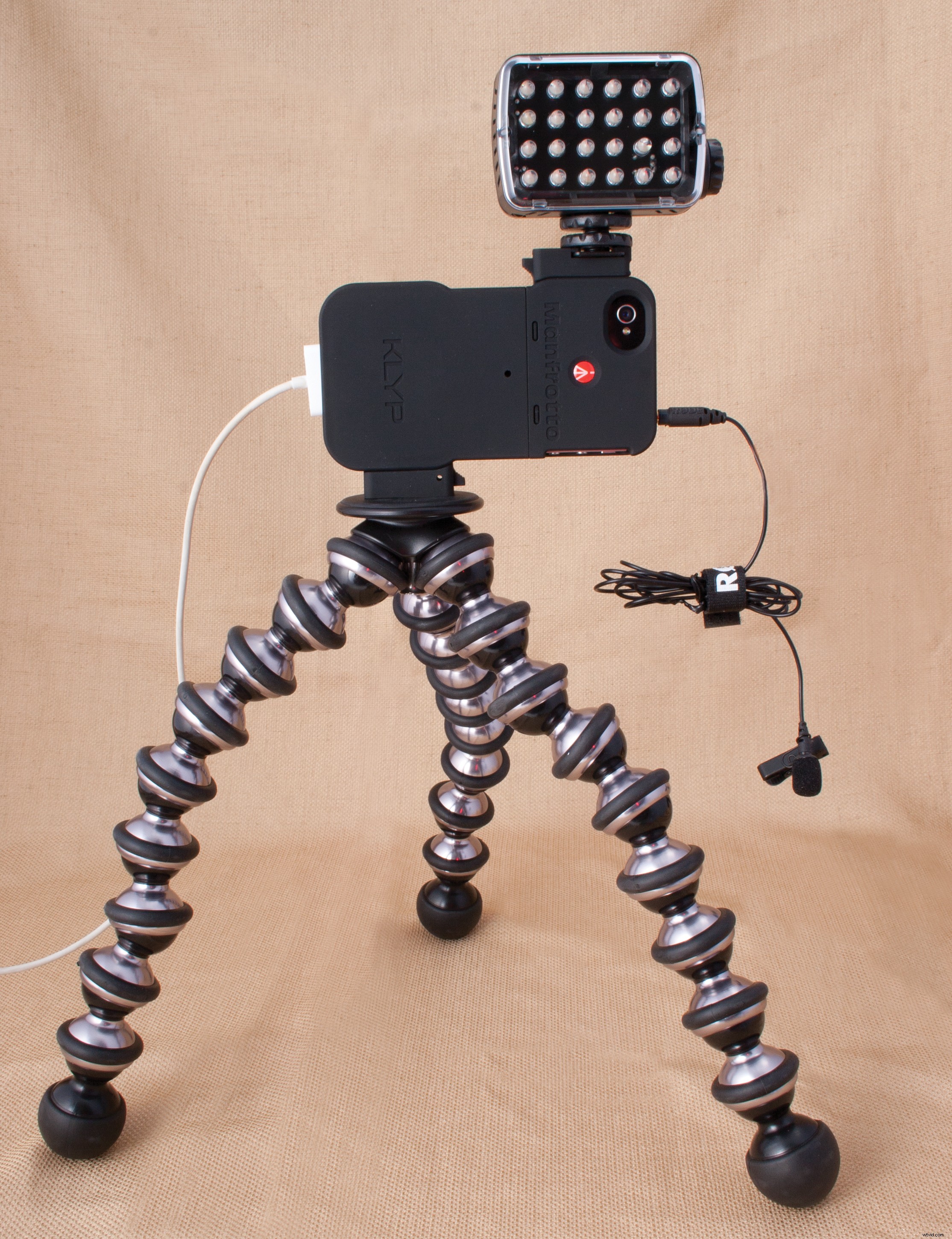
Also, since your mobile phone has a small on-board microphone, consider using an external device or mic to record the audio – ideally, you want your subject close to your mic without lots of space or noise in between.
It's really easy to put your finger in front of the lens of a mobile phone. Watch out for that.
Also, since your mobile phone has a small on-board microphone, consider using an external device or mic to record the audio – ideally, you want your subject close to your mic without lots of space or noise in between.
Keep it Lit
Lighting is one of the forgotten keys of good video, and it's a particular difficulty with mobile phones that have no manual controls. Most mobile phones are auto-everything, including, maddeningly, ISO. This means that moving your mobile phone into a dark environment will not only open up the f-stop, but it may push the ISO to places that you don't want it to be.Understanding Dynamic Range
“Dynamic Range” is the range of brightness, from black to white, that a mobile phone can capture. The human eye is a very sensitive instrument and is extremely good at seeing dark and bright things at the same time. Cameras, while getting better, are not as good. This means that if you have a lot of dark areas in a shot, and something very bright, your mobile phone will either underexpose the darks or (more likely) overexpose the brights. So … what you need to do to make sure this doesn't happen is compress the dynamic range of your images. How do you do this? By making the dark things brighter or the bright things darker. And you do this by using the basic lighting principles of “key” and “fill.” Rather than having someone in a dark room under a bright light, bring up the “fill” light in the rest of the room to lower the number of stops between the lows and the highs.You need to understand how to compress the dynamic range of your images.