
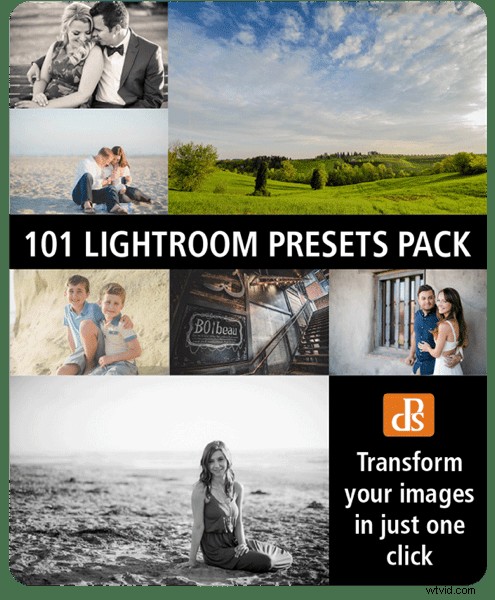
We’re super-excited to let you know about a brand new dPS product that’s just launched, to help you transform your photos into stunning images with a single click:
A mega pack of 101 Lightroom® presets (Please note: a copy of Adobe Lightroom is required to use these presets.)
Best of all, for a limited time, the pack can be yours for the special introductory price of just USD $20 (that’s 60% off).
Check it out now!

Following the incredibly popular preset offerings in our 12 Days of Christmas and Mid-Year Summer sales, we’ve been inundated with requests for more…
So we decided to bring in pro photographer and Lightroom expert, Cole Joseph, to handcraft the first ever dPS set, including 7 high quality collections:
- Plush Portraits – bring the “wow” factor to your portraits while preserving natural skin tones
- Lively Landscapes – add vibrance to your lush landscape images
- Street Grit & Grunge – give your photos a unique and cutting-edge look
- Bangin’ Black & White – for images with classic charm, romance and soul
- Sleek Sepia – stylize with a cross-toned black and white edit
- Classic Vintage – step back in time and relive the good ol’ days
- Quick Adjustments – quick and easy fine-tuning to simplify your editing process
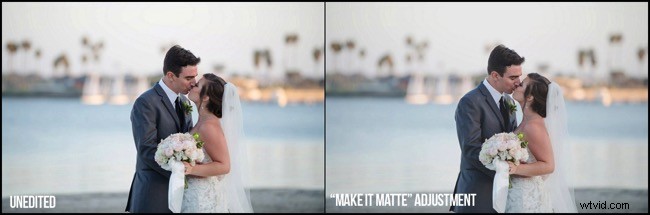
With 101 presets to choose from, Cole’s done the hard work for you so you can get the perfect edit for every photo without any fuss.
Simply apply the effect and adjust as desired… It’s that easy!
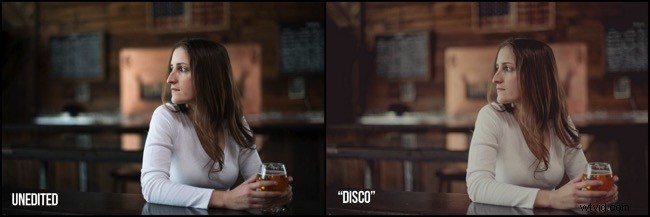
You’ll save a whole heap of processing time, while giving your images an instant “pop”.
See Cole demonstrate in this video:
If you haven’t used presets before? No worries. Full instructions are included in the pack and as with all our products if you pick it up and don’t find it’s for you – you can ask for your money back anytime within 60 days and we’ll give you a full refund.
Transform your photos in just one click.
Pick up our 101 Lightroom Presets Pack today!
*Please note: a copy of Adobe Lightroom is required to use these presets.