
Operating on a lean budget often means shooting with a mix of new and older gear. While a Blackmagic Pocket 6K can now be found for roughly $2,000, owning several units for multi‑camera work may still be out of reach. In such cases, teams frequently turn to their existing DSLR footage—like a 2012 Nikon D800—to fill in additional angles for events, interviews, or live performances.
However, blending footage from cameras that were released years apart can create noticeable color and tonal discrepancies. Achieving a cohesive look requires more than just creative grading; it demands technical tools that bridge the differences in sensor design, color science, and compression pipelines.
Color Matching Secrets
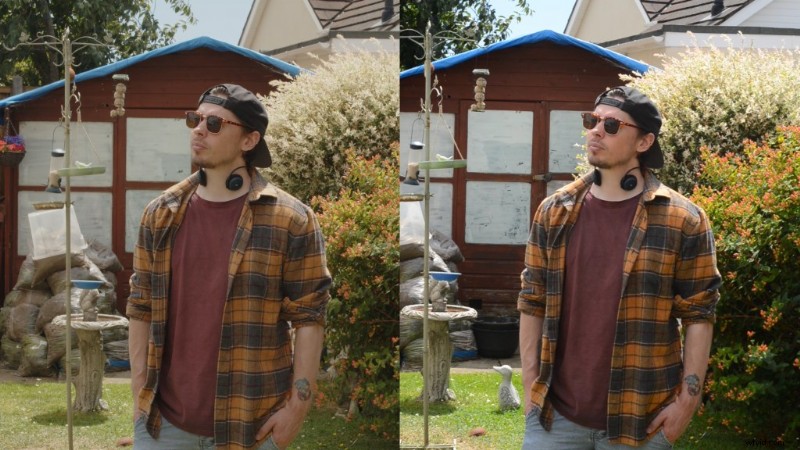 A Blackmagic Pocket 6K and a Nikon D800 render color differently due to their distinct sensor architectures.
Camera technology evolves rapidly, introducing higher‑resolution sensors, expanded dynamic range, and new color‑encoding schemes. When you try to match footage from a 2019 cinema camera with a 2012 DSLR, the differences can be stark. Directly aligning a Nikon D800 with a Blackmagic Pocket Cinema Camera 6K without any adjustment is unlikely to yield a natural blend.
DaVinci Resolve addresses this challenge with its Color Space Transform tool, part of the Open FX suite. The feature allows editors to reinterpret the color space and gamma of legacy footage so that it behaves like the newer camera’s data stream.
Using Color Space Transform
After applying a light color grade to a clip shot on the BMPCC6K, we used Color Space Transform on the remaining three cameras. We specified each camera’s native color space and gamma, then instructed Resolve to interpret those settings as if the footage had been captured by the Blackmagic system.
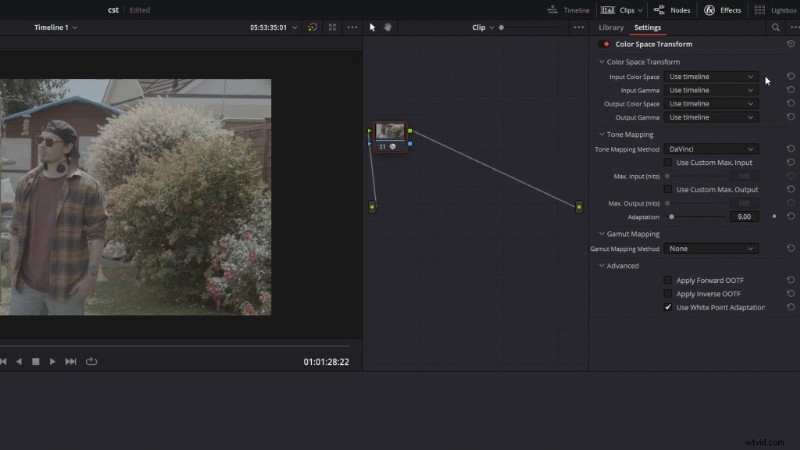 The Color Space Transform tool aligns each camera’s color space.
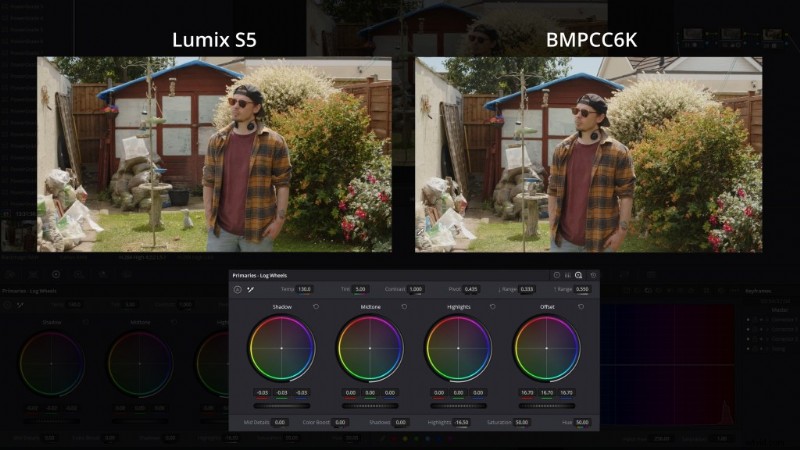 Once the color spaces matched, we made subtle adjustments to refine the look.
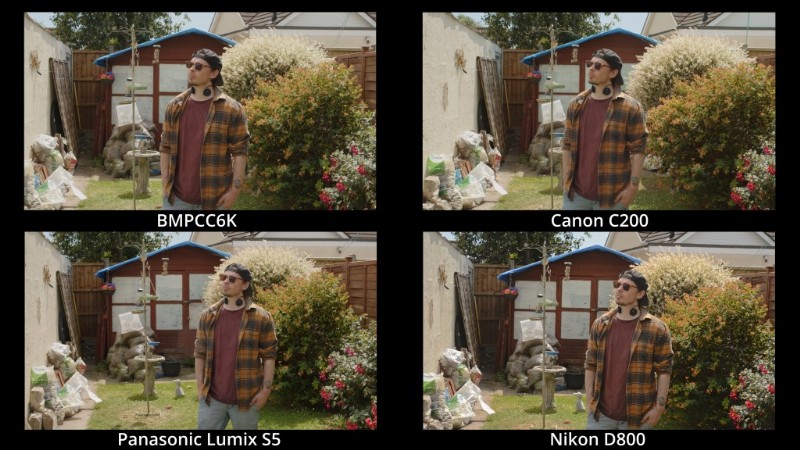 All four cameras now share the same LUT and exhibit a consistent tonal range.
Applying a single correction across diverse footage simplifies the grading workflow and ensures a professional, unified visual narrative.
The Nikon D800 presents the greatest challenge. Its older sensor, 8‑bit H.264 encoding, and lack of LOG footage limit the amount of data available for color manipulation. Consequently, it requires more careful tweaking to avoid color drift when pushed beyond its native range.
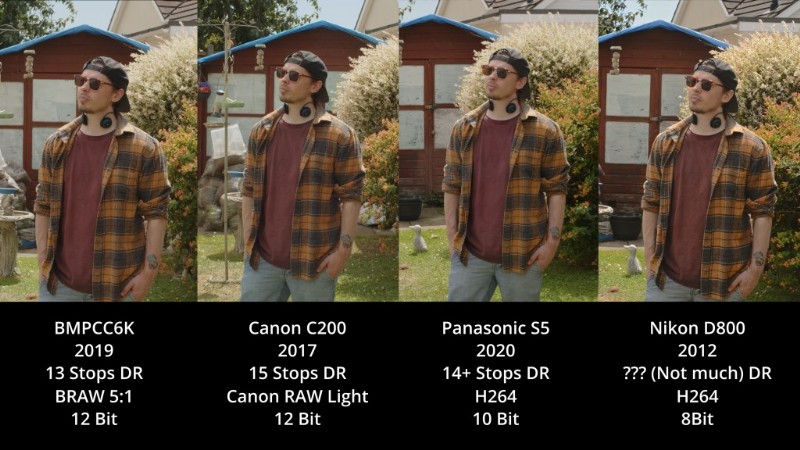 Despite its constraints, the D800 still achieves an acceptable match with the Pocket 6K.
While resolution and overall image quality differ, a well‑graded D800 can seamlessly fill an extra angle in a live music gig or wedding montage—often blending more naturally than expected.
Budget‑Friendly Professional Video
Tools like Color Space Transform are invaluable for creators working across multiple budgets. Whether you’re combining high‑end cinema cameras with older DSLRs or merging any disparate sources, this technique can transform a cluttered edit into a polished, cohesive piece.