
High Dynamic Range (HDR) photography captures a wider spectrum of light by merging multiple exposures into a single image. Since most cameras have a limited tonal range, reliable HDR software is essential for producing natural‑looking, detail‑rich photos.
Luminance HDR is one of the most popular free, open‑source options available to both hobbyists and professionals. In this review we’ll evaluate its features, usability, and whether it truly delivers on its promise.
In this article
- Summary of Luminance HDR
- Detailed review
Part 1: Summary of Luminance HDR
Luminance HDR, formerly known as Qtpfsgui, is a cross‑platform application for creating and editing HDR images. It is completely free and supports a wide range of workflows, from simple image merging to advanced tone mapping.
- Effectiveness: Very effective, though some features can be confusing.
- Price: Free
- Supported OS: Windows, macOS, Linux
- Ease of Use: 3.5/5
- Best For: HDR image creation and editing
- Value for Money: Free and feature‑rich
- Support: 0/5 (community‑driven)
- Verdict: A powerful, feature‑laden tool that’s worth a try for anyone serious about HDR photography.
Key strengths include six different photo‑blending algorithms, batch HDR merging, and seamless support for RAW, JPEG, PNG, and many other formats. The interface is responsive but can feel cluttered, and enabling advanced options like alignment or deghosting may cause occasional crashes.
Part 2: Detailed Review of Luminance HDR
Being open source, Luminance HDR is continuously updated. Recent releases focus on bug fixes, speed improvements, a streamlined command‑line interface, enhanced HiDPI support, automatic LDR adjustments, a dark theme, and faster export times.
HDR Editing Features
Beyond basic merging, Luminance HDR offers a suite of editing tools that mirror those found in commercial software:
- Resize: Scale images by pixels or percentage via the Edit > Resize menu.
- Crop: Drag a rectangle over the image and use the toolbar or Edit > Crop to Selection to trim.
- Rotate: Rotate by 90° increments using the < and > shortcuts or Edit > Clockwise/Counter‑Clockwise.
- Project Transformation: Unwrap mirrorball HDRs by setting rotation degrees and source projections.
All these operations are accessible via a clean toolbar and can be combined with the advanced processing pipeline.
HDR Processing Pipeline
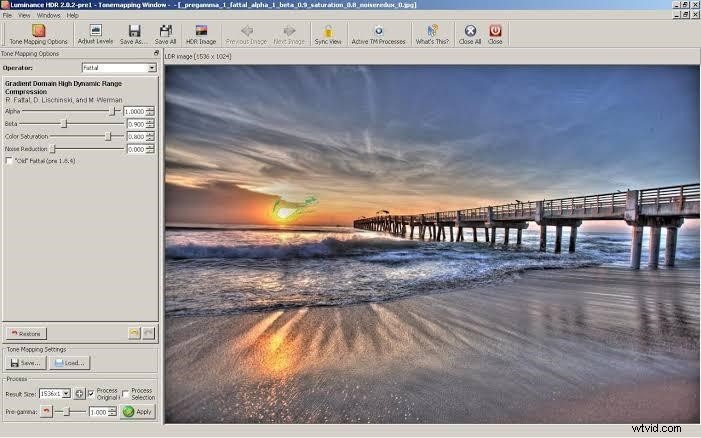
The workflow is split into two stages: creating the HDR image and converting it to an LDR format. Both stages are interactive and support a range of quality options. Loading times are generally fast, and the application handles large images with ease.
User Interface & Layout
While the interface responds well to user input, some menus and terminology may feel unintuitive to newcomers. Users can switch between light and dark themes, set the preview panel to stay visible, and even run the program in portable mode from a USB stick.
Pro Tip: Editing HDR Video
Luminance HDR is limited to still images. For HDR video editing, we recommend Filmora, a robust cross‑platform editor that supports HDR color spaces and offers a suite of professional effects.
Key Features of Filmora
- 300+ beauty and fashion filters
- Chroma key, time‑lapse, and stabilization tools
- HDR‑aware editing without washed‑out colors
- Lightweight design that preserves system performance
Using Filmora for HDR Video
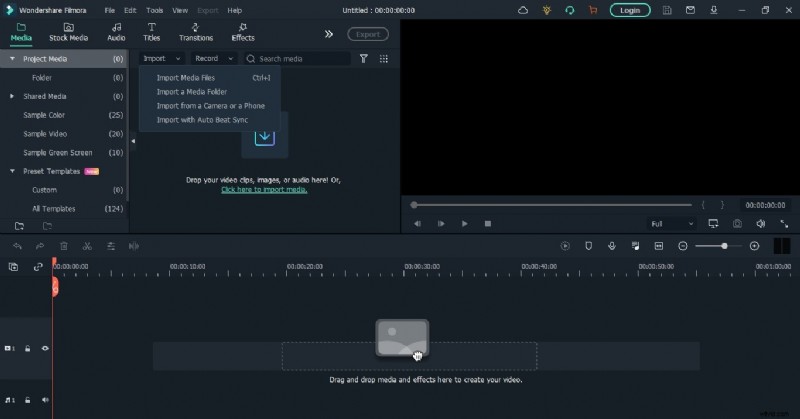
- Download & Install from the official site.
- Launch and start a new project, setting the desired aspect ratio.
- Import your HDR footage via the Import button (Instant Cutter available).
- Edit by adjusting color space to HDR, trimming, adding effects, and correcting colors.
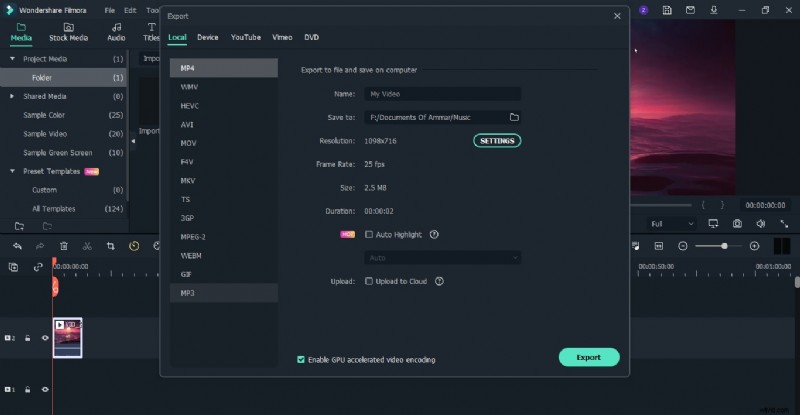
- Export with HDR output settings and share directly to Vimeo or YouTube.
Final Thoughts
Luminance HDR remains an excellent choice for anyone seeking a free, versatile HDR editing solution. Its robust feature set and cross‑platform availability make it a solid alternative to commercial software, provided you invest time in mastering its interface.
For HDR video, Filmora offers a comprehensive, user‑friendly workflow that complements the capabilities of Luminance HDR.