

Jun 19, 2025• Proven solutions
Vegas Pro is the popular video editing program in Windows. It provides decent video editing features including audio editing, video editing, transition, and titles, and more. But wait a minute, Sony Vegas Pro has not the feature you want? Can't import your video source files? Any other problems? Drop it and find a ?Vegas alternative for Windows in this article.
In this article, we selected the top 4 alternatives of Vegas for Windows.
Vegas alternative for Windows
1. Adobe Premiere Elements - A Program like Sony Vegas
When a product is branded with Adobe, it means high quality, better performance, and consistency with another program by Adobe. Adobe Premiere Elements is a good Vegas alternative for Windows (Mac version also available). Just as what's said on its homepage "the #1 consumer video editing software", Adobe is a popular video editor for home users.
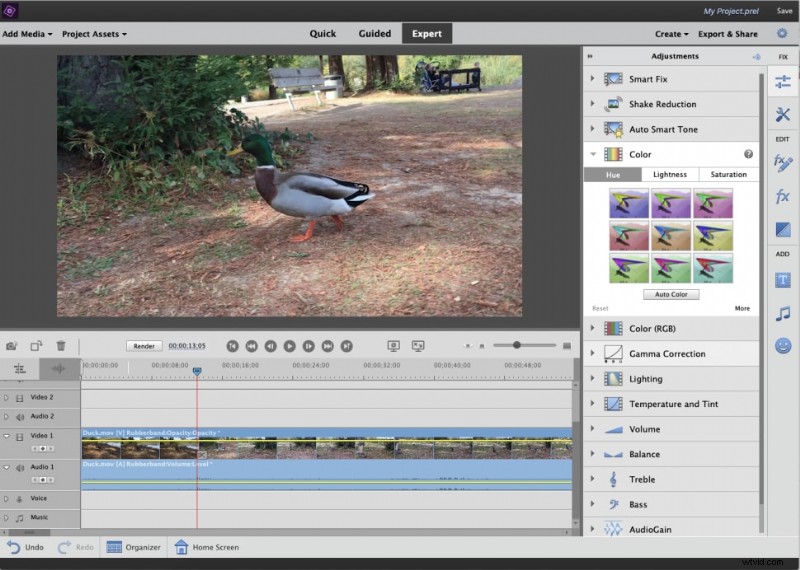
For professionals, Adobe Premiere Pro is the better Sony Vegas alternative for Windows. It's the higher version of Premiere Element with differences in capturing, timeline editing, multiple sequence editing, DVD menu, surround sound mixing, etc.
2. ZS4 Video Editor - Free Alternative to Sony Vegas in Windows
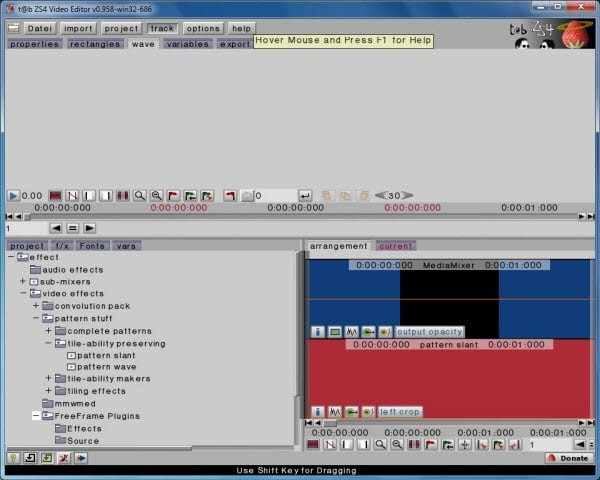
ZS4 Video Editor is a free Sony Vegas alternative for Windows, Mac and Linux. It is the new incarnation of the free Zwei-Stein Video Editor. It comes with simple video editing tools and 150 video effects, but the interface is not so user-friendly. Compared to Wondershare Video Editor and Adobe Premiere, ZS4 Video Editor is not the common video editing software, but free is the most important factor for this Sony Vegas alternative.
3. Filmora - Get things done easily, no more fussing
Wondershare Filmora provides you with all the necessary video editing tools you need. It enables you to create Hollywood-like home movies with transitions, titles, effects from any videos, audio, and photos. Advanced features like timeline editing, Picture-in-Picture, fast/slow motion, voice change, video/audio recording are made easy to use. The most important thing is that sharing possibilities are endless. You can share instantly with family and friends with easy upload to YouTube, Facebook, etc. Or save videos to play on portable devices like iPhone, iPad, Samsung Galaxy Note, Kindle Fire, etc., or burn DVD for better preserving and sharing.


Conclusion
If I were someone looking for a cheap video editor to get jobs done and really can't be bothered to learn everything about a new video editor, I'll go for Filmora. This software fits the appetite of beginners and intermediate users. You definitely can find better software for a higher price on the market, but before buying, ask yourself this question 'Can I spend hours focusing on learning a new hard software?Do I really need that many high-end functions to get things done?'
Click the buttons below to try it for free.
Liza Brown
Liza Brown is a writer and a lover of all things video.
Follow @Liza Brown