
Photo is a way to keep memories of special events, and capturing them is now easier with the invention of phone cameras. But did you know you can make these pictures more visually appealing by turning them into videos? And to get this done, you need one of the best picture video maker apps.
These apps allow you to add features like transitions, background music, and text, making it easy to turn simple photos into a story worth sharing. Which is the best app for making videos from photos?
This article explores the best app to create photo videos available. You will discover their key features and platform availability. Read on.
In this article
-
- Filmora Mobile: Available on iOS and Android
- Snapseed: Available on iOS and Android
- Magisto: Available on iOS and Android
- VSCO: Available on iOS and Android
- InShot: Available on both iOS and Android
- KineMaster: Available on iOS and Android
- GoPro Quik: Available on iOS and Android
- iMovie: Available on iOS
- PowerDirector: Available on iOS and Android
- Splice: Available on iOS and Android
-
- How to Download and Start Using Filmora on Your Desktop
Part 1: iOS vs. Android: Key Differences in Photo-to-Video Maker Apps
When selecting an app to make a video of photos, it's essential to recognize key differences between iOS and Android platforms. While both offer excellent photo-to-video options, each platform has unique strengths that can impact your editing experience. Here are some common differences to consider when choosing the best app for your needs:
| iOS | Android | |
| User Interface | Cleaner, more streamlined design | More customization options |
| Media Compatibility | Standard file format support | Wider file format support |
| Features | Platform-exclusive music/templates | Advanced export options & resolution settings |
| Performance | Smoother operation & faster rendering (Optimized hardware-software integration) | Varies by device (Depends on processor/RAM) |
Part 2: Top 10 Apps to Turn Photos into Videos on Your Mobile Device
Apps to create videos from photos offer unique tools, templates, and effects that cater to different editing needs. So, whether you're creating a personal slideshow or a social media-ready video, some of these apps could offer a better user experience. Below, we review the top apps , their key features, and the platforms they support.
1.Filmora Mobile: Available on iOS and Android
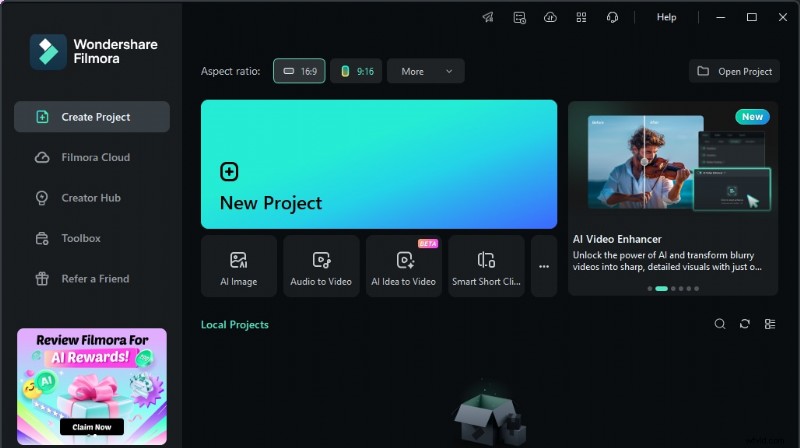
Wondershare Filmora is one of the best mobile apps to make videos out of photos. It stands out as a versatile tool with its easy drag-and-drop functionality and a range of editing tools. This AI-powered video editing app brings Hollywood-level tools right to your fingertips! With standout features like text-to-video, AI auto-cut, AI background remover, voice cloning, dynamic captions, and text-to-speech, Filmora does the heavy lifting, letting your creativity shine.
In addition to flexible video ratio adjustments for different platforms, users can easily create movies on YouTube, Instagram, TikTok, and other social media platforms with the help of templates.
Key Features
- Pre-made templates
- Vast music library (royal-free music and built-in sound effects)
- Animated text
- Beat detection
- Chroma key (green screen)
- High-resolution export options
- Smart keyframing capabilities
- Advanced camera features (AR camera, retouch, video beautification, double take/multi-cam)
- Filmora integrates one-click templates, easy trimming/splitting, emoji, sound effects, and resizing tools.
- Integrates professional editing tools such as keyframe animations, speed curve controls, masking, and tracking targets.
- Offers a versatile audio library with AI music and sound effects, plus text-to-speech for professional-quality voiceovers
- Since Pro features vary slightly between Android and iOS versions, this can limit cross-platform consistency.
- Some advanced camera features may not be available for some users (some are available for iPhone XR or later)
How to turn pictures into videos with Filmora
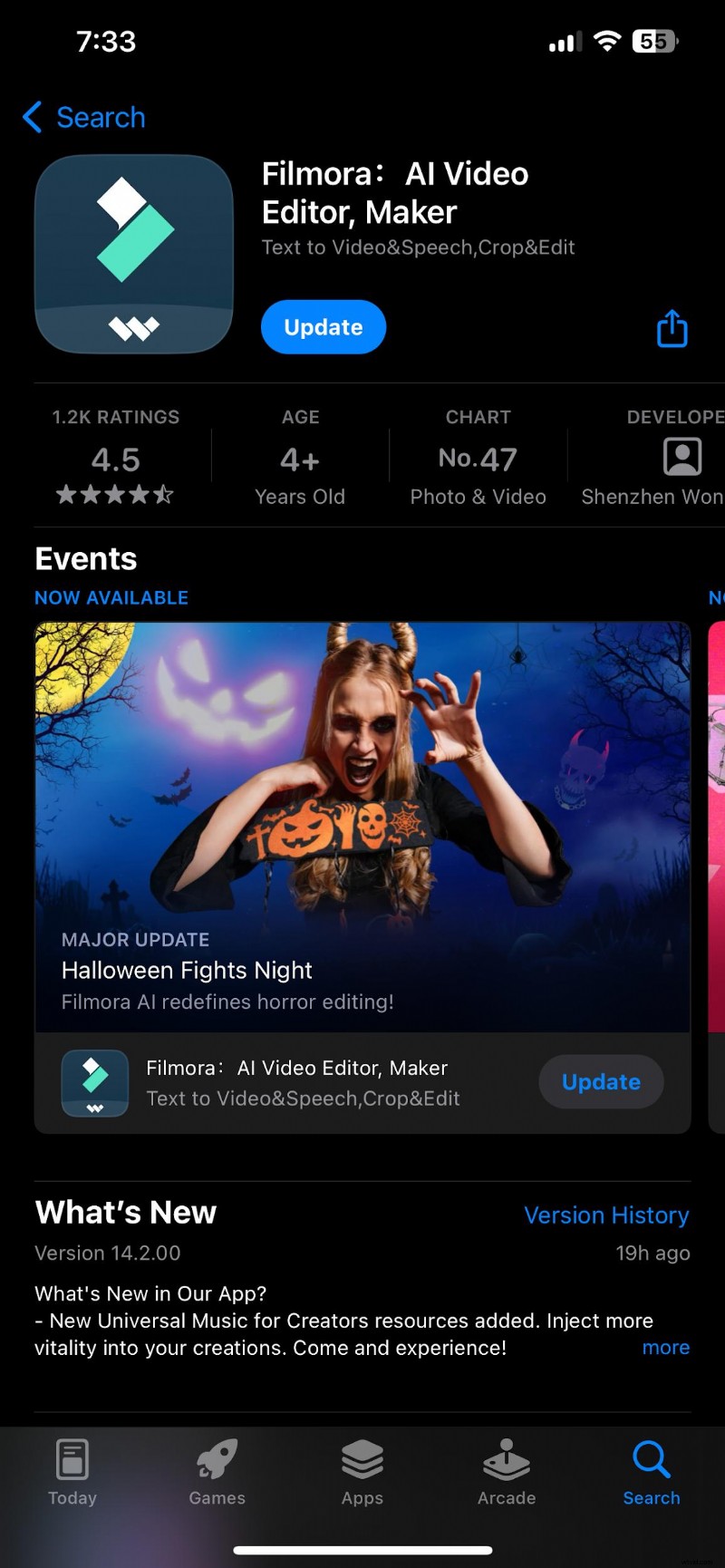
Step 1: Go to your Play Store or App Store, search for Filmora, and install
Step 2: Launch the Filmora Application and click on the import button
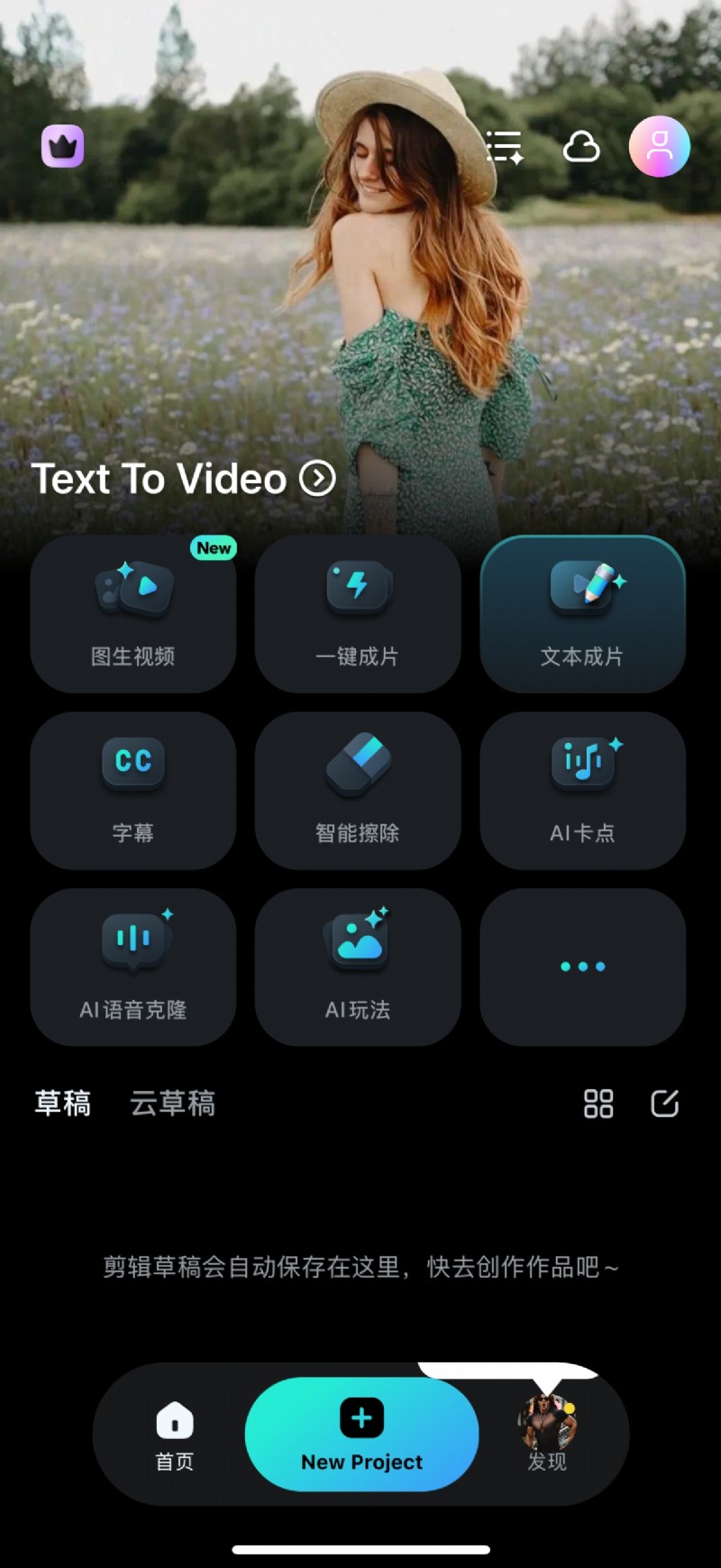
Step 3: Import your photos, arrange them in order, add background music, and apply effects or transitions as needed.
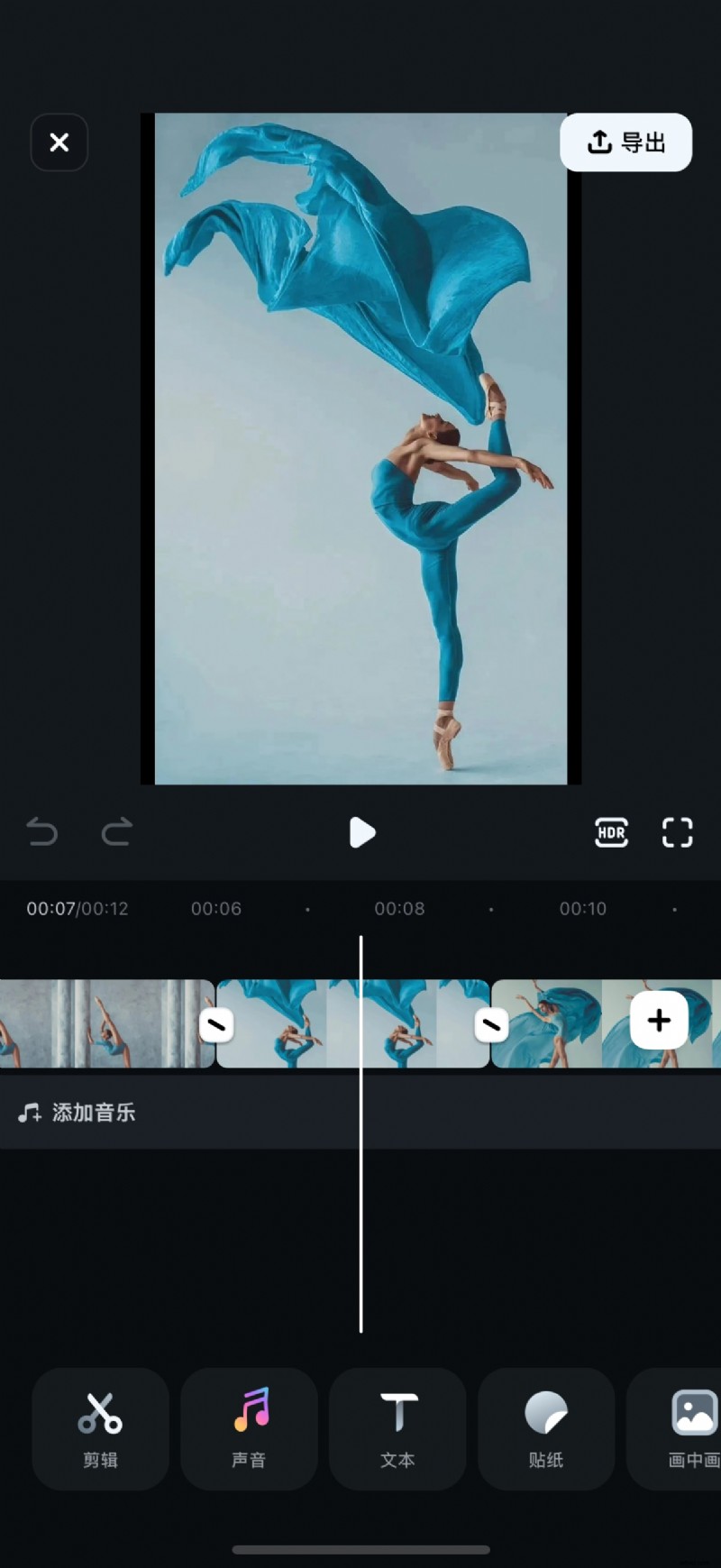
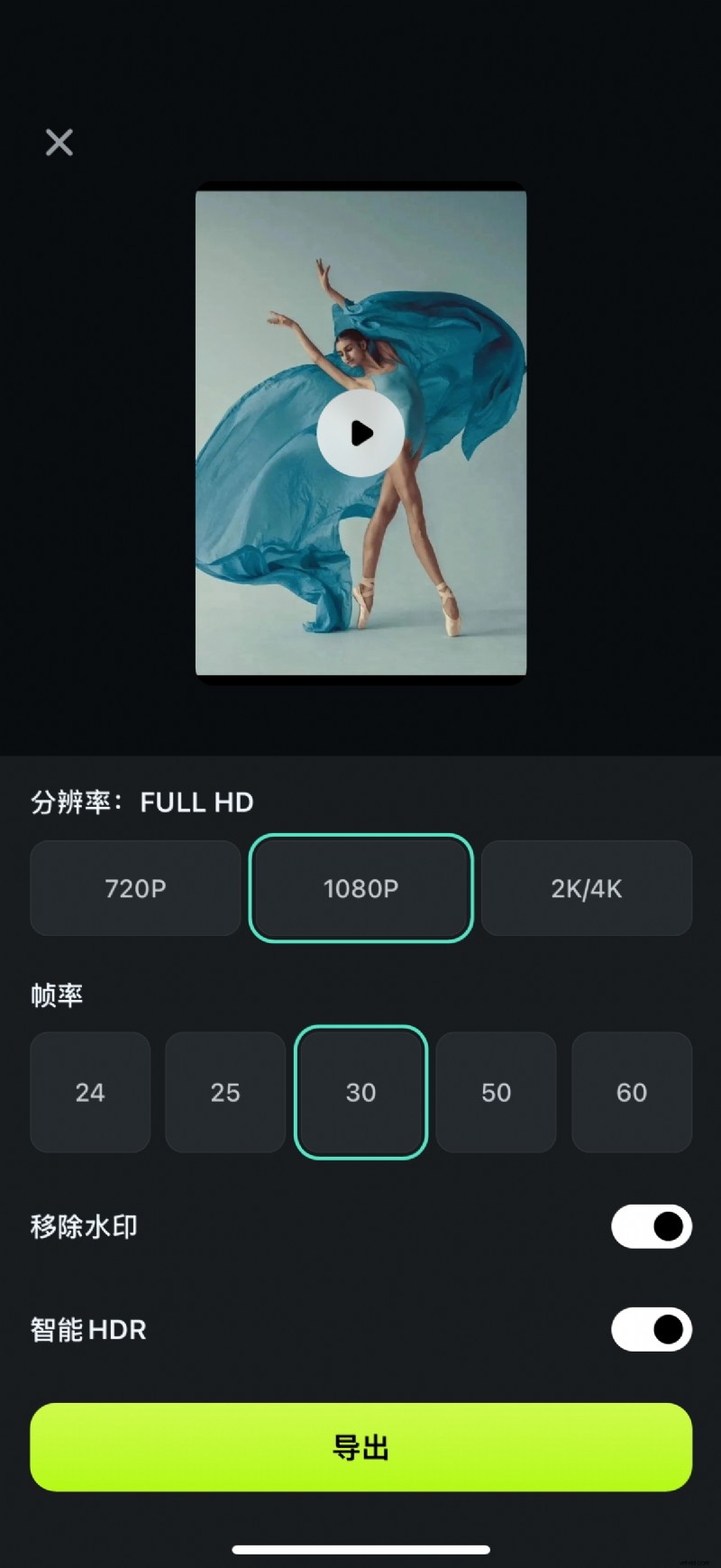
Step 4: Export or share your video to your ideal platform
2.Snapseed: Available on iOS and Android
Snapseed is another app to create videos from photos, and it is popular because of its powerful photo editing capabilities. It's the best video editor for those who prefer editing with a variety of photo-enhancing features. Snapseed's extensive photo editing tools make it ideal for users who want high-quality videos from photos to post on social media platforms like Instagram and Facebook.
Key Features
- Advanced photo-editing tools (29 tools and filters)
- Adjustable frames sizes
- White balance, saturation, and contrast adjustments
- 38 predefined text styles
- Double exposure and lens blur effects
- Opens JPG and RAW files
- HDR Scape
- Face enhance
- High-quality photo editing that elevates image quality for videos
- Excellent range of filters for creating a cohesive aesthetic
- Saves custom filter presets for future use
- Limited video editing features for creating full videos
- Requires combining with other apps to add transitions

Filmora ⭐⭐⭐⭐⭐
Powerful AI video editor for all creators


3.Magisto: Available on iOS and Android
Magisto is another app to create videos from photos that use AI-powered tools. This makes it a top video app for social media (YouTube, Instagram, and Facebook) or personal memory reels.
The one-click sharing feature makes it a faster tool to create and upload content on social media and messaging apps.
Key Features
- Smart AI-driven editor
- 20+ ready-made templates (birthdays, invitations, etc.)
- Customizable text, font, and color options
- Over 3 million HD iStock™ clips and images (Professional plan)
- Commercially licensed song library for background music
- 100+ colorful stickers for added creativity
- Automatic stabilization, object detection, and filter effects
- Video customization (orientation and aspect ratio)
- Magisto is compatible with Google PhotosTM and iStockTM media libraries
- Free access to Vimeo Pro for advanced video hosting with password-protected links, analytics, cloud storage, and customizable players.
- Comprehensive audio options, including text overlays and song selection
- Limited video duration with the free plan.
- Watermark on videos for free users.
4.VSCO: Available on iOS and Android
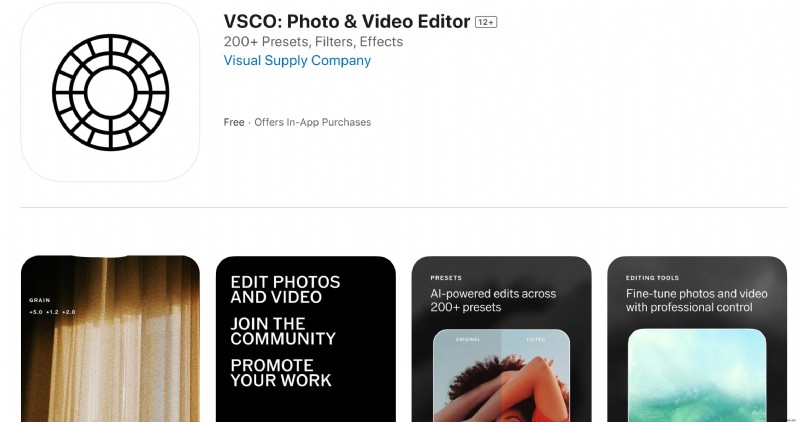
VSCO is a top app that makes a video out of pictures using iOS and Android devices. It is ideal for users who prioritize cinematic filters that elevate photo quality before creating videos. This app's powerful editing tools make it straightforward to make a movie with pictures and videos for Instagram, Snapchat, and other visual-focused platforms.
Key features
- 10+ free presets for photo editing
- Advanced contrast, saturation, grain, and fade adjustments for analog effects
- 200+ presets with VSCO Membership, including vintage film looks (Kodak, Fuji, Agfa)
- Film X presets
- Borders for adding colored frames to photos
- HSL (Hue, Saturation, Lightness) and Split Tone for precise color control
- VSCO Montage for layered video stories and collages
- Vsco includes a 7-day free trial for membership with annual subscription renewal.
- Integrates tools for cropping, skewing, and adjusting photo perspectives
- Video editing with professional presets and advanced color control
- Limited free tools; most advanced features require a paid membership
- Subscription renews automatically, which can be inconvenient for some users
- Requires a learning curve to master advanced tools, especially for beginners
5.InShot: Available on both iOS and Android
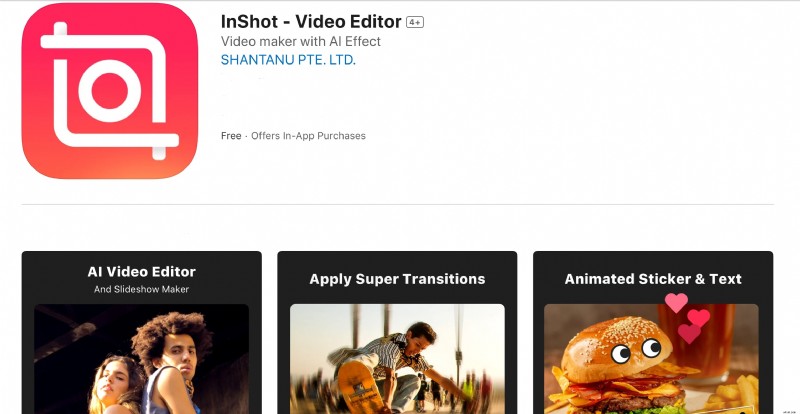
InShot is also a handy app to turn pictures into videos for different goals. It's perfect for creating social-media-ready videos from photos on your mobile. Additionally, its user-friendly layout and wide range of templates and effects make it an ideal choice for creating videos to posts on TikTok, Vlogs, Instagram, and Facebook.
Key Features
- Advanced video editor (keyframes, PIPs, chroma key, mask, color picker, voice changer)
- Music, effects & voice-over
- Filters & Effects (VHS, Glitch effect, stop motion, Retro, RGB, etc.)
- 60+ awesome transitions.
- Animated stickers and emoji
- Custom memes and images to videos and photos
- Canvas & Background
- HD Pro video editor
- 4K video export
- InShot allows easy photo and video merging for seamless transitions
- Integrates music and sound effects options with voiceover support
- Offers resizing tools for platform-specific aspect ratios and adjusting video speed control
- The free version adds a watermark
- Some features are only available on the paid version
6.KineMaster: Available on iOS and Android
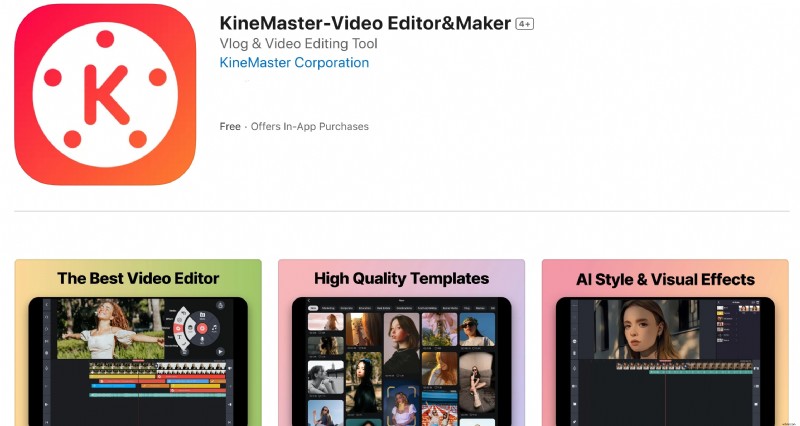
KineMaster is a powerful app for creating professional-grade videos from photos. It incorporates an extensive toolkit designed for advanced edits. It is among the best picture video maker apps, perfect for creating high-quality videos to be posted on platforms like YouTube (shorts), Instagram (reels), WhatsApp, Facebook, and TikTok.
Key Features
- Advanced video editing tools (keyframe animation, chroma key (green screen), speed control (slow motion), stop motion)
- Frame-by-frame control
- Background removal
- Auto captions
- Stickers and effects
- Text and 3D materials
- Copyright-free music, sound effects, and audio effects
- 4K and 60FPS exports
- KineMaster offers high-quality video templates to streamline the editing process and inspire creativity.
- Incorporates videos from diverse sources like screen recorders, GoPro, and drones
- Enhance videos with high-quality audio without legal concerns.
- Interface may be complex for beginners
- Subscription needed for advanced tools
7.GoPro Quik: Available on iOS and Android
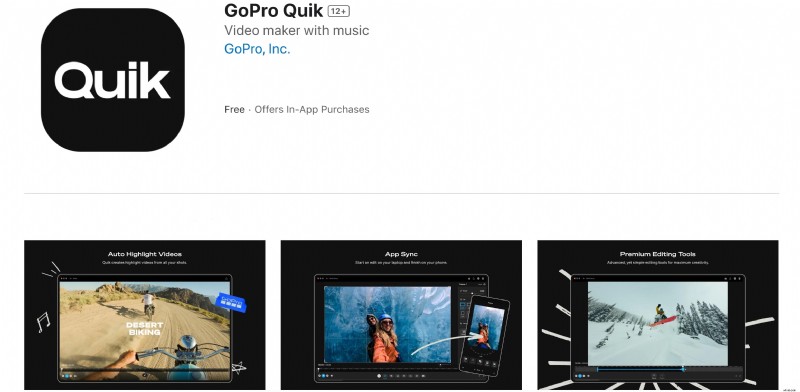
GoPro Quik is another renowned robust photos-into-video app. With unlimited cloud backup and a personalized Mural for easy access to favorite shots, this app makes every video effortlessly stunning and shareable. Some of the top AI features GoPro Quik incorporates are why it is best for users creating energetic videos for Instagram and YouTube.
Key Features
- Highlight detection for best moments
- Auto-upload to the cloud
- Beat sync for clips
- High-resolution frame grab
- Thematic cinematic transitions
- Environment-specific filters
- Direct social media sharing
- GoPro remote camera control
- Live streaming capability
- GoPro Quik keeps favorite shots in a private mural, preventing clutter in your camera roll.
- Automatically syncs clips and effects to the beat of your music.
- Allows precise adjustments to video speed for dynamic storytelling
- Certain features require a wifi network connection, and separate data fees may apply.
- Quik cloud storage does not support content captured with GoPro Fusion.
8.iMovie: Available on iOS
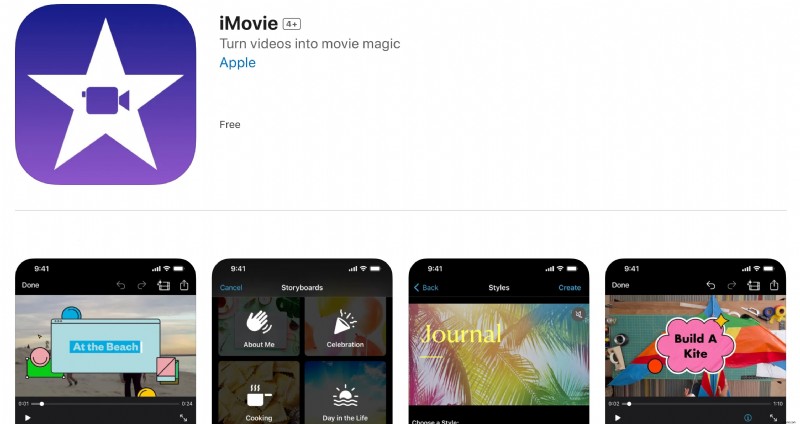
Apple's iMovie offers high-quality video creation with an intuitive layout accessible to all iOS users. You can simply select an album or group of images on your device to begin crafting your picture story. Its pre-set templates and transitions make it a popular app to make photos into a video for social media and personal projects.
Key Features
- 14+ trailer templates
- Custom movie studio logo
- 13+ Apple-designed filters
- Built-in themes with transitions
- Integrated audio tracks (130+) and sound effects
- Chroma key support for green screens
- Resolutions up to 4K (60 frames per second)
- Gradient, solid, and patterned background
- iMovie includes high-quality pre-set themes for a professional look
- Allows connection of keyboard, external display, or screen mirroring
- It is easy to modify video captured in Cinematic mode
- Available only on iOS
- Limited editing options compared to professional apps
9.PowerDirector: Available on iOS and Android
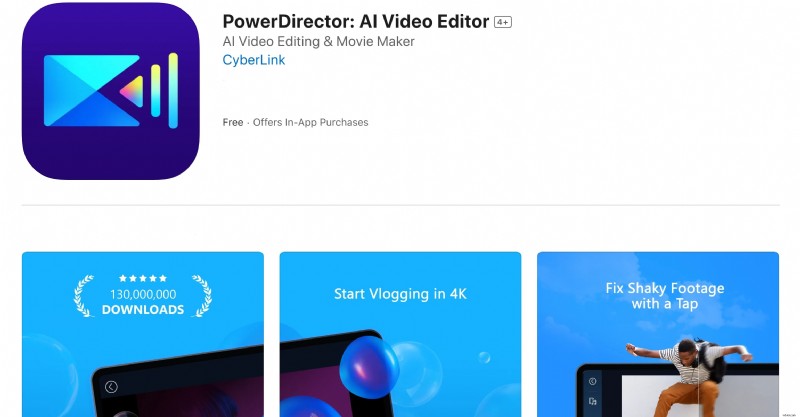
PowerDirector is a professional-grade video editor designed for users seeking advanced photo-into-video apps. It's suitable for creating informative videos for YouTube, Instagram, and other platforms requiring high-quality visuals.
Key Features
- AI Body effects
- Smart background removal
- Green screen
- Video stabilizer
- Customizable templates library
- Keyframe control tools
- Voice changer effects
- Premium stock media
- PowerDirector offers anime photo templates and multi-timeline editing
- Advanced audio mixing, voiceover, and built-in transitions and effects library
- Over 18,000 editable video templates that can include sound effects, music, and images.
- Advanced tools require a subscription
- Slightly complex for beginners
10.Splice: Available on iOS and Android
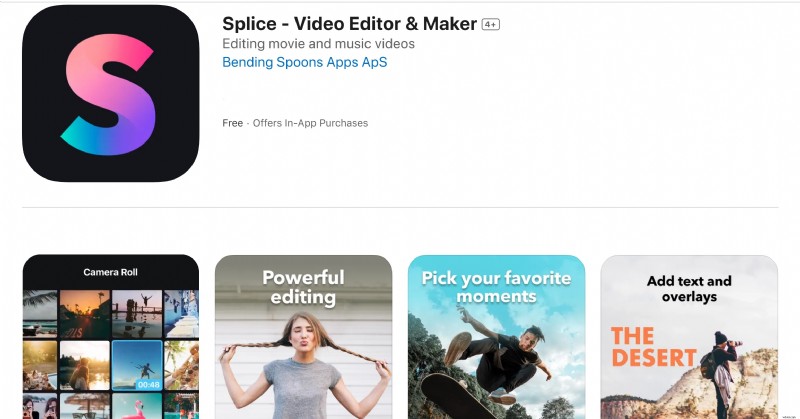
Splice provides a simple interface with powerful options, making it one of the best apps to create video from photos. In just a few taps, you can trim clips, add your favorite music, tweak the speed, and create eye-catching movies and slideshows perfect for sharing. Whether you're crafting a story for social media or a keepsake to treasure, this editor makes it simple to create videos that wow your followers on Instagram, TikTok, Facebook, etc.
Key Features
- 400+ background songs
- PRO merger & joiner
- Speed effects
- Text overlays and titles
- Professional trimmer and cutter
- Slow motion and timelapse
- Customizable soundtrack controls
- High-quality video exporting
- Splice offers templates for fast, high-quality videos compatible with all major social media platforms
- Incorporates built-in music library with beat syncing
- Offers different subscription lengths and a free trial to test features.
- Some features require in-app purchases
- Limited advanced editing tools
Part 3: What to Do if a Needed Feature Isn't Available on Mobile Photo-into-Video Apps
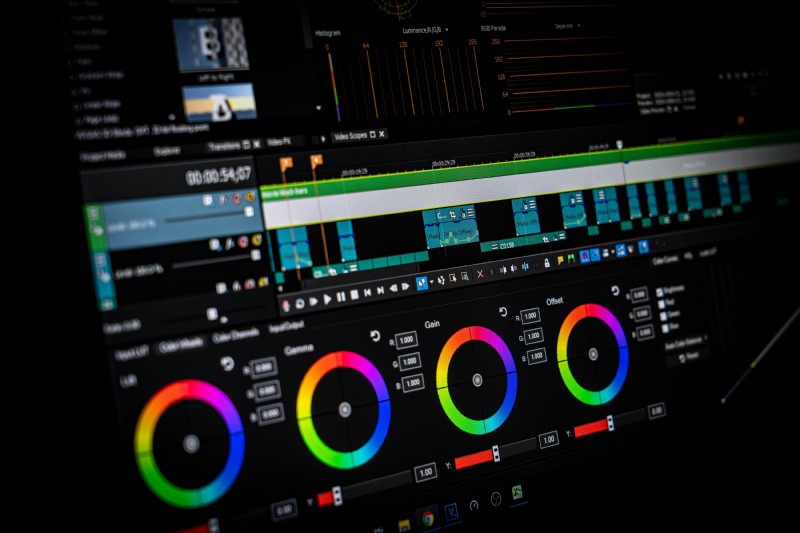
When working with mobile apps to turn pictures into videos, select versatile video editors that offer a range of features to prevent any limitations during editing. Many apps focus on streamlined functionality, but occasionally, you may find that a specific feature—like high-definition exports or multi-layer editing—is missing. In these cases, there are a few straightforward solutions to help bridge the gap and ensure you have everything you need to complete your project.
1. Check for app updates or in-app purchases
Regular updates often include new features and enhancements that could resolve missing functionalities. Some features, such as advanced effects or high-definition exports, may be available as premium options within the app.
2. Try Alternative Mobile Apps
Look for other photo-to-video apps that offer more advanced tools to match your needs. For instance, apps with AI-driven editing or green screen effects can help add a unique touch to your videos. If a mobile solution doesn't have all the features you need, consider web-based tools compatible with mobile and desktop for added flexibility.
3. Switch to Your PC if Your App Has a Desktop Version
Many mobile apps to create video from photos also offer desktop versions with expanded features and more robust editing capabilities, allowing for larger storage capacity and advanced functionality. For example, Filmora offers a feature-rich desktop version perfect for turning images into videos with AI effects, sophisticated keyframing, and high-resolution exports.
The desktop version of Filmora offers a full suite of AI-powered and audio features. Hence, editing videos with Filmora on your desktop is recommended for more complex projects that require precise editing tools and larger file handling. While the mobile app provides flexibility and simplicity, the desktop version remains the powerhouse for intricate, professional-level editing.
Key features that are missing in the Filmora Mobile app to make photos into a video that is available on the desktop version include:
- Advanced editing tools (keyframing, motion tracking, color correction, customizable transitions, and multi-track editing)
- AI tools for scene detection, auto-reframe, AI portrait, and green screens
- Comprehensive audio toolkit (audio ducking, equalizer settings, and denoising).
How to Download and Start Using Filmora on Your Desktop
If you wish to edit more complex videos that call for sophisticated editing features or AI tools, follow the instructions below to download and install Filmora on your desktop.
Step 1: Go to the official Filmora website. Download the desktop version for your OS. Follow the installation prompts and set up the app to create videos from photos on your computer.
Step 2: Open Filmora and start a new project. Import your photos by selecting “Import Media” and arranging them in the timeline.
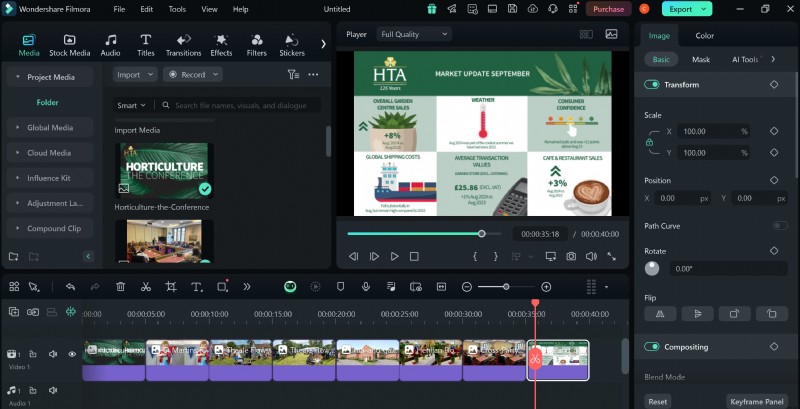
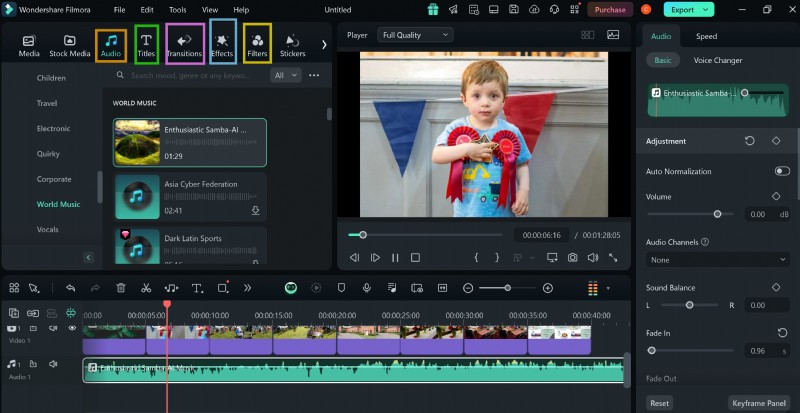
Step 3: Add background music, effects, and transitions to give your video a polished look. You can also use advanced features like AI auto-cutting or smart keyframing to enhance your video.
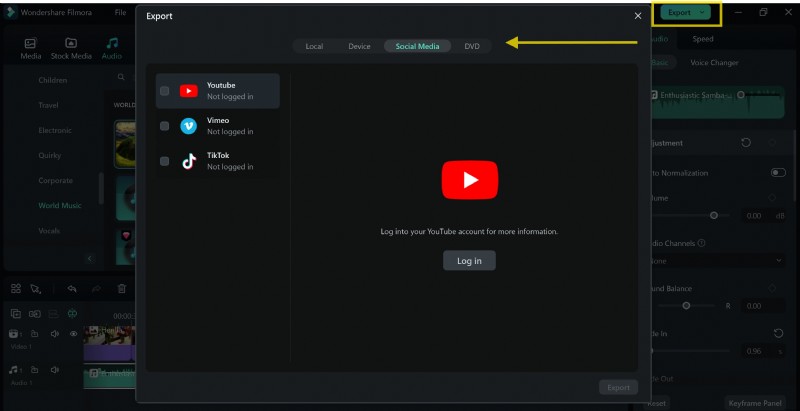
Step 4: When finished, export your project in high resolution by selecting your preferred format and quality settings.
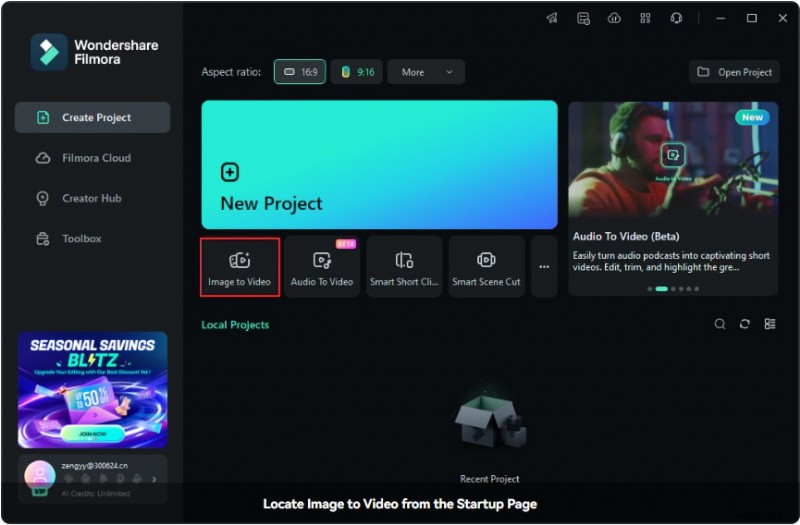
For an even faster and more convenient way to turn your photos directly into dynamic videos, Filmora offers a dedicated AI Image to Video tool . This feature automates much of the editing process, applying transitions, effects, and music based on professionally designed templates. Here's how to use it:
Step 1: After launching Filmora, you can find the AI Image to Video feature directly on the home screen under the Toolbox section (as shown in the screenshot). It is the first option displayed.
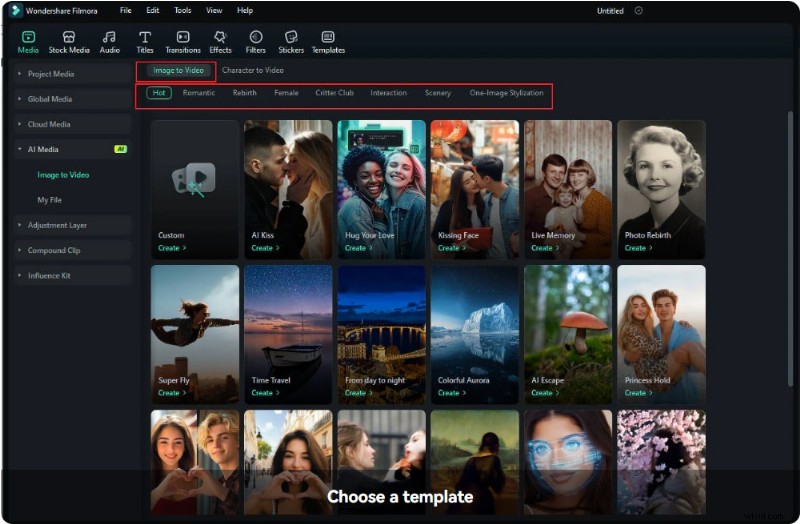
Step 2:Browse through the available templates under the Image to Video section and click Create under your selected template to proceed.
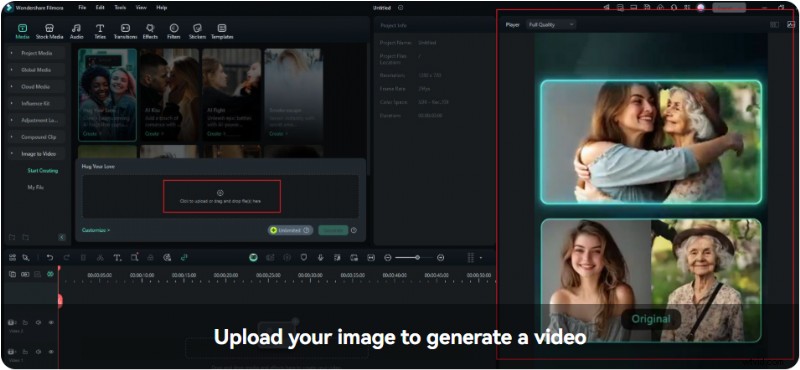
Step 3: Once you click on a template, a preview of its effects will appear in the Player on the right. This helps you visualize the result before proceeding. Drag and drop your images into the upload area or click to browse files on your computer.
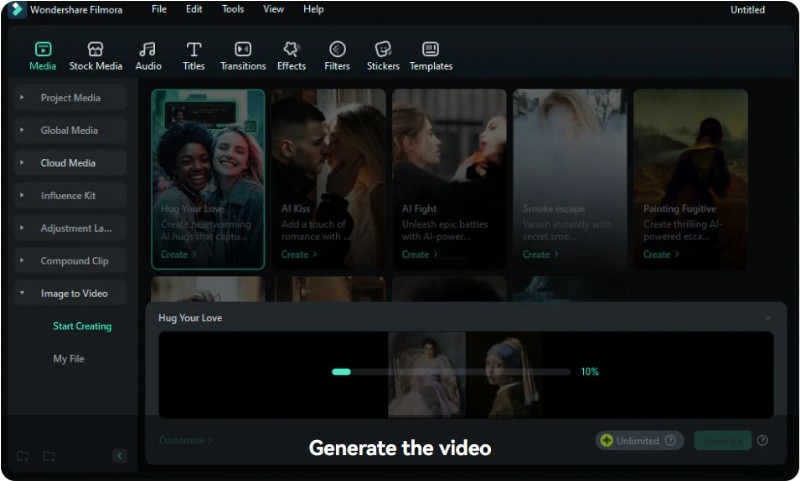
Step 4: Once your images are uploaded and settings are finalized, click Generate to create your video. A progress bar will appear as the AI processes your inputs. It may take anywhere from tens of seconds to 3 minutes to generate the video.
Conclusion
The best app to create photo videos must work across iOS, Android, and desktop platforms. This will help ensure its users meet their specific creative goals. Download Filmora and save yourself the stress and time you would commit when evaluating different photo-to-video apps. It is among the best picture video maker apps with built-in templates for creating social media videos.
Filmora
⭐⭐⭐⭐⭐
The Best AI-powered Video Editing Software and App