
In 2025, video creators expect tools that deliver speed, automation, AI assistance, and ease of use. Magix Movie Edit Pro remains a popular choice among desktop editors, particularly among Windows users. But as editing needs evolve, many users are now exploring more innovative solutions.
This article presents a focused review of Magix Movie Edit Pro, highlighting who it's best suited for, and introduces a powerful alternative built for modern editing demands.
In this article
Part 1. What is Magix Movie Edit Pro?
Magix Movie Edit Pro (also known as Movie Edit Pro or Magix Movie Studio) is a Windows-based video editing software created by the European software company Magix. Positioned between beginner-friendly apps and pro-level tools, it's aimed at creators who want more control than basic editors offer, without the learning curve of high-end suites.
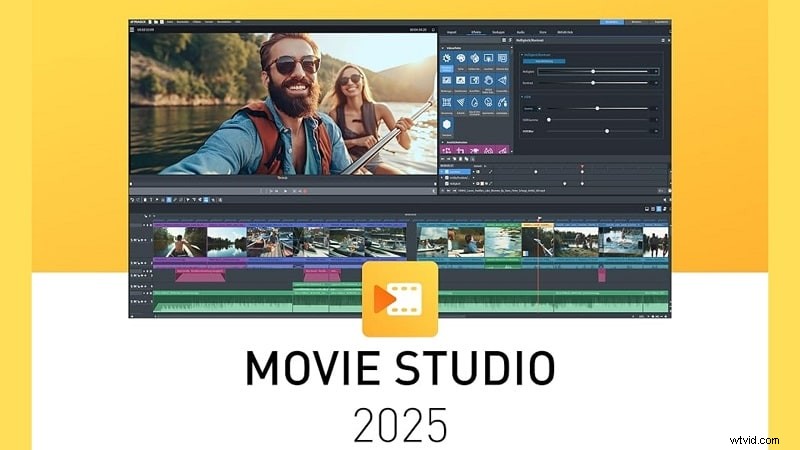
It includes both storyboard and timeline editing modes, is compatible with various formats such as miniDV, HDV, AVCHD, and 4K, and offers a customizable interface. Features like keyframing and multi-camera editing are included, but the software isn't without its flaws, primarily when judged by today's standards of AI integration and cross-platform support.
Key Highlights
- miniDV, HDV and AVCHD compatible: Supports direct import from standard and high-definition camcorder formats.
- 4K support: Enables editing and exporting in 4K resolution.
- Storyboard and timeline-oriented editing: Offers both simplified and advanced editing modes.
- Keyframing: Animates effects and parameters over time.
What's New in 2025?
- AI tools: Text-to-Speech, Style Transfer, Colorize
- Stock content access for perpetual license holders
- Cloud storage & media sharing
- Updated Chroma Key and screen recording tools
- Direct object selection from the preview
- Support for AV1 video format
Price and Plans
- Movie Studio Platinum: $148.99
- Movie Studio Suite: $158.99
- Movie Studio Ultimate: $1,878.98 per year
Part 2: Features and Usability
For users familiar with desktop editors, Magix Movie Edit Pro brings a conventional interface with a decent range of tools. But in today's fast-paced content world, its workflow may feel outdated to those accustomed to automation and AI features.
Core Features
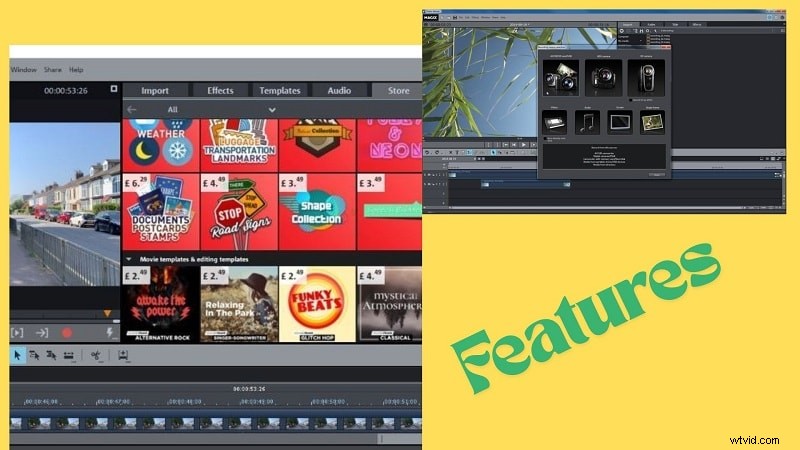
- Editing Tools: Dual-mode editing with storyboard for quick assembly and timeline for advanced, frame-accurate control.
- 4K Support: Full 4K Ultra HD import, editing, and export with smooth performance via INFUSION Engine 3.
- Multi-Camera Editing: Edit up to 4 synchronized camera angles with automatic audio-based alignment.
- Special Effects: Includes 1,500+ effects, transitions, templates, green screen, stabilization, and motion effects.
- Audio Editing: Features include audio ducking, equalizer, volume control, and basic noise reduction, with external editing support.
- Colour Correction: Offers brightness, contrast, HSL, and white balance controls; LUTs supported for consistent grading.
System Requirements
| Requirement Level | For HD Editing | For 4K Editing | For AI Features |
| OS | Windows 10/11 (64-bit) | Windows 10/11 (64-bit) | Windows 10/11 |
| CPU | Intel Core i5 (6th gen) or AMD equivalent, 2.5 GHz, 4 cores | Intel Core i5 (6th gen) or AMD equivalent, 2.5 GHz, 4 cores | Intel Core i7 (10th gen) or newer / AMD equivalent |
| GPU | NVIDIA GTX 1050 Ti / RTX or better (4GB)AMD Radeon (4GB, VCE 3.0+)Intel HD Graphics 620+ | NVIDIA GTX 1070 / RTX (8GB, recommended for 8K)AMD Radeon (8GB, VCE 3.0+)Intel HD Graphics 630+ | NVIDIA RTX 20xx Series or newerAMD Radeon RX 5000 Series or newer |
| RAM | 8 GB | 16 GB (32 GB for 8K) | 32 GB |
| Storage | 2 GB for installation | 2 GB minimum, 10 GB SSD or RAID recommended | As per project needs |
Part 3: What It's Like to Edit with Magix Movie Edit Pro
Once inside the editor, the layout feels functional but slightly dated. The division between the storyboard and the timeline makes it easy for new users to begin, and the drag-and-drop media loading is seamless.
| Hands-On Feedback | Performance Testing |
| User-friendly and organized UI that is easy for beginners to navigate.Proper dual editing modes: storyboard for quick edits, timeline for precision.UI improvements noted, but the import window and track logic can be unintuitive.Suitable for casual creators and intermediate users learning advanced tools. | Smooth playback and editing with HD content.Noticeable lag with 4K or effect-heavy timelines on mid-range systems.Fast export speeds with INFUSION Engine 3.Overall stable, but performance depends heavily on hardware. |
Part 4: A Closer Look: Strengths and Weaknesses of Magix Movie Edit Pro
Like any editor, Magix comes with pros and cons. However, in a market filled with AI-powered tools, its limitations are becoming more noticeable.
 Pros
Pros
- Easily handles a variety of file types and frame rates
- Flexible export options (video + audio formats)
- Drag-and-drop timeline supports all media types
- Allows basic pro-level edits (keyframing, color correction)
- No Twixtor plugin support
- Can lag or crash during heavy editing
- Weak built-in audio cleaning
- No sound in slow/fast/reverse playback
Part 5: Who Is It For?
If you're an intermediate Windows user looking for something flexible and controlled manually but without complex AI or automation features, then Magix Movie Edit Pro is a great choice.
| Recommended For | Not Ideal For |
| Content creators, educators, and hobbyistsYouTubers producing tutorials or reviewsUsers are comfortable with traditional editing workflows | Mac usersCreators wanting AI-assisted workflowsBeginners needing ease and templates |
Part 6: A Smarter Alternative to Magix Movie Edit Pro
As editing needs evolve, many users are seeking more innovative tools, ones that don't just react but also assist.
Rethinking What a Video Editor Should Be
Creators today need more than just basic tools; they require
- Speed
- Intelligent assistance
- Cross-platform flexibility
Old-school desktop editors like Magix Movie Edit Pro still lean on step-by-step clicks. That hands-on routine can feel draggy when deadlines are waiting.
At the same time, video creators demand non-constrictive one-click magic. The trend lines are easy to spot: faster, more innovative, and more flexible software is stealing the spotlight.
Meet the Alternative
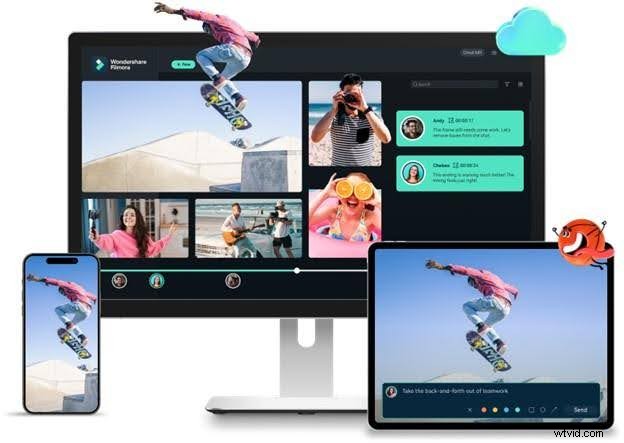
Filmora offers a more intuitive workflow that reduces friction and adapts to modern editing needs. It eliminates unnecessary steps, feels faster to navigate, and helps users stay focused on the content rather than the complexity. For those ready to move beyond dated processes, Filmora offers an editing experience that feels tailor-made for today.
A Look at a New-Gen Editing Solution:
This feature transcribes spoken dialogue in your video into editable text, turning your edit timeline into a word processor.
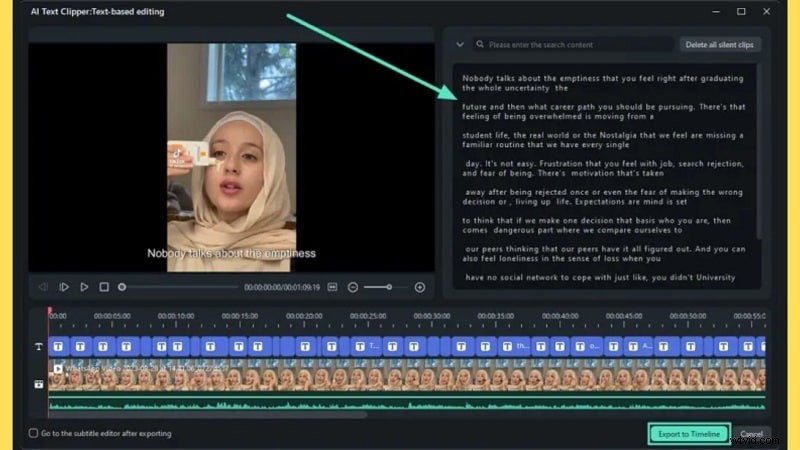
How It Works: Filmora automatically generates a text transcript from the video's audio. Users can delete or rearrange scenes by editing the text. The changes are reflected instantly in the video timeline, no need to scrub through footage manually.
Real Application Example: A tutorial creator can edit a 10-minute voiceover by simply deleting sentences from the transcript, ideal for trimming filler content or removing mistakes without timeline cuts.
Feature Description:Smart Cutout enables users to isolate people or objects and remove backgrounds from videos, eliminating the need for green screens or masks.
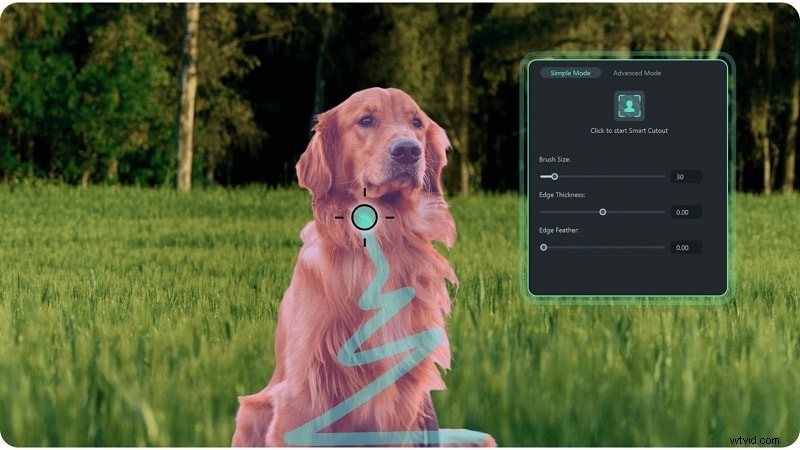
How It Works: By selecting the subject with a click, Filmora uses AI to track and separate it from the background automatically. The cutout remains consistent across frames, eliminating the need for keyframing or manual adjustments.
Real Application Example: A content creator can record themselves indoors and instantly replace the background with a virtual set or custom image, ideal for product reviews or social media overlays.
Voice Cloning allows users to generate a digital copy of their voice for future voiceovers or narration, eliminating the need to re-record. Filmora's AI Voice Cloning supports 16 languages (i.e English, Japanese, French, etc) and accents.
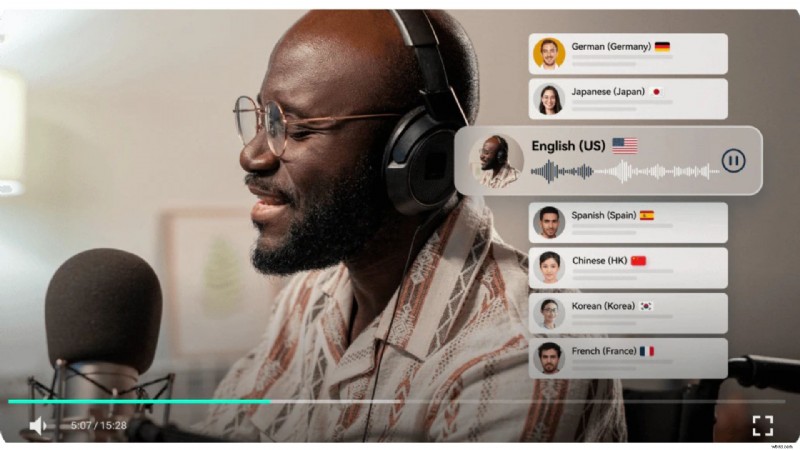
How It Works:
After recording a short voice sample, Filmora creates a digital voice model. This clone can then be used to convert text into audio that sounds like the user's own voice.
Real Application Example:
An educator can update course slides by typing in new content and generating a voiceover using their cloned voice, saving time and avoiding repeated recordings.
Conclusion
Magix Movie Edit Pro delivers solid basics, including timeline control, format compatibility, and flexible export options. But today's editing needs have moved beyond that. This Magix Movie Edit Pro review highlighted where the software excels and where it falls short, particularly in terms of automation and speed.
As creative demands grow, tools like Filmora are offering more efficient, AI-supported workflows without added complexity. For users seeking a smoother, smarter experience that keeps up with multi-platform content creation, the shift is already underway. Editing today isn't just about control; it's about creating faster, cleaner, and with more creative freedom. Filmora brings that within reach.

Filmora
⭐⭐⭐⭐⭐
The Best AI-powered Video Editing Software and App