
LinkedIn video is quickly becoming one of the most powerful ways to connect and engage with a professional audience. From building your brand, promoting your business, to showcasing your company culture, video content helps you stand out and share your message more engagingly.
Still, creating high-quality LinkedIn videos isn't always easy. Many users struggle with limited editing experience or difficulty making their content look polished and professional. If you're looking for the best site to prepare HD visuals for LinkedIn that reflect your expertise, we've rounded up the top video creation tools for you.
Part 1. Our Top 3 Picks for LinkedIn Video Creation
To help you get started quickly, we've highlighted our top 3 recommended tools for creating LinkedIn videos. These picks were chosen for their ease of use, strong features, and ability to deliver professional results without needing expert-level skills.

Filmora – Best for All-in-One Editing Power
Filmora is a great choice for anyone who wants full control over their video without dealing with complex software. It offers a clean interface and advanced features like auto-subtitles, smart cropping, and brand kits. From creating personal branding videos to corporate intros, Filmora helps you create professional-looking and engaging LinkedIn videos.
Download Download Download

Opus Clip /Opus.pro – Best for Repurposing Long Videos
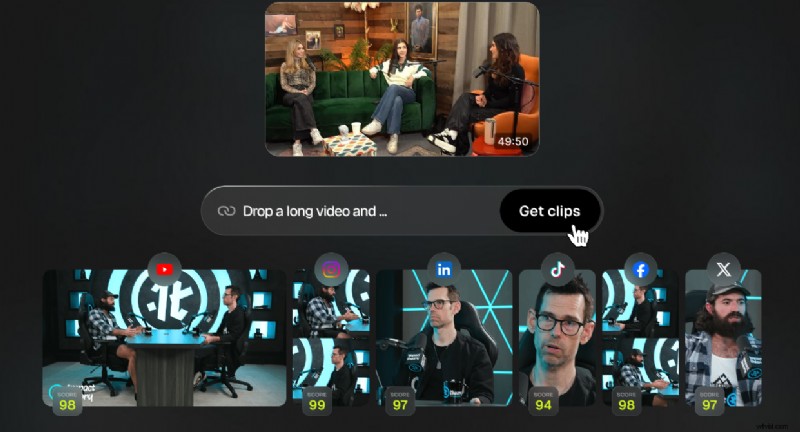
If you have webinars, podcasts, or YouTube videos you'd like to turn into short-form content, Opus Clip is the ideal tool for you. It utilizes AI to identify key moments, generate quote highlights, and automatically format them for platforms like LinkedIn. It's the ultimate time-saver for leaders and marketers looking to repurpose existing content into concise, impactful clips.
View detail
Biteable – Best for Quick and Branded Business Videos
Biteable is perfect for teams or individuals who need to create simple, professional videos quickly. The app comes with a wide variety of ready-made templates designed for business use, like announcements, updates, or company culture highlights. Plus, its collaboration features make it easy to work with your team and stay on-brand.
View detail
Part 2. Quick Comparison Chart
To make it easier to compare your options in a brief overview, here's a side-by-side look at the best tools for creating LinkedIn videos. We've included key details such as supported platforms, pricing, ideal use cases, and top features, so you can quickly find the one that best fits your needs.
| Tools | Supported Platform | Price | Best For | Key Features |
| Filmora | Windows, macOS | Free plan, One-time or Subscription | Users who want full creative control | Auto-subtitles, smart cut, brand kit, motion tracking, speed ramping |
| Opus Clip | Web | From $15/month | Repurposing long videos into short clips | AI clip detection, auto-captions, quote highlights, LinkedIn formatting |
| Biteable | Web | From $49/month | Teams creating fast, branded business videos | Business templates, collaboration tools, animations |
| Animoto | Web | From $96/year | Beginners and solo creators | Drag-and-drop interface, slideshow formats, social-friendly templates |
| Canva | Web, Windows, macOS | Free / Pro from $119.99/year | Creators focused on design and branding | Templates, animation, stock library, brand kit |
| inVideo | Web | From $28/month | Marketers using AI tools for quick video creation | Text-to-video, templates, voiceovers, stock media |
| Lumen5 | Web | From $19/month | Turning blogs and articles into videos | Blog-to-video conversion, AI script builder, visual storytelling templates |
|
Show more Show less |
Part 3. Top 7 Tools for LinkedIn Video Creation
1. Filmora
 Secure Download
Official Ratings and Brief Reviews
Pros & Cons
- AI-powered features save time
- It offers advanced effects like speed ramping and cinematic filters without complexity
- Built-in voice tools help you create narrated videos without separate apps
- Flexible export options, including LinkedIn formats and aspect ratios
- Watermark on videos in the free version
- Desktop-based only (no web editing)
Key Features
- Auto-subtitles and voiceovers for LinkedIn captions
- Brand kit for logo, color palette, and fonts (for consistent visual identity)
- Smart Cut, AI audio denoise, speech-to-text, motion tracking
Why We Recommend It
Filmora (Highly Recommended) Filmora strikes a great balance between simplicity and advanced tools. Its AI features—especially the auto-subtitling and aspect ratio adjustments—make it the top choice for users who want to create polished, high-definition LinkedIn video content without requiring pro-level editing skills. Start creating professional LinkedIn videos today with Filmora's free trial.
2. Opus.pro/Opus Clip
Pricing
Starting from $15/month
Official Ratings and Brief Reviews
Best For
Turning long-form videos into short, high-impact LinkedIn clips.
Pros & Cons
- Saves hours by auto-editing long videos into shareable clips
- Smart quote selection makes videos feel more personalized and insightful
- Exported clips come with captions and engagement-friendly hooks
- Limited customization for visual style
- Works best with spoken content
Key Features
- AI picks out attention-grabbing moments automatically
- Generates LinkedIn-ready formats with captions and highlight text
- Ideal for repurposing YouTube, Zoom, or webinar content
Why We Recommend It
Opus Clip is a game-changer for creators who have long videos and want to turn them into short, LinkedIn content quickly.
3. Biteable
Official Ratings and Brief Reviews
★4.4/5 – g2
Best For
Teams or professionals who need quick, brand-consistent videos.
Pros & Cons
- Makes professional video creation feel simple and hands-on, which is ideal for non-editors
- A great option for producing consistent internal or external content across your team
- The built-in animation options add energy to your videos without requiring any design skills
- Less flexibility for advanced edits
- Limited video styles and transitions
Key Features
- Pre-designed templates for business use (announcements, intros, team updates)
- Built-in branding tools and animated visuals
- Easy team collaboration features
Why We Recommend It
Biteable makes business video creation fast and stress-free. It's a smart choice for teams needing clean, on-brand LinkedIn videos without the learning curve.
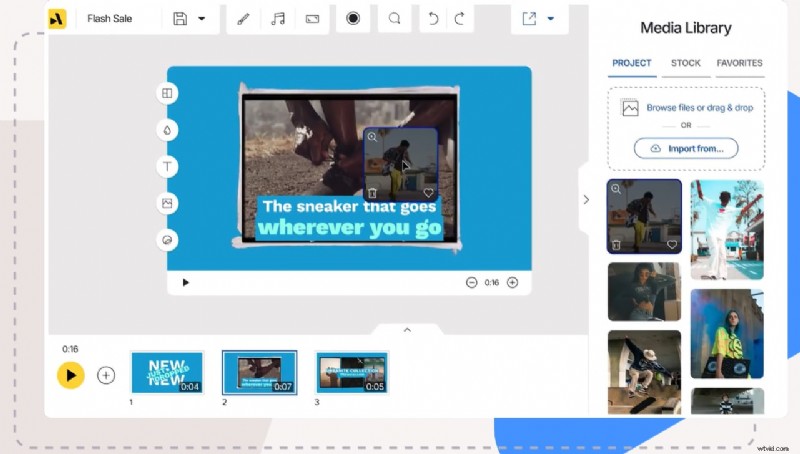
4. Animoto
Pricing
Starting from $96/year
Official Ratings and Brief Reviews
★4.3/5 – g2
Best For
Beginners or solo creators making simple slideshow-style videos.
Pros & Cons
- No editing experience needed to get started
- Ideal for turning static assets (photos, text) into short videos
- Clear timeline layout keeps video creation simple and quick
- Limited animation and transition styles make videos feel basic
- Less suitable for creators who want a dynamic video style
Key Features
- Drag-and-drop interface with easy customization
- Pre-made templates for testimonials, company updates, or product features
- Supports 1:1 and vertical video formats suitable for LinkedIn
Why We Recommend It
Animoto works well for making simple LinkedIn videos with ease, like team highlights or visual testimonials.
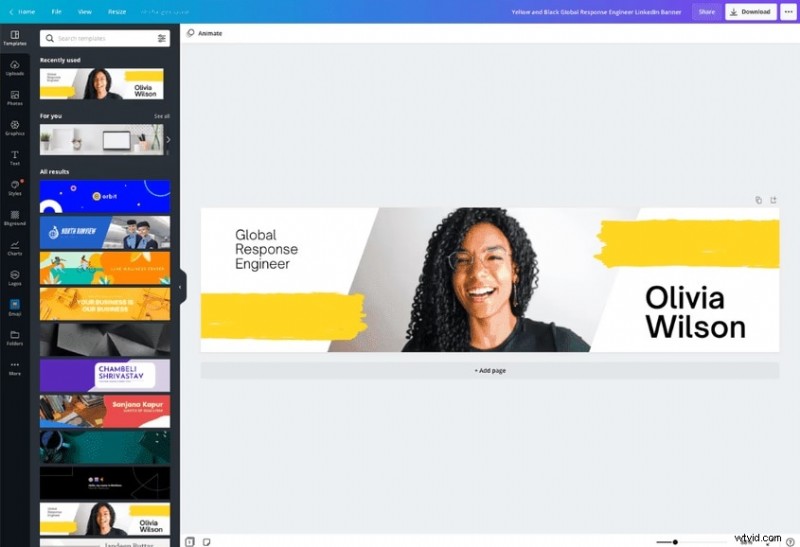
5. Canva
Pricing
Free plan available with limited customization; Pro starts at $119.99/year
Official Ratings and Brief Reviews
Best For
Creators who focus on design and strong brand visuals.
Platform
Web, Windows, macOS
Pros & Cons
- Ideal for visually strong videos with branded assets
- Built-in stock library (images, video, audio) simplifies content creation
- Easy to resize and repurpose videos for other platforms
- Timeline editing is limited (better for short, templated videos)
- Only basic audio editing and voiceover features are available
Key Features
- A huge library of animated templates and icons
- Video editor supports transitions, music, text, and branding
- Brand Kit maintains visual consistency across LinkedIn posts
Why We Recommend It
Canva is a great option if your LinkedIn content focuses on strong visuals and branding. It's useful for creating explainer videos, animated infographics, or videos that highlight your company's values.
6. InVideo
Pricing
Starting from $28/month
Official Ratings and Brief Reviews
Best For
Marketers and small teams using AI to speed up content creation.
Pros & Cons
- InVideo is ideal for marketers who want fast, scalable content creation
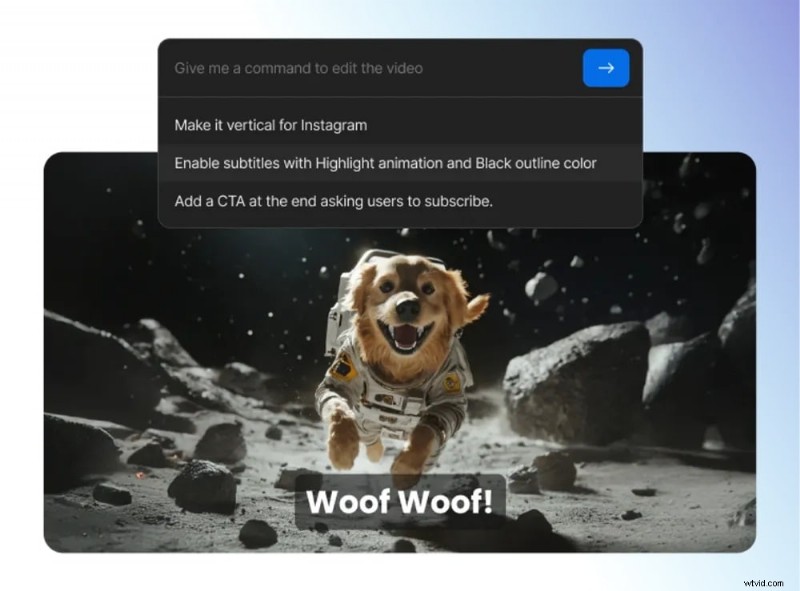
- AI tools save time and generate LinkedIn scripts and visuals
- A wide variety of templates fit different industries and use cases
- Text animations and transitions can feel outdated if not customized
- Can require manual tweaking to avoid a "template look"
Key Features
- Text-to-video generator from scripts or blog content
- 5,000+ templates for business, promos, intros, and explainers
- Stock video and voiceover tools built in
Why We Recommend It
InVideo is a great fit for busy teams that need to produce videos regularly. Its AI tools make it easy to turn text-based ideas into polished, professional LinkedIn videos.
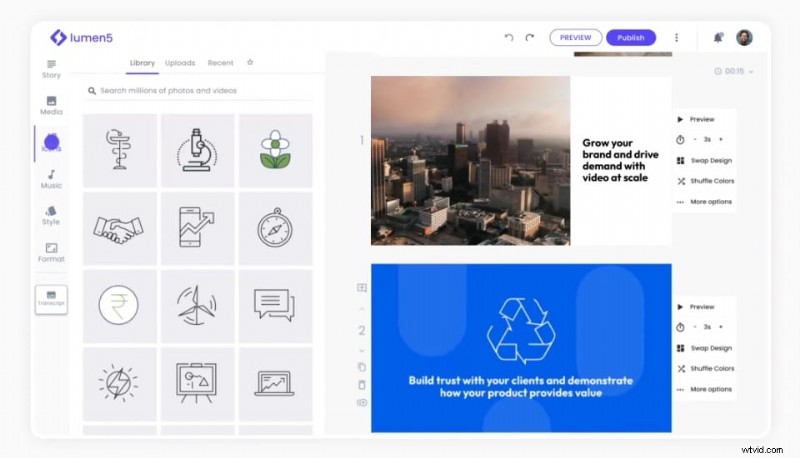
7. Lumen5
Official Ratings and Brief Reviews
★4.5/5 – g2
Best For
Turning blog posts or articles into short videos.
Pros & Cons
- Turn written content into videos with minimal effort
- Helpful for content marketing teams repurposing blog assets
- Clean, minimalist templates work well on LinkedIn feeds
- Videos can feel too stiff or repetitive unless manually customized
- Limited control over animation and timing
Key Features
- AI summarizes long text into video scenes automatically
- Drag-and-drop customization with visual storytelling tools
- Ideal for thought leadership and educational content on LinkedIn
Why We Recommend It
Lumen5 is a helpful tool for turning written content into LinkedIn videos. If your strategy involves repurposing blogs or whitepapers, it makes the process simple and efficient.
Part 4. How to Choose the Right LinkedIn Video Tool
Considering so many tools to choose from, finding the right one for creating a LinkedIn video depends on your specific goals, the type of content you're making, and how much time or control you want in the editing process. Here's how to decide based on your needs.
If you're a personal brand or solo creator
Consider tools like Filmora, Canva, or Animoto. These are easy to use, support basic branding features, and are great for creating polished content on your own.
If you want to repurpose long-form content
Check out Opus Clip or Lumen5. These tools are built to turn webinars, interviews, blogs, or YouTube videos into short clips ready to upload to LinkedIn with minimal effort.
If you're working with a team on collaboration
Choose Biteable or Canva. They offer shared workspaces and built-in templates that help teams stay consistent with their visual style and messaging.

If you need speed and automation
Try InVideo or Opus Clip. These platforms use AI to handle much of the editing work, so you can create and publish videos faster without starting from scratch.
Things to Consider Before You Choose:
- Do you need branding tools?: Think about whether you need to include your logo, brand colors, and fonts consistently across all your LinkedIn videos.
- Are you creating from scratch or repurposing?: Consider whether you'll be starting with new video ideas or working from existing materials like blog posts, webinars, or long-form videos.
- Is export quality (HD, watermark) important?: Check if the tool offers high-resolution video export and if there are any restrictions like watermarks or limited formats, in the free plan.
- Do you need AI-powered suggestions or manual control?: Decide if you want the tool to suggest edits and automate parts of the process, or if you'd rather have full control over how your video looks and flows.
Conclusion
You don't need fancy software or a big production team to create LinkedIn videos that make an impact. What matters most is being clear, consistent, and understanding the message you want to share. Each tool in this list offers something different. Some help you save time, while others give you more creative flexibility. The best choice depends on how you work and the type of content you want to create. On LinkedIn, it's not about going viral. It's about performing with purpose and authenticity.

Filmora
AI Video Editing App & Software
Best tool for making videos anywhere for all creators!
Simplify all your steps in video editing, from the pre-processing to finalizing, Filmora AI stays tuned.