
Fraps was once the go-to choice for gamers seeking a simple and reliable screen recording solution. However, with no major updates in years and limited features, many users now seek a Fraps alternative that works better with today’s systems.
The classic Fraps software is still useful for some. But it struggles with modern games, lacks editing tools, and doesn’t support macOS. That’s why creators and gamers are looking for programs like Fraps that offer smoother performance, higher resolutions, and extra features like streaming or built-in editors.
Here, we list the best Fraps alternatives for different needs. These apps offer smooth performance, broader compatibility, and built-in editing tools.
Our Top 3 Picks
Wondershare Filmora
Best for all-in-one recording and editing
More than just a screen recorder, Filmora captures smooth gameplay. It also includes a full editing suite with effects, music, and AI tools. You can record, edit, and export without switching software.
OBS Studio
Best free open-source alternative
View detail
OBS Studio is a favorite for streamers and advanced users. It offers unlimited customization, scene switching, and live streaming features for free.
Bandicam
Best for lightweight Windows recording
View detail
Bandicam is known for its simple setup and low system impact. It records high-quality gameplay, supports 4K, and keeps your FPS stable while capturing.
Fraps Alternatives Comparison Chart
| Tool | Platforms | Free Plan | Built-in Editor | Best For | Notable Features |
| Filmora | Windows, macOS | ✅ | ✅ | All‑in‑one recording and editing | AI tools, transitions, effects |
| OBS Studio | Windows, macOS, Linux | ✅ | ❌ | Streamers & advanced users | Scene switching, live streaming |
| Bandicam | Windows only | ✅ | ❌ | Lightweight Windows recording | Low impact, 4K support, FPS overlay |
| Camtasia | Windows, macOS | ❌ | ✅ | Tutorial & demo creators | Multi‑track editing, animations |
| Nvidia ShadowPlay | Windows (Nvidia GPU) | ✅ | ❌ | Nvidia GPU users | Instant replay, minimal system load |
| QuickTime | macOS only | ✅ | ❌ | Basic Mac screen recording | Built-in, simple interface |
| Loom screen recorder | Windows, macOS | ✅ | ✅ | Quick video sharing & tutorials | Instant sharing, trimming & annotation tools |
| Snagit | Windows, macOS | ❌ | ✅ | Screenshot & simple video capture | Scrolling capture, OCR, annotation, trimming |
| ScreenPal | Windows, macOS | ✅ | ✅ | Casual creators & educators | Cloud upload, OCR, video hosting & quizzing |
Finding the right Fraps alternative can be tricky, especially with so many options available. Some focus on simple screen capture, while others combine recording, editing, and even streaming.
This list breaks down the best Fraps alternatives so you can choose the right tool for your needs, from basic recording to full content creation.
1. Wondershare Filmora
 Secure Download
Filmora is a modern and versatile Fraps alternative built for creators who want more than just basic screen capture. It’s not only a recorder but also a comprehensive editing suite, making it easy to transition from raw gameplay to polished videos within a single workflow.
Pros & Cons
- Beginner-friendly interface
- Full editing suite included
- HD and 4K capture supported
- Limited advanced capture settings compared to OBS
- Export video includes watermark for free users
Highlights
- Screen & Gameplay Recording: Capture games, apps, or your entire desktop in high resolution.
- Built-in Video Editor: Trim, cut, and arrange clips without needing extra software.
- AI Tools: Includes AI noise removal, AI captions, and AI Smart Cutout to save time.
- Effects & Transitions: 1,000+ effects, filters, and motion elements for a professional finish.
- Fast Export Options: Optimized export settings for YouTube, Twitch, and other platforms.
Why We Recommend It
Filmora is more than a simple Fraps alternative. It combines smooth recording with editing tools that let you create finished content faster. Gamers and creators can record, edit, and publish without switching between multiple apps, making it one of the best choices for anyone looking for programs like Fraps with modern features.
Platforms
Windows, macOS
Free plan; also offers the premium version
Best For
All-in-one recording and editing

Filmora
AI Video Editing App & Software
Best tool for making videos anywhere for all creators!
An all-in-one screen recorder and AI-powered video editor built for creators of every level.
2. OBS Studio
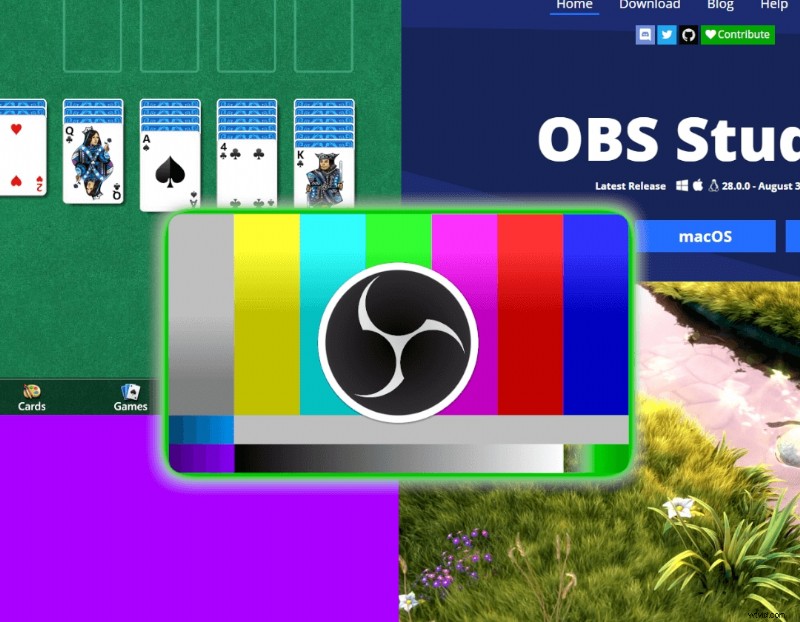
OBS Studio is the most popular free Fraps alternative for gamers and streamers who want full control over their recordings. It’s open-source, highly customizable, and widely used for live streaming, making it a go-to for creators who want more than basic capture tools.
Pros & Cons
- 100% free and open source
- Packed with professional features
- Works for both recording and streaming
- Steep learning curve for beginners
- Interface can feel overwhelming at first
Highlights
- Live Streaming Support: Stream directly to YouTube, Twitch, and Facebook.
- Scene Switching & Layouts: Create multiple recording scenes and switch between them smoothly.
- Plugin & Extension Support: Add overlays, alerts, and other custom tools.
- High-Quality Recording: Capture in HD or 4K with flexible bitrate settings.
- Multi-Source Capture: Record screen, webcam, and audio from different devices at once.
Why We Recommend It
OBS Studio isn’t just an app like Fraps; it’s a powerhouse for creators who want flexibility. It delivers the tools to record, customize, and broadcast content without spending a dime.
Platforms
Windows, macOS, Linux
Price
Free
Best For
Streamers and advanced users
3. Bandicam
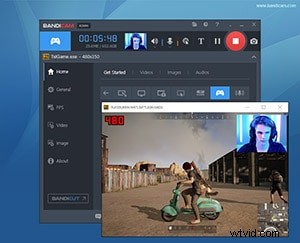
Bandicam is a lightweight Fraps alternative made for gamers who want smooth recording without slowing down their PC. It focuses on performance, offering clean gameplay capture in high resolution with minimal system impact.
Pros & Cons
- Minimal FPS drop during recording
- Simple, beginner-friendly interface
- High-quality output with small files
- No built-in video editor
- Free version adds a watermark
Highlights
- Game Recording Mode: Optimized for capturing gameplay with low lag.
- 4K Ultra HD Support: Records up to 4K resolution at high FPS.
- Real-Time Drawing Tools: Add annotations or highlights while recording.
- Webcam Overlay: Place your facecam on top of your gameplay footage.
- Compression Technology: Creates smaller file sizes without losing quality.
Why We Recommend It
Bandicam is perfect for Windows gamers who want a program like Fraps but with better performance. It’s fast, efficient, and keeps your recordings sharp without overloading your system.
Platforms
Windows
Price
Free version with limited features; full version $39.26 annually
Best For
Lightweight Windows recording
4. Camtasia
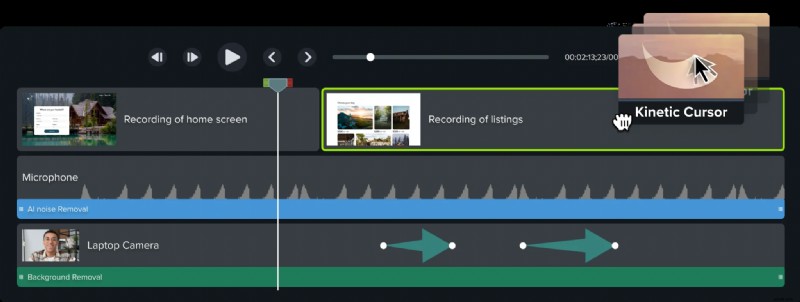
Camtasia is a premium Fraps alternative aimed at creators who need more than gameplay capture. It’s widely used by educators, trainers, and professionals for tutorials and presentations because it combines powerful screen recording with an advanced video editor.
Pros & Cons
- Complete recorder and editor in one tool
- Perfect for instructional videos and walkthroughs
- Supports 4K video editing
- Expensive for casual users
- More features than most gamers need
Highlights
- Multi-Track Timeline Editing: Layer video, audio, and graphics for polished results.
- Screen + Webcam Capture: Record your screen and facecam at the same time.
- Interactive Elements: Add quizzes, callouts, and annotations for engaging videos.
- Animations & Motion Graphics: Professional tools for creating tutorials or demos.
- Large Asset Library: Access stock media, icons, and templates.
Why We Recommend It
Camtasia is ideal for anyone who wants a Fraps-like software but also needs high-level editing. It’s not just for gamers; it’s a strong choice for teachers, YouTubers, and business users who need to create polished, interactive content.
Platforms
Windows, macOS
Price
Free trial; starts from $179.88 annually
Best For
Tutorial and demo creators
5. Nvidia ShadowPlay
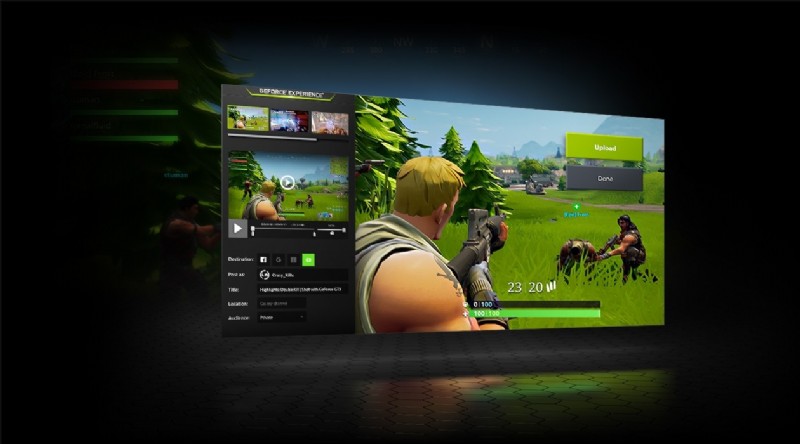
Nvidia ShadowPlay is a built-in Fraps alternative for anyone with an Nvidia graphics card. It’s part of Nvidia GeForce Experience and is designed for gamers who want to record gameplay with almost no impact on performance.
Pros & Cons
- Free and included with Nvidia GPUs
- Almost zero performance drop while recording
- Instant replay is great for capturing unexpected moments
- Works only with Nvidia graphics cards
- Limited editing features
Highlights
- Instant Replay: Automatically saves the last few minutes of gameplay when you hit a hotkey.
- Low-Impact Recording: Uses GPU acceleration to record without affecting FPS.
- 4K HDR Capture: Records in high resolution and quality for sharp footage.
- Live Streaming Support: Stream directly to YouTube, Facebook, or Twitch.
- Easy Sharing: Upload gameplay clips instantly to social media or cloud storage.
Why We Recommend It
Nvidia ShadowPlay is one of the best programs like Fraps for gamers who already have Nvidia hardware. It’s light, powerful, and makes it easy to record or stream gameplay without slowing down your system.
Platforms
Windows (Nvidia GPUs only)
Price
Free
Best For
Nvidia GPU users who want effortless recording
6. QuickTime Player
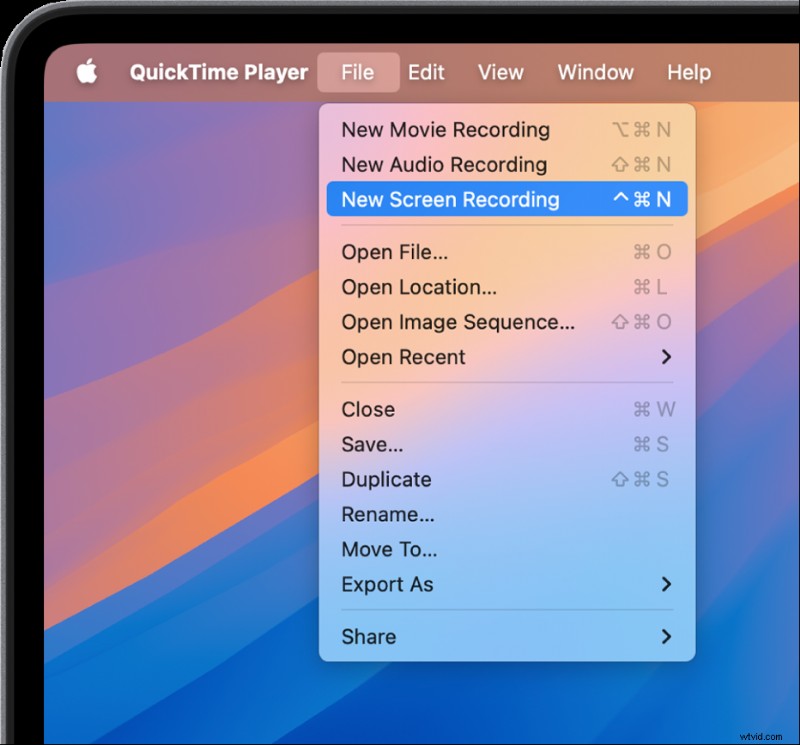
QuickTime Player is a simple, built-in Fraps alternative for Mac users. It comes pre-installed on macOS and provides an easy way to record your screen without any setup or extra downloads.
Pros & Cons
- Free and native to macOS
- Extremely easy to use
- Great for quick recordings
- Cannot record internal audio without workarounds
- Lacks advanced features like overlays or effects
Highlights
- Built-In Screen Recording: Capture the entire screen or select a portion.
- Audio Capture Options: Record with microphone input for narration.
- Zero Installation Needed: Works right out of the box on any Mac.
- Quick Export: Save recordings in MOV format for easy sharing.
- Simple Playback and Editing: Basic trimming features built in.
Why We Recommend It
QuickTime Player is a straightforward choice for Mac users looking for a Fraps alternative. It’s not packed with advanced tools, but it’s perfect for quick, no-fuss screen recording on macOS.
Platforms
macOS
Price
Free
Best For
Basic Mac screen recording
7. Loom Screen Recorder
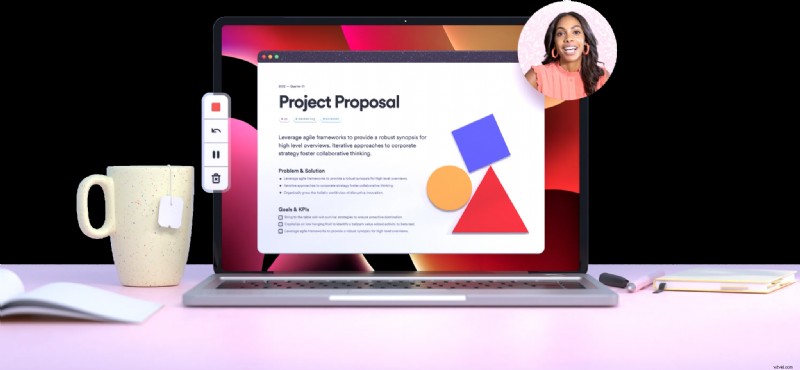
Loom is a cloud-based Fraps alternative designed for quick screen recording and instant sharing. It’s popular among teams, educators, and creators who need to record tutorials, demos, or short messages without complex setup.
Pros & Cons
- Super easy to record and share
- Great for collaboration and team communication
- Works without heavy installation or setup
- Free version has time limits
- Ideal for lightweight game, not designed for heavy gaming capture
Highlights
- Screen + Webcam Recording: Capture your screen and facecam at the same time.
- Instant Cloud Sharing: Automatically uploads recordings for easy link sharing.
- Basic Editing Tools: Trim clips, stitch multiple takes, and add simple annotations.
- Viewer Insights: See who watched your video and how much they viewed.
- Cross-Platform Access: Works on desktop apps, browsers, and mobile.
Why We Recommend It
Loom is an excellent choice for users who want an app like Fraps for quick recordings, tutorials, and sharing links instantly. It’s not a gaming powerhouse like OBS or Bandicam, but for communication and lightweight content creation, it’s one of the most convenient tools available.
Platforms
Windows, macOS, browser extension
Price
Free version (5-minute limit); paid plans start at $15/month
Best For
Quick sharing and collaboration
8. Snagit
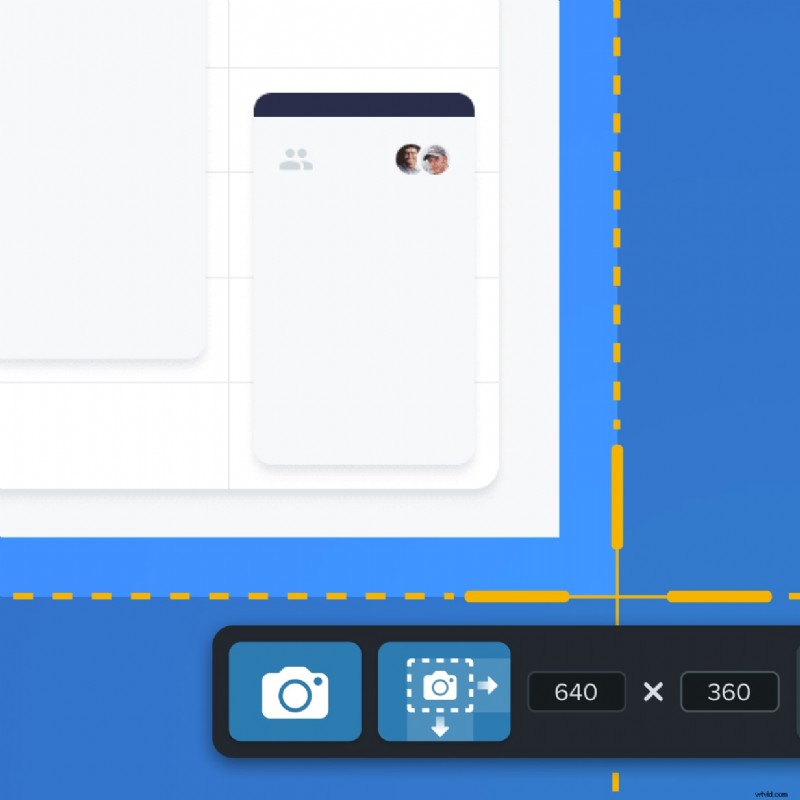
Snagit is a powerful screen capture tool that doubles as a Fraps alternative for users who need both screenshots and lightweight video recording. It’s widely used by professionals, educators, and businesses for tutorials, walkthroughs, and presentations.
Pros & Cons
- Excellent for documentation and tutorials
- Combines image and video capture in one tool
- Lots of annotation and markup options
- Pricier than basic recorders
- Not meant for heavy gaming capture
Highlights
- Screen & Video Capture: Record your screen or grab still images in high resolution.
- Scrolling Capture: Take full-page screenshots of websites and documents.
- Built-in Editor: Add annotations, callouts, and text to both images and videos.
- GIF Creation: Turn short recordings into shareable GIFs.
- Easy Export: Share directly to apps like PowerPoint, Word, or email.
Why We Recommend It
Snagit is ideal for anyone looking for a program like Fraps, but focused on guides and visual documentation. It’s not a gaming tool like Bandicam or ShadowPlay, but for professional content and clear instructions, it’s one of the best options.
Platforms
Windows, macOS
Price
Free trial; starts from $43.29 annually
Best For
Detailed screen capture and quick edits
9. ScreenPal
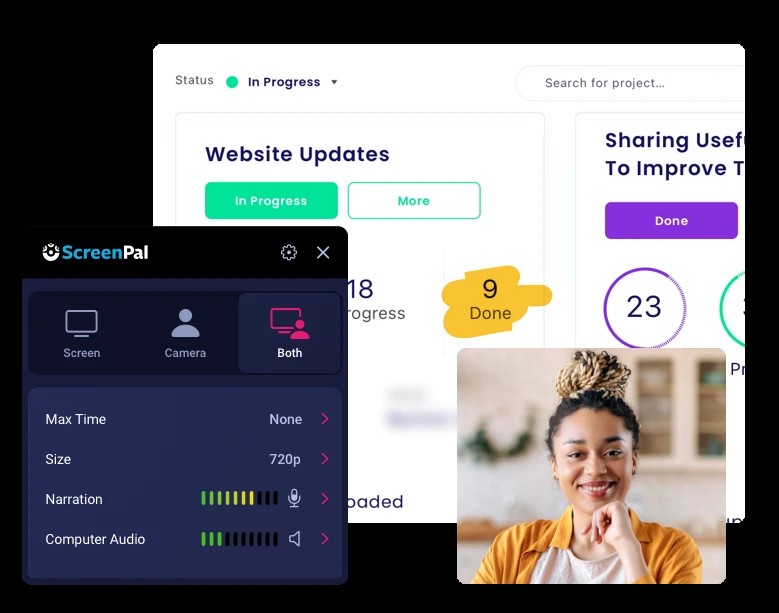
ScreenPal, formerly Screencast-O-Matic, is an easy-to-use Fraps alternative for anyone who wants to record, edit, and share videos quickly. It’s popular with educators, trainers, and casual creators thanks to its simple interface and cloud sharing options.
Pros & Cons
- Beginner-friendly and affordable
- Great for tutorials, lessons, and presentations
- Quick sharing via links or social platforms
- Free plan has limits and watermark
- Not ideal for heavy-duty gaming capture
Highlights
- Screen + Webcam Recording: Capture both screen activity and facecam at the same time.
- Basic Editing Suite: Trim, cut, add captions, and include background music easily.
- Cloud Hosting & Sharing: Upload recordings directly to the cloud and share links instantly.
- Drawing & Annotation Tools: Highlight key areas during your recording.
- Cross-Platform Support: Works on desktop, mobile, and browser for flexible use.
Why We Recommend It
ScreenPal is a great option for anyone seeking an app like Fraps for tutorials or casual videos. It’s easy to use, budget-friendly, and perfect for recording and sharing simple content fast.
Platforms
Windows, macOS
Price
Free version (with watermark and 15-minute limit); paid plans start at $4/month
Best For
Casual creators and educators
🎮 Vote Now: Which Fraps Alternative Deserves the Top Spot?
We’ve reviewed the 9 best Fraps alternatives—from simple recorders to full editing suites. Now it’s your turn to decide: Which one wins your vote?
Wondershare Filmora CURRENT LEADER
OBS Studio
Bandicam
Camtasia
Nvidia ShadowPlay
QuickTime Player
Loom
Snagit
ScreenPal
👏Thanks for voting! Your input helps the community find the best Fraps alternative.🔥
Check out the current rankings below:
How to Choose the Best Fraps Alternative for You
Choosing the right Fraps alternative depends on how you plan to use it and what features matter most. Here’s a clear breakdown:
- For creators who want recording and editing in one app
Pick Filmora. It lets you record gameplay, trim footage, add effects, captions, and music without switching software. Perfect for YouTubers and casual creators who want polished videos fast.
- For streamers and advanced users
Go with OBS Studio. It’s free, open-source, and built for streaming. You get scene switching, plugin support, and live broadcast options that no other free tool matches.
- For Windows gamers focused on performance
Choose Bandicam for lightweight recording or Nvidia ShadowPlay if you already have an Nvidia GPU. Both keep FPS steady and record in high resolution with almost no lag.
- For Mac users
Use QuickTime Player for simple, built-in recording. Need more editing features? Upgrade to Filmora for Mac for better control and creative tools.
- For tutorials, lessons, or demos
Consider Camtasia, Snagit, or ScreenPal. These tools shine for walkthroughs, annotations, and step-by-step guides.
- For quick sharing and collaboration
Loom is ideal. Record your screen, webcam, or both, and instantly share a link. It's great for teams, educators, and remote work.
Secure Download
Each tool covers a different need. Think about your system, how much editing you want to do, and whether you’re gaming, teaching, or streaming. The right choice will save you time and give you the smoothest recording experience.
Conclusion
Fraps had its time, but modern creators need more powerful and flexible tools. Some users need powerful editing, while others want simple, lightweight capture or instant sharing.
Tools like Filmora offer all-in-one recording and editing, while others like OBS Studio and Bandicam focus on performance and control. For quick sharing, tutorials, or Mac use, options like Loom, Snagit, and QuickTime deliver simplicity and results. Choose the one that matches your needs, and you’ll record better, faster, and with less hassle.