
Choosing the right video editing software can shape the success of your creative projects. This 2025 guide offers a detailed, side‑by‑side comparison of Filmora and DaVinci Resolve, covering AI tools, color grading, audio editing, performance, interface design, and workflow. Whether you’re a beginner seeking simplicity or a professional demanding advanced features, this analysis will help you determine which editor aligns best with your goals.
Part 1: What is Filmora?
Filmora delivers a streamlined, drag‑and‑drop editing experience that lets newcomers start immediately. Its interface is designed for rapid learning, and the software ships with a vast library of templates, transitions, and effects. AI‑powered tools such as Smart Cutout, Auto Reframe, and AI Audio Denoise automate repetitive tasks, saving you time and enhancing quality.

Pros
- Intuitive, beginner‑friendly interface
- Pre‑built templates and effects accelerate production
- AI features for background removal and audio cleanup
- Royalty‑free music and stock assets embedded
- Cross‑platform support: Windows, macOS, iOS, Android
Cons
- Limited fine‑tuning for advanced editors
- Some premium features require a subscription
Part 2: What is DaVinci Resolve?
DaVinci Resolve is an industry‑grade, all‑in‑one suite that integrates editing, color grading, VFX, and audio mixing. Renowned for its advanced color tools, the software is a staple in Hollywood productions. Powerful AI capabilities accelerate complex workflows, while real‑time 8K editing and robust collaboration tools make it a professional‑class solution.
Pros
- Professional‑level color grading trusted by filmmakers
- Comprehensive editing, VFX, and audio workflows in one application
- AI features for mask creation, dialogue matching, and more
- Real‑time 8K editing and grading capabilities
- Multi‑user collaboration for studio environments
Cons
- Steeper learning curve for newcomers
- Requires powerful hardware for optimal performance
Part 3: Specs & Comparison Table
The table below highlights key specifications and feature sets to help you match a tool to your editing style.
| Feature | Filmora 2025 | DaVinci Resolve 19 |
| Performance | Smooth on most modern PCs/Macs, fast HD & 4K export, mobile editing available | Needs strong hardware for best 4K/8K. Real‑time 8K possible |
| Ease of Use | Beginner‑friendly, drag & drop, quick start | Steeper learning curve, pro‑level UI, many advanced controls |
| Features | AI Smart Cutout, Auto Reframe, AI Audio Denoise, motion tracking, green screen, templates, assets | Advanced color grading, Fusion VFX, Fairlight audio, AI Magic Mask, Dialogue Matcher, multi‑user |
| Templates & Effects | Hundreds of built‑in templates, transitions, effects | Fewer templates, deep pro customizations & FX |
| Color Grading | Basic tools for quick tweaks | Top‑tier color grading trusted by filmmakers |
| Audio Editing | AI Voice Enhance, cleanup, simple mixing | Fairlight suite, AI tools, surround, advanced mixing |
| Export Options | HD, 4K, social media presets, fast output | 4K free, 8K Studio, many pro formats |
| Compatibility | Windows, macOS, iOS, Android | Windows, macOS, Linux |
| Pricing | Free version (watermark), budget‑friendly subscription or one‑time purchase | Free version (full core), Studio upgrade (one‑time) |
| Best For | Beginners, educators, lifestyle creators, quick edits | Pros, filmmakers, high‑end projects |
| Pros | Simple, fast, rich templates, AI tools, mobile‑friendly | Industry‑grade color, all‑in‑one suite, pro AI, team collaboration, free 4K |
Part 4: Key Differences

AI Features
Filmora’s AI tools—Smart Cutout, Auto Reframe, Audio Denoise, Voice Enhancement—offer instant, user‑friendly automation for everyday projects. DaVinci Resolve extends AI into sophisticated areas such as Magic Mask, Dialogue Matcher, Multicam SmartSwitch, and Set Extender, catering to complex editing demands.
Winner for Advanced AI: DaVinci Resolve
For deep‑cutting, precision, and multi‑camera workflows, Resolve’s AI edge is clear. If you need quick, easy AI boosts, Filmora remains a solid choice.
Effects & Templates
Filmora boasts a vast array of ready‑made templates, transitions, and effects that can be dropped straight into the timeline, ideal for rapid content creation. Resolve offers fewer ready‑made assets but provides deep, customizable VFX and motion‑graphics tools for bespoke projects.
Winner: Filmora
Filmora leads in ready‑to‑use creativity, perfect for social media and quick projects.
Color Grading
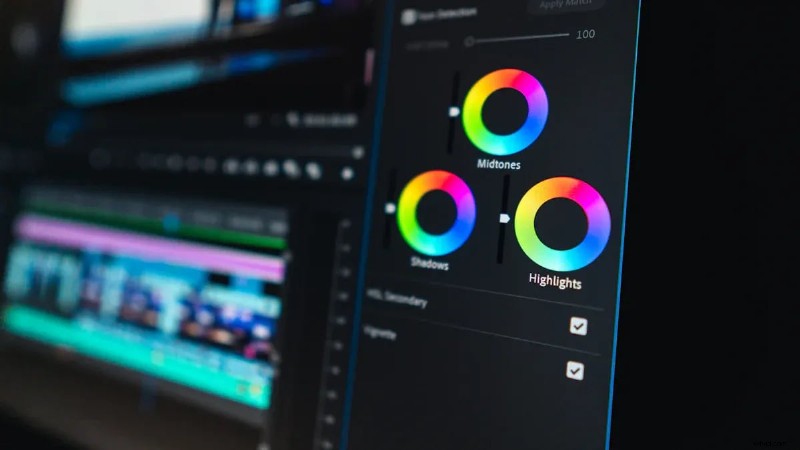
Filmora supplies basic color controls, 3D LUTs, and artistic filters suitable for casual editing. Resolve offers industry‑standard color wheels, curves, masking, and secondary correction, enabling professional‑grade color work used by filmmakers worldwide.
Winner: DaVinci Resolve
Choose Resolve for unmatched color precision; Filmora for efficient, everyday adjustments.
Audio Editing
Filmora’s AI Voice Enhancement, cleanup, and simple mixing tools are perfect for straightforward audio polish. Resolve’s Fairlight suite supports multi‑track, surround sound, and advanced mixing, ideal for complex sound design.
Winner for Advanced Audio: DaVinci Resolve
Filmora is excellent for quick fixes; Resolve excels in detailed audio workflows.
Interface Design
Filmora’s clean, icon‑driven layout offers an immediate, guided experience. Resolve’s professional workspace contains multiple panels for editing, color, audio, and VFX, offering deep customization but requiring time to master.
Winner: Filmora
Beginners benefit from Filmora’s simplicity; professionals appreciate Resolve’s powerful, customizable interface.
Workflow
Filmora’s drag‑and‑drop process and automated syncing enable fast project turnaround. Resolve’s modular pages—Edit, Color, Fairlight, Fusion—allow complex, multi‑stage production pipelines.
Winner: Filmora
Filmora is ideal for rapid editing; Resolve suits users who need full creative control and advanced workflows.
Part 5: Performance
Speed & Stability
Filmora performs well on mainstream hardware, offering responsive editing for simple projects. On older machines or heavy‑effects timelines, performance can degrade. Resolve requires high‑end CPUs, ample RAM, and a dedicated GPU to maintain smooth 4K/8K playback and real‑time grading.
| Software | Speed & Stability on Different Hardware (2025) | Additional Notes |
| Filmora | Efficient on most modern PCs/Macs; may slow with complex effects on lower‑end hardware. | Great for users with standard laptops or desktops; watch for performance limits on demanding tasks. |
| DaVinci Resolve | Optimized for powerful systems; delivers peak performance with 4K/8K footage. | Professional‑grade features necessitate robust hardware; steep learning curve but highly stable on suitable rigs. |
Tip: Use Filmora for fast results on modest machines; reserve Resolve for high‑end, stability‑critical projects.
System Requirements
Filmora runs on Windows or macOS without demanding specs, making it accessible for students, hobbyists, and mobile creators. DaVinci Resolve mandates a modern CPU, 16GB+ RAM, and a dedicated graphics card; 4K or 8K workflows benefit from even more resources.
- Filmora: Broad compatibility across older systems.
- DaVinci Resolve: Requires advanced hardware for smooth operation.
- Mobile: Filmora offers iOS/Android apps; Resolve focuses on desktop power.
Always align your software choice with your hardware capabilities to avoid frustration.
Part 6: User Scenarios
Use Case Suitability Table
Filmora excels at quick, polished edits, while Resolve shines in detailed, high‑end productions.
| Use Case | Filmora 2025 Strengths | DaVinci Resolve 19 Strengths | Best For |
| YouTube Creation | Fast edits, ready templates, AI audio clean, subtitles | Pro color, advanced audio, multicam edits | Both (Filmora: speed, Resolve: polish) |
| Educational Projects | Screen/webcam record, easy subs, quick polish | Detailed edits, pro audio, color grading | Filmora |
| Filmmaking / Cinematic | Quick assembly, basic color tools | Hollywood‑grade color, VFX, surround audio | DaVinci Resolve |
| Social Media Shorts | Auto Reframe, mobile edits, presets | Custom export, pro effects | Filmora |
| Pro Studio Work | Fast draft, simple cut | Multi‑user, 8K edits, pro workflow | DaVinci Resolve |
Both programs offer free versions—experiment to see which matches your workflow and system specs.
Filmora Examples
Filmora empowers creators to finish projects quickly with built‑in assets and AI automation. Common use cases include:
- YouTube Vlogs: Drag‑and‑drop clips, apply transitions, and use templates for under an hour.
- School Projects: Create video essays or presentations with royalty‑free music and stock footage.
- Social Media Clips: Auto Reframe for Instagram or TikTok and export presets for instant sharing.
- Family Videos: Edit birthday parties or travel memories with simple effects and titles.
Tip: For fast, hassle‑free edits, Filmora’s guided workflow is a decisive advantage.
DaVinci Resolve Examples
Resolve is the choice for creators who demand precision and depth. Typical scenarios include:
- Short Films: Advanced color grading and VFX create cinematic looks.
- Music Videos: Multi‑camera sync and Fusion for creative effects, with Fairlight for professional sound.
- Commercials: Team collaboration, 8K editing, and broadcast‑quality exports.
- Documentaries: Large footage libraries, detailed color correction, and clear audio.
For industry‑level output, Resolve remains the superior platform.
Conclusion
Filmora offers speed and simplicity for beginners and hobbyists, while DaVinci Resolve delivers advanced, professional‑grade tools for seasoned creators. Consider your editing objectives, budget, and hardware before choosing. Both have free versions—test them, compare your experience, and upgrade when your needs evolve.

Filmora – AI Video Editing App & Software
Best tool for making videos anywhere for all creators!
Simplify all your steps in video editing, from the pre‑processing to finalizing, Filmora AI stays tuned.