
If you’ve ever recorded a vlog, created a reel, or put together a last‑minute school video, you’ve likely heard the recommendation: “just use the VLLO app.” For years it has quietly amassed a loyal user base, and in 2026 it still stands out for one key advantage – it remains watermark‑free, even in the free tier.
But as AI‑powered editing tools proliferate, the question remains: can VLLO still deliver professional‑level content? This review explores its current capabilities, what’s new, and whether it’s the right choice for your workflow.
We’ll walk through the editing experience, evaluate feature depth, and compare it to a leading alternative – Filmora – to help you decide.
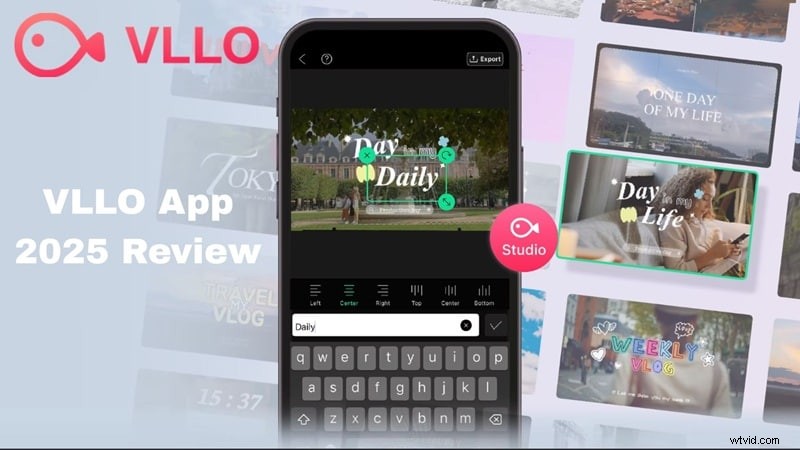
Part 1. What Is VLLO and Why Is Everyone Talking About It?
VLLO, short for “Video Live Love,” quickly became popular among vloggers and casual creators because of its lightweight interface, polished results, and the absence of watermarks in the free version.
Originating in South Korea as a mobile editor designed for on‑the‑go users, VLLO has evolved into a more complete package while retaining the simplicity that earned it a devoted following.
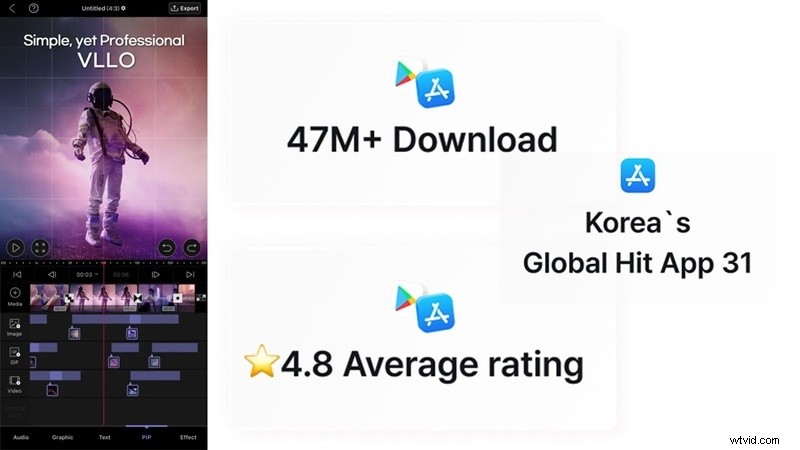
What Makes VLLO Special (Key Highlights)
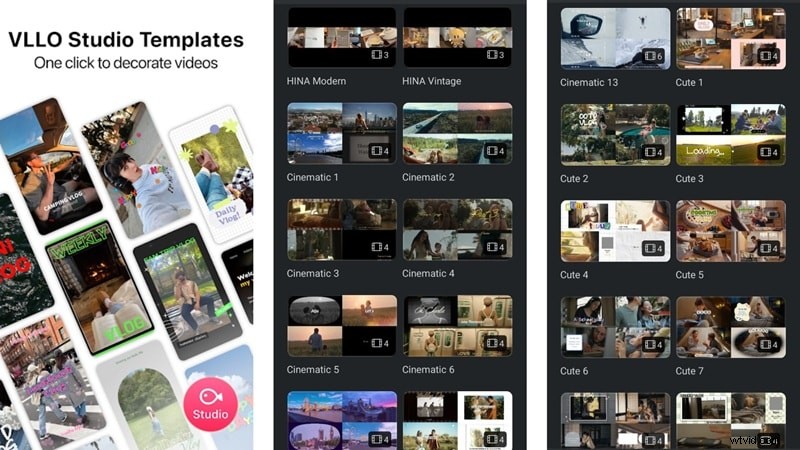
Ready‑to‑Go Templates for Short‑Form Content
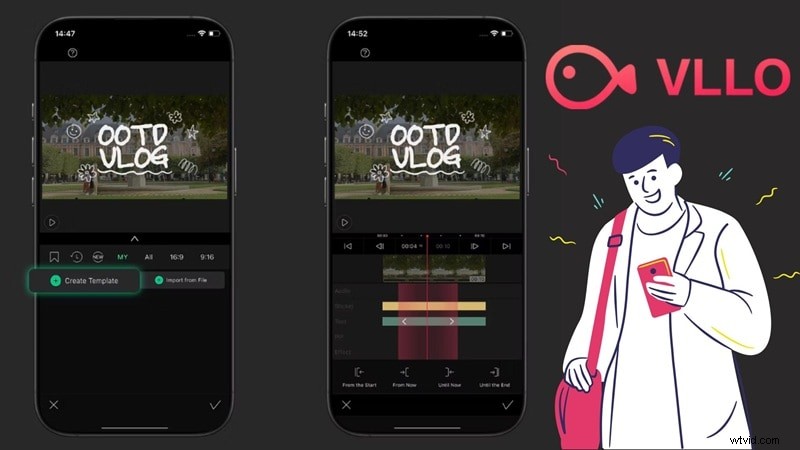
VLLO offers a library of clean, stylish templates for YouTube intros, Instagram Reels, TikTok Shorts, and more. Users can tweak layouts, adjust timing, and personalize text to match their brand.
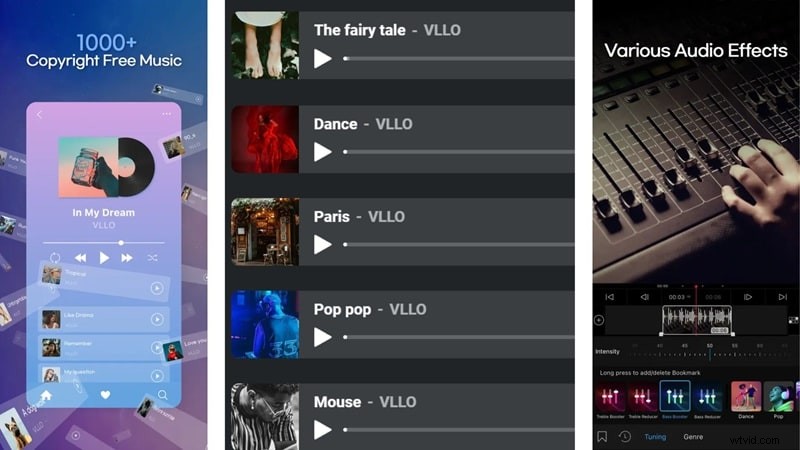
Huge Royalty‑Free Audio Library
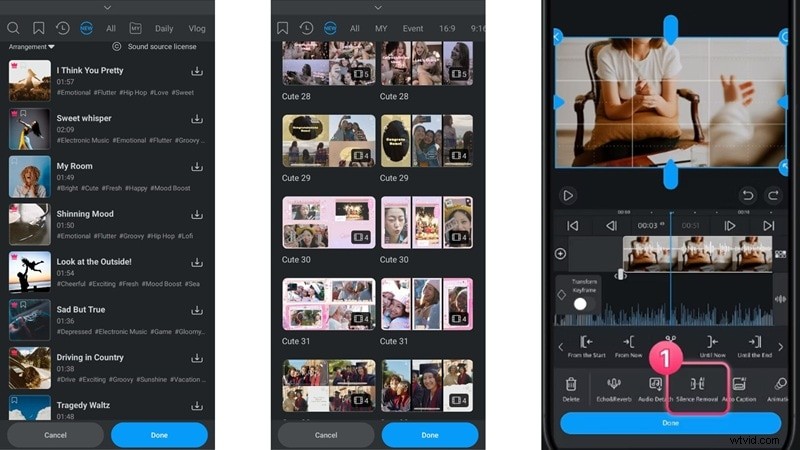
With over 1,800 music tracks and 3,500 sound effects, the app lets creators embed audio directly, eliminating the need to search third‑party sources.
Smart AI Tools That Help You Edit Faster
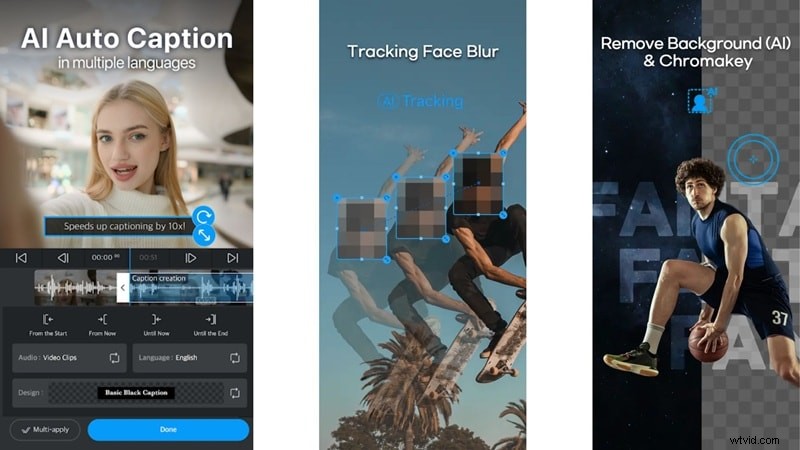
Built‑in AI features such as auto captions, smart tracking, and background removal save time and produce a polished look without extensive manual work.
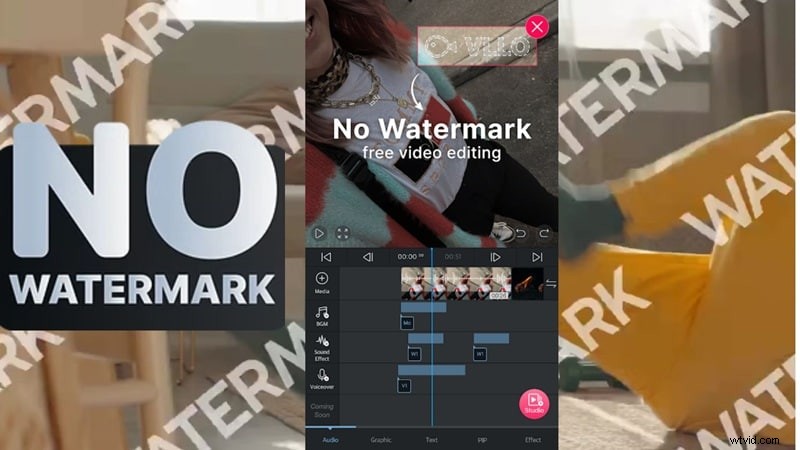
No Watermarks Even on the Free Version
Unlike many free editors, VLLO allows watermark‑free exports at no cost, making it ideal for creators, small businesses, and anyone seeking a clean finish.
What’s New in 2025
VLLO expanded its audio library with trending beats tailored for TikTok, Reels, and Shorts, and introduced modern templates across all video styles. A standout update is the silence remover, which automatically trims awkward pauses to keep videos flowing smoothly.
Is VLLO Free?
The base app is free, providing essential editing tools and watermark‑free exports. Premium features—such as keyframe animation, an expanded media library, advanced AI tools, and premium filters—require a subscription.
Pricing options are as follows:
| Plan Name | Price | What You Get |
| Weekly VLLO Premium | $2.49 | All features unlocked for one week |
| Monthly VLLO Premium | $6.49 | Best for short‑term projects |
| Annually VLLO Premium | $19.99 | Full access at the best yearly rate |
| VLLO Premium (One‑Time) | $59.99 | Pay once and use it forever |
| Unlock All Features | $13.99 | One‑time unlock for key pro features |
Part 2. A Deeper Dive into VLLO's Features
Beyond the surface, VLLO offers a range of tools that cater to both novices and seasoned editors. Below is a closer look at what the app actually delivers.
What You Can Actually Do With VLLO (Features Breakdown)
Easy Editing Tools
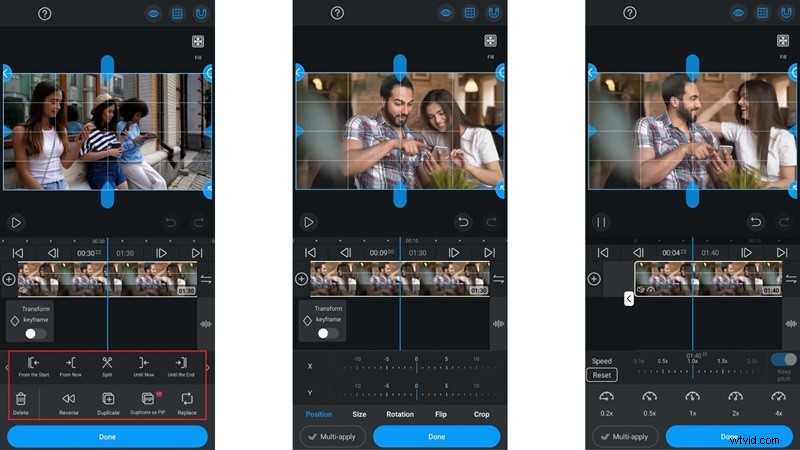
Tap a clip on the timeline and the core editing options appear: split, reverse, duplicate, and reorder. Under the Transform tab you can crop, flip, rotate, and resize. Speed controls range from 0.1× to 4.0×—adequate for most projects, though some users may find the range limited.
Media Library
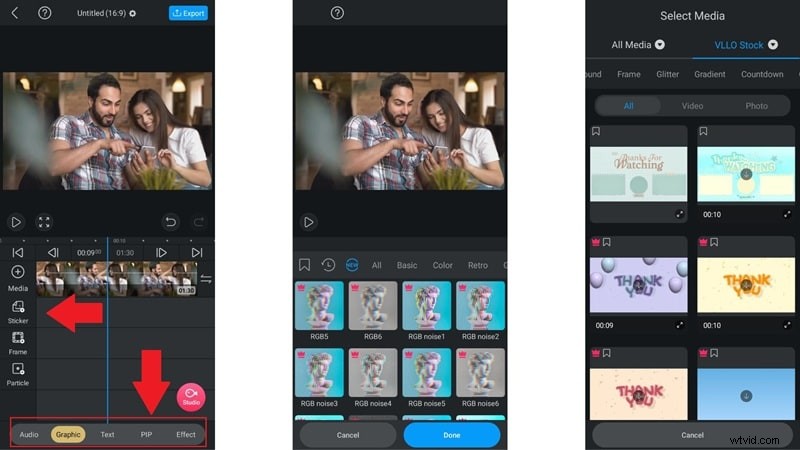
The library is straightforward, offering stickers under Graphics, text templates under Text, and filters/effects under Effects. However, the selection is modest, and many premium assets remain locked behind the subscription.
Audio Tools
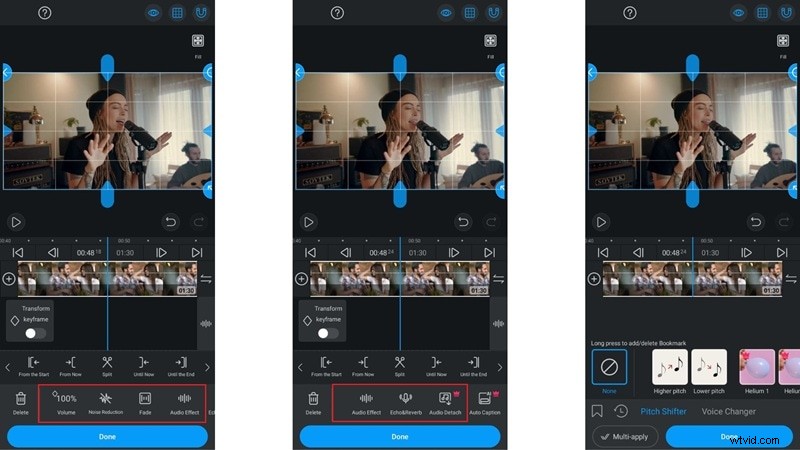
Editing audio is intuitive: adjust volume up to 500%, add fade‑in/out, and reduce background noise. Creative effects like echo, reverb, pitch shift, and a voice changer are also available, but detaching audio for granular edits requires the premium tier.
Animations
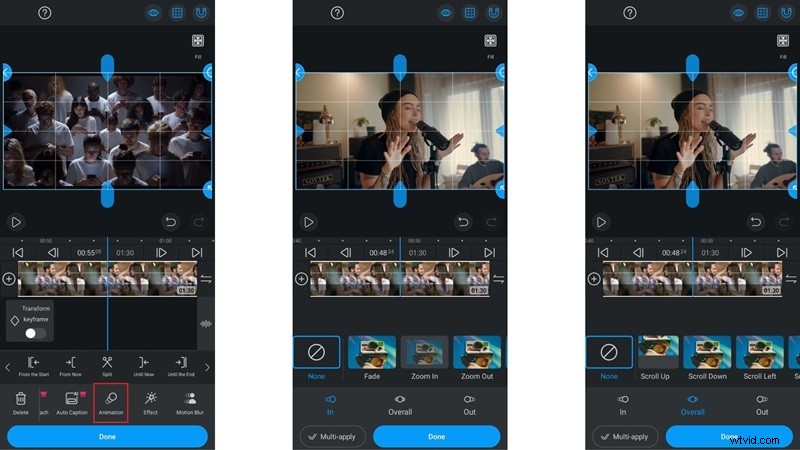
The animation menu sits between AI Caption and Effects. It includes basic entry, exit, and motion presets, though many of the more elaborate animations are premium‑only.
System Requirements
VLLO is mobile‑only: Android 8.0+ or iOS 16.0+. The app size is roughly 253 MB on Android and 322 MB on iPhone. A minimum of 4 GB RAM is recommended for smooth performance, especially with longer or higher‑resolution footage.
Part 3. Editing with VLLO: From Blank Screen to Final Cut
To truly gauge VLLO, we tested the entire workflow—from launching a new project to exporting the final video.
What It Feels Like to Use VLLO
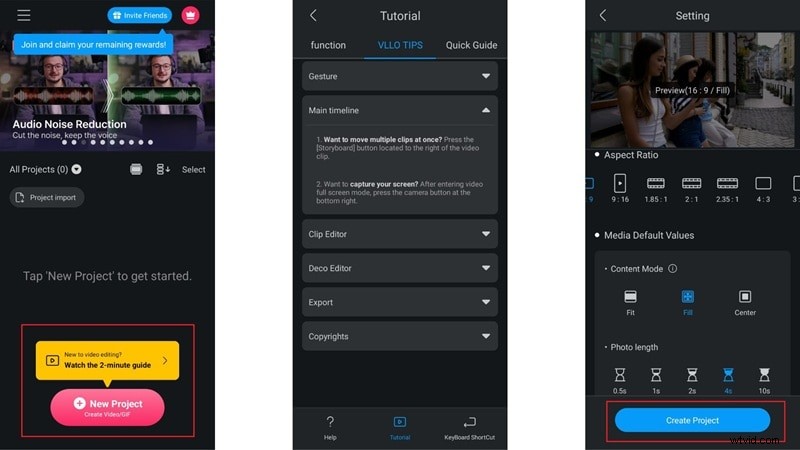
The interface is clean and intuitive, with a quick tutorial and help guide for beginners. After uploading clips, users can choose from multiple aspect ratios, content modes, and photo durations before entering the main editing canvas.
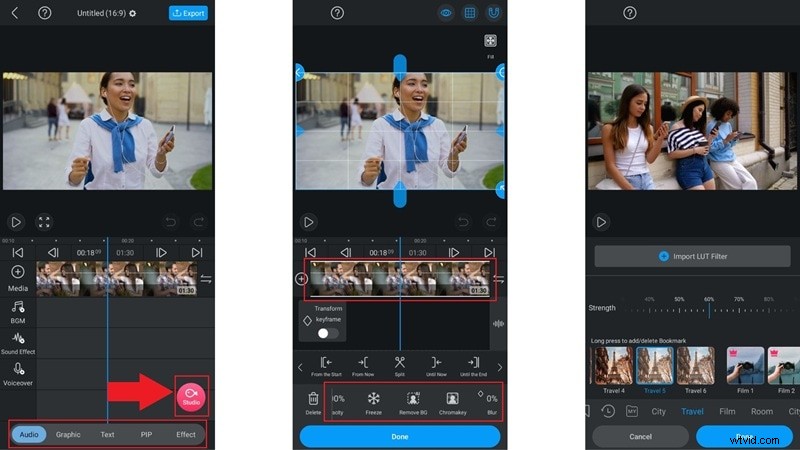
The layout places all tools on the left side, making navigation straightforward. Templates are accessed via the VLLO Studio icon, while AI background removal, blur, and chroma key are available by tapping a clip and swiping through the menu. Stickers, music, and effects reside in the media menu; premium items are marked accordingly.
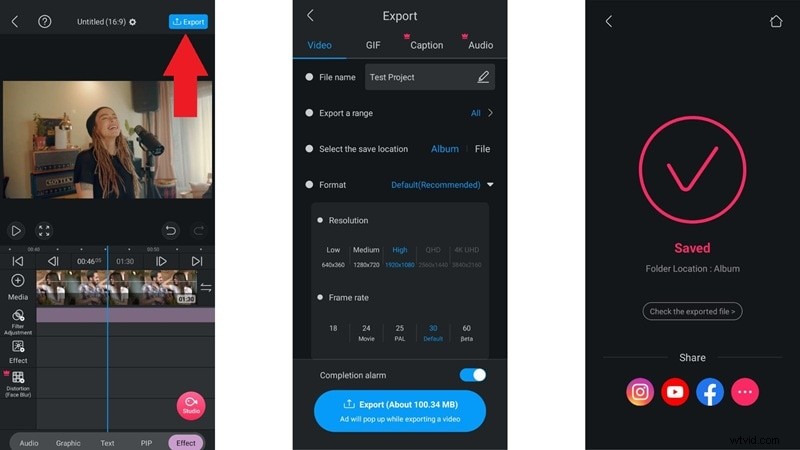
Exporting is simple: tap the Export button in the top right. Users can choose video or GIF, set resolution, frame rate, file name, and destination. Free users can export in 1080p without a watermark after watching two short ads.
Performance in Real Use
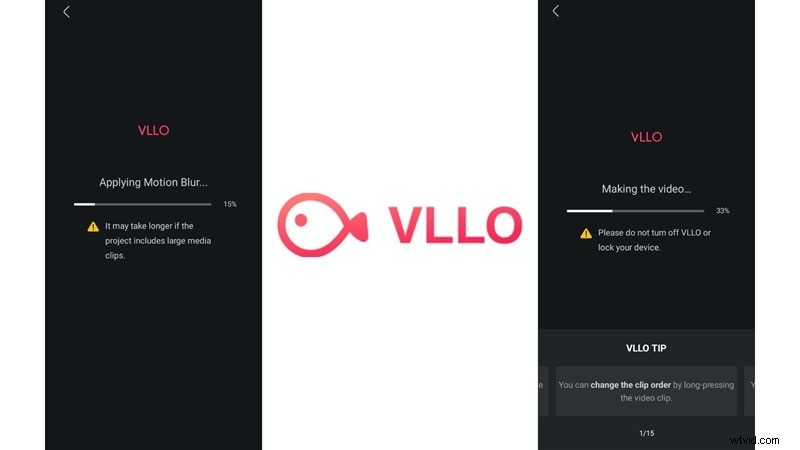
The timeline runs smoothly, and basic edits like trimming or moving clips are responsive. Adding effects or working on longer videos introduces slight lag, and export times can be lengthy, even after ads. Auto‑save is enabled after each change, safeguarding progress.
Part 4. What's Great and What's Missing in VLLO
Overall, VLLO excels in accessibility and core editing, but it falls short in advanced features and performance for larger projects.
Pros
- Clean Timeline That's Easy to Pick Up: The layout feels beginner‑friendly, making navigation intuitive.
- No Watermark on Free Export: Even without payment, videos remain watermark‑free.
- Lightweight and Runs Smooth: It doesn’t drain device resources, working well on mid‑range phones.
- Solid Audio Tools for Basic Edits: Volume control, fades, and voice changers are sufficient for most needs.
Cons
- Lacks High‑End AI Features: Compared to newer editors, VLLO’s AI suite is limited to captions and background removal.
- No Desktop or Cloud Support: It’s mobile‑only, with no cross‑device or collaboration options.
- Small Media Library Without Premium: Many stickers, effects, and music tracks require a subscription.
- Can Get Slow with Bigger Edits: Longer or complex projects experience noticeable lag, especially during export.
Part 5. Who Should Be Using VLLO Right Now
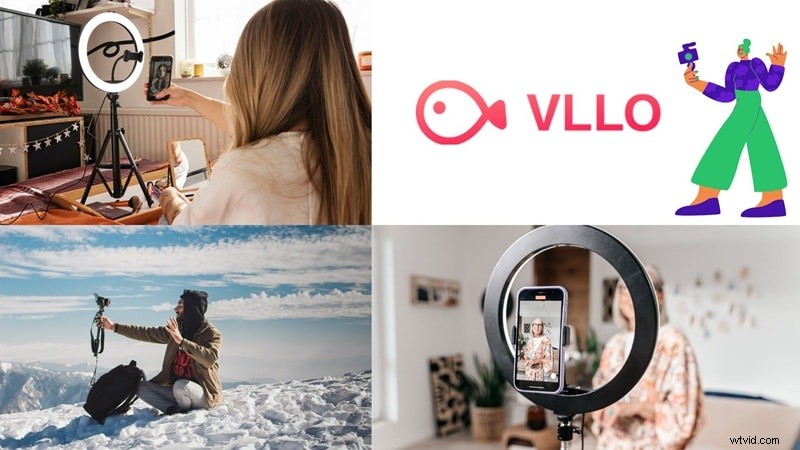
VLLO shines for users who value quick, clean edits on mobile. Below are the scenarios where it truly excels.
Best Use Cases
- Daily Vlogs and Video Journals: Perfect for spontaneous, casual footage.
- Short‑Form Content Like Reels and TikToks: Fast cuts, trendy templates, and rapid turnaround.
- Travel Clips with Music and Vibes: Pair vacation footage with royalty‑free music and cinematic filters.
Target Audience
- Content Creators and Influencers: Those who prioritize speed and mobile convenience.
- Beginner YouTubers and Vloggers: Easy entry into video production without a steep learning curve.
- Small Business Owners and Brands: Clean, shareable content without watermarks, even on the free plan.
Part 6. Best VLLO Alternative: Filmora with AI Editing Features
While VLLO covers basics well, its limitations become apparent for more complex projects. Filmora Mobile offers a richer feature set and cross‑platform flexibility.

- Edit Anywhere with Seamless Sync: Works on desktop and mobile, with real‑time cloud syncing.
- Turn Images Into Instant Videos: Convert photos into dynamic edits with transitions, music, and more.
- Loaded Media Library That's Actually Fun to Use: Access a broader range of filters, stickers, transitions, and sound effects.
- Templates That Look Like They Belong in a Commercial: Modern, ready‑to‑use templates for promos, tutorials, and intros.
- Built‑in Cloud Editing for Teams: Collaborate across devices and keep projects organized.
Part 8. VLLO vs. Filmora: Which Video Editor Wins in 2025?
Below is a side‑by‑side comparison to help you decide which tool aligns with your goals.
| Feature | Filmora | VLLO |
| Platform Support | ✅ Desktop (Windows & Mac) + Mobile (iOS & Android) | ❌ Mobile only (iOS & Android) |
| AI Tools | ✅ Full AI suite: AI Mate, AI Smart Cutout, Auto Reframe, AI Audio Denoiser | ⚠️ Limited AI: Captions & background remover only |
| Editing Precision | ✅ Timeline, keyframing, motion tracking, green screen | ⚠️ Basic trimming, simple effects |
| Creative Resources | ✅ Built‑in stock assets, templates, sound effects, music | ⚠️ Limited free assets, most premium locked |
| Pricing | ✅ Free plan + affordable lifetime & subscription | ⚠️ Free version, but advanced tools require subscription |
| Watermark | ✅ Free export without watermark | ✅ Free export without watermark |
Verdict: VLLO is suitable for beginners and quick edits, but Filmora’s AI tools, desktop support, and pro‑level features make it the smarter long‑term choice.
Conclusion
VLLO remains a reliable choice for clean, watermark‑free edits, especially when working on mobile. However, its limited AI capabilities, modest media library, and slower processing on larger projects can hinder advanced workflows.
If you’re looking to elevate your editing—whether for brand content, complex storytelling, or cross‑platform projects—consider Filmora for its richer feature set, AI enhancements, and cloud collaboration.

Filmora – AI Video Editing App & Software
Best tool for making videos anywhere for all creators!
Simplify all your steps in video editing, from the pre-processing to finalizing, Filmora AI stays tuned.
Frequently Asked Questions
-
Can I start a project on my phone and finish it on another device?
VLLO is mobile‑only, so projects stay on the same device. For cross‑device editing, Wondershare Filmora offers desktop and mobile support with cloud sync.
-
Does VLLO support vertical videos for Instagram Reels or TikTok?
Yes, VLLO lets you choose from various aspect ratios, including vertical formats tailored for TikTok, Reels, and Shorts.
-
What kind of file formats can VLLO handle?
VLLO supports common formats such as MP4, MOV, JPG, and PNG—adequate for casual editing but not optimized for heavy or niche formats.
-
Will VLLO keep up as I get more advanced at editing?
It’s a solid starter tool, but for growing skills or larger projects, a more robust editor like Wondershare Filmora offers greater control, AI tools, and full desktop/multi‑device capabilities.