
Instagram Reels has become essential for creators, influencers, and brands to stay visible and connected with their audience. However, editing Reels manually on a mobile phone can be slow and repetitive. Multi-track timelines, syncing music, adding subtitles, and clip adjustments often require more effort than filming the content.
This is why many creators are turning to an auto reel maker. These AI-powered tools help you import large amounts of footage and then automatically analyze and select the best moments. To help you get started faster, we've rounded up the best automatic reel maker you can download today.
How We Test ItWe've chosen the 7 best auto reel maker apps in 2025 based on:
- AI smart editing features like auto-cut, subtitle integration, and dubbing
- Ease of use for both beginners and semi-professional creators
- Instagram-ready formats, templates, and styles
- Pricing and export options, including plans without watermarks
No matter what you're working on, be it quick social videos, editing travel and family clips, or creating quick content when inspiration hits, these apps help you combine clips into a seamless story.
Our Top 3 Auto Reels Maker Picks

Filmora Mobile: Best for Quick AI Auto Cut on Mobile
Filmora Mobile is an auto-reel maker that automatically selects the best clips from your footage, edits them into a smooth reel, and adds subtitles and styles. It's easy to use and still gives you the option to enhance your video.
Download Download Download

Veed.io: Best Online Editor with Auto Subtitles & Templates
Veed.io is an online auto reel maker that works in your browser. It simplifies editing with auto subtitles and ready-made templates, making it perfect for creators who want to edit on the go without downloading software.
View detail

InVideo: Best for Custom Reels and AI Script-to-Video Editing
InVideo is an auto-reel maker designed for branded content. It lets you turn a script or text into a complete video with visuals, transitions, and voiceovers, suitable for businesses and creators who want quick, polished reels.
View detail
Part 1. Auto Reels Maker Quick Comparison Chart
These auto-reel maker apps were compared based on their ability to handle large amounts of footage, apply AI-driven smart editing, and simplify mobile video creation. The chart also reflects features like shot-to-shot subtitle integration, dubbing, immersive styles, and how well each app supports beginner and semi-professional creators.
| Tools | Best for | AI Smart Editing Features | Immersive Styles | Subtitle & Dubbing | Mobile-Friendly | Free Plan |
| Filmora Mobile | Fast mobile editing with full AI automation | AI Auto Cut, batch footage analysis, auto music sync | Multiple immersive styles | Shot-to-shot subtitles, AI dubbing | ||
| Veed.io | Online editing with quick branding tools | Auto subtitles, AI background remover | Trend-based templates | Subtitles only | ||
| InVideo | Script-driven branded content | AI script-to-video, auto scene generation | Branded presets | AI voiceovers | ||
| VN Video Editor | Free lightweight editing on mobile | Smart auto trim, basic AI transitions | Limited | Manual subtitles | ||
| Magisto | Story-based automatic editing | AI scene detection, music-driven editing | Standard styles | Basic subtitles | ||
| Adobe Express | Business-focused branded reels | AI style suggestions, auto layouts | Professional templates | Subtitles via manual input | ||
| Mojo | Animated templates for trendy reels | AI scene sync, auto text animation | Highly stylized templates | Text animation only | ||
|
Show more Show less |
Part 2. AI Top 7 Auto Reel Maker Apps (2025)
Next, we review each auto reel maker in detail, from AI-powered tools to pricing, so you can see which one matches your style of creating reels.
1. Filmora Mobile
Pricing
Free trial with feature limits; Full version starts at $29.95
Best For
Semi-professional and novice creators who want fast, polished reels on mobile.
Pros & Cons
- Speeds up editing without sacrificing customization
- Mobile-friendly with professional results
- Great balance of automation and manual control
- Full features require paid plans
- Limited advanced color grading compared to desktop
Key Features
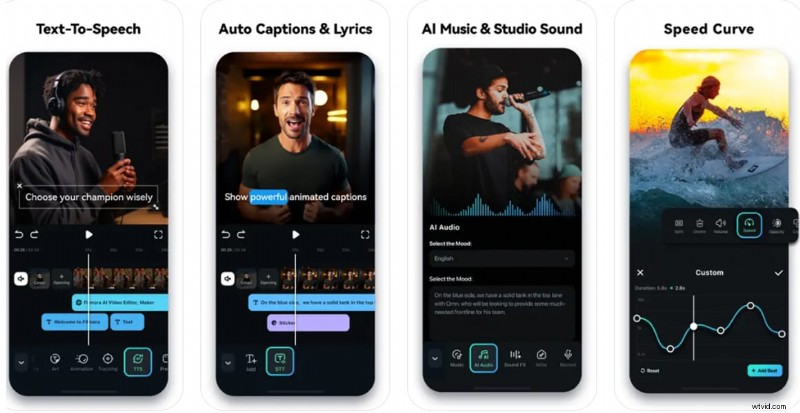
- Quickly trims and combines the best parts of your footage with AI Auto Cut
- Shot-to-shot subtitle integration and AI dubbing
- Creative video styles and templates to set the tone
- Easy bulk import and smart trimming for faster editing
Why It's Great
Filmora Mobile uses AI Auto Cut to batch analyze footage, select the best clips, and compile them into a smooth reel. It also adds shot-to-shot subtitles, dubbing/voiceovers, music sync, and immersive styles, solving the multi-track editing challenge on mobile.
2. Veed.io
Pricing
A free plan is available with a watermark; Pro plans start at $24/month.
Best For
Influencers and small teams needing quick, branded reels online.
Pros & Cons
- Accessible from any device with no download required
- Available in an online tool and a mobile app
- Works great for text-heavy or branded content
- Templates keep up with social trends
- The mobile app is only available for iOS
- Watermark on free plan
Key Features
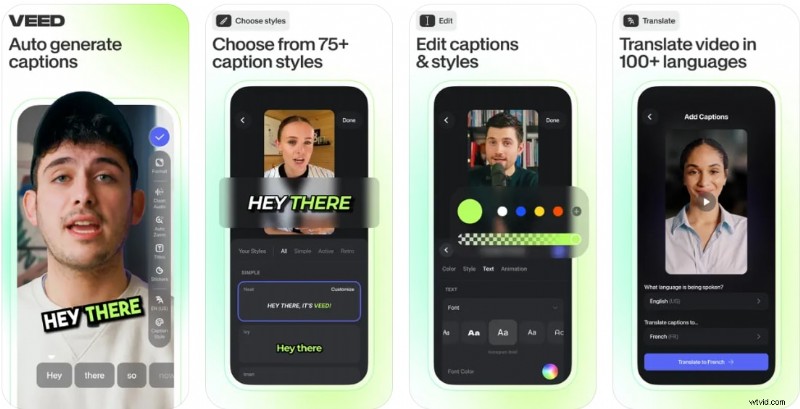
- Automatic subtitles in multiple languages
- Trend-focused templates customized for Instagram
- Built-in tools for branding and resizing videos
- Cloud-based editing for seamless access across devices
Why It's Great
Veed.io is a browser-based editor that works anywhere, perfect for creators who want flexibility across devices with an online auto-reel maker. Its AI-powered auto subtitles and ready-made templates make editing fast and accessible.
3. InVideo
Pricing
Free is available; Plus plans start at $28/month.
Best For
Marketers, small businesses, and creators who focus on storytelling, especially those working across mobile and desktop.
Pros & Cons
- Streamlines storytelling for marketers
- Simplifies video creation with intuitive AI and drag-and-drop editing
- Access to extensive media assets and human-sounding voiceovers
- Easy to produce consistent, on-brand content
- A mobile app can be unstable with longer or complex projects
- AI may occasionally select irrelevant clips, requiring manual adjustments
Key Features
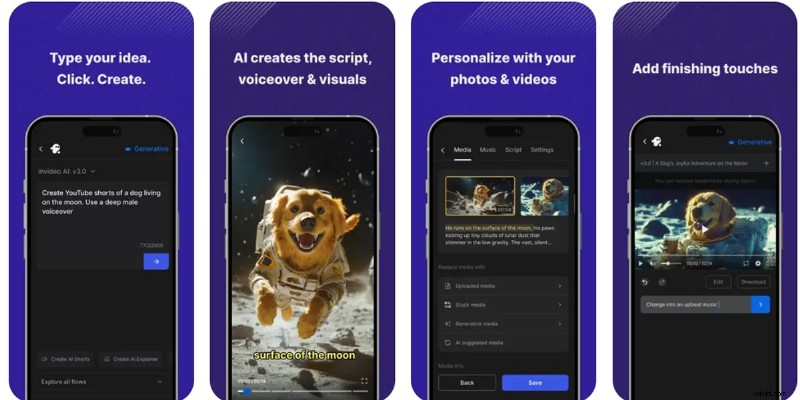
- Converts scripts or prompts into full videos
- Automatically adds transitions and scene changes
- Branded templates for businesses and marketing
- Built-in AI voiceover options
Why It's Great
InVideo is built for creators who start with a script or concept. It turns text into ready-to-post reels with visuals, transitions, and voiceovers.
4. VN Video Editor
Pricing
Free plan with basic features; offers in-app purchases starting at $7.99.
Best For
Beginners who want a free and straightforward mobile editor.
Pros & Cons
- Free version available without watermark
- Lightweight and beginner-friendly
- Limited AI automation
- Fewer immersive styles compared to advanced paid apps
Key Features
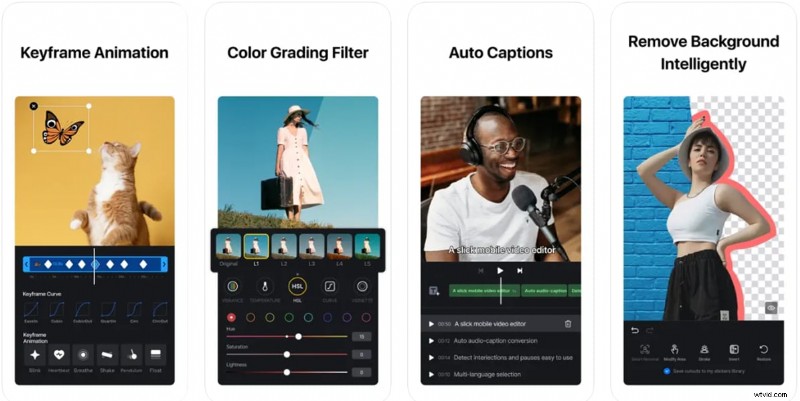
- Smart auto trim for highlight selection
- Basic transitions and effects
- Multi-layer timeline for manual adjustments
- Exports without watermarks, even on the free plan
Why It's Great
VN Video Editor is a lightweight app that offers smart trimming and simple editing tools, perfect for casual users who need a quick reel.
5. Magisto
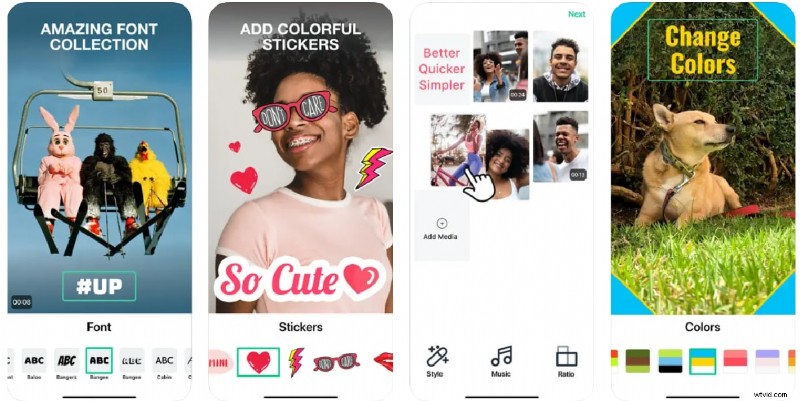
Pricing
The Magisto free version is available; monthly premium subscriptions start at $54.99/month.
Best For
Users who want straightforward editing with a storytelling angle.
Pros & Cons
- Works great for direct editing
- Ideal for personal stories or casual content
- Offers built-in stock footage and effects
- Limited customization options
- Watermark on free version
Key Features
- Detects key moments and edits them into a narrative
- Syncs music automatically for a polished feel
- Includes stock clips and effects for variety
- Produces videos with minimal manual input
Why It's Great
Magisto uses AI to create story-driven videos, automatically editing footage to match music and style preferences.
6. Adobe Express
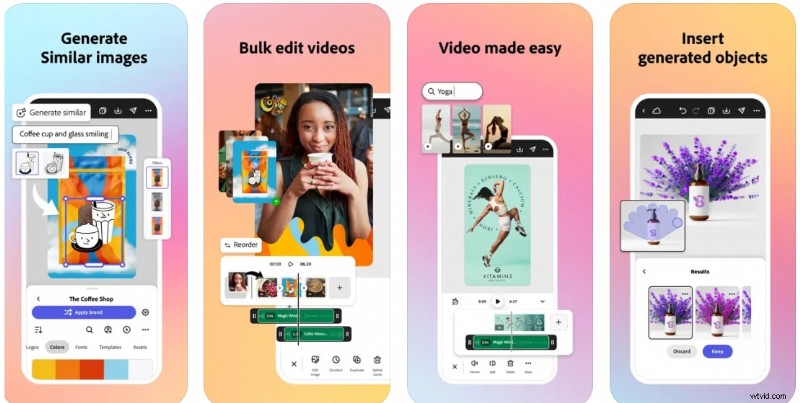
Pricing
Free plan with limited features; Adobe Express in-app purchases start at $9.99
Best For
Brands and small businesses focused on polished marketing content.
Pros & Cons
- Professional branding options
- Seamless workflow for marketing teams
- Easy integration with the Adobe ecosystem
- Some features are locked behind premium plans
- Less automation for footage trimming
Key Features
- Suggested layouts and styles based on your content
- Access to branded templates and design assets
- Simple editing tools optimized for mobile
- Integrates with other Adobe products
Why It's Great
Adobe Express combines professional branding tools with AI-powered layout suggestions and easy video editing, making it ideal for businesses or branded reels.
7. Mojo
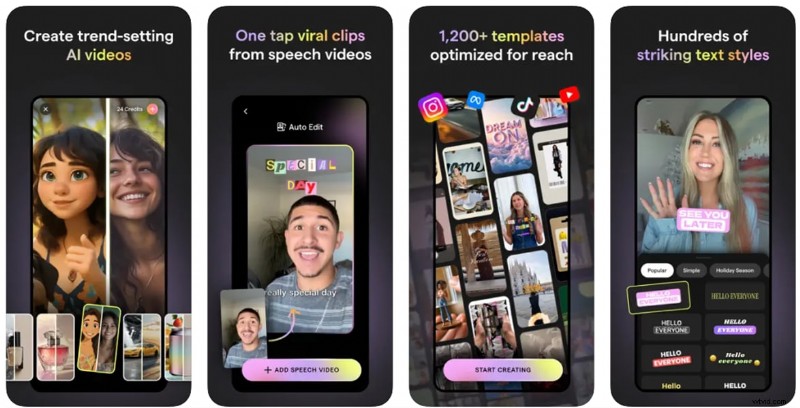
Pricing
Free version is available with watermark; Mojo Pro plans start at $4.99/month.
Best For
Creators who want bold animation reels without advanced editing.
Pros & Cons
- Ideal for stylish animated reels
- Quick setup with minimal effort
- Limited tools for detailed video editing
- Watermark on free plan
Key Features
- Animated templates that sync with your footage
- Text animations for bold and eye-catching reels
- Style presets designed for social trends
- Simple customization for colors and fonts
Why It's Great
Mojo is designed for trendy and animated Instagram Reels with a focus on engaging motion graphics, even without advanced editing skills.
Part 3. How to Choose the Best Auto Reel Editor App
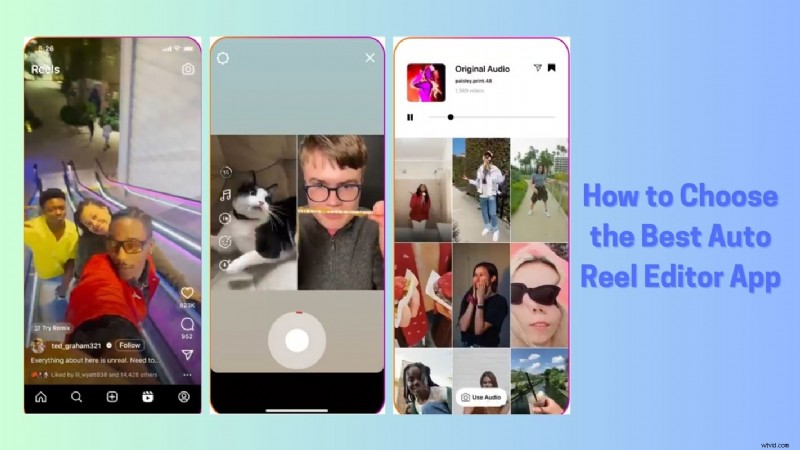
Choosing the best auto-reel maker depends on how you create and share your content. Here are the main things to look for:
AI Features
Take a look at how much automation these apps offer. Some apps focus on auto-cut and fast scene detection, while others add advanced tools like beat syncing, subtitle generation, and voiceover.
AICustomization
Decide how much control you want. If you prefer flexibility, choose an app that lets you customize templates, styles, and transitions. If speed is most important, go for an app that handles most of the editing automatically.
AIMobile vs Web-Based
Mobile apps are the best for quick uploading and editing on the go. Web-based tools, on the other hand, often provide better file management and can handle larger projects more smoothly.
AIInstagram Optimization
Make sure the app supports 9:16 vertical aspect ratio, quick export, and trending effects or templates to keep your reels looking fresh.
AIWatermark
Many apps add a watermark to their free plan. Check if they offer watermark-free export and consider if the paid features are worth the upgrade for your needs.
Conclusion
Creating Instagram Reels can be simple when you use tools designed to do the heavy lifting for you. The right auto reel maker can help you sort your clips, edit them to fit the platform, and add a look that matches your style.
Filmora Mobile is a great choice if you want quick results with the option to enhance your reel, while online auto reel maker tools bring their strengths for online editing or turning scripts into videos.
Choose the app that suits how you like to work, and you'll be able to make reels that look polished without spending too much time editing.

Filmora
AI Video Editing App & Software
Best tool for making videos anywhere for all creators!
Simplify all your steps in video editing, from the pre-processing to finalizing, Filmora AI stays tuned.
Frequently Asked Questions
-
What is an auto-reel maker app?
These are tools that automatically edit your clips into Instagram-ready reels. Most can trim highlights, sync music, add subtitles, and apply creative styles, so you don't have to edit everything manually.
-
Which app has the best AI Auto Cut feature?
Filmora Mobile is a top choice for AI Auto Cut. It quickly finds the best parts of your footage, adds subtitles, and lets you fine-tune the final reel if needed.
-
Are there free automatic reel maker apps that don't display a watermark?
VN Video Editor is free and doesn't add a watermark. However, most apps, including Filmora Mobile and Veed.io, remove watermarks only in paid plans.
-
Can I make reels automatically from text or scripts?
Yes. InVideo lets you turn scripts or text prompts into fully edited reels, complete with visuals, transitions, and voiceovers.
⭐ Auto Reel Editor App Debate: Your Choice Matters! 🗳️
Join the epic showdown! Your experience matters.
Vote and watch results unfold live! 🔥
Filmora CURRENT LEADER
Veed.io
InVideo
VN Video Editor
Magisto
Adobe Express
Mojo
🔥 Vote counted! Is your auto reel editor app winning? ⚔️