
Extracting subtitles manually is tedious and time‑consuming. A dedicated video subtitle extractor pulls captions directly from MP4, MKV, or any online video, converting them into editable formats such as SRT. This is essential for translation, accessibility, or re‑editing projects.
Below, we review the leading subtitle extraction software and web services of 2026, compare their features, and provide clear recommendations so you can choose the best tool for your workflow.

Our Top 3 Subtitle Extractor Tools

Wondershare Filmora
Filmora is an all‑in‑one video editor that features an AI‑driven auto‑caption tool. It lets creators extract, edit, and export subtitles without leaving the editing timeline, making it ideal for users who need both editing and subtitle creation in a single platform.
Download | Download | Download
SubtitleVideo
SubtitleVideo is a lightweight online extractor that supports a wide range of video and subtitle formats. It’s perfect for one‑time extractions and offers quick, reliable results.
Subtitle Extractor
This web tool specializes in AI‑powered extraction of hard‑coded subtitles. It’s a unique solution for a niche but challenging problem.
Part 1 – 5 Best Video Subtitle Extractors: Ranked & Compared
Choosing the right tool depends on your needs, from format compatibility to convenience. Below is a side‑by‑side comparison of the top 2025 extractors.
| Product | Platform | Video Formats | Subtitle Formats | Free/Paid | Limitations |
|---|---|---|---|---|---|
| Filmora | Windows, Mac | MP4, MKV, MOV, AVI, and more. | SRT, ASS | Free + Paid | Free trial has a watermark; AI credits may be limited. |
| SubtitleVideo | Online (web) | MP4, WebM, AVI, MPEG, FLV, MOV, 3GP, and more | SRT | Free + Paid | File size and usage limits on the free tier. |
| Subtitle Extractor | Online (web) | MP4, AVI, MKV, and more. | SRT, VTT, TXT | Free + Paid | Focuses on hardcoded subtitles; limited free usage. |
| Aconvert | Online (web) | MP4, AVI, FLV, MPG, MKV, and more. | SRT, ASS, SUB or VTT | Free | Primarily a converter; limited extraction features. |
| Maestra AI | Online (web) | MP4, MOV, MKV | SRT, VTT, SCC, CAP, SBV, TXT, etc. | Free + Paid | Usage‑based pricing can be costly. |
Show more / Show less |
|||||
Best Video Subtitle Extractor Software
Offline software offers full control and no internet dependency—ideal for large files or precise editing.
Wondershare Filmora
 Secure Download
Filmora’s Subtitle Extractor lets you automatically pull subtitles, edit them directly in the timeline, and export as SRT or ASS. The integrated Auto Caption and Speech‑to‑Text features enable high‑accuracy transcription in 23 languages.
- Seamless extraction and editing within the same platform.
- AI transcription delivers precise spoken‑to‑text conversion.
- Rich styling options: fonts, colors, animations, effects.
- Works offline once installed.
- Full version requires a license; trial available.
- Requires a capable PC or Mac for smooth performance.
- May not handle hard‑coded subtitles embedded in the video.
Key Highlights
- Export Options: SRT & ASS external files.
- Auto‑Caption 23‑Language Support: Transcribe in multiple languages.
- Built‑in Editor: Refine captions on the fly.
- Format Compatibility: MP4, MOV, MKV, etc.
- AI Translation: Instant multi‑language subtitles.
Pricing: Flexible monthly, annual, or lifetime plans. See details.
SubtitleVideo
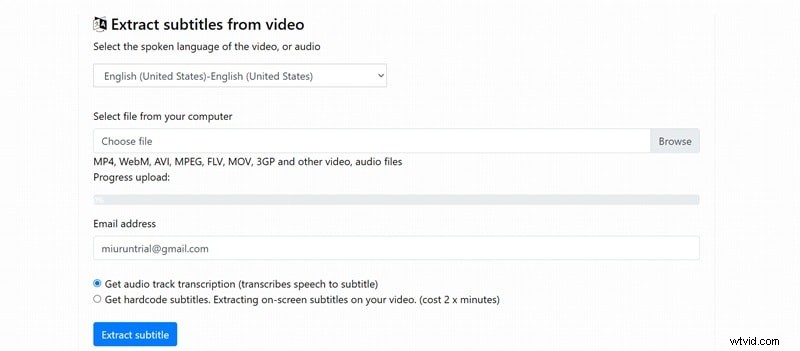
SubtitleVideo is a dedicated online platform that excels at quick, single‑file subtitle extraction. It supports popular formats and offers AI‑generated captions.
- Fast processing for individual files.
- Email notification upon completion.
- Cloud storage for 7 days.
- Free tier limited to 15 minutes of video.
- Limited styling control.
- Exports only in SRT.
Highlights
- Format Support: Wide variety of video types.
- AI‑Powered Captions: Accurate automatic generation.
- Export Options: SRT & VTT.
- OCR Technology: Extracts on‑screen subtitles.
Pricing: Free for short videos; paid plans start at $15 per 12 minutes.
Subtitle Extractor
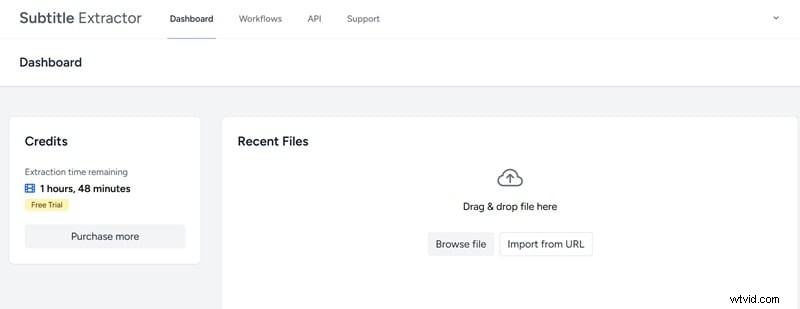
Handles both soft‑coded and hard‑coded subtitles. Free users can process up to 2 hours (2 GB). Paid plans unlock larger projects.
- Free plan supports up to 2 hours of extraction.
- Supports 50+ languages.
- Premium users get direct URL support (YouTube, Twitter, Drive).
- Lacks advanced customization.
- Free users must extract a minimum of 5 minutes.
Highlights
- High Accuracy: AI‑powered transcription.
- Fully Automated: Upload and let it run.
- Multi‑Language Support: English, Spanish, Mandarin, etc.
- Translation Tool: Google Translate or AI integration.
Pricing: Free tier with limits; paid plans based on hours.
Aconvert
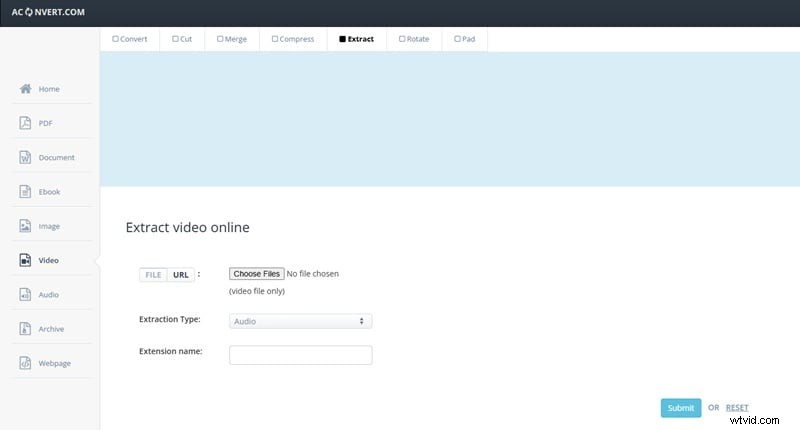
Aconvert is a versatile online converter that also offers free subtitle extraction from MP4, AVI, MKV, and more. Upload files or paste URLs from Drive, Dropbox, or the web.
- Free to use.
- Supports many formats.
- No account required.
- Outdated interface with ads.
- Basic features—no AI transcription or styling.
- No hard‑coded subtitle support.
Highlights
- Format Support: Popular video & subtitle types.
- Free Online Tool: No installation.
- File Size Limit: Up to 1 GB.
- Cloud Integration: Import from URL, Drive, Dropbox.
Pricing: Free.
Maestra AI
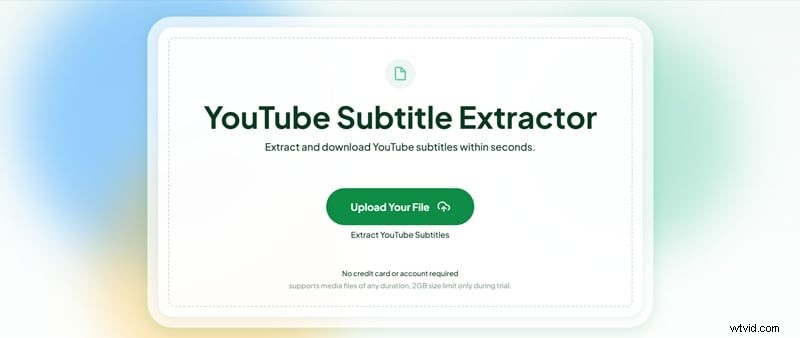
Maestra AI offers highly accurate transcription and translation, tailored for professional content creators and businesses. It supports over 100 languages and includes AI‑summary and sentence‑alternative features.
- Excellent accuracy across languages.
- Advanced AI tools (summary, voiceover).
- Free version has limits.
- Subscription can be pricey for casual users.
Highlights
- AI Transcription: High‑accuracy results.
- Extra Tools: Translation, voiceovers.
- Subtitle Stylization: Customizable styling.
Pricing: Free trial; paid plans start at $12 per 60 minutes or $39/month (billed annually) for 360 min/month.
Part 3 – Software vs. Online Tools
Choosing between a dedicated program like Filmora and an online extractor boils down to your priorities.
1. Pricing and Value

Free online tools (Aconvert, SubtitleVideo, Subtitle Extractor) are great for occasional use but come with file size caps, watermarks, and usage limits. Their paid plans can feel expensive relative to the value offered.
Conversely, Filmora provides unlimited subtitle extraction, a full video editor, stock media, and more for a one‑time or yearly fee—an excellent investment for serious creators.
2. User Experience
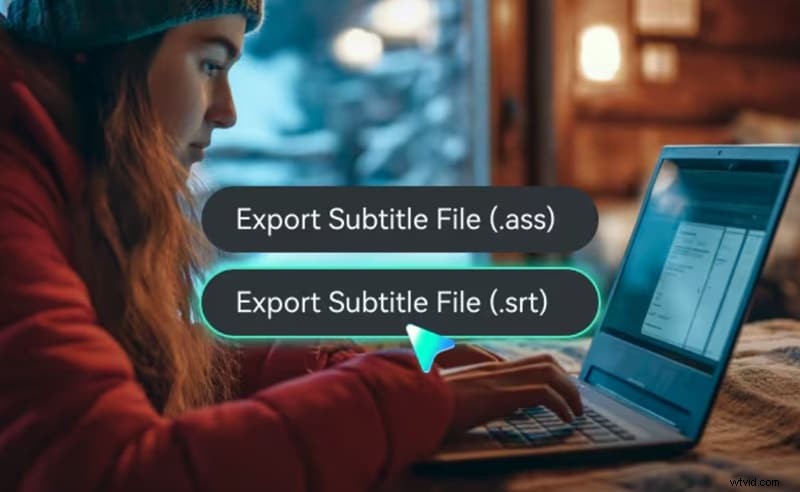
Online tools require no installation and are quick for short videos, but processing speed depends on bandwidth and customization options are limited.
Filmora offers a richer workflow: subtitles are extracted on the timeline, allowing real‑time timing tweaks, style adjustments, and a seamless editing experience.
Verdict: How to Choose
- Online tools work best for one‑time, short‑video extractions. Free options like Aconvert or SubtitleVideo are simplest.
- Software is preferable for frequent creators, delivering higher quality, full control, and a single integrated solution.
Part 4 – Recommendations by Use Case
- Casual Users: Aconvert or Subtitle Video – quick, no installation, free.
- Frequent Creators: Filmora – automatic extraction, editing, export in one workflow.
- Translation/Localization: Maestra AI – over 100 languages, accurate transcription, translation tools.
- MKV‑Heavy Workflows: Aconvert or Filmora – both support MKV files.
- Privacy‑Conscious: Filmora – runs locally, no online upload.
Conclusion
Subtitle extractors streamline content creation, marketing, and localization by saving time and ensuring accessibility. Free online tools suit occasional use, while a comprehensive editor like Filmora offers unmatched flexibility for regular creators.
Choosing the right tool—based on file format, budget, and workflow—will enhance efficiency, improve accessibility, and broaden your audience reach.

Filmora – AI Video Editing App & Software
Best tool for creating videos anywhere for all creators! Simplify every step of video editing, from pre‑processing to finalization, with Filmora AI.