
Top 9 Animated Text Makers and Generators to Bring Your Words to Life
Effortlessly create video with AI
- Various AI editing tools to increase your video creation efficiency.
- Offer popular templates and royalty-free creative resources.
- Cross-platform functionality for editing everywhere.
100% Security Verified | No Subscription Required | No Malware

- Home
- Video Edit Software
- Top 9 Animated Text Makers and Generators to Bring Your Words to Life
Animated text can make a simple message feel more expressive. A moving title, a smooth handwriting effect, or a bold 3D animated word can instantly catch attention and guide the viewer’s focus. This is the reason animated text makers are popular among designers, editors, and social media creators.
However, you don't need to be a professional editor to use animated text. Today’s animated font generators can help you create motion graphics without complex skills. Many of them are accessible since they are available online and support export in GIF or MP4.
In this article, we highlight the top animated text generators to help you find a tool that feels smooth to work with and fits your needs.
How We Test
We review each animated text maker through direct use to understand how well it performs in real creative workflows. Our evaluation focuses on both usability and output quality.
- Ease of use and interface intuitiveness: How simple it is to navigate and create animations.
- Customization options: Variety of fonts, motion styles, color controls, and special effects.
- Output formats: Availability of GIF, MP4, and transparent background exports.
- Pricing and free plan availability: How much users can do without paying, and the overall cost value.
- Export quality and online performance: Smoothness of animation, rendering speed, and consistency of final results.
Our Top 3 Picks

Wondershare Filmora - Best all-in-one animated text creator for video and social media
Filmora offers a large collection of animated text presets, motion graphics, and 3D title effects that are easy to apply. It is ideal for users who want polished results with minimal setup.
Download Download Download
TextStudio - Best for beginners and quick marketing visuals
TextStudio provides ready-made animated text styles that can be customized quickly. It suits users who need clean, professional text animations without advanced editing.
View detail
Textanim - Best free animated GIF text generator for simple use
Textanim focuses on fast and straightforward animated text creation. It is a practical choice for users who just need a quick GIF text output with no extra features.
View detail
| Tool | Platform | Key Highlights | Best For | Pricing |
| Filmora | Windows, macOS, iOS, Android | Animated title presets, 3D text effects, drag-and-drop timeline | Video creators, social media editors | Free trial available, premium plans apply |
| TextStudio | Web | Ready-made animation styles, fast customization | Beginners, marketing visuals | Free plan available, optional paid upgrades |
| Textanim | Web | Quick animated GIF text, simple interface | Users who need fast and lightweight results | Free |
| FlamingText | Web | 3D animated logos and text effects | Branding and logo-style graphics | Free |
| CoolText | Web | Styled text banners and header graphics | Quick decorative text without software | Free |
| Renderforest | Web | Template-based animated intros and typography | Branding packages and presentations | Free tier available, paid exports for high resolution |
| Textdrom | Web | Customizable animated text presets | Social media posts and quick titles | Free |
| Canva | Web, Windows, macOS, iOS, Android | Animated font library and design templates | Social content, brand visuals | Free plan available, Pro subscription optional |
| ScreenPal | Windows, macOS, iOS, Android, Chromebook | Animated text overlays for screen recordings | Educators, tutorial creators | Free plan available, paid upgrades optional |
 Secure Download
We have curated the top 9 animated text makers for your videos and visuals. Below is a concise breakdown of each animated text maker to help you choose the one that fits your workflow and style.
1. Wondershare Filmora
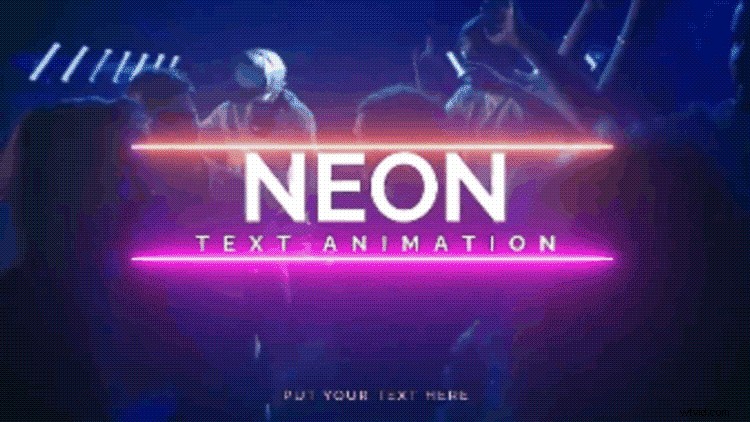
More than a video editor, Wondershare Filmora also works as a powerful animated text maker. It includes an extensive library of text motion presets, 3D animated titles, handwriting animations, and lower third templates that can easily be customized. Filmora also allows seamless integration since it is available on PC, Mac, Android, iPhone, and iPad. So, users can start a project on one device and continue on another smoothly.
Features You'll Love
- 39,000+ text animation templates available across the platform
- 200+ pre-designed animated text styles, including 3D Text, Subtitles, Titles, and Lower Thirds
- Full customization for font style, color, motion path, curve, spacing, and timing
- Auto Reframe adapts animated text for TikTok, Instagram, YouTube, and other aspect ratios
- AI Text Animation Generator for automatic text-to-animation creation
- Exports animated text in GIF, MP4, MOV, WebM, and other formats without losing quality
Platforms
- Windows
- macOS
- iOS
- Android
Pros & Cons
- Extremely large library of animated text presets (much more than most online tools)
- 3D text depth, bevel, glow, and shadow controls for cinematic results
- Device-to-device continuity, making mobile and desktop editing flexible
- AI tools reduce manual animation effort for faster workflow
- Requires installation, not a fully browser-based tool
- Some premium animated effects need a paid plan
- 4K exports may take longer depending on system performance
Price
Free version available, with options for subscription or one-time (perpetual) license
Best For
Creators who want high-quality animated text for videos, social media posts, intros, and branded content
Why We Recommend It
Filmora provides professional animated text results without demanding advanced motion design skills. It is ideal for anyone who wants a smooth, ready-to-use animated text maker with the flexibility to refine animation and match their visual style.
Secure Download
2. TextStudio
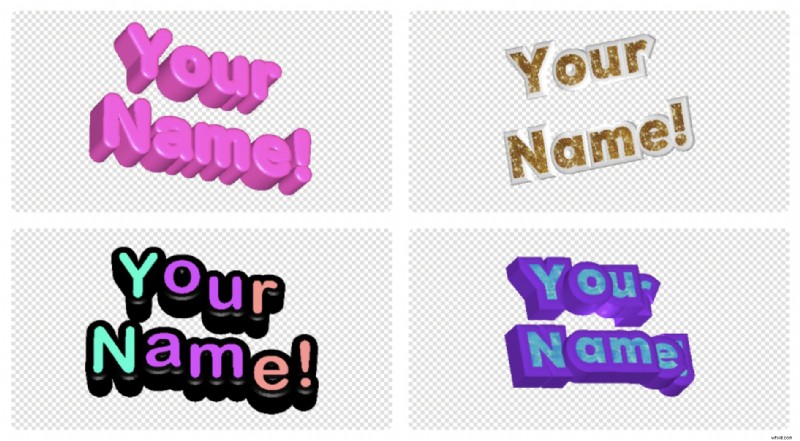
TextStudio is a browser-based animated text generator that provides a wide range of pre-designed animated font styles. It focuses on simplicity, allowing users to type their text, choose an animation style, and download the result quickly. The tool is suitable for creating animated titles, banners, headers, and short promotional text visuals.
Features You'll Love
- Offers hundreds of animated text templates, including flicker, fade, wave, neon, and shape-based motion
- Color, font, outline, shadow, and speed adjustments directly in-browser
- Exports animated text in GIF or MP4, suitable for social media and presentations
- Built-in categories for logos, headers, badges, and callout text
Platforms
Pros & Cons
- Fast creation workflow with minimal setup
- No software installation required
- Provides ready-to-use visual styles that look clean and modern
- Limited advanced animation control compared to timeline-based editors
- Some high-resolution download options require upgrade
Price
Free plan available, paid options for higher resolution exports
Best For
Users who need quick animated text for social posts, marketing visuals, or banner graphics
Why We Recommend It
TextStudio is ideal for quick, polished animated text without learning complex tools. It delivers visually appealing results in minutes, making it a practical choice for everyday content creation and simple marketing designs.
3. Textanim
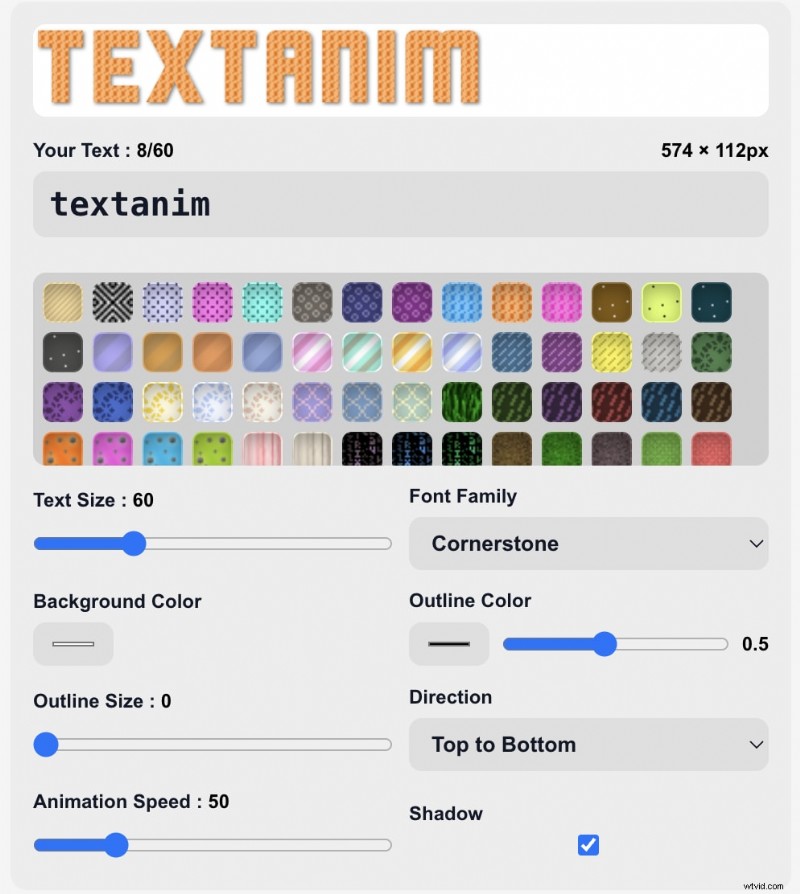
Textanim is a simple animated GIF text maker that focuses on fast and lightweight animation creation. You type your text, select an animation style, adjust color and speed, and export instantly. It is a practical option for users who need animated text effects without complex settings.
Features You'll Love
- Offers looping animated text effects suitable for banners, signatures, and small social visuals
- Supports customization of color, outline, glow, and animation timing
- Exports as GIF for easy use in chats, forums, or short website headers
- Works as a free animated text creator, requiring no account or download
Platforms
Pros & Cons
- Generates lightweight GIFs that load quickly on websites and messaging apps
- Slider-based speed control makes timing adjustments very simple
- Supports outline and glow styling, useful for readability on dark backgrounds
- No MP4 or transparent background export, limiting use in video editing
- Only one line of text can be animated at a time, not suitable for titles with multiple elements
- Animation styles have a retro "GIF-era" aesthetic that may not fit modern branding
Price
Free
Best For
Users who need a free animated text generator for quick GIF outputs
Why We Recommend It
Textanim is useful when you need an animated text maker free results quickly. It is one of the simplest tools for generating animated text GIFs without any learning curve or setup.
4. FlamingText
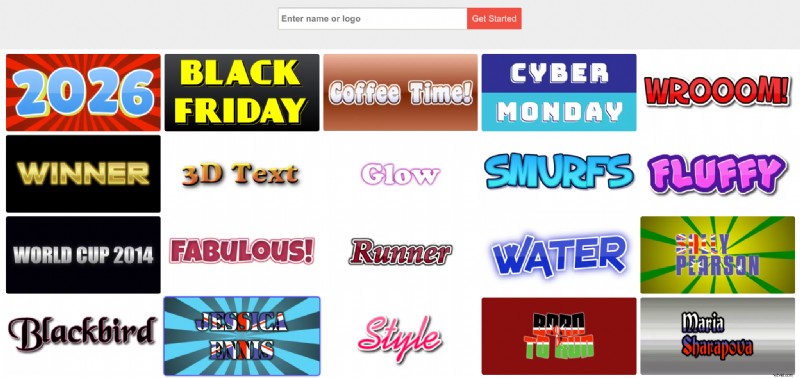
FlamingText is known for creating logo-style animated text with bold visual effects. It works as an animated font generator that provides glowing, neon, metallic, and 3D text styles. It is especially useful for banners, headings, profile graphics, and branding elements that need more visual impact.
Features You'll Love
- Offers 3D animated text generator options with shadow, bevel, and depth effects
- Large library of pre-styled animated text templates
- Supports GIF and PNG export, with transparency available
- Works well for animated word maker needs like badges, titles, and banners
Platforms
Pros & Cons
- Offers distinctive logo-like animated text styles such as neon glow, chrome, and fire effects
- Exports transparent PNG and GIF, useful for layering over images or web headers
- Category-based templates (e.g., "Gaming", "Cartoon", "Sci-Fi") make stylistic matching easier
- Animation focuses on logo and decorative text, not on smooth typography motion
- GIF exports can appear pixelated at larger sizes due to scaling limitations
- Many higher-end style variations require a commercial license for unrestricted use
Price
Free with basic features, paid plans for commercial and high-resolution use
Best For
Users who want 3D animated text or logo-styled moving text without designing from scratch
Why We Recommend It
FlamingText is ideal when you need an animated letters generator results that look bold and stylish. It is a strong option for creating animated text logos, social banners, and graphics that need a standout visual identity.
5. CoolText
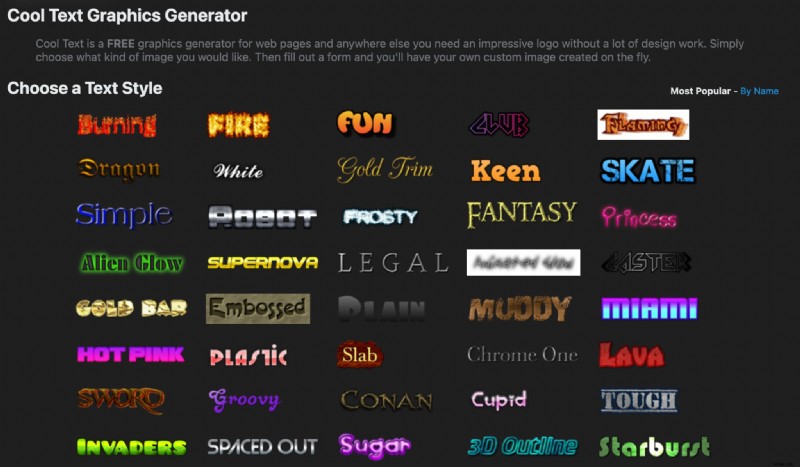
CoolText is a free online text and graphics generator best known for creating quick logos, buttons, and title headers. While most styles are static, the platform also offers a selection of animated GIF text effects. It would be a better option when you need simple moving text without additional editing tools.
Features You'll Love
- Provides animated GIF text creator options such as blinking, glowing, scrolling, and fade effects
- Customization for font, color, gradient, glow, and background transparency
- Exports in GIF format suitable for websites, email signatures, and simple posts
- Works quickly with no login or installation required
Platforms
Pros & Cons
- Extremely fast generation of text graphics with no loading delay
- Includes rare novelty fonts not commonly found in other free tools
- Download-ready outputs are optimized for website use, reducing file weight automatically
- Most animated styles are limited to simple fades or blinks, not dynamic motion
- No MP4 or advanced animation export, strictly GIF or static image
- Visual style leans toward an older web aesthetic, which may require refinement for modern branding
Price
Free
Best For
Users who want a free animated text generator for basic banners, titles, or decorative text
Why We Recommend It
CoolText is a reliable option when you need a free animated GIF text maker for simple visuals. It is especially useful for quick headers, lightweight banners, or decorative text where ease and speed matter more than advanced animation controls.
6. Renderforest
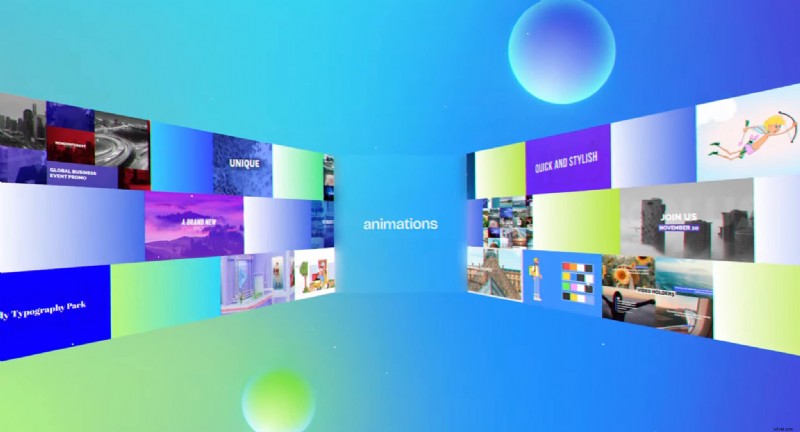
Renderforest is an online design and video creation platform that includes a moving text generator for intros, logo animations, slideshows, and promotional videos. It uses template-based editing, so it is easy to produce polished animated text tied to professional layouts and visual themes.
Features You'll Love
- Large library of intro and title animation templates with text placeholders
- Allows animation style, duration, and color adjustments
- Supports export in MP4 and GIF formats, depending on the template
- Works well for brand identity visuals, promo videos, and slides
Platforms
Pros & Cons
- Provides full animated scene templates, not just isolated text, allowing professional-looking intros
- Template browser with preview thumbnails makes choosing a visual style easier
- Offers brand kit syncing so text animations automatically apply brand fonts and colors
- Limited custom animation control since users cannot edit motion keyframes inside templates
- Free exports often have watermarks and lower resolution
- Rendering times can vary significantly because animation is processed server-side
Price
Free plan available, paid upgrades for higher resolution exports
Best For
Users who want animated text generator online tools for intros, branding videos, and presentations
Why We Recommend It
Renderforest is a strong choice when you want an animated text maker online that results look clean and on-brand without spending time customizing motion manually. It is especially helpful for creating intros, promotional clips, and presentation visuals efficiently.
7. Textdrom
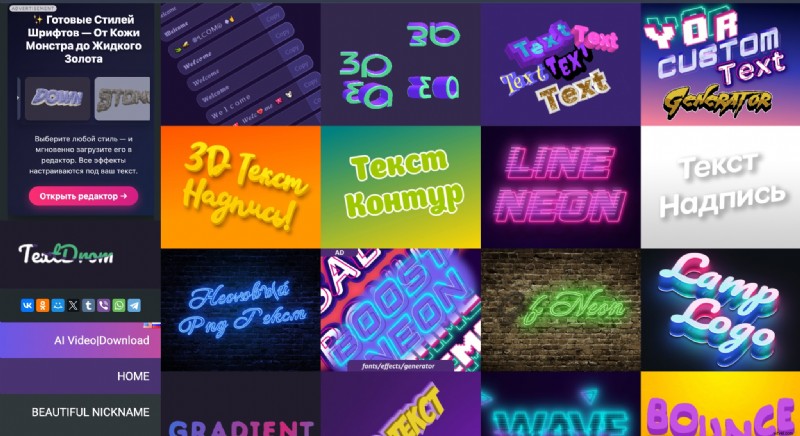
Textdrom is an animated text generator online that focuses on stylized motion effects and colorful text animations. It offers presets such as wave, bounce, slide, stroke animation, and neon glow. The interface shows real-time previews, and it is easy to adjust motion and color before export.
Features You'll Love
- Offers a range of motion presets like wave, pulse, bounce, flicker, and outline animation
- Allows customization of gradient fills, stroke thickness, shadow, and movement speed
- Let users adjust individual letter animation, not just whole-text movement
- Export available as web embed code or screen-capture compatible output (often used with screenshot tools or screen recorder apps)
Platforms
Pros & Cons
- Per-letter animation control allows more expressive animated lettering
- Gradient color and neon lighting options give text a unique, stylized look
- Live preview updates instantly, making adjustments clearer and faster
- No direct MP4 or GIF export, users often need to screen-record animations
- The interface can feel visually crowded due to many styling sliders
- Less effective for professional or minimal design styles, since most presets are bold and flashy
Price
Free
Best For
Users who want a moving text generator for social media posts, titles, and short highlight messages
Why We Recommend It
Textdrom is useful when you want animated letters generator effects that feel energetic, colorful, and expressive. It is particularly strong for attention-grabbing social media text that needs movement and a bold visual style.
8. Canva
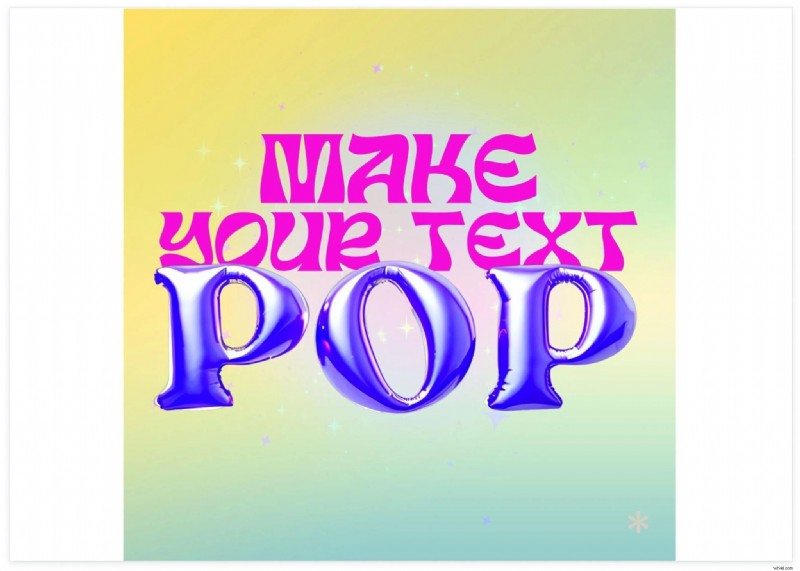
Canva includes a built-in animated text generator inside its design editor. Users can apply motion presets to any text element and combine them with templates for social posts, presentations, and short videos. It works well for creators who want clean, branded animated text without detailed animation controls.
Features You'll Love
- Offers dozens of text motion presets like typewriter, stomp, zoom, rise, neon flicker, and bounce
- Large library of editable templates for reels, stories, intros, and promo slides
- Brand Kit support to keep animated text consistent with brand fonts and colors
- Can export animated text as MP4, GIF, or transparent background video (Pro)
Platforms
- Web
- Windows
- macOS
- iOS
- Android
Pros & Cons
- Drag-and-drop workflow is extremely accessible for non-designers
- Text animation integrates smoothly with photos, videos, stickers, and soundtracks
- Brand Kit ensures consistent typography across all animated content
- Animation styles are preset-based, with no detailed motion curves or keyframing
- Some animated text templates and export types (like transparent video) require Pro
- Limited 3D animated text compared to tools with 3D modeling features
Price
Free version available; full version starts at $15/month
Best For
Social media creators, small businesses, and teams who need an animated text maker online tool for quick branding content
Why We Recommend It
Canva is a strong option for creators who want a free animated text generator online that keeps workflow simple while maintaining brand consistency. It's ideal for quick social graphics, promotional visuals, and lightweight video intros.
9. ScreenPal
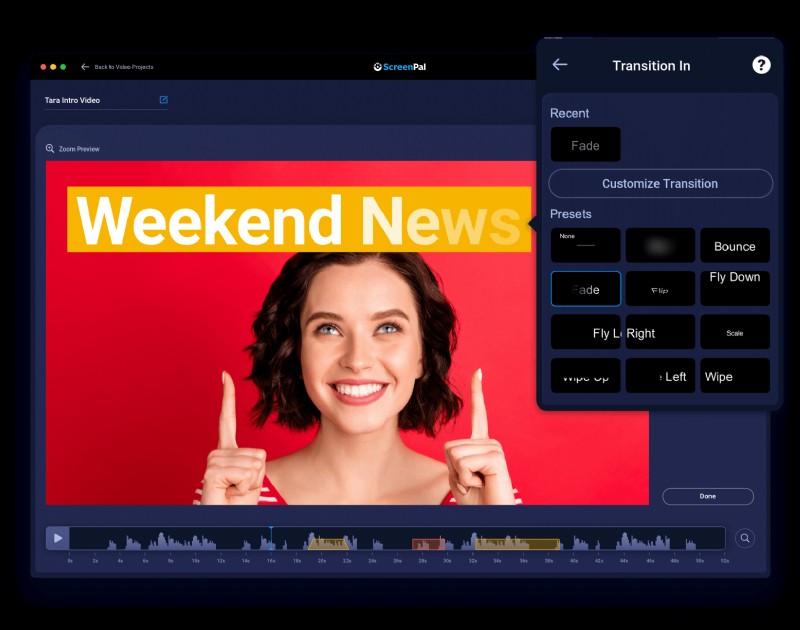
ScreenPal offers an animated text maker online as part of its browser-based video and screen recording tools. It allows users to add animated titles, callouts, and labels directly to recorded clips or uploaded footage, making it useful for tutorials, walkthroughs, and educational content.
Features You'll Love
- Includes animated title and callout presets designed for on-screen communication
- Supports caption, subtitle, and pointer text, useful for instructional steps
- Allows timing and entrance animation adjustments directly on the timeline
- Exports to MP4, making it compatible with LMS platforms and social channels
Platforms
- Windows
- macOS
- iOS
- Android
- Chromebook
Pros & Cons
- Optimized for tutorial-style animated text, especially labeling and highlighting steps
- Simple timeline controls make placing and syncing text clear and fast
- Works smoothly alongside screen recording, not just design layouts
- Animated text styles are functional rather than decorative, with fewer creative effects
- Full editing tools and some effects require paid plans
- Not suited for 3D animated text generator or stylized typography projects
Price
Free plan available, advanced editing in paid plans
Best For
Educators, trainers, and content creators who need animated text overlays in screen recordings or explainer videos
Why We Recommend It
ScreenPal is a good fit if your goal is clear, instructional animated text, not flashy effects. It shines in educational videos, product demos, and explainers where the animated text needs to guide attention and improve understanding.
How to Choose the Best Animated Text Generator
Choosing the right animated text maker depends on the type of content you create and where you plan to use the final animation. Different tools specialize in different styles, from 3D animated text to animated handwriting text to simple animated GIF text maker outputs.

You can refer to a few key points to help you decide:
1. Purpose and Style Needs:
Identify the animation style you want. For example, use a 3D animated text generator like FlamingText for cinematic titles, a moving text generator such as Renderforest for quick social media motion, or an animated handwriting text generator built into Filmora for natural, handwritten captions.
2. Ease of Use:
If you prefer fast and simple editing, try an animated text generator online like TextStudio or Canva. They work directly from your browser with ready-made styles. For creators who need more precision and control over animation timing and layers, a desktop editor like Filmora is a better option.
3. Export Formats:
Choose a tool that supports the format you need.
- GIF works best for chats, websites, and lightweight banners.
- MP4 or MOV is ideal for video intros, reels, and presentations.
- Transparent background exports are useful for overlays and layering.
Tools like Textanim and CoolText may only handle GIF output. Tools like Textanim and CoolText may only handle GIF output. But Filmora gives you even more flexibility. You can export your animated text as MP4, MOV, WebM, or even with a transparent background.
4 Customization Control:
Look for options to adjust font style, animation speed, motion direction, color, spacing, and shadow. More customization allows the animated text to match your visual brand. Tools like Filmora, Textdrom, and Canva allow detailed customization so your animated text matches your brand style and mood.
5. Budget and Free Plans:
A free animated text generator, like Textanim, CoolText, or TextStudio, is often enough for simple GIFs or small social posts. For polished intros and branded visuals, investing in a paid plan or desktop editor like Filmora or ScreenPal may give you better quality and flexibility.
Conclusion
Animated text can enhance visuals, convey emphasis, and make content more engaging across social media, videos, and presentations.
With the right animated text generator, you can create moving text, animated GIF text, or 3D animated font styles that match your creative needs. The tools in this list offer different strengths, from quick online editors to more customizable desktop software.
Consider your workflow, export requirements, and design style when choosing an animated text maker. Once you find the tool that fits your goals, bringing your words to life becomes fast, flexible, and enjoyable.