
In just a few minutes of scrolling through TikTok, Reels, or Shorts, it’s impossible to miss the surge of AI‑generated clips. According to Vivideo, vertical (9:16) videos now account for 59% of all AI content—a dramatic jump from 31% in 2024. The rise isn’t accidental; as image‑to‑video tools become more user‑friendly, turning a single photo into a scroll‑stopping vertical clip feels almost effortless.
One newcomer riding this wave is Memegen AI, marketed as a creative platform that blends memes, AI visuals, and interactive storytelling. It promises instant results without the hassle of traditional editing. But does it live up to the hype, or is it just another tool chasing the AI trend?
Below we dive deep into the tool’s features, pricing, pros and cons, and compare it to a full‑blown editor to help you decide if it’s worth your time.
Part 1. Meet Memegen AI: What It Is and How to Access It
Memegen AI is a browser‑based platform designed for rapid AI video creation. Instead of traditional clip editing, you provide prompts, upload images, or select from pre‑built templates, and the system auto‑generates a video.
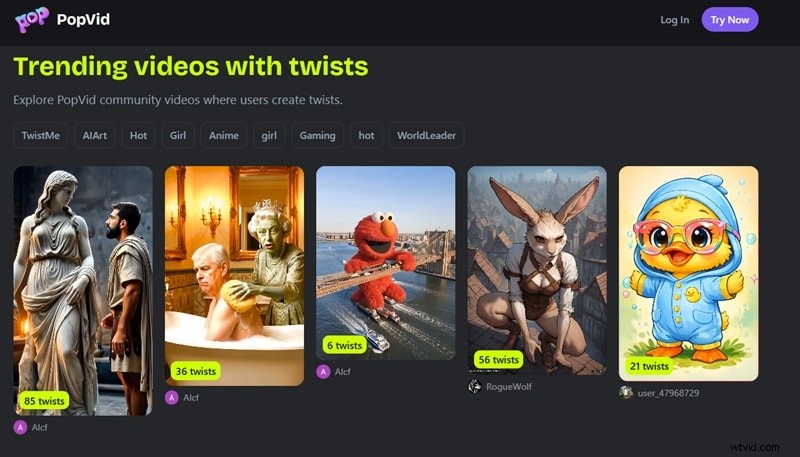
Searching “Memegen AI” today will land you on PopVid AI—both names refer to the same service. The brand originally launched as Meme‑Gen.ai before rebranding to popvid.ai, which explains the overlap in online references.
Important note:
As of 2026, there is no dedicated Memegen AI mobile app or official APK. The platform is purely web‑based, accessed via a browser. Beware of third‑party “Mod APK” sites—they’re likely scams or security risks.
Part 2. Pricing & Credits: Can You Use Memegen AI for Free?
Yes—Memegen AI offers a free tier with generous daily credits. The platform operates on a credit system: each image or video generation consumes a set number of credits.
When you sign up, you receive 100 bonus credits plus 100 daily credits that refresh automatically. This is ample for casual users to explore the tool before committing to paid plans.
Below is the full breakdown of available plans:
| Plan | Price | Credits | Key Benefits |
| Free Plan | $0 | 100 daily credits + 100 starter credits | Free for daily use, sufficient for testing |
| Pro Plan | $4.99 / month | +1200 monthly credits | Premium model access, watermark‑free downloads |
| Ultra Plan | $14.99 / month | +4000 monthly credits | Best value, premium model, watermark‑free downloads |
| Max Plan | $44.99 / month | +13000 monthly credits | For heavy users, premium model, watermark‑free downloads |
If monthly subscriptions don’t suit you, you can purchase credits on demand: 2000 credits for $9.99 or 7000 credits for $29.99. These additional credits are only used after your daily allotment is exhausted.
Promo Code Tips: Avoid Fake Deals
Legitimate discounts are typically found through:
- Official PopVid AI channels: The platform’s TikTok @popvidai occasionally drops limited‑time codes for followers.
- Creator partnerships: Influencers who use the tool often share exclusive discount links.
- On‑site promotions: Seasonal deals may appear directly on the pricing page during sign‑up.
Part 3. Memegen AI Core Features Explained
Memegen AI offers three distinct tools, each catering to a different content style:
1. AI Image Generation
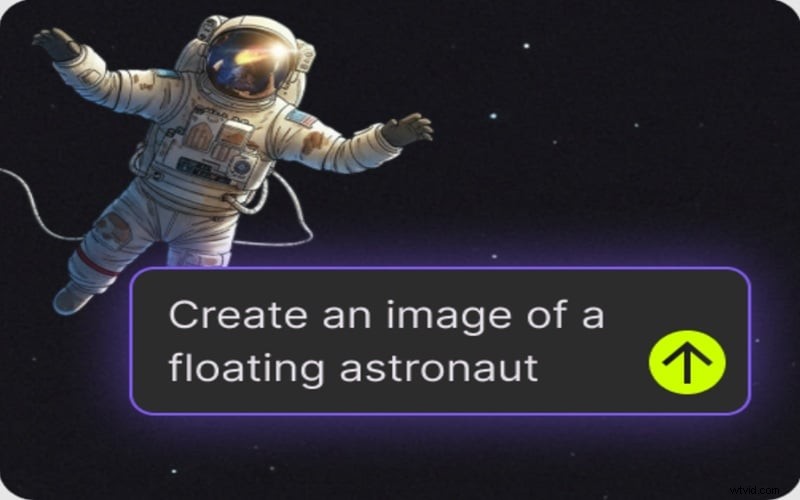
Enter a prompt like “floating astronaut” and the system creates a matching AI image. Ideal for meme visuals, reaction shots, and character concepts.
2. AI Image to Video (78 Built‑In Templates)

Upload an image, describe the action, and let the AI animate it. The platform bundles 78 templates that cover trending formats, making it beginner‑friendly. However, template constraints can limit creative flexibility.
3. Roleplay Mode (The Unique Twist)
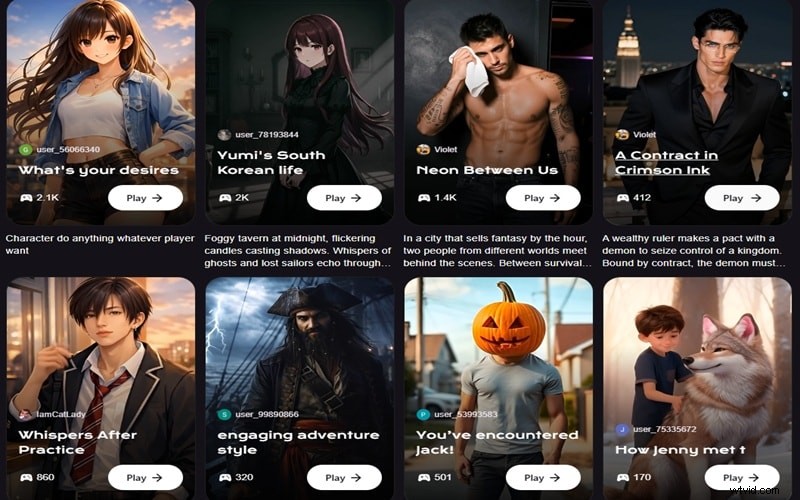
This feature lets users converse with AI characters in scenario‑based interactions—doctor visits, influencer chats, fictional storytelling, and more. It blends chatbot dialogue with cinematic output, offering a fresh, engaging experience beyond standard meme tools.
Part 4. The Honest Truth: Memegen AI Pros & Cons
Every tool has strengths and limitations. Below is an objective look at what Memegen AI does well and where it falls short.
Pros
- No Learning Curve: The interface is straightforward; from idea to video, the process is fast.
- Daily Free Credits: 100 credits refreshed every day make free experimentation easy.
- Roleplay Feature: Unique interactive storytelling that sets it apart from other meme generators.
Cons
- Template Limitations: Once a template is chosen, its behavior is fixed; adjusting output requires re‑generation.
- No Timeline Editing: Fine‑grained control over movement or background details is unavailable.
- New Platform: Limited community knowledge and sparse third‑party reviews mean the track record is still developing.
Part 5. How to Create an AI Video with Memegen AI (Step‑by‑Step)
Seeing is believing. Follow these steps to produce your first AI video in minutes.
Step 1: Create Your Account and Grab Credits
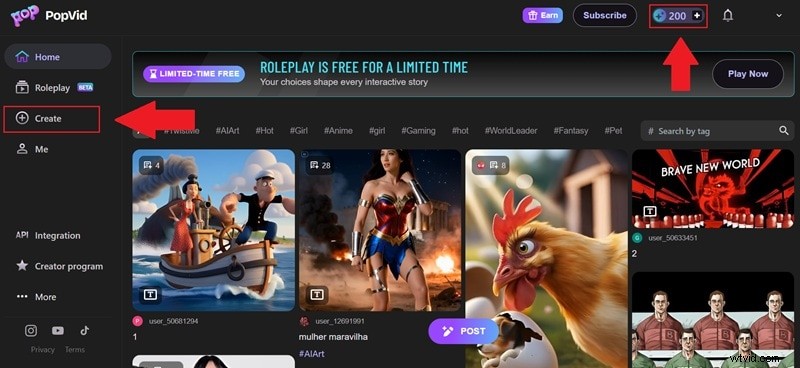
Visit popvid.ai to sign up. You’ll start with 200 credits: 100 from the daily refresh and 100 as a signup bonus. Click Create to open the video generation feature.
Step 2: Upload Your Image and Generate the Video
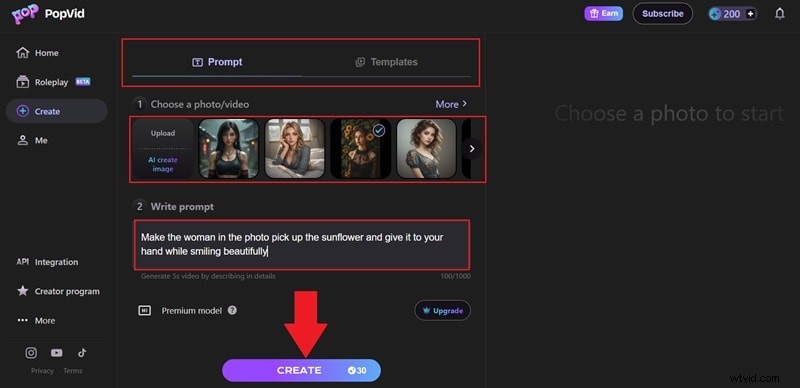
Choose Upload or pick from the platform’s stock photos. Enter a concise prompt describing the action, then hit Create and wait for the AI to process.
Step 3: Preview and Download
After generation, preview the clip. If satisfied, click Download. You can add a twist by editing the prompt before re‑generating.
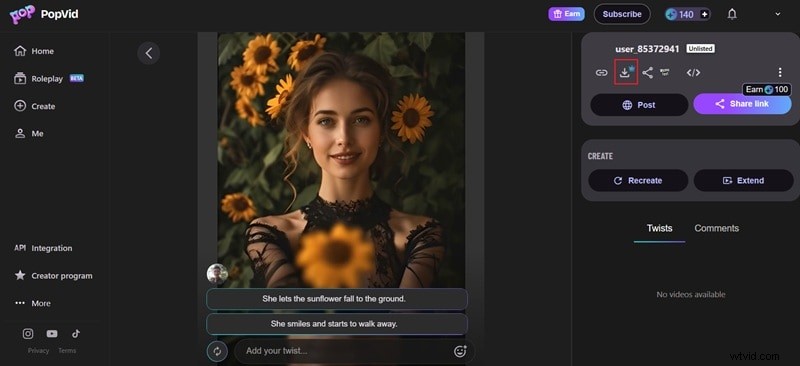
That’s the entire workflow—quick, intuitive, and largely automated.
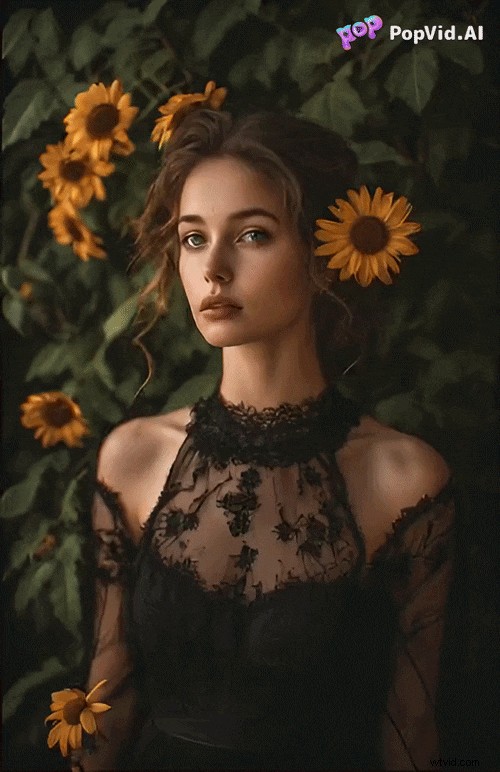
Part 6. Want More Creative Control? Here’s Where Filmora Steps In
While Memegen AI excels at fast, prompt‑based generation, it falls short in speed and customization. For higher quality and more control, Wondershare Filmora is a compelling alternative.
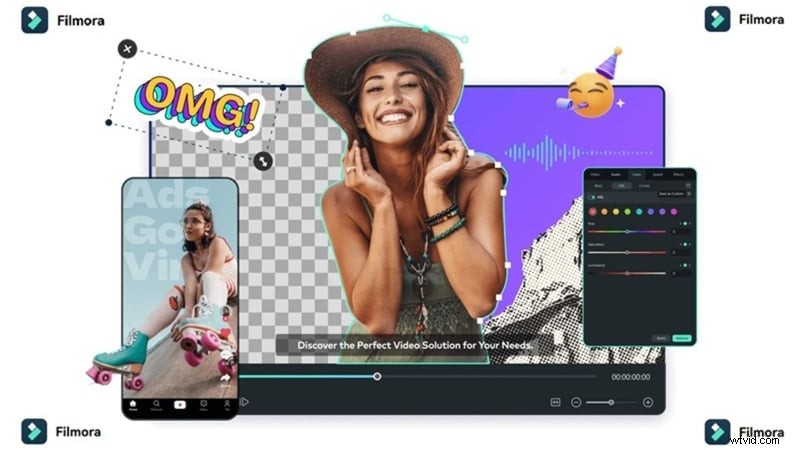
Filmora’s AI image‑to‑video leverages Veo 3.1 and Sora 2, delivering more realistic motion and cinematic output. It also offers a vast, editable template library, AI text‑to‑video, and audio‑to‑video features—tools absent in Memegen AI.
Why Filmora Feels More Complete
1. Better Image to Video Quality

The motion is smoother, frames hold together better, and the final result feels more polished than a template‑driven clip.
2. Way More Templates

Filmora offers extensive, editable templates—unlike Memegen AI’s fixed 78 options.
3. Create from Text and Audio
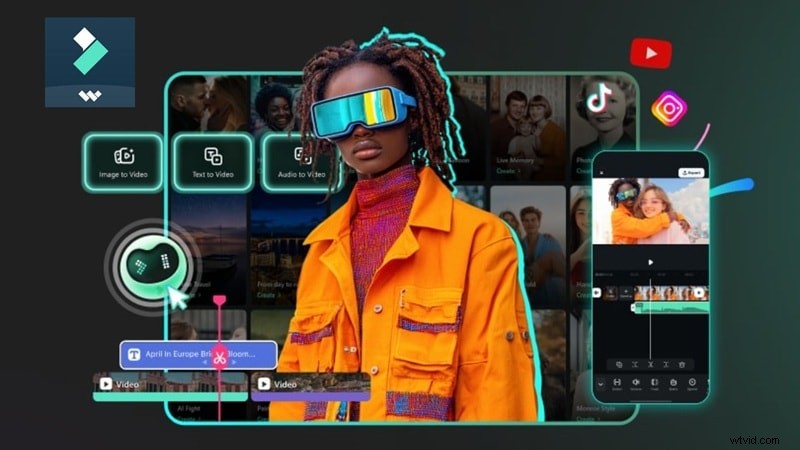
Beyond image‑based input, Filmora supports scripts and voiceovers, expanding creative possibilities.
4. Edit After Generation (Huge Advantage)
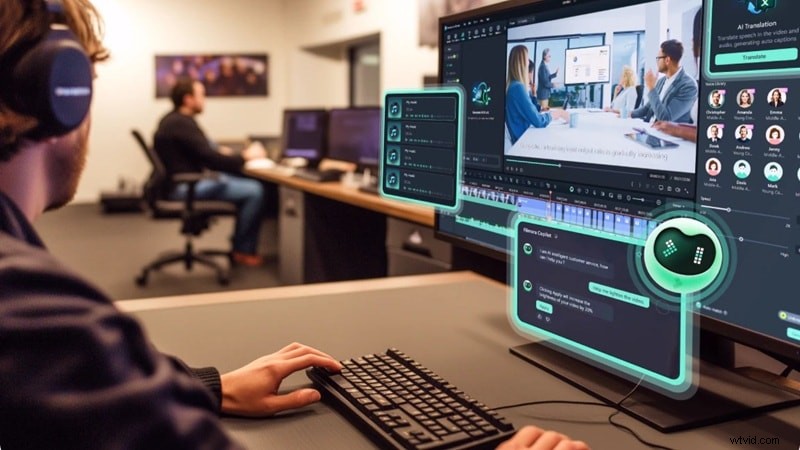
Generated footage is just the starting point. You can trim, add transitions, adjust color, layer effects, and more—ensuring a finished product.
5. Flexible Compatibility
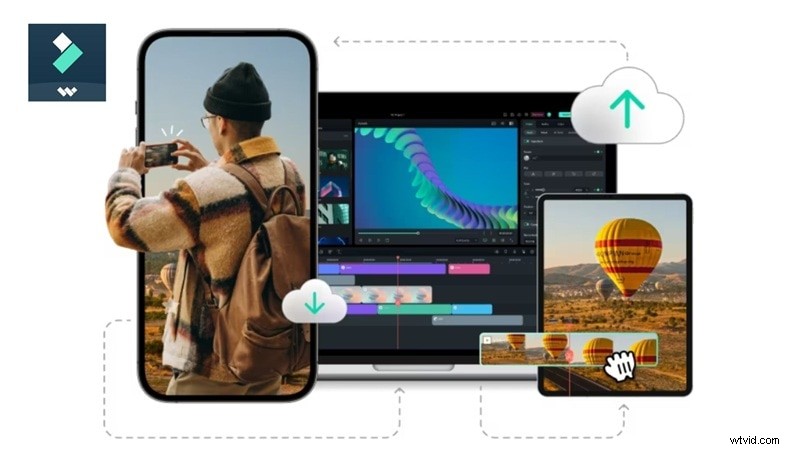
Filmora runs on Windows, macOS, Android, and iOS, allowing you to start on one device and finish on another.
Part 7. Side‑by‑Side: Memegen AI vs. Filmora
Below is a quick comparison to help you decide which platform suits your needs.
| Feature | Memegen AI | Wondershare Filmora |
| Primary Use | Quick meme and social video creation | Professional content creation and editing |
| Video Length | 5 seconds | Unlimited / Full projects |
| Editing Control | Prompt only | Full timeline editing with advanced tools |
| AI Video Generation | AI image to video | AI Text to Video, AI Image to Video, AI Audio to Video |
| Platform | Online | Windows, Mac, iOS, Android |
| Best For | Casual creators, meme social content | Serious creators, pro‑grade output |
Verdict: Which One Should You Choose?
| Choose Memegen AI If | Choose Filmora If |
| You mainly create short meme‑style content | You want more control over your videos |
| You’re posting casually and output quality isn’t your biggest priority | You need better quality AI video generation |
| You want to try AI video for free before spending anything | You want to edit and refine the results inside a timeline |
| You like simple prompt‑based generation | You plan to create longer or more polished content regularly |
| The roleplay and interactive story feature sounds fun to you | You’ve already hit the ceiling on Memegen AI and need more room |
Conclusion
Memegen AI (PopVid AI) is a solid, enjoyable tool for casual creators seeking quick AI‑generated videos without a steep learning curve. Its roleplay storytelling feature is a standout in a crowded field. However, the platform isn’t designed to replace a full video editor—customization is limited, and post‑generation editing isn’t possible.
For users who need higher quality, greater flexibility, and cross‑device support, Wondershare Filmora is the better choice. It offers advanced AI models, a complete editing timeline, and a broader range of creative tools.
FAQs About Memegen AI
-
Can You Use Memegen AI for Commercial Projects?
Depends on your subscription tier. Free outputs typically come with watermarks and usage restrictions. Paid plans generally allow commercial use, but always review the terms of service for rights confirmation.
-
Is There a Memegen AI Promo Code Available?
Occasionally PopVid AI offers limited promotions. The most reliable sources for codes are the official PopVid AI TikTok @popvidai and promotional banners on the sign‑up page.
-
Is Memegen AI Suitable for Long YouTube Videos?
Not really. It lacks timeline editing, voiceover integration, multi‑scene management, and extended clip control. For long‑form YouTube content, a full editor like Wondershare Filmora is preferable.