
Movavi Video Editor Suite stands out as a flagship product in Movavi’s multimedia lineup. It is favored by video creators, educators, and hobbyists for its blend of basic editing tools and advanced effects. From trimming and merging clips to applying filters, transitions, and audio integration, the suite covers a wide spectrum of video production needs.
Before you download, this review gives you a clear snapshot of what Movavi offers, how it operates, and whether it aligns with your editing goals.
In this article
- Where to Download Movavi Video Suite
- Movavi Pricing Plans
- Movavi’s Video Suite Interface
- Video Editing Capabilities
- Performance Evaluation
- Output Quality
- Advanced Editing Features
- AI‑Powered Tools for Easier Editing
- Translation Supports
- Great for Short‑Form Content
- High‑Quality Exports
Part 1. Download and Get to Know Movavi Video Suite
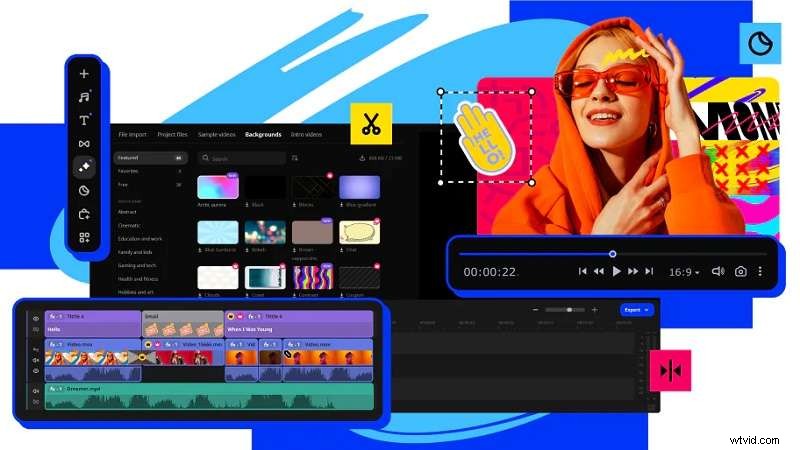
Imagine Movavi Video Suite as an all‑in‑one toolbox: trim clips, add effects, layer music, record your screen, convert files, and even create slideshows—all in one application. This versatility makes it a popular choice for YouTubers, teachers, and anyone who wants polished content without a steep learning curve.
Where to Download Movavi Video Suite
Download directly from the official Movavi website. It’s compatible with both Windows and macOS. A 7‑day free trial lets you test all features before committing. During the trial, exported videos carry a watermark, but once you purchase a license, the watermark disappears.
Movavi Pricing Plans
Movavi offers several tiers: the standard Video Editor, Video Editor Plus, and the full Video Suite Plus. Licenses can be purchased as a one‑time lifetime fee or via yearly subscriptions. Below is a quick pricing snapshot:
| Product | Plan Type | Price (USD) |
| Movavi Video Editor | 1‑Month Subscription | $19.95 |
| Movavi Video Editor Plus | 1‑Year Subscription | $54.95 |
| Lifetime License | $79.95 | |
| Movavi Video Suite Plus | 1‑Year Subscription | $99.95 |
| Business Lifetime License | $199.95 |
Pricing may vary, so always check the latest figures on Movavi’s store page.
Part 2. How Good is Movavi Video Editor?
After understanding the basics, let’s dive deeper into the editor’s core strengths: interface, tools, performance, and export quality.
2.1 Movavi’s Video Suite Interface
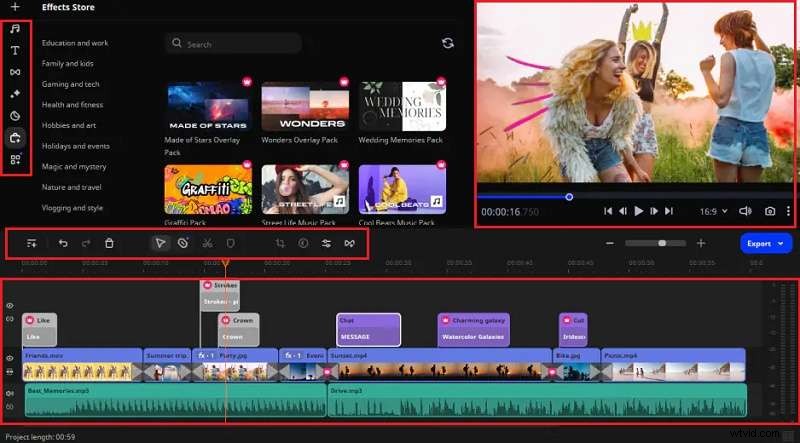
The layout is clean and intuitive. The timeline sits at the bottom for drag‑and‑drop editing; the left panel houses effects, transitions, and text options; the right preview window updates in real time. Every tool is clearly labeled, eliminating the need to sift through menus—ideal for beginners and seasoned editors alike.
2.2 Video Editing Capabilities
Movavi balances fundamental edits with selective advanced features:
- Basic Editing – Cutting, trimming, merging, and splitting clips are accessible via simple drag‑and‑drop or marker placement.
- Advanced Effects – Add slow motion, chroma key (green screen), keyframing, and stabilization to refine footage.
- Audio Tools – Reduce background noise, apply audio effects, and adjust levels with a dedicated audio mixer.
- Screen Recording – The built‑in Screen Recorder captures gameplay, tutorials, or webinars, previously known as Movavi Screen Capture Studio.
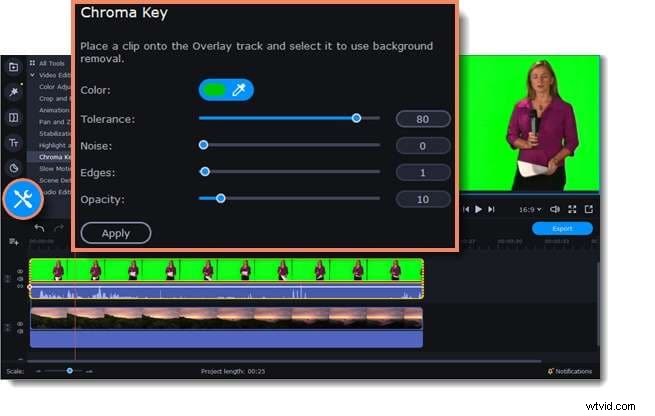

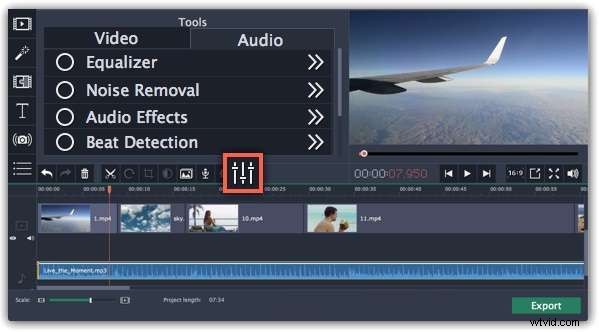
These capabilities make Movavi a solid choice for casual to intermediate projects.
2.3 Performance Evaluation
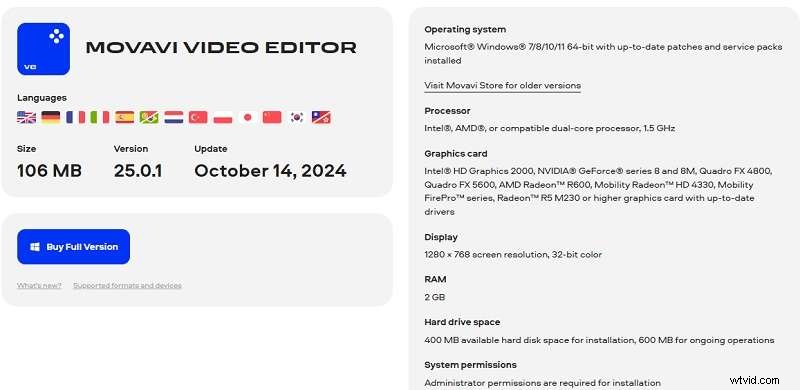
Runs smoothly on both Windows and macOS. The development team releases regular updates, and support is readily available through the help center. Rendering is efficient, especially on newer hardware, even with high‑resolution footage.
2.4 Output Quality
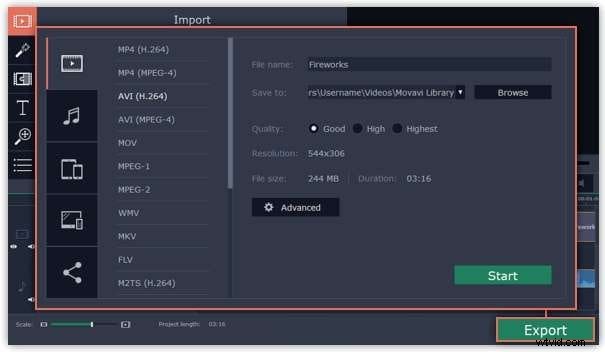
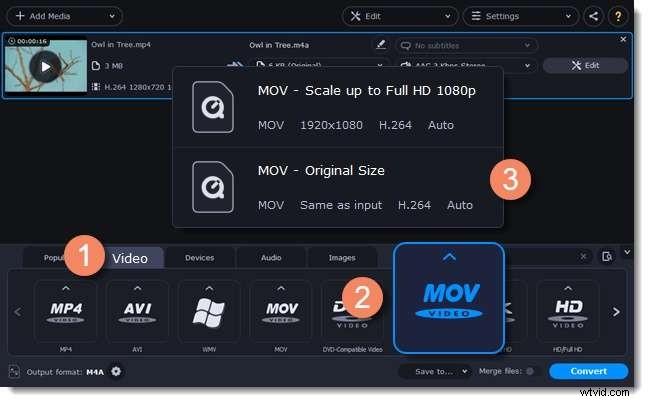
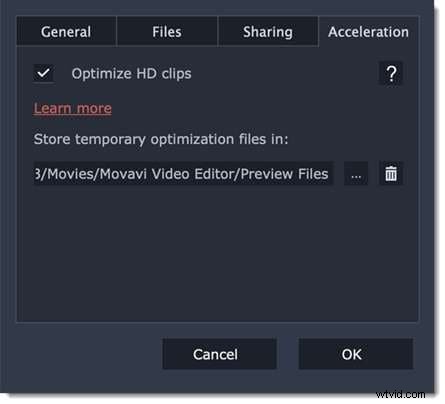
Supports a wide array of formats: MP4, AVI, MOV, MKV, and more. Export resolutions range from SD to Full HD. While 4K export is possible, it’s limited to the H264 codec; H265 is not supported. The HD Clip Optimization feature allows proxy editing for smoother workflow.
Part 3. For Creators Seeking More Powerful Video Editors
Movavi excels for many users, but those working extensively with 4K footage or seeking deeper AI functionality might find its limits restrictive. In such cases, Wondershare Filmora offers a broader suite of professional tools.
3.1 Advanced Editing Features
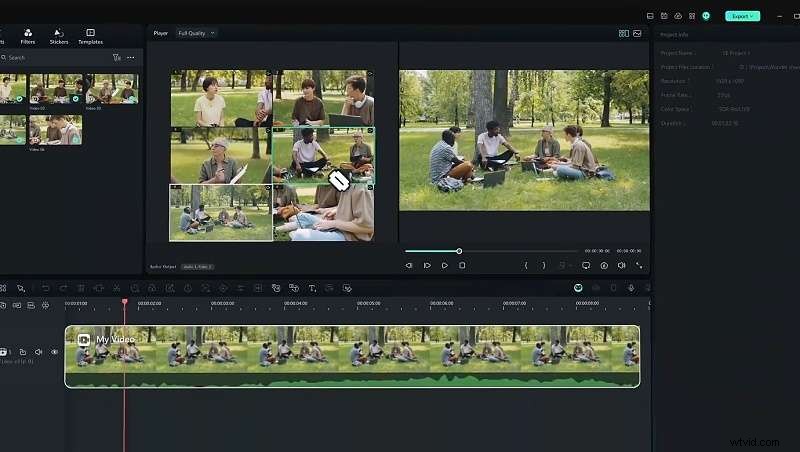
Filmora provides multi‑camera editing, smart scene cut, auto reframe, planar tracking, and more—extending beyond Movavi’s core set.
3.2 AI‑Powered Tools for Easier Editing
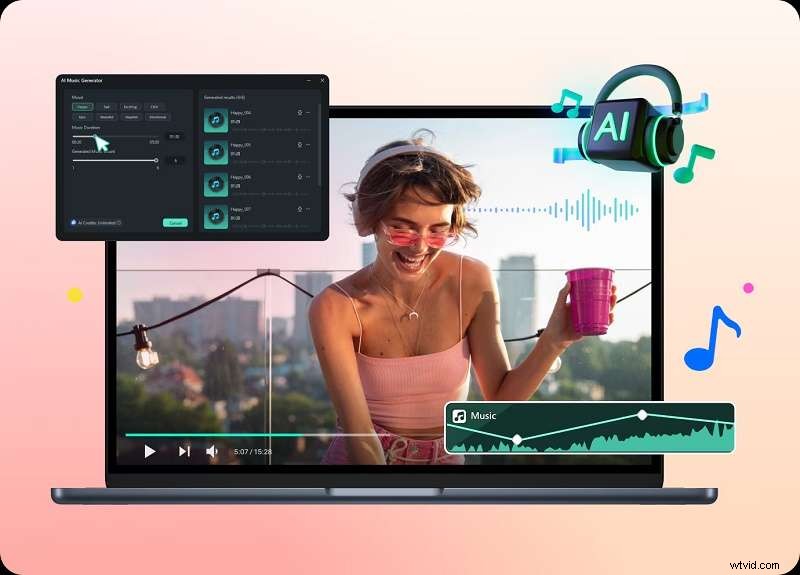
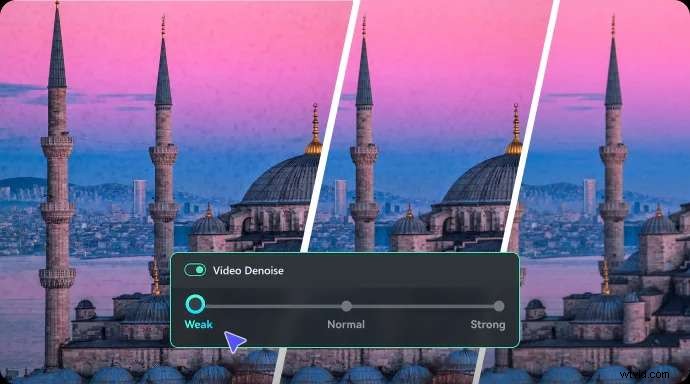
Filmora’s AI toolbox includes music generation, sound effect creation, image synthesis, sticker generation, video enhancement, denoiser, voice enhancer, vocal removal, voice cloning, AI copywriting, and AI text‑to‑video. The AI Copilot further streamlines editing workflows.
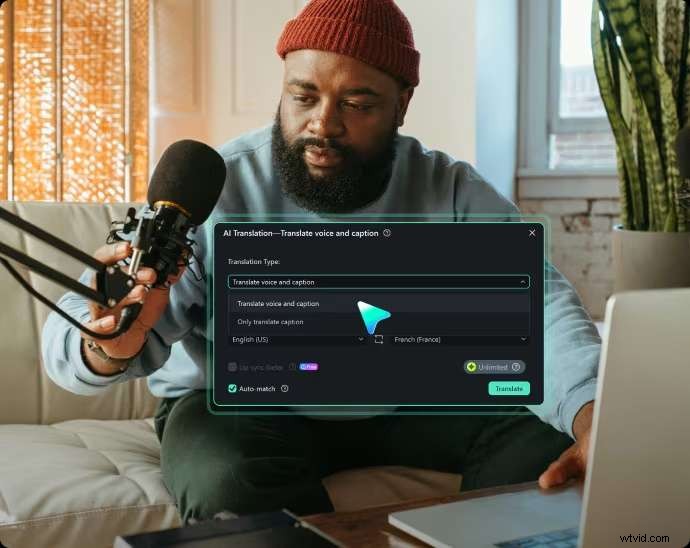
3.3 Translation Supports
Built‑in speech‑to‑text, AI translation, and automatic captions help creators reach global audiences and improve accessibility.
3.4 Great for Short‑Form Content
Smart Short Clips trims longer footage into bite‑size segments perfect for TikTok, Instagram Reels, or YouTube Shorts.

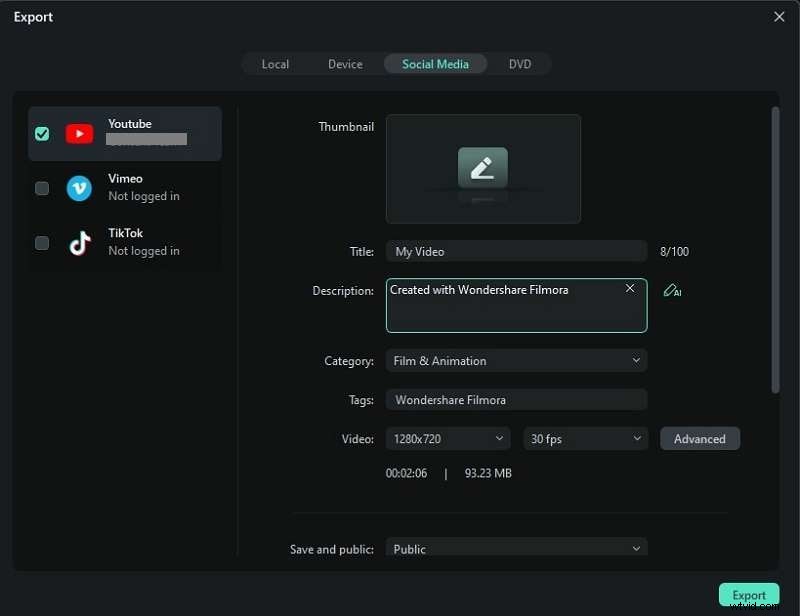
3.5 High‑Quality Exports
Filmora supports full 4K editing and offers direct sharing to YouTube, TikTok, and Vimeo. This makes it ideal for creators targeting high‑resolution platforms.
Part 4. Movavi vs. Filmora – Which Is Better?
The following table summarizes key differences:
| Criteria | Movavi Video Suite | Wondershare Filmora |
| Advanced Features | Basic tools with limited chroma key and motion tracking | Comprehensive set including multi‑camera, auto reframe, and planar tracking |
| AI Tools | Basic AI background removal, color grading, noise reduction | Extensive AI suite: music, voice cloning, text‑to‑video, etc. |
| Performance | Good, may struggle with 4K on lower‑spec systems | Optimized for 4K and high‑resolution editing |
| Support & Resources | Help center and user guide | Rich tutorials, community forums, and dedicated help center |
Both editors are viable, but Filmora clearly outperforms in advanced features, AI, performance, and support, making it the better choice for users who need a more powerful, future‑proof tool.
Conclusion
Movavi Video Editor is an excellent all‑in‑one solution for basic to intermediate editing, with a user‑friendly interface and solid performance. However, if you’re editing 4K footage or want AI‑driven enhancements, Wondershare Filmora offers a superior, feature‑rich experience.
FAQ
1. How can I remove the Movavi watermark?
Upgrade to a paid license; the watermark appears only on the trial version.
2. Does Movavi allow screen recording?
Yes, the built‑in Screen Recorder captures your desktop for tutorials, webinars, and gaming sessions.
3. Can I edit 4K videos with Movavi?
Yes, if your system meets minimum specs: a 4‑core CPU (e.g., Intel i5 6th gen or newer, AMD Ryzen 5), 16 GB RAM, and a 4 GB GPU (e.g., Nvidia GTX 1650).