
VSDC Free Video Editor has become a go‑to solution for budget‑conscious editors, beginners, and hobbyists who demand professional‑grade capabilities without a price tag. Packed with powerful features, the free version delivers a compelling workflow for anyone looking to produce high‑quality videos on a limited budget.
Before you hit Download, you’ll likely wonder: Is the software truly free, or are there hidden costs? What can I do with the free version, and will it meet my editing needs? This review answers those questions and helps you decide whether VSDC is the right fit for your projects.
In this article
- What VSDC Free Offers
- Key Features
- Supported Formats
- System Requirements
- Is VSDC Free Sufficient for Your Needs?
- Final Insights
- Filmora: A Strong Alternative
- System Requirements
- Supported Formats
- Key Features
- Feature Comparison
- When Filmora Might Be Better
Part 1. What VSDC Free Offers
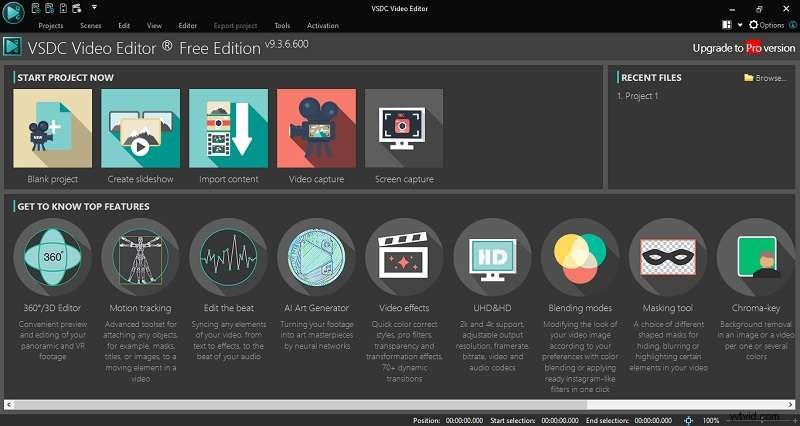
VSDC Free is a comprehensive, non‑linear video editing suite that lets you layer multiple video and audio tracks, move elements freely, and synchronize objects at any point in the timeline. When you launch the program, you can create a blank project, start a slideshow, import media, capture video, or record your screen.
Key Features
- Basic editing tools: trimming, splitting, cutting, zoom, and limited color correction.
- Wide range of video effects, filters, and smooth transitions.
- Pre‑configured export options for optimal output on various devices and platforms.
- Built‑in video capture for webcams and screen recording.
- Basic masking and chroma key (green‑screen removal) capabilities.
Supported Formats
- Video: H.265/HEVC, H.264, AVI, QuickTime (MP4/M4V, 3GP/2G2, MOV, QT), HDVideo/AVCHD (MTS, M2TS, TS, MOD, TOD), Windows Media (WMV, ASF, DVR‑MS), WebM, and more.
- Audio: MP3/MP2, WMA, M4A, AAC, FLAC, OGG, RA, RAM, VOC, WAV, and others.
- Images: SVG, BMP, JPEG/JPG, PNG, PSD, GIF, ICO, CUR.
System Requirements
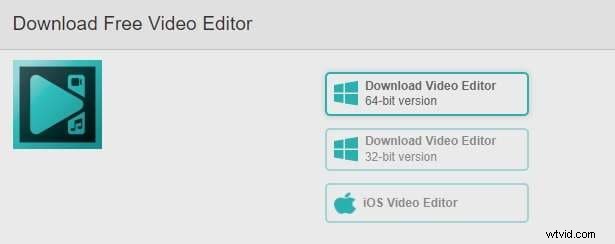
VSDC is available for Windows from XP Service Pack 3 (32‑bit) up to Windows 11. For XP or Vista users, a compatible version can be requested from VSDC support. A mobile version exists for iOS. Select the 32‑bit or 64‑bit installer that matches your system when downloading from the official website.
Part 2. Free vs Pro: What’s Missing?
The free edition is ideal for casual users and beginners who need essential editing tools at no cost. However, advanced features—such as motion tracking, beat editing, AI art generation, animated text, and alpha blending—are reserved for the Pro license.
- Motion Tracking: Follow moving objects and apply dynamic effects.
- Beat Editing: Sync visual effects with audio beats for music videos.
- AI Art Generator: Transform clips into artistic styles.
- Text Animation: Create eye‑catching animated titles.
- Blending Modes: Layer videos and images with advanced alpha support.
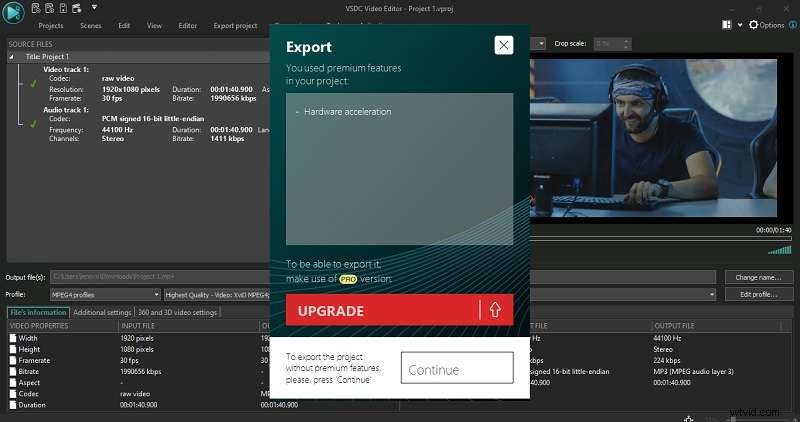
During export, VSDC will prompt you to proceed without Pro features or purchase the Pro version, which costs $29.99.
Is VSDC Free Enough for Your Needs?
If your workflow revolves around basic trimming, screen recording, and simple effects, VSDC Free will serve you well. It exports watermark‑free videos—a significant advantage over many free editors that add branding. For more complex projects, you’ll eventually encounter the feature gaps discussed above.
Part 3. Pros and Cons
- Pros
- Completely free download and watermark‑free exports.
- Optimized for low‑end or older machines.
- Broad format support for both import and export.
- Includes 360° video editing—a rarity in free tools.
- Cons
- Preview window may lag, hindering real‑time feedback.
- Timeline can become cluttered with multiple tracks.
- Interface feels dated and less intuitive, often requiring tutorials.
Final Insights
VSDC Free offers a robust feature set without cost, but its user interface and occasional performance hiccups can be challenging for newcomers. If you’re ready to explore the Pro version or consider alternatives, the next section covers the best option for many users: Wondershare Filmora.
Part 4. Wondershare Filmora – A Strong Alternative
Filmora is designed for ease of use while still delivering a powerful editing experience. Its modern interface, built‑in templates, and AI tools make it attractive for both beginners and seasoned creators.
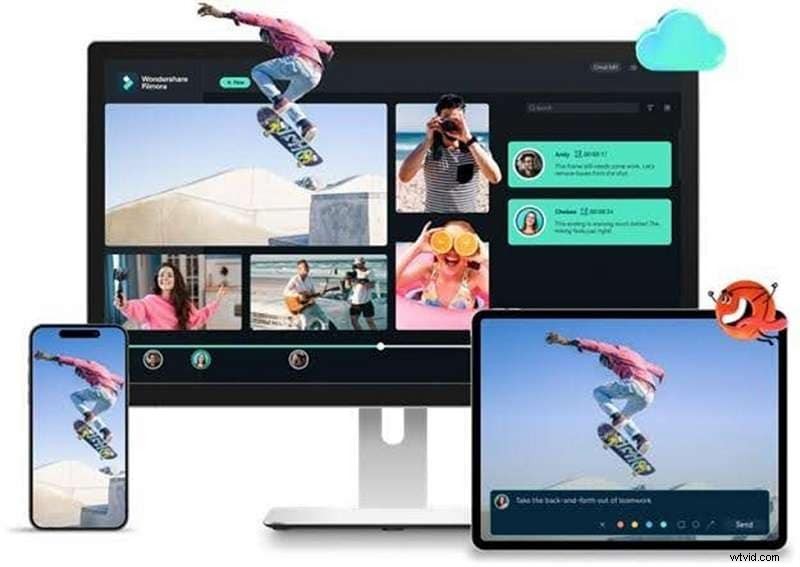
Filmora’s free plan unlocks most features, except AI credits and VIP‑only options. Exporting from the free plan adds a watermark, but upgrading eliminates this limitation.
System Requirements
Filmora supports Windows 7 or newer and macOS 10.15 (Catalina) or later. Older Macs can run legacy versions. Android and iOS devices also host Filmora’s mobile app.
Supported Formats
- Video: MPEG‑1/2, MPEG‑4, Flash (FLV, F4V), Windows Media (WMV, ASF), Matroska (MKV), and more.
- Audio: MP3, M4A, WAV, WMA, OGG, FLAC, AIF, AIFF.
- Image: SVG, JPG, PNG, BMP, GIF, TIFF.
Key Features
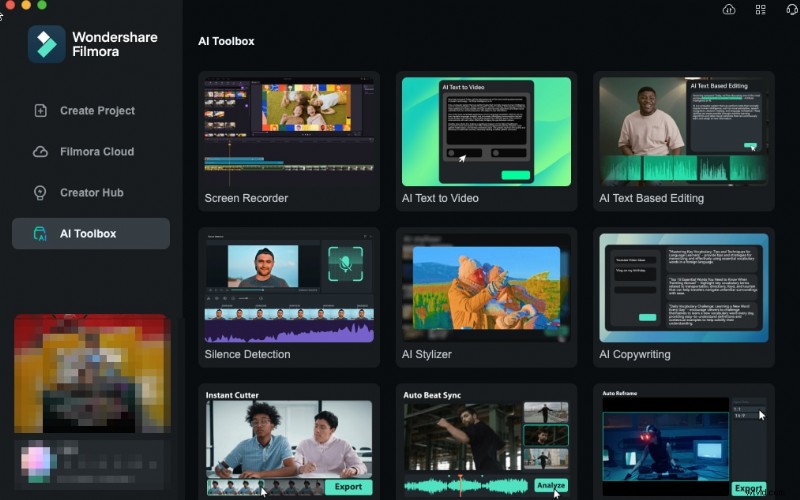
- AI tools: background removal, audio noise reduction, AI portrait, and more.
- Video templates: pre‑made layouts that auto‑adapt to your clips.
- Stock asset library: royalty‑free videos, images, music, and sound effects.
- Extensive effects and transitions, plus support for plugins such as Boris FX and NewBlue FX.
Feature Comparison
| Feature | VSDC | Filmora |
| Motion Tracking | ✔ (Pro) | ✔ |
| Auto Reframe | ❌ | ✔ |
| AI Art Generator for Video Effects | ✔ | ❌ |
| AI Image Generator from Text | ❌ | ✔ |
| AI Music Generator | ❌ | ✔ |
| Chroma Key | ✔ | ✔ |
| Video Interpolation (Slow Motion) | ✔ (Pro) | ✔ |
| Masking Tool | ✔ | ✔ |
| Text Animation | ✔ (Pro) | ✔ |
| Auto‑caption | ✔ (Pro) | ✔ |
| Screen Recorder | ✔ | ✔ |
| AI Translation | ❌ | ✔ |
| Speech to Text / Text to Speech | ❌ | ✔ |
When Filmora May Be a Better Choice
Filmora’s intuitive design and modern UI make it easier to navigate for users who find VSDC’s interface cumbersome. It also offers additional tools such as auto‑reframe, built‑in templates, and a stock library—features that enhance workflow for content creators targeting social media platforms.
Conclusion
VSDC Free is a solid, zero‑cost editor that delivers watermark‑free exports and broad format support, making it an excellent starting point for beginners or budget‑conscious editors. If you require a more polished UI, advanced AI tools, or a broader feature set, Filmora provides a compelling alternative—especially when the free version’s watermark is a concern.