
Jazz emerged from a blend of soul, struggle, and freedom, thriving in smoky clubs and bustling streets where musicians turned simple chords into endless narratives. Today’s technology strives to capture that same spirit. A jazz chord generator can mirror the flow of improvisation, while an AI jazz music generator produces tracks that carry authentic swing and energy. These tools democratize jazz for beginners and offer creators fresh avenues to shape sound.
In this guide we review the top options and show how they can inspire your next project.
Quick Spotlight: Our Top 3 AI Jazz Picks
Each of these tools was selected for distinct strengths that set them apart:

Wondershare Filmora (Desktop + Mobile)
Known for blending creative control with simplicity, Filmora lets you craft original jazz soundtracks and align them with visuals in a single workflow.
Download Now

TopMediai
Stands out for real‑time improvisation support, enabling learners and creators to experiment with jazz progressions that feel close to live performance.
View Details

AIVA
Chosen for its professional‑grade depth, AIVA structures complex arrangements across genres—including jazz—making it a trusted choice for projects demanding industry‑level quality.
View Details
How We Tested These Tools
Our evaluation relied on five core criteria:
- Music Quality: Clarity, balance, and naturalness of generated jazz, with a focus on realistic instruments and smooth swing.
- Chord Accuracy: The precision of complex jazz chords and support for improvisation.
- Ease of Use: Interface friendliness for beginners and depth for advanced users.
- Video Integration: Seamless compatibility with editing workflows, a key advantage for platforms like Filmora.
- Community Feedback: Real‑world reviews from musicians, novices, and video creators.
We combined hands‑on testing with community insights to ensure the results reflect practical needs.
Part 1. Comparison Chart (Summary View)
Below is a side‑by‑side comparison of all platforms, highlighting music quality, improvisation strength, customization options, and availability.
| Tool | Music Quality | Chord & Improvisation | Customization | Platforms |
| Filmora (Desktop + Mobile) | High — polished jazz‑style tracks with real instruments | Yes — feature‑rich jazz chord generator & sync tools for flexible improvisation | Strong — visual effects, beat sync, tempo control | Windows, macOS, iOS, Android |
| TopMediai | High — expressive jazz solos and arrangements | Yes — chord generation & improvisation via prompts | Strong — moods, instruments, styles, MIDI/export options | Web only |
| Udio | High — community‑generated, diverse outputs | Partial — variation depends on prompts/remixes | Medium — remixing and style tools | iOS, Web |
| Mubert | High — smooth, polished jazz loops for background | Limited — fixed loops, less improvisation | Medium — mood, length, genre options | Web, iOS, Android |
| AIVA | Very High — complex harmonies and orchestration | Strong — advanced composition features | Deep — genre, emotion, instrument control | Android, iOS, Windows |
|
Show more Show less |
Part 2. Detailed Reviews of Top AI Jazz Music Tools
Below is an in‑depth look at leading AI jazz music generators, illustrating how each supports musicians, video editors, and content creators.
1. Wondershare Filmora (Desktop + Mobile) – Best for Video Creators
Filmora merges video editing with an integrated AI Music Generator, letting you create professional AI jazz music without leaving the platform.
It analyzes extensive musical patterns and builds complete pieces with smooth rhythms, natural flow, and adjustable moods or tempos. You can select from various styles or input a text prompt for a custom track. All music is royalty‑free, safe for personal and commercial use.

 Secure Download
Pros & Cons
- Create multiple tracks at once, saving time during projects.
- Supports more than 20 genres, including jazz.
- Adjust track length to fit video needs.
- Generates professional music in seconds for both personal and commercial use.
- Combines strong video and audio editing features with the AI Music Generator.
- Track generation consumes credits, limiting free/trial usage.
Key Features for Creating AI Jazz
- AI Music Generator — Create royalty‑free jazz tracks in seconds.
- Auto Beat Sync — Match video cuts with music rhythm.
- Audio Visualizer — Turn beats into moving visuals.
- Vocal Remover — Extract clean instrumentals.
- AI Sound Effects — Add ambience like snaps, claps, or background noise.
Best for
Filmora is ideal for YouTubers, vloggers, educators, and marketers who need ready‑to‑use jazz soundtracks paired with editing tools in one workspace. Freelancers on tight deadlines also benefit.
How to Make AI Jazz Music
Filmora’s music generator can produce background tracks in just minutes. Follow these steps:
1. Open Filmora and create a new project.
2. Go to Audio > AI Audio > AI Music.
3. Click the Advanced tab and enter a text prompt describing the jazz track you want. Be clear about instruments, mood, and tempo.
Example: "Smooth jazz with piano, saxophone, and upright bass, 90 BPM, relaxed evening mood, instrumental only."
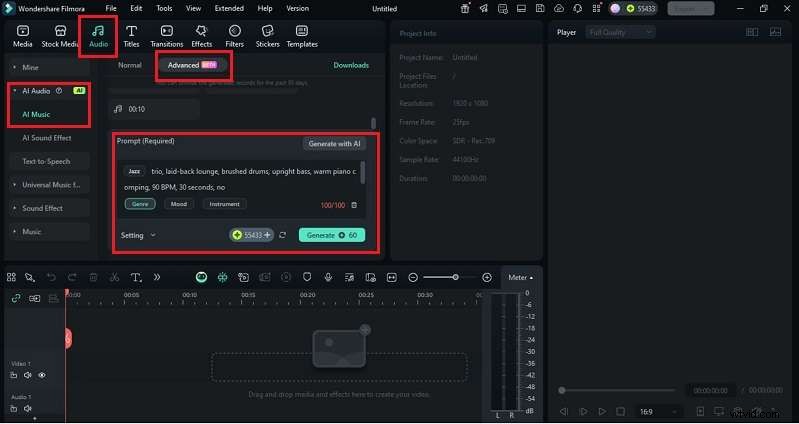
4. (Optional) Refine the output using mood, genre, or theme chips.
5. Set duration and number of tracks in Settings. Click Generate and wait for Filmora to create your custom jazz track.
6. Preview the result, save it, or drag it onto the timeline for trimming, looping, or syncing with visuals. Export your project with the new jazz soundtrack included.

2. TopMediai – AI‑Powered Improvisation Training
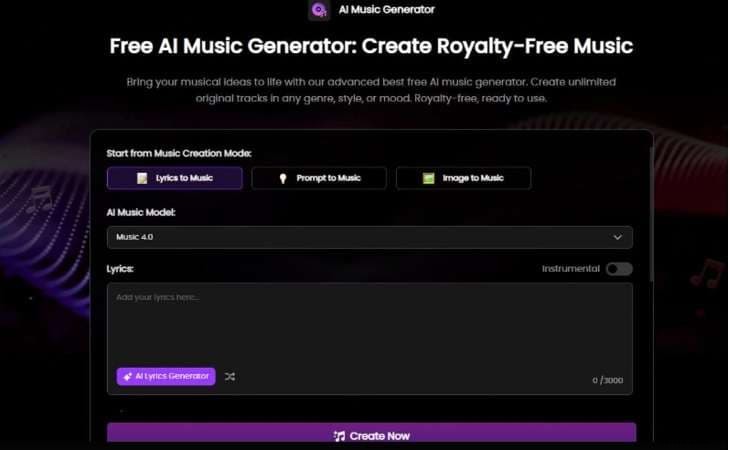
TopMediai focuses on AI music generation across 200+ genres, with a strong emphasis on jazz. Its algorithms emulate classic jazz recordings, producing authentic chord progressions, solos, and full arrangements. Advanced features require a subscription, and the interface has a learning curve, but it is excellent for serious music creation.
Pros & Cons
- Supports sheet music and MIDI export for further editing.
- Allows remixing of existing songs with fresh melodic layers.
- Offers a wide genre variety beyond jazz.
- Boosts efficiency with instant generation.
- Includes flexible vocal style options.
- Some spontaneity of live jazz performance may be missing.
- Subscription required for advanced tools.
Key Features for Creating AI Jazz
- Generate complete jazz pieces or smooth solos.
- Customize instruments, moods, and styles.
- Export compositions in MIDI or sheet music formats.
- Real‑time hub for sharing and feedback.
- Supports multiple genres, from jazz to rock.
- Create two tracks at once for faster results.
Best for
Educators, producers, and video creators who need quick, high‑quality jazz compositions.
3. Udio – Collaborative AI Music Creation Community
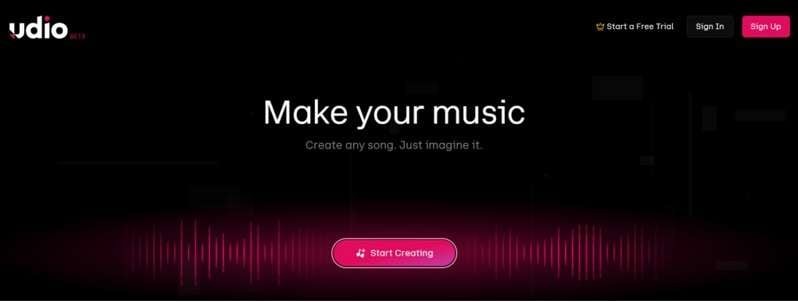
Udio turns simple text prompts into complete AI jazz music tracks with realistic arrangements and vocals. No technical skills are required, and you can quickly remix or extend your compositions.
It is ideal for creators who want to produce AI jazz music fast, whether for demos, practice, or quick content projects.
Pros & Cons
- Strong vocal generation with realistic sound.
- Good for demos or full‑length jazz vocal tracks.
- Active community for feedback and inspiration.
- Instrumental features are less advanced than vocal tools.
- Licensing rules still under legal review.
Key Features for Creating AI Jazz
- Natural language prompts create songs with full vocals and instrumentation.
- Tools for remixing, extending, and replacing sections of a track.
- High‑quality arrangements with realistic lyrics and structure.
- Community hub for publishing, sharing, and discovering music.
Best for
Artists, lyricists, and vocal producers exploring fast, vocal‑driven AI jazz music.
4. Mubert – AI Music Streaming and Licensing Platform
Mubert helps creators generate AI jazz music quickly with royalty‑free tracks for videos, podcasts, or apps. You can use text prompts or image cues to produce smooth jazz or funk that fits your project. A beta feature even syncs music to YouTube clips, and its intuitive interface makes it easy for both beginners and professionals to create polished tracks fast.

Pros & Cons
- High‑quality audio with natural flow.
- Fast creation process.
- Works across many project types.
- No prior musical skills needed.
- Limited advanced editing compared to full music software.
Key Features for Creating AI Jazz
- Royalty‑free jazz and funk compositions.
- Generate music through text prompts or image inputs.
- Beta tool to sync music with YouTube scenes.
- Control over track length and mood.
- Wide range of jazz subgenres.
Best for
Streamers, content creators, and app developers needing quick background jazz tracks.
5. AIVA – Professional AI Music Composition Tool
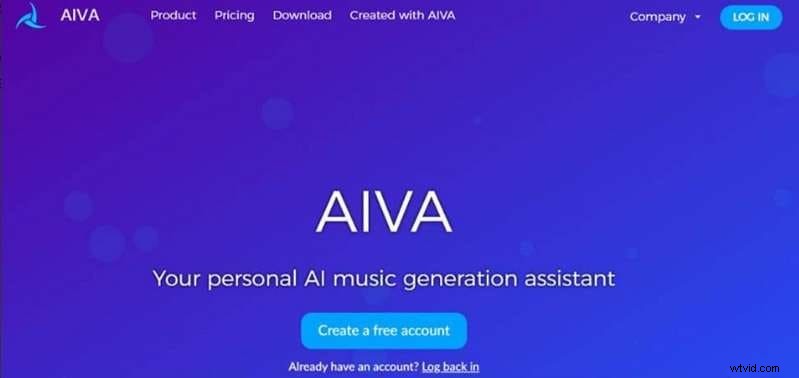
AIVA is a trusted AI jazz music generator known for creating emotional soundtracks for ads, films, and games. It combines user‑friendly tools for beginners with advanced options like MIDI editing and reference track uploads, giving professionals full control over their compositions. Its tiered subscription covers usage rights, from free plans with attribution to Pro plans with full ownership.
Pros & Cons
- Delivers fast, high‑quality original scores.
- Flexible export suited to professional workflows.
- Intuitive enough for users without formal training.
- Entry plan has strict usage limits.
- Advanced functions require payment.
- No built‑in vocal generation.
Key Features for Creating AI Jazz
- Integrates MIDI editing for detailed arrangement control.
- Supports guided creation through user‑uploaded reference tracks.
- Enables stem separation for instrument‑level exports.
- Offers cross‑genre support, with strong results in classical, cinematic, and jazz.
Best for
Seasoned composers, media producers, and game developers who need tailored scores without traditional licensing hurdles.
Part 3. Visual Styles for Jazz Music Videos
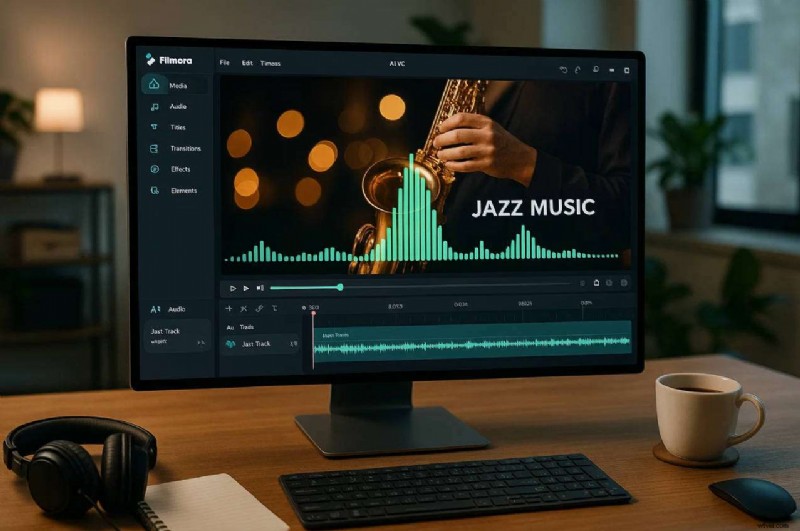
Jazz is as much about mood and visuals as sound. When creating AI jazz music videos with Filmora, pairing tracks with the right visual style can dramatically enhance impact.
Suggested Styles
- Black‑and‑White Retro: Ideal for classic jazz vibes and smooth melodies.
- Urban Night Lights: Complements modern or smooth jazz tracks, adding sophistication.
- Abstract Shapes & Motion Graphics: Perfect for improvisation‑heavy AI jazz compositions.
- Live Performance Edits: Combine AI jazz music with recorded visuals for a dynamic, authentic feel.
Filmora’s Auto Beat Sync and Audio Visualizer help creators sync music to visuals. Even if you’re not making videos, thinking in visuals can inspire tempo, improvisation, and style.
Conclusion
This guide showcases the leading AI tools shaping music in 2026. Platforms like TopMediai, Udio, Mubert, AIVA, and Filmora bring new ways to create chords, solos, vocals, and full tracks. A jazz chord generator helps learners grasp improvisation, while an AI jazz music generator delivers royalty‑free sound for lessons, performances, and content creation. Some tools emphasize speed; others offer professional depth.
Filmora stands out by merging video editing with AI music features, providing a complete solution for creators. Together, these platforms illustrate how tradition and innovation converge, keeping jazz expressive, modern, and accessible to anyone with a creative vision.
Filmora
AI Video Editing App & Software
Best tool for making videos anywhere for all creators!
Your Perfect First Video Edit Starts Here – No Experience Needed