
Old videos capture precious memories, yet low resolution, noise, blur, and faded colors often spoil the experience. AI‑powered video restoration now offers a professional, no‑skill‑required solution to clean, enhance, and upscale archival footage.
In this guide we evaluate the leading AI video restoration tools available today. You’ll find clear recommendations, a side‑by‑side comparison, and a step‑by‑step walkthrough of how to bring your old videos back to life.
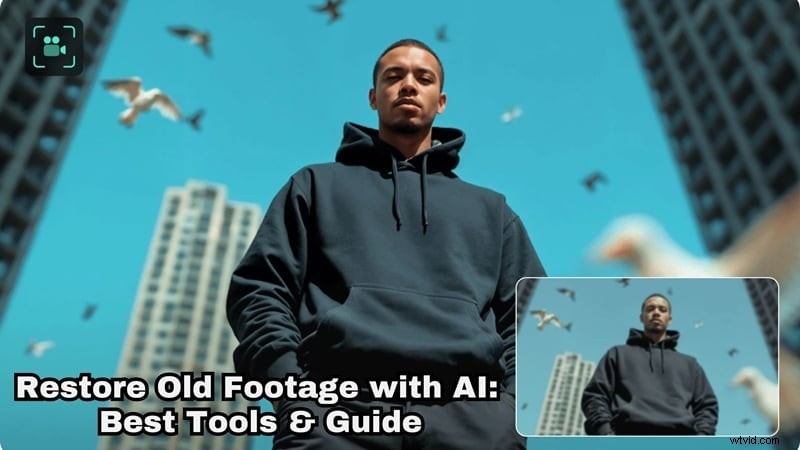
Our Top 3 Picks for AI Video Restoration
We tested seven tools on authentic archival clips—VHS rips, low‑bitrate recordings, and blurry home videos. These three stood out for their performance, usability, and overall value.

1. Wondershare Filmora – Best Overall AI Video Restoration Tool
Filmora combines a full‑featured video editor with Topaz Starlight AI upscaling, denoising, stabilization, and color correction—all within a single workflow. No app switching, no complex setup.
Download Download Download

2. Topaz Labs Video AI – Best for Pure AI Upscaling Quality
Topaz Video AI focuses exclusively on restoration and upscaling. Its Project Starlight model processes multiple frames simultaneously, delivering razor‑sharp 4K results with natural motion.
View detail

3. AVCLabs Video Enhancer AI – Best for Automated One‑Click Enhancements
AVCLabs is ideal for users who want quick, beginner‑friendly results. Its AI handles denoise, deblur, and resolution boosts automatically, making it perfect for fast restores.
View detail
How We Tested These AI Video Restoration Tools
Our recommendations are grounded in real-world performance. Each tool was evaluated against the same set of archival footage—VHS rips, low‑bitrate clips, and shaky home videos—to assess:
- AI Upscaling Quality: Natural appearance after resolution increase.
- Detail Recovery: Edge fidelity, texture restoration, and motion consistency.
- Noise & Artifact Removal: Cleanliness of grain, compression blockiness, and visual noise.
- Workflow Efficiency: Speed from import to export.
- Editing Flexibility: Ability to fine‑tune results.
Full List: Top 7 AI Video Restoration Software with Reviews
Below is a concise comparison that highlights each tool’s strengths and use‑case focus.
AI Video Restoration Comparison Chart
| Tool Name | AI Upscaling Quality | Detail Recovery | Editing Included | Rating |
| Filmora | Very high | Strong and natural | Yes full editor | 4.7 / 5 |
| Topaz | Very high | Excellent | No | 4.5 / 5 |
| UniFab | High | Good | No | 4 / 5 |
| VidHex | Medium to high | Moderate | No | 4 / 5 |
| AVCLabs | High | Good | Limited | 4.5 / 5 |
| Audials One | Medium | Moderate | No | 4 / 5 |
| HitPaw VikPea | Medium | Moderate | No | 4 / 5 |
|
Show More Show Less |
1. Wondershare Filmora: All‑in‑One NLE with Topaz AI Upscaling

Filmora delivers the most comprehensive AI restoration workflow. Its AI Video Enhancer, powered by the Topaz Starlight model, restores clarity, rebuilds lost details, and upsamples footage while preserving natural motion.
Key Features
- Topaz Starlight AI for superior detail recovery.
- AI Video Denoiser that removes grain and compression artifacts.
- Local GPU acceleration on NVIDIA RTX 30‑series or higher.
- Full non‑linear editor for trimming, color correction, stabilization, and audio editing.
- Wide format support: MP4, MKV, AVI, WebM, GoPro Cineform, JPG, PNG, GIF.
Pros
- One‑stop solution: restoration and editing in the same app.
- Upscaling to 1080p or 4K with Topaz model.
- Easy to use for beginners and professionals alike.
Cons
- Topaz AI session limited to 1 minute at 60 fps.
- AI processing requires credits.
Platforms: Windows & macOS.
Best For: Restoring home videos, correcting social media clips, and improving low‑light footage with minimal setup.

Filmora – AI Video Editing App & Software
Best tool for creators who need a complete workflow without complex settings.
2. Topaz Video Upscale AI

Topaz Video AI excels when maximum detail recovery is the priority. Its Project Starlight model processes dozens of frames simultaneously, ensuring smooth motion and realistic results.
Key Features
- Upscales from 1080p to 4K and beyond.
- AI understands objects and motion for realistic enhancement.
- Reduces pixelation, blur, and noise.
- Smart frame interpolation for smoother playback.
Pros
- Multiple presets: Film & TV, Sports, Gaming, Old Video, Art & CG, Standard.
- Preview before full render.
Cons
- Requires a strong GPU for speed.
- No built‑in editor.
Platforms: Windows, macOS, online (via Astra).
Best For: YouTube creators, social media clips, and large‑screen playback.
3. UniFab Video Upscaler AI
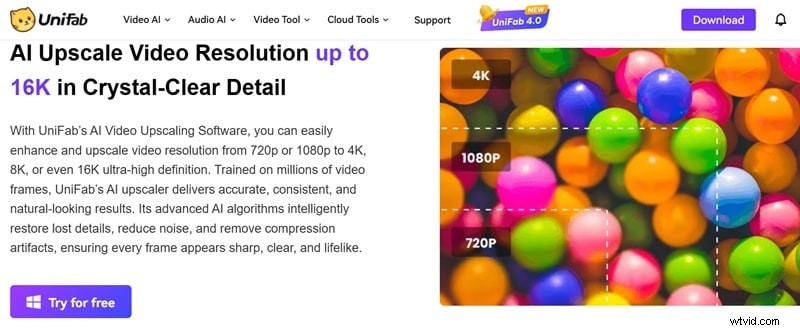
UniFab offers a versatile AI suite tailored to different content types. Choose from specialized models—Equinox, Kairo, Vellum, or Titanus—to match your footage’s genre.
Key Features
- Equinox for low‑resolution movies, TV recordings, and home videos.
- Kairo for animation and cartoon content.
- Vellum & Titanus for cinematic footage.
- FabCloud for cloud‑based processing.
Pros
- Model selection per content type.
- Automatic colorization of black‑and‑white footage.
Cons
- Trial often times out.
- Cloud processing can be slow during peak times.
Platforms: Windows, macOS, online.
Best For: Restoring old movies, TV shows, and personal home videos needing higher resolution and basic cleanup.
4. VidHex
VidHex focuses on quick upscaling and restoration. Its streamlined interface delivers high‑resolution results without requiring deep technical knowledge.
Key Features
- Video enhancer for clarity and sharpness.
- Restorer for older, compressed footage.
- Frame interpolation for smoother motion.
- Color enhancement model for faded footage.
Pros
- All‑in‑one restoration suite.
- Intuitive UI suitable for beginners.
Cons
- Limited fine‑tuning options.
- Free users can preview only a few seconds.
Platforms: Windows, macOS.
Best For: Upscaling home videos and low‑resolution clips when speed is essential.
5. AVCLabs Video Enhancer AI
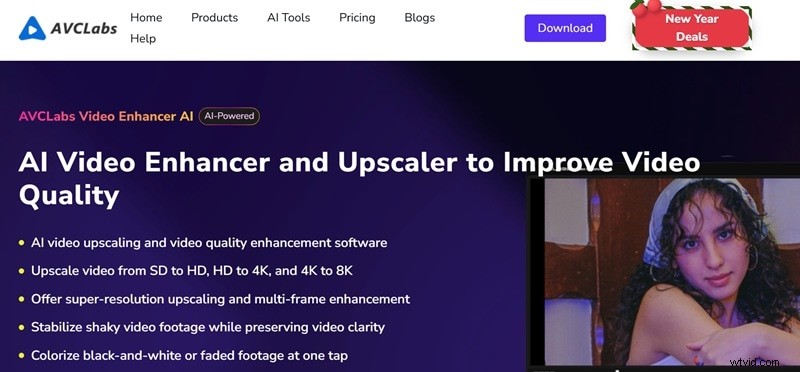
AVCLabs offers one‑click AI cleanup and upscaling. It is ideal for users who want immediate, high‑quality results without extensive tweaking.
Key Features
- Upscales SD → HD, HD → 4K, up to 8K.
- Colorizes black‑and‑white footage with a tap.
- Compatible with Apple M, NVIDIA, AMD, and Intel GPUs.
- Supports MP4, AVI, MOV.
Pros
- Multiple AI modes: Ultra, Standard, Anime, Denoise, Colorize.
- Batch processing for multiple videos.
Cons
- Online version requires account creation.
- Performance drops on lower‑end systems.
Platforms: Windows, macOS, online.
Best For: Restoring home videos, smartphone footage, and gaming clips.
6. Audials One
Audials One is primarily known for media capture, but its Premium tier also offers robust AI restoration. It can upscale to 4K, add frame‑rate interpolation, and deliver HDR previews.
Key Features
- Frame‑rate interpolation up to 120 FPS.
- Slow‑motion options (10%–50%).
- Speed‑up up to 200%.
- HDR preview of before/after.
Pros
- Multiple AI models for varied content.
- AI music upscaler for audio enhancement.
Cons
- Windows only.
- Paid plan required; free trial limited to 14 days.
Platforms: Windows, online.
Best For: Digitized VHS tapes, phone recordings, vintage films, and social media clips.
7. HitPaw VikPea
HitPaw VikPea delivers natural‑looking enhancement for older or damaged footage. Its General Denoise Model and color‑enhancement tools provide clean results without aggressive edits.
Key Features
- Improves overall quality and facial details.
- Model selection based on video type.
- Customizable resolution, bitrate, and format.
- Preview before export.
Pros
- Colorizes grayscale footage.
- Batch processing in desktop version.
Cons
- Full features behind paid version.
- Limited manual fine‑tuning for advanced users.
Platforms: Windows, macOS, online.
Best For: Anime clips, animated videos, and casual old footage.
How to Restore Old Videos with AI Using Filmora
Restoring archival footage is a balance between quality and workflow simplicity. While some tools require complex multi‑step processes, Filmora offers a seamless experience powered by Topaz Starlight SLF 1.
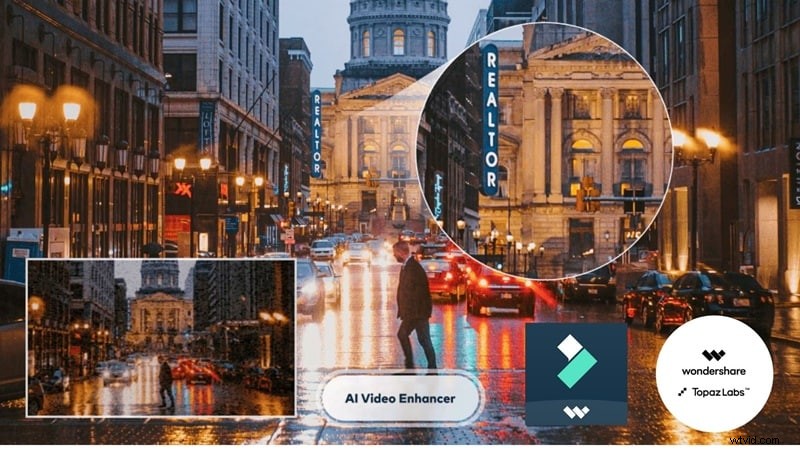
Step‑by‑Step: Restore with Filmora (Topaz Starlight)
Below is a concise walkthrough, followed by a before‑and‑after comparison.

Step 1: Open Filmora and Access the AI Video Enhancer Feature
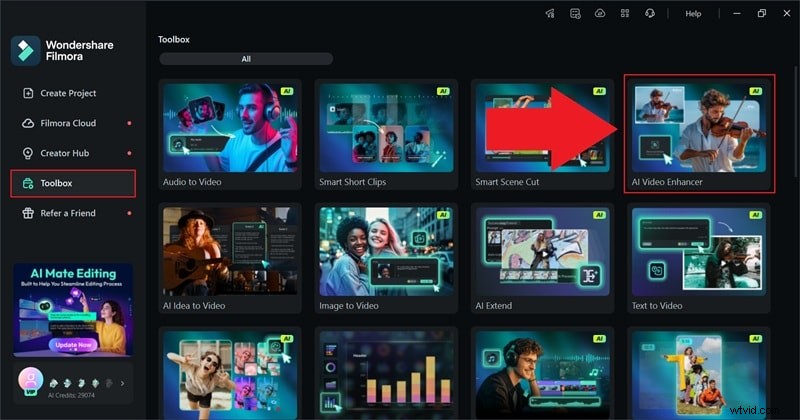
Step 2: Upload Video and Apply AI Restoration
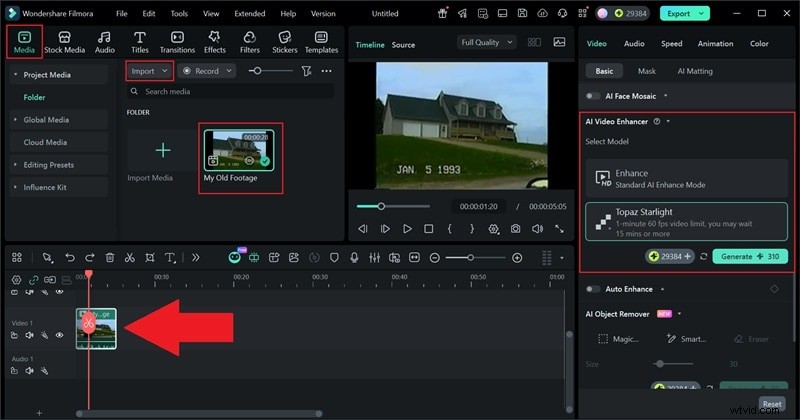
Go to the "Media" tab, click "Import" to load your clip. Drag it onto the timeline, then select the "AI Video Enhancer" settings:
- Choose "Topaz Starlight" as the enhancement option.
- Click "Generate" and let Filmora process the restoration.
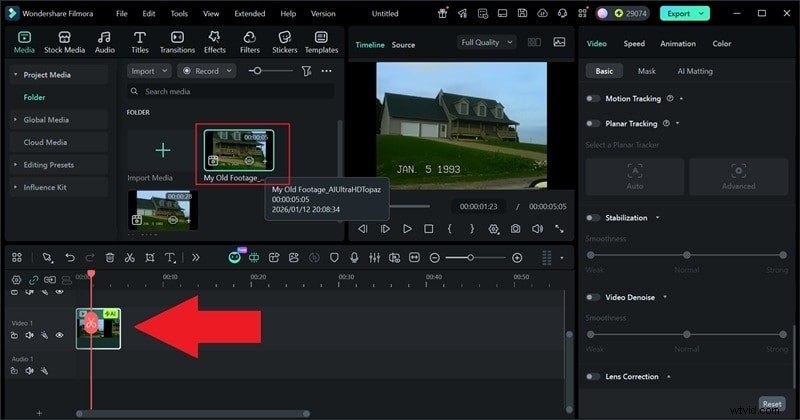
Step 3: Preview and Edit Your Video
Step 4: Export and Save Your Video
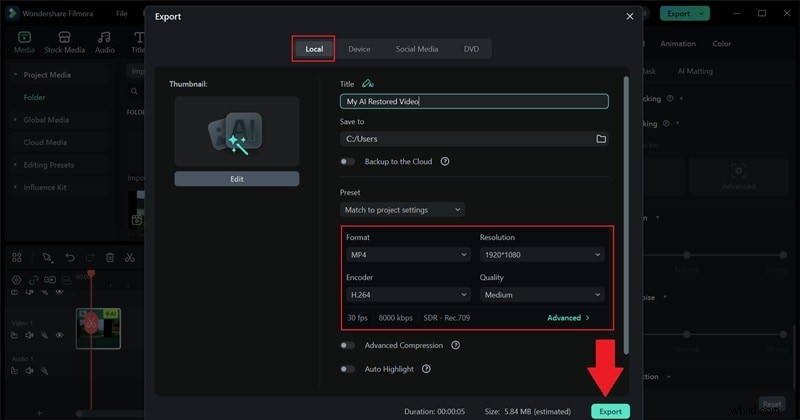
Filmora’s AI tools can restore footage as old as 1993, turning it into clean, watchable videos with minimal effort.
Conclusion
AI video restoration has become a practical solution for reviving old footage. After evaluating seven tools, Filmora emerges as the clear leader, thanks to its integration with the Topaz Starlight SLF 1 model and a comprehensive editing suite. It delivers stronger detail recovery, cleaner edges, and superior noise control while remaining accessible to users of all skill levels.
Whether you’re restoring family memories, cleaning up social media clips, or preparing archival footage for modern displays, these AI solutions make the process fast, reliable, and cost‑effective.