
If you haven’t explored YouTube playlists yet, you’re missing a powerful tool that can elevate your brand’s video strategy.
Every niche has a playlist – from the latest viral hits to thought‑leadership talks. In 2026, YouTube remains the second‑most visited site, making it an essential platform for customer engagement.
In this guide we’ll walk you through creating, editing, and leveraging playlists to strengthen your brand’s presence and improve customer experience.
What Is a YouTube Playlist?
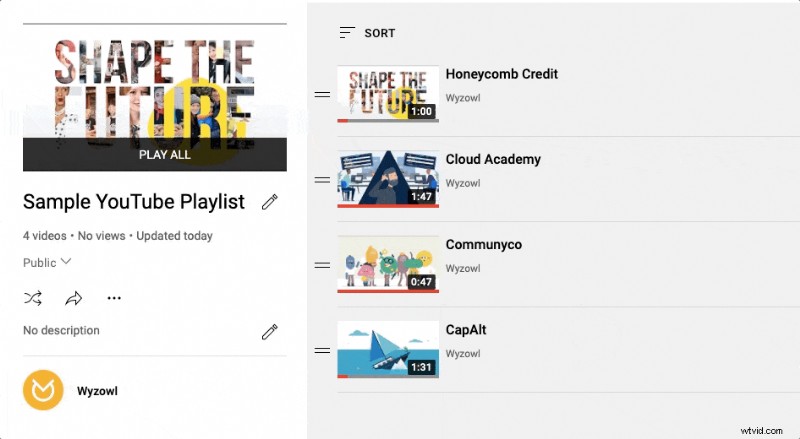
A YouTube playlist is a curated sequence of videos that play automatically, one after another. Think of it like a Spotify playlist, but for video content. When a video ends, the next one starts without any user action, and playlists can be shuffled for variety.
YouTube playlists vary in scope – whether you’re looking for a quick 108‑Vine marathon or a deep dive into industry trends, the platform hosts everything. For example, you might search for “best Vine playlists” to add a laugh to your break, then move on to a cat‑video collection, and finally watch a strategic playlist from our Managing Director, Matt Byrom, covering team performance and organic traffic tactics.
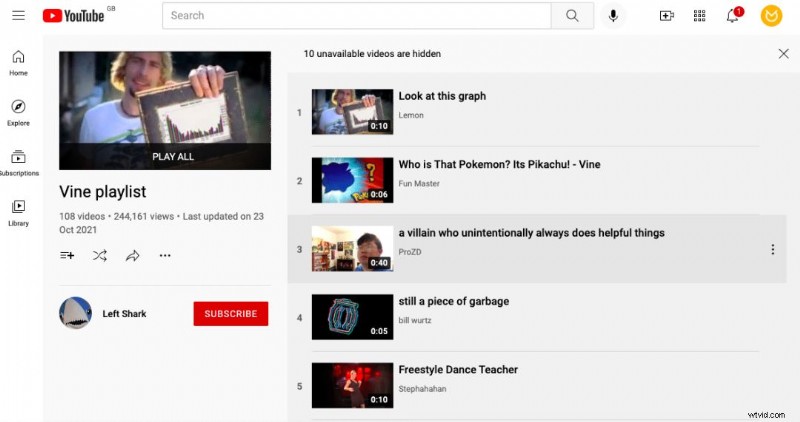
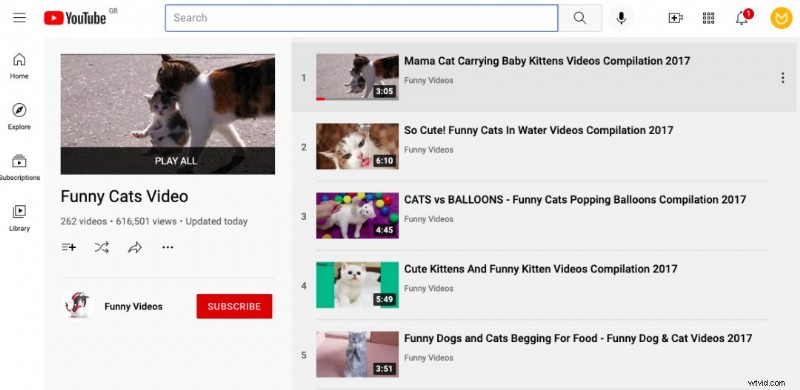
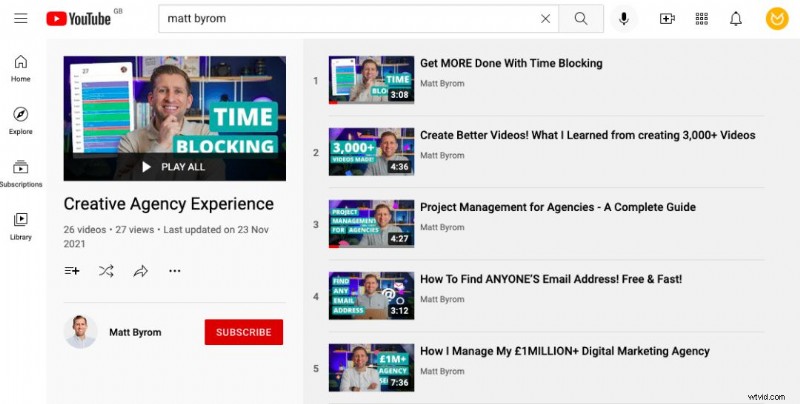
For brands, playlists are a content‑curation powerhouse. Instead of a single video, you can guide viewers through a narrative, showcase product features, present testimonials, or address FAQs—all within one cohesive experience.
Why Create a YouTube Playlist?
Playlists enhance the viewer’s journey by delivering a curated flow of content that answers their questions and keeps them engaged. For marketers, this means:
- Building deeper storytelling across multiple videos.
- Reducing the need for users to search for related content.
- Increasing watch time and dwell time on your channel.
- Facilitating targeted outreach, such as sending a product‑feature playlist to prospects.
Ultimately, playlists turn casual viewers into informed customers.
How to Create a Playlist on YouTube
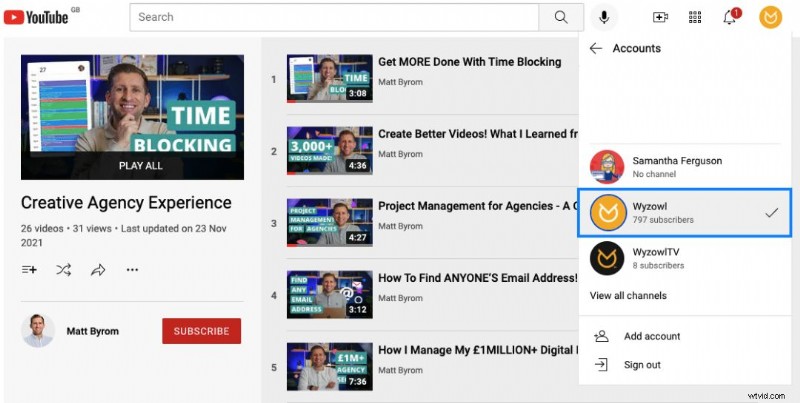
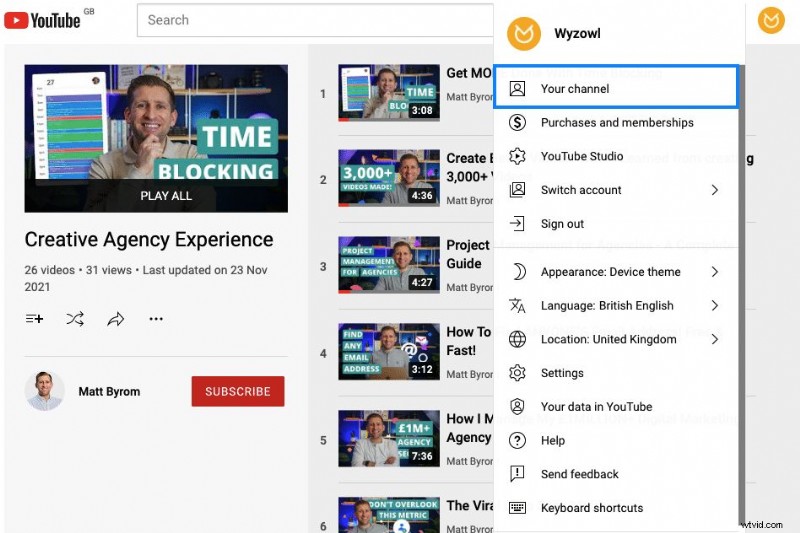
Step 1: Choose the Channel YouTube playlists are tied to the channel that hosts them. If you manage multiple channels, make sure you’re logged into the correct one. Click your avatar in the top right, select Switch account, and choose the appropriate channel.
Step 2: Access Your Channel Click your avatar again and choose Your Channel to open your channel’s dashboard.
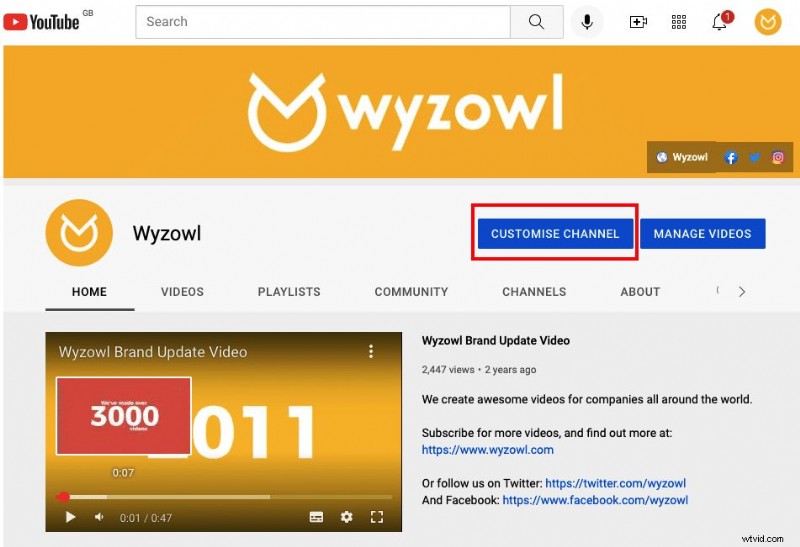
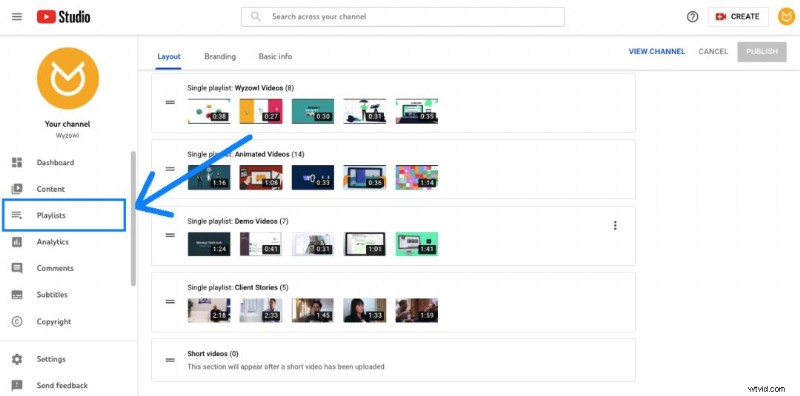
Step 3: Open the Customise Page Click Customise Channel to launch the video manager. From the left‑hand menu, select Playlists.
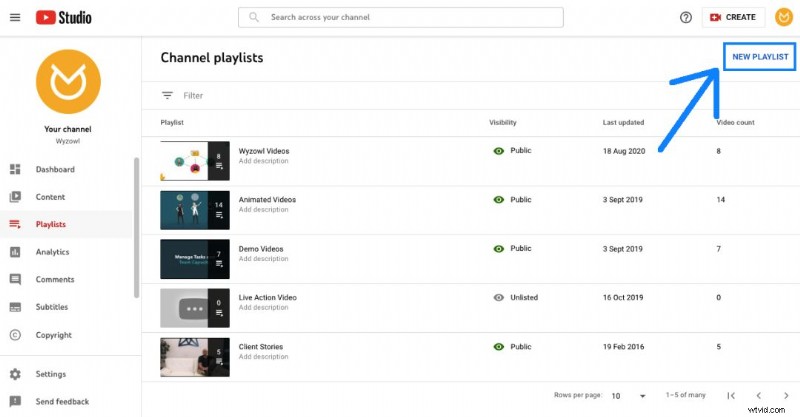
Step 4: Create the Playlist Click the New playlist button, give it a descriptive title, choose its visibility (Public, Unlisted, or Private), and hit Create.
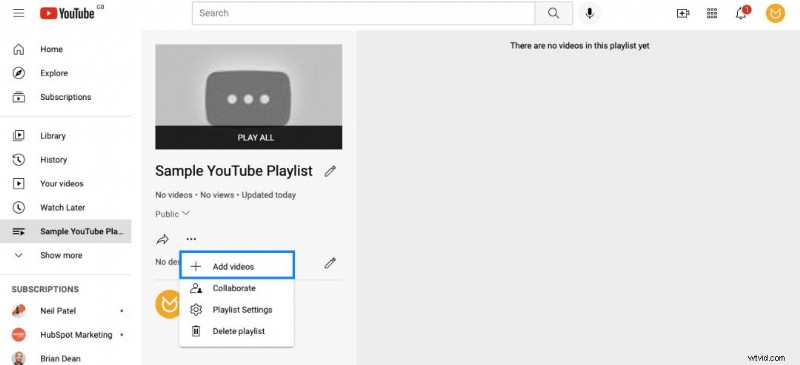
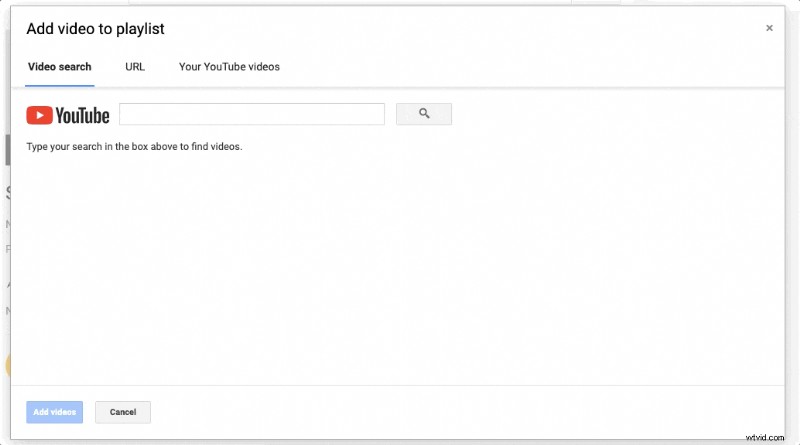
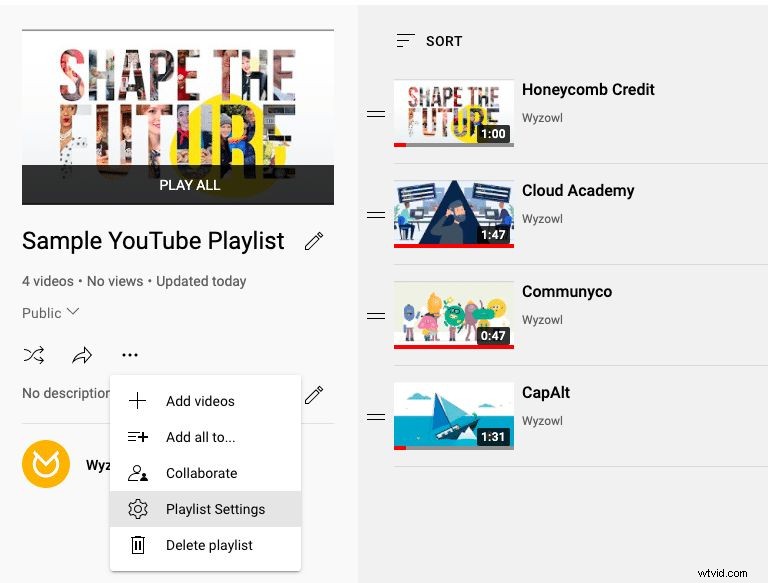
Step 5: Add Videos Open the newly created playlist, click the three‑dot menu, and select Add videos. Search or paste video URLs, then confirm with Add videos.
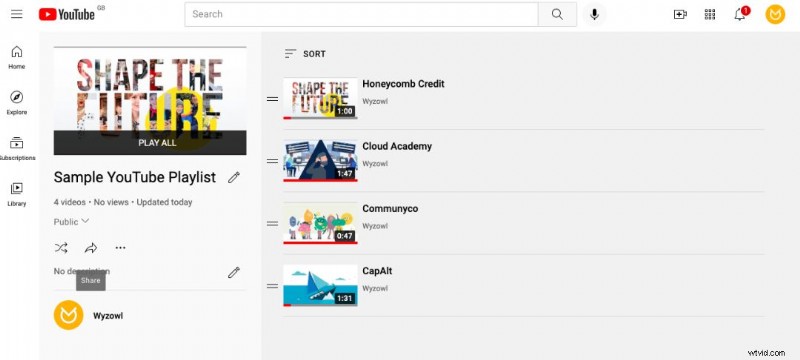
Step 6: Share Your Playlist Use the Share button to copy the link, embed the playlist on your website, or send it via email.
How to Edit a Playlist on YouTube
To update your playlist, return to the Playlists tab and click the pencil icon next to the title.
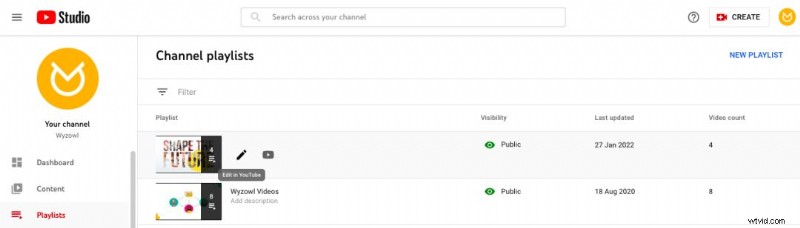
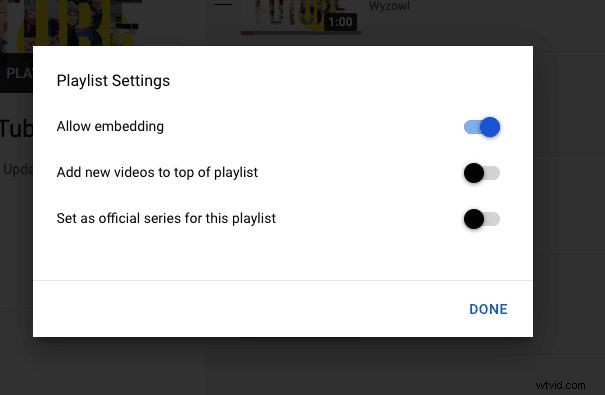
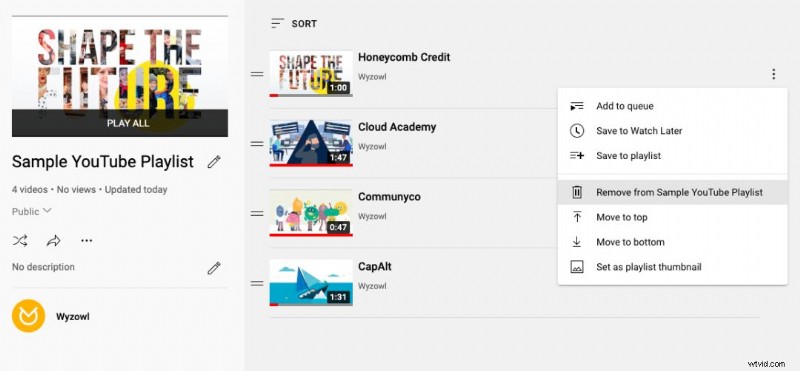
You can modify the title, description, and visibility settings. Add or remove videos, reorder them, or adjust sorting preferences (most popular, date added, or date published).
Final Thoughts
Now that you’re comfortable creating and editing playlists, consider the following next steps to maximize impact:
- Earn a YouTube verification badge to boost credibility.
- Optimize your YouTube SEO to rank higher in search results.
- Ensure your banner size is responsive across all devices.
These actions will amplify your reach on the world’s second‑most visited platform.

Sam Parker is a seasoned digital and brand marketer with experience across tech, healthcare, manufacturing, and retail. She has driven brand growth for industry leaders such as L’Oréal, Victoria’s Secret, US Foods, and AZEK Building Products.