
When you think of call‑recording software, the first image that comes to mind is the familiar automated voice that says, “This call may be recorded for quality and training purposes.” However, recording capabilities have expanded far beyond that scenario. Whether you manage a call center, produce a podcast, run a YouTube channel, or simply want a reliable personal backup, the right software can make a significant difference.
In this guide, we examine the most reputable voice and video call recording solutions for PCs in 2026, explain why you might need them, and offer a step‑by‑step framework for selecting the best option for your needs.
What Is Call Recording Software?
Call recording software captures remote voice or video conversations so you can review them later. The two primary categories for PCs are VoIP‑based recording and local recording.
VoIP (Voice over Internet Protocol)
VoIP transmits audio and video over the internet by converting voices into digital signals. While the technology offers significant cost savings—averaging $20‑$30 monthly for individuals and up to 50% for businesses—it can be sensitive to internet bandwidth and stability.
Zoom remains one of the most widely used VoIP platforms today.
VoIP‑Based vs. Local Call Recording Software
VoIP‑based tools record calls directly over the internet. Some services, like hosted providers, include recording as part of the plan, while others rely on third‑party applications.
Local recording software writes audio and video directly to the user’s computer (often referred to as double‑ender recording). This approach mitigates quality loss from a poor internet connection. The recorded files can still be uploaded to the cloud for easy access.
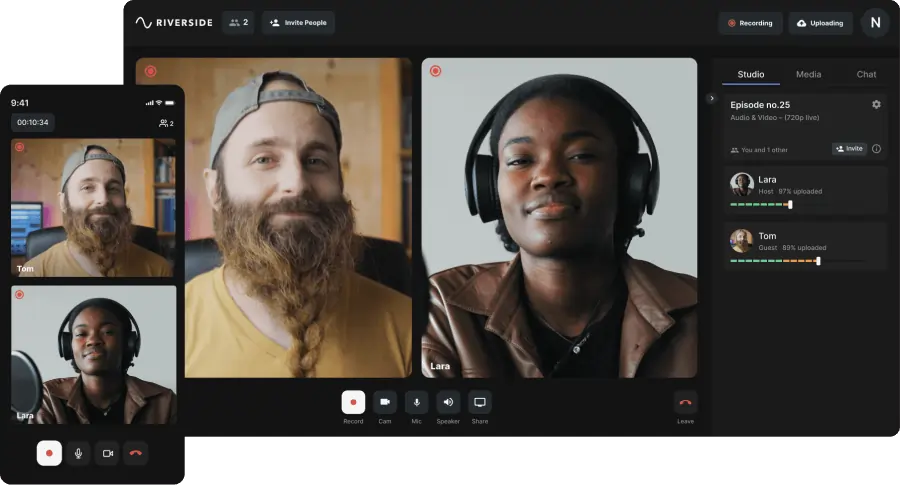
For example, Riverside records locally on each participant’s device, guaranteeing stable quality, and then uploads the files to the cloud in real time.
Choosing the Right Call Recording Software
Call recording serves diverse purposes: a solo creator might use it for remote interviews, while a business could rely on it for quality assurance, training, analytics, or brand building. No matter the goal, consider these key factors:
Cost
While some options are free, most require a subscription. Paid plans typically unlock advanced features such as automated recording, higher storage limits, or AI‑driven insights.
Automatic vs. On‑Demand Recording
Decide whether you need to capture every call automatically or selectively. Some platforms offer on‑demand recording only, whereas automatic recording often appears in higher‑tier plans.
Recording Quality
For public or internal use, high‑fidelity audio and video are essential. Look for software that records uncompressed WAV audio and supports 4K video when possible.
Browser‑Based vs. App‑Based
If your guests will use the platform, a browser‑based solution eliminates the need for downloads, reducing friction and boosting adoption.
VoIP vs. Local Recording
Local recording offers resilience against internet outages, while VoIP may be more convenient but can suffer quality drops if bandwidth fluctuates.
Device Compatibility
Ensure the software works across the operating systems used by you and your participants—Mac, Windows, iOS, Android, or even mobile browsers.
Editing Capabilities
If you plan to repurpose recordings for marketing or internal training, choose a tool that supports separate audio and video tracks and provides robust editing features.
Softphone vs. Hardphone
Softphone solutions run on a computer, whereas hardphone options use traditional hardware. Pick based on your existing telephony infrastructure.
Call Volume and Scalability
Assess whether the platform can handle your current call load and future growth—especially if you anticipate multiple simultaneous recordings or a rapid increase in users.
Compliance
Industries such as healthcare or finance may require HIPAA or other regulatory compliance. Verify that the platform meets the necessary standards before adoption.
8 Best Call Recording Software in 2026
Below is a curated list of the top solutions for businesses, content creators, and individual users.
1. Nextiva
Price: $36.95/user/month (Enterprise plan with recording)
Compatibility: Mac, Windows, iOS, Android
Nextiva ranks highly as a VoIP softphone system that combines comprehensive call features with robust recording capabilities. It supports unlimited domestic calls and video conferences up to 250 participants, each lasting 45 minutes.
Key Features
- 30‑day free trial
- Voice and video calls
- Unlimited domestic calls
- Video conferences (up to 250 people, 45 min)
- Recording on all plans
- Integrations with 20+ tools
- Compliance support across industries
Pros
- Fully‑featured platform
- Strong compliance credentials
Cons
- No local recording
- One‑on‑one recording only in the most expensive plan
Best for: Enterprise businesses seeking a complete VoIP phone system with integrated recording.
2. RingCentral
Price: $40.99/user/month (Standard plan with recording)
Compatibility: Mac, Windows, iOS, Android
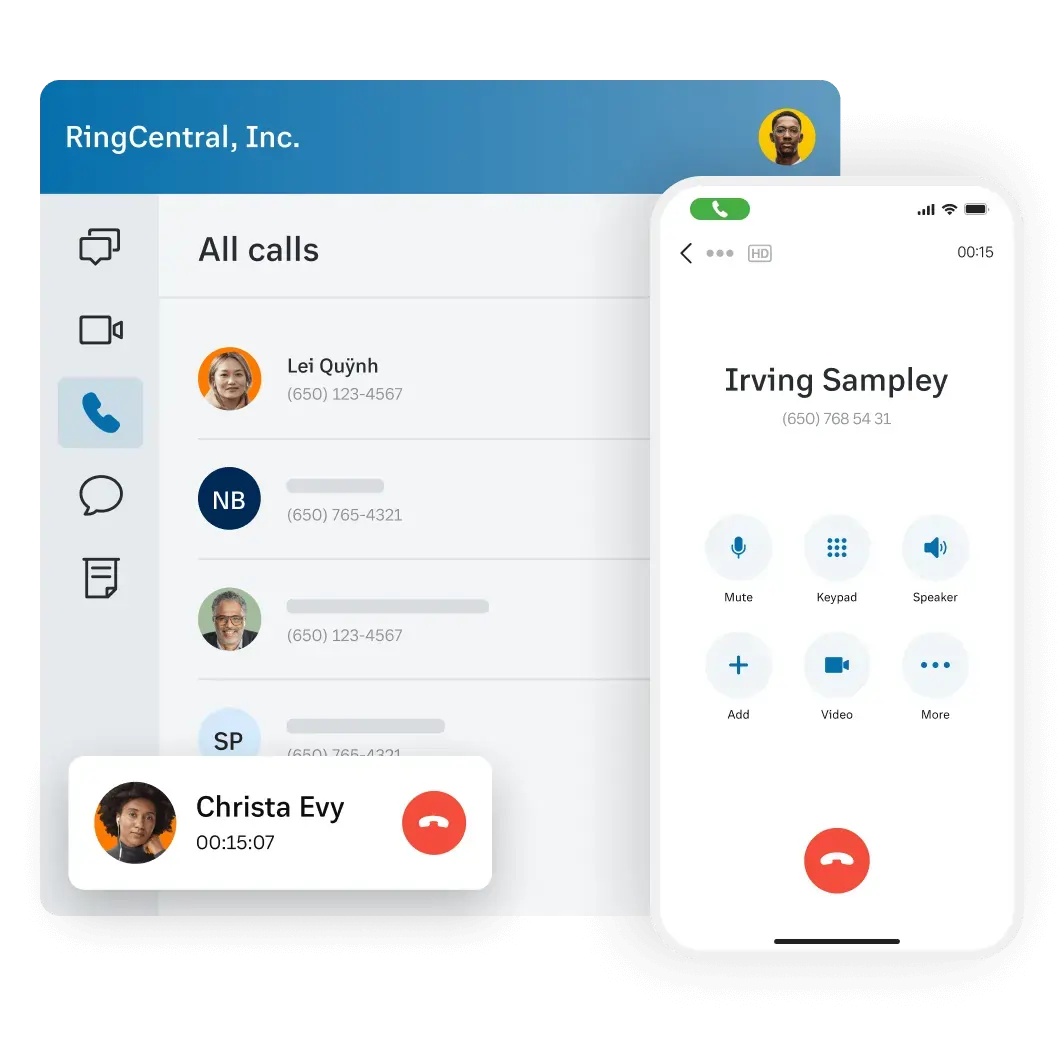
RingCentral is a leading VoIP softphone known for its robust call‑management features, making it ideal for high‑volume operations.
Key Features
- 15‑day free trial
- Unlimited domestic calls
- Video calls (up to 200 participants)
- 200+ integrations
- Scalable architecture
- Conversation intelligence
- AI call‑management tools
- On‑demand recording (Standard), automatic (higher tiers)
Pros
- Extensive integrations
- Advanced call‑management features
Cons
- No local recording
- Base plan limited to 20 users
- Recording not available on Base plan
Best for: Businesses with high call volumes requiring scalable, intelligent solutions.
3. Ooma

Price: $24.95/user/month (Pro plan with recording)
Compatibility: Mac, Windows, iOS, Android
Ooma offers a streamlined, user‑friendly VoIP softphone suited for small‑to‑medium enterprises.
Key Features
- 30‑day free trial
- Automatic call recording
- Call blocking
- Conversation intelligence
- Video conferencing
Pros
- Intuitive interface
- Selective automatic recording on chosen lines
Cons
- No local recording
- Limited security features
- Not HIPAA compliant
Best for: Small‑to‑medium businesses seeking an easy‑to‑deploy VoIP system.
4. 8x8

Price: $28/user/month (X2 plan with recording)
Compatibility: Mac, Windows, iOS, Android
8x8 provides a highly customizable VoIP platform, allowing organizations to tailor recording workflows to their needs.
Key Features
- 30‑day free trial
- Unlimited voice and video calls
- Multiple storage options for recordings
- Conversation intelligence
Pros
- High level of customization
Cons
- No local recording
- Base plan capped at five users
Best for: Small businesses that value flexibility and personalized workflows.
5. Riverside
Price: Free plan with recording; paid plans start at $15/month
Compatibility: Mac, Windows, iOS, Android
Riverside delivers studio‑grade audio and video recording, ideal for remote interviews, webinars, and live streaming. Its local recording architecture ensures consistent quality regardless of network fluctuations.
Key Features
- Local recording with immediate cloud upload
- Separate audio and video tracks
- Uncompressed audio (48 kHz, 16‑bit) and 4K video
- Up to 8 participants
- Screen sharing
- Automatic transcription
- Live chat, call‑in, and social media streaming
- Text‑based editing tools
- Custom branding and logos
- Shared workspaces for teams
- Magic Clips for instant social media snippets
- Progressive cloud upload for quick access
Pros
- Intuitive interface
- High‑resolution recording
- Robust post‑production controls
- Local and uncompressed output
- Rich marketing features
Cons
- Unlimited separate‑track recording requires a higher tier plan
Best for: Content creators and businesses that need professional‑grade recordings for marketing, testimonials, or internal training.
6. Zoom

Price: $14.99/user/month (Pro plan with recording)
Compatibility: Mac, Windows, iOS, Android
Zoom remains ubiquitous for quick, user‑friendly meetings. While it excels in ease of use, the platform compresses audio and video during recording, which may be unsuitable for high‑fidelity needs.
Key Features
- Up to 100 participants
- Automated captions
- Live streaming (additional $79/month)
Pros
- Affordable
- Extremely easy to adopt
Cons
- Quality depends on internet speed
- Lower‑resolution recordings
- Free plan limited to 40‑minute meetings
- Live streaming requires extra cost
- No built‑in editing tools
- App download mandatory
Best for: Beginners and teams on a tight budget who need quick, simple recordings.
7. QuickTime
Price: Free (pre‑installed on macOS)
Compatibility: Mac only
QuickTime is Apple’s native media player, capable of recording screen, audio, and video. It’s ideal for Mac users who already have a separate call platform but require reliable recording.
Key Features
- Screen and audio capture
- Basic editing (trim, split)
- Full‑screen or selective area recording
- iPhone/iPad screen recording via Mac
Pros
- Separate audio and video tracks
- Uncompressed audio output
Cons
- Mac‑only support
- Limited editing and recording features
- Cannot initiate calls; requires a third‑party call app
Best for: Mac users needing simple, high‑quality recording without a dedicated call platform.
8. VLC Media Player

Price: Free
Compatibility: Mac, Windows, iOS, Android
VLC is a versatile media player that also supports recording. Like QuickTime, it requires a separate call application to capture audio and video.
Key Features
- Audio and video recording
- Optimized playback
- Extension support
- Live downloading of streams
- Video conversion capabilities
Pros
- User‑friendly interface
- Wide format compatibility
Cons
- No built‑in tagging or organization
- Windows‑specific features only on that platform
- No editing tools
- No partial‑screen capture
Best for: Windows users who need a free recording solution without post‑production editing.
Which Software Is Right for You?
The optimal choice hinges on your role: businesses, content creators, or individual users each have distinct priorities.
Best for Business Call Recording
Nextiva offers a full VoIP phone system with embedded recording, making it the top pick for enterprises. Its unlimited domestic calling, extensive video conference capacity, and compliance‑ready architecture provide a comprehensive solution.
Best for Video Call Recording
For high‑end video production—whether marketing videos, internal briefings, or testimonials—Riverside excels. Its local recording, uncompressed audio, and 4K video deliver pristine quality, and the platform’s editing suite keeps production streamlined.
Best Free Call Recording
Individual users can rely on QuickTime (Mac) or VLC (Windows) for basic recording. Content creators who need professional audio and video can start with Riverside’s free tier, which offers local, uncompressed recording and a full set of editing tools.
FAQs About Call Recording Software
Is there a free call recorder?
Yes. Popular free options include Riverside, Skype, and Zoom. For the highest audio and video fidelity, Riverside is recommended.
What options exist for recording calls?
Choose from:
- Professional‑grade tools like Riverside for studio‑quality output
- Business‑centric platforms such as Nextiva for quality assurance and training
- Third‑party utilities like QuickTime or VLC that capture any on‑screen audio and video
How do I enable automatic phone call recording?
Platforms such as Nextiva, RingCentral, and Ooma support automatic recording, but it typically requires a higher‑tier subscription. For a cost‑free solution, Riverside offers on‑the‑fly recording with optional automation.